Meta Tag Generator: The Free SEO Tool Every Developer Needs
Generate SEO meta tags, Open Graph tags, and Twitter Card tags in seconds. Live SERP preview, one-click copy, zero sign-up—built for developers who ship fast.
Meta Tag Generator: The Free SEO Tool Every Developer Needs
You just shipped a new landing page. It looks great. Then someone shares it on LinkedIn and the preview is... a blank rectangle with your domain name. Or worse—last month's OG image from a completely different page.
Meta tags are invisible until they're wrong. And they're wrong more often than anyone admits.
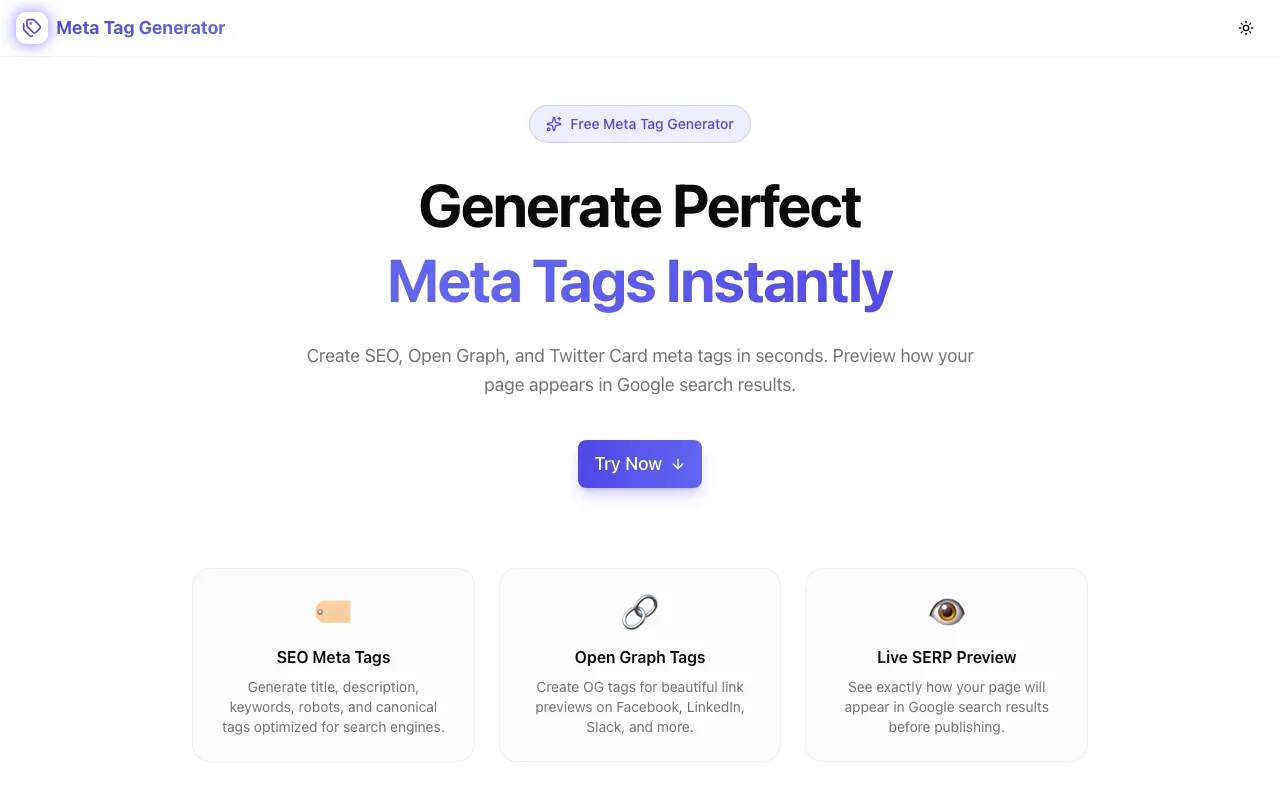
We built Meta Tag Generator to fix that—a free, browser-based tool that creates SEO, Open Graph, and Twitter Card meta tags with a live Google SERP preview, so you can see exactly how your page will appear before you deploy.
What Are Meta Tags, Really?
Meta tags are HTML elements inside your page's <head> that tell search engines and social platforms what your page is about. They don't appear on the page itself, but they control two critical things:
- How your page ranks and displays in Google search results (title tag, meta description, robots directive)
- How your page looks when someone shares the link on Facebook, LinkedIn, Slack, Twitter, or Discord (Open Graph and Twitter Card tags)
Here's the bare minimum every page should have:
<!-- SEO -->
<title>Your Page Title (under 60 characters)</title>
<meta name="description" content="Your description (under 160 characters)" />
<link rel="canonical" href="https://yoursite.com/page" />

<!-- Open Graph -->
<meta property="og:title" content="Your Page Title" />
<meta property="og:description" content="Your description" />
<meta property="og:image" content="https://yoursite.com/og-image.png" />
<meta property="og:url" content="https://yoursite.com/page" />
<meta property="og:type" content="website" />

<!-- Twitter Card -->
<meta name="twitter:card" content="summary_large_image" />
<meta name="twitter:title" content="Your Page Title" />
<meta name="twitter:description" content="Your description" />
<meta name="twitter:image" content="https://yoursite.com/og-image.png" />
That's 12 tags minimum. For a single page. Multiply by every page on your site, and you see why most developers either skip them or copy stale ones from another project.
Why Meta Tags Matter More Than You Think
They Control Your Click-Through Rate
Google displays your title tag and meta description in search results. A well-written description can be the difference between a click and a scroll-past. Studies consistently show that optimized meta descriptions can improve CTR by 5–10%.
But here's the catch: Google truncates titles beyond roughly 60 characters and descriptions beyond 160 characters. Write past the limit and your carefully crafted copy gets cut off mid-sentence with an ellipsis.
They Control Your Social Presence
When someone shares your link, the platform reads your Open Graph tags to build the preview card. No OG tags? The platform guesses—usually poorly. You get a tiny favicon, a URL, and maybe the first sentence of your page body. Not exactly compelling.
With proper OG tags, you control the image, title, and description that appear in the share card. On platforms like LinkedIn where link posts drive significant traffic, this directly impacts engagement.
They're Easy to Get Wrong
The tag names are inconsistent (name vs property), the character limits are unwritten rules, and there's no built-in feedback mechanism. You deploy, share a link somewhere, and discover the preview is broken. Then you fix it, redeploy, clear the platform's cache, and try again.
How Meta Tag Generator Works
Tab 1: SEO Meta Tags
Enter your page title, description, keywords, canonical URL, and robots directive. As you type, two things happen:
- Character counters show your current length against Google's recommended limits
- A live SERP preview renders below, showing exactly how your listing will appear in search results
The SERP preview is the killer feature. You see title truncation in real time. You see how your description wraps. You see whether your URL slug reads cleanly. No deploying to check.
Tab 2: Open Graph Tags
Fill in og:title, og:description, og:image URL, og:url, og:type, and og:site_name. These control link previews on Facebook, LinkedIn, Slack, Discord, and any platform supporting the Open Graph protocol.
Pro tip: your OG title and description can differ from your SEO title and description. Your search listing might be keyword-optimized, while your social preview can be more conversational and click-worthy.
Tab 3: Twitter Card Tags
Configure your card type (summary vs. summary_large_image), twitter:title, twitter:description, twitter:image, and Twitter handles. Twitter uses its own tag format—while it falls back to OG tags, dedicated Twitter tags give you more control, especially over card type and creator attribution.
One-Click Copy
When everything looks right, click "Copy All Tags." You get the complete HTML snippet—all three tag sets—ready to paste into your page's <head> section. No manual assembly required.
Common Meta Tag Mistakes (and How to Avoid Them)
1. Titles That Are Too Long
Google displays roughly 50–60 characters. Beyond that, your title gets truncated with "..." — which can cut off important words like your brand name or the key selling point.
Fix: Use the character counter. Front-load the important words.
2. Missing Open Graph Images
The single most common broken meta tag. Your og:image URL is wrong, the image is too small, or it's behind authentication. The result: a sad, imageless link preview.
Fix: Use an absolute URL (not relative). Make sure the image is publicly accessible. Recommended size: 1200×630 pixels.
3. Duplicate Meta Descriptions
Copy-pasting the same description across pages tells Google nothing useful about each individual page. It can also trigger "duplicate meta description" warnings in Search Console.
Fix: Write a unique description for every page. It doesn't need to be Shakespeare—just specific and accurate.
4. Forgetting the Canonical Tag
If your page is accessible at multiple URLs (with and without www, with and without trailing slashes, with query parameters), search engines might treat them as separate pages. The canonical tag tells Google which URL is the "real" one.
Fix: Always include <link rel="canonical"> pointing to the preferred URL.
5. No Twitter-Specific Tags
Relying entirely on OG fallback works, but you lose control over the card type. Without twitter:card, Twitter defaults to "summary" (small image). If you want the large image format, you need to explicitly set twitter:card to summary_large_image.
Fix: Add Twitter Card tags separately. It takes 30 seconds.
Who Should Use This?
- Developers shipping new pages, fixing broken previews, or setting up meta tags for the first time
- Founders and indie hackers who don't want to learn the Open Graph spec just to get a decent link preview
- Product managers verifying that marketing pages have proper SEO metadata before launch
- Content creators and bloggers optimizing posts for both search rankings and social sharing
Privacy and Performance
Meta Tag Generator runs entirely in your browser. Your page titles, descriptions, and URLs are never sent to any server. There's no sign-up, no tracking on your input data, and no cost. The tool loads fast and works without an internet connection after the initial page load.
Try It Now
Stop deploying blind. Stop guessing at character limits. Stop wondering why your link preview is broken.
Free. Fast. Private. No sign-up required.
Part of Our Free Tools Suite
Meta Tag Generator joins our growing collection of browser-based developer tools:
- Favicon Generator — All favicon sizes + manifest from any image
- OG Preview — Preview how your links look on social media
- JSON Formatter — Format, validate, and minify JSON
- Regex Playground — Build, test, and debug regular expressions
- Sitemap Checker — Discover and validate sitemaps on any website
All free, all privacy-first, all built for developers who ship fast.