Back to Projects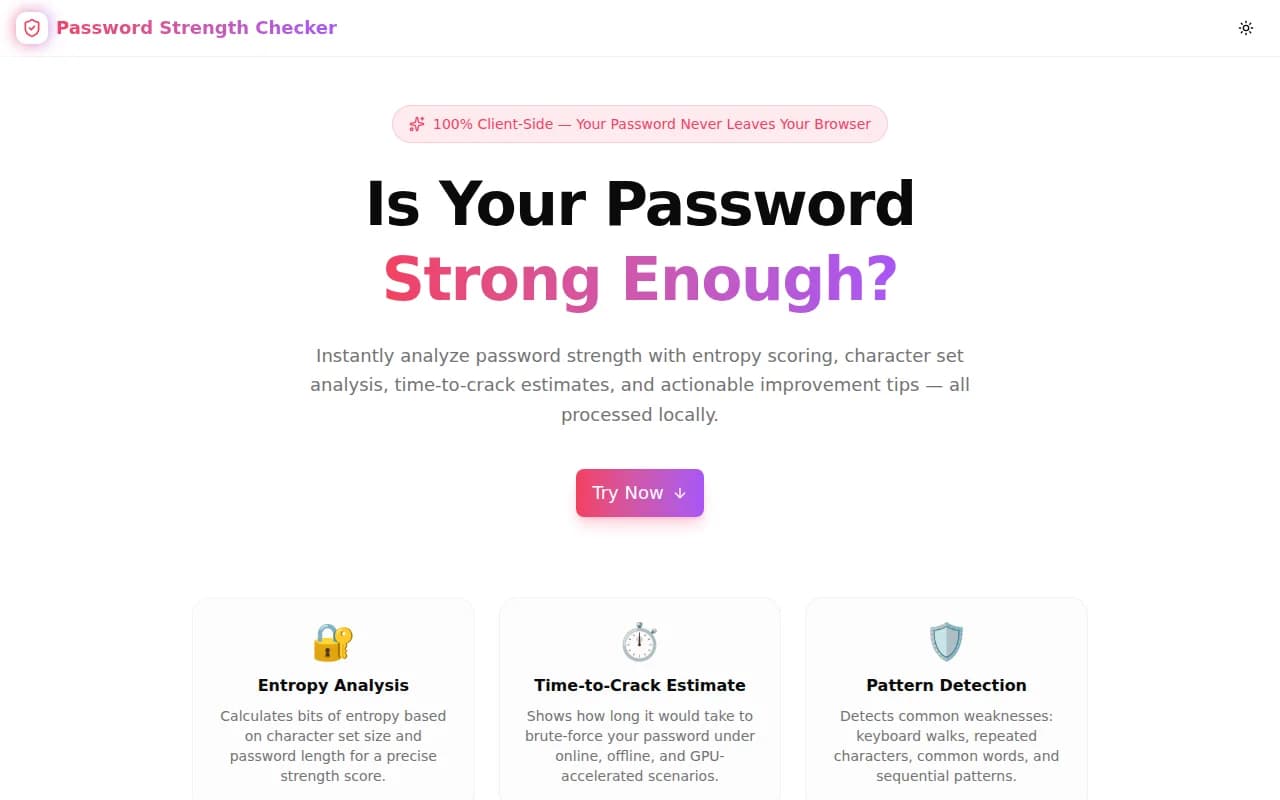
Security ToolsFeatured
Password Strength Checker
A free, instant password strength analyzer that calculates entropy, detects patterns, estimates time to crack under three attack scenarios, and gives actionable improvement tips — all in your browser, nothing sent to any server.
SecurityPasswordDeveloper ToolsPrivacyNext.jsTypeScript
Start Similar ProjectAbout the Project
Password Strength Checker — Entropy, Crack Time & Security Score
Password Strength Checker is a free, browser-based tool that analyzes any password in real time. It calculates entropy in bits, detects common weaknesses like keyboard patterns and repeated characters, shows time-to-crack estimates across three attack scenarios, and provides specific improvement suggestions. Your password never leaves your browser — all analysis runs locally in JavaScript.
The Problem
Most password strength indicators are theater. A progress bar turns green after you add a capital letter and a number. But "Password1!" scores well on those basic checkers while being trivially crackable. Real password strength is a function of entropy — the number of possible combinations an attacker must search — not a surface-level character class checklist.
Developers and security-conscious users need to know:
- How unpredictable is this password, mathematically?
- How long would it actually take to crack?
- What specific patterns make it weaker?
Without answers to those questions, a "strength meter" is just colored UX.
How It Works
1. Entropy Calculation
Entropy is measured in bits: log₂(charset_size) × password_length. A password using only lowercase letters (26 chars) at 8 characters long has log₂(26) × 8 ≈ 37.6 bits. Add uppercase (52 chars): log₂(52) × 8 ≈ 45.6 bits. Add symbols (84 chars): log₂(84) × 8 ≈ 51.6 bits. Entropy grows logarithmically with charset size and linearly with length — length wins.
The tool reports raw entropy, then applies penalties for detected patterns (keyboard walks, sequential chars, common words, repeated sequences) to give an effective entropy that reflects real-world attack difficulty.
2. Pattern Detection
Three classes of weakness reduce effective entropy:
- Repeated characters — sequences like
aaa,111, or!!!reduce the combinatorial space dramatically. - Sequential characters — runs like
abc,xyz,123, or987are standard entries in every cracking wordlist. - Common patterns — dictionary words, common password prefixes (
password,admin,qwerty), and keyboard walks that billions of leaked credentials have trained crackers to try first.
Each detected pattern is flagged with a badge so you know exactly what to fix.
3. Time-to-Crack Estimates
The tool computes estimated crack time under three attacker scenarios:
| Scenario | Guesses/Second | Represents | |---|---|---| | Online Throttled | 1,000/s | Rate-limited login form | | Offline Slow | 1,000,000,000/s | Leaked hash on a CPU | | GPU Accelerated | 100,000,000,000/s | High-end GPU cracking rig |
Estimates are derived from effective entropy: combinations / guesses_per_second. They are approximations, not guarantees — but they give you a calibrated intuition for whether "secure" means "lasts a day" or "lasts centuries."
4. Character Set Analysis
A visual breakdown shows which character types are active in the password: lowercase (a–z), uppercase (A–Z), digits (0–9), and symbols (!@#…). Missing types are highlighted so you can see exactly what to add to increase charset size.
5. Actionable Suggestions
Instead of generic advice, the tool surfaces specific, prioritized suggestions based on what's actually weak in the password you typed — length, missing character types, detected patterns. One suggestion per issue, in plain English.
Key Features
- Real-time strength meter — updates instantly as you type, no submit button
- Entropy score in bits — precise mathematical strength measurement
- Effective entropy — penalty-adjusted for detected patterns
- Time-to-crack across three scenarios — online, offline, and GPU
- Pattern detection — repeated chars, sequential runs, common words
- Character set breakdown — see exactly which types are present
- Specific improvement tips — not generic advice, but targeted feedback
- Show/hide password toggle — for comfortable typing without shoulder-surfing
- 100% client-side — your password never leaves your browser
- No signup, no login — open the tool and start immediately
Technical Implementation
Core Technologies
- Next.js with App Router
- TypeScript in strict mode
- TailwindCSS for styling
- shadcn/ui components (new-york style)
- framer-motion for animated strength transitions
- Client-side only — zero external API dependencies
Architecture
- Custom entropy calculation using charset detection and logarithmic math
- Pattern matching with regex and sequential character analysis
- Effective entropy derived from raw entropy minus weighted penalties per detected pattern
- Crack time formula:
2^entropy / attacks_per_secondfor each scenario - Strength levels: Very Weak (< 28 bits), Weak (28–40), Fair (40–56), Strong (56–72), Very Strong (72+)
- Animated progress bar transitions on strength level changes
- Clipboard API integration for password copy
Use Cases
Security Audits
Security engineers and IT administrators can quickly test whether proposed password policies produce genuinely strong passwords — not just checklist-compliant ones. Copy a proposed policy example into the tool, see the entropy, and know whether it holds up against a real attacker.
Educating Teams About Password Security
The most effective security training shows, not tells. Demo the tool on Password1! (looks compliant, entropy ≈ 35 bits, cracks in minutes offline). Then demo correct-horse-battery-staple (looks simple, entropy ≈ 65 bits, lasts thousands of years). The contrast lands better than any slide.
Developers Building Authentication Systems
Before shipping a password policy, verify it produces the entropy you expect. Use the tool to test the minimum-complexity password your policy allows — if it cracks in under a day on the offline scenario, your policy is too weak.
Personal Password Hygiene Checks
Anyone evaluating whether to trust a password they use — before adding it to a new service, or during a security audit of their own accounts — can get a quick, honest assessment without sending their password to any third-party service.
Password Manager Integration Checks
When a password manager suggests a generated password, use the checker to verify the generation policy produces the expected entropy. A 12-character alphanumeric password without symbols may look strong but falls short of 72 bits. A 16-character password with full charset easily clears it.
Why Password Strength Checker?
vs. Other Online Checkers
Most online strength checkers either send your password to a server (a privacy risk) or use simplistic character class rules that don't reflect real cracking difficulty. This tool keeps everything in your browser and uses entropy math rather than checkbox logic.
vs. Have I Been Pwned (Password Check)
HIBP checks whether a password appears in known breach data — a different check, and an important one. This tool tells you how strong the password is mathematically, regardless of whether it's been leaked before. They're complementary.
vs. zxcvbn
zxcvbn is an excellent library but requires a JavaScript dependency. This tool implements a lightweight subset of the same core ideas (pattern detection + entropy) with zero external dependencies, making it fast and auditable.
Results
Password Strength Checker brings honest password analysis to anyone who needs it:
- No theater — entropy beats character class checklists
- Privacy first — nothing leaves your browser
- Actionable — specific tips, not generic advice
- Calibrated — crack time estimates rooted in real attacker hardware
Try it now: password-strength-checker.tools.jagodana.com
The Challenge
The client needed a robust security tools solution that could scale with their growing user base while maintaining a seamless user experience across all devices.
The Solution
We built a modern application using Security and Password, focusing on performance, accessibility, and a delightful user experience.
Project Details
Category
Security Tools
Technologies
Security,Password,Developer Tools,Privacy,Next.js,TypeScript
Date
June 2026