JSON Path Finder: Find Exact Paths in Nested JSON Instantly
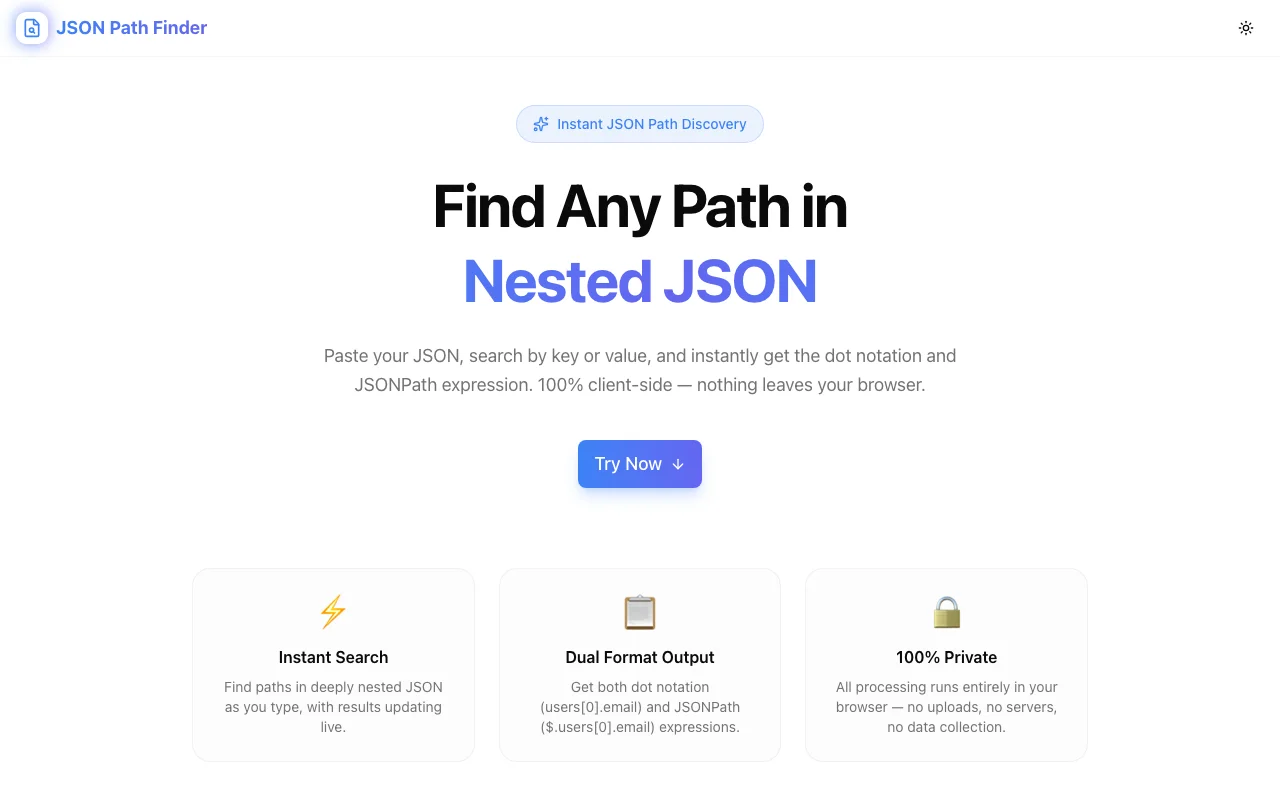
Stop manually tracing nested JSON. JSON Path Finder is a free browser tool that reveals the exact path to any key or value in complex JSON—instantly, with no data leaving your device.
JSON Path Finder: Find Exact Paths in Nested JSON Instantly
If you've ever dug through a deeply nested API response hunting for the exact path to a specific field, you know the frustration. Is it data.user.profile.address.city? Or data.users[0].details.location.city? Manual tracing wastes time and causes typos that break production code.
JSON Path Finder solves this in one click. Paste your JSON, click any key or value, and instantly see its full path—ready to copy into your code.
The Problem with Navigating Nested JSON
Modern APIs return complex, deeply nested JSON. A single Stripe webhook, GitHub API response, or Salesforce record can have 6–10 levels of nesting. Navigating it manually means:
- Counting array indices — is the item you want at index 0, 1, or somewhere else?
- Remembering object keys — especially when key names are ambiguous or use different casing conventions
- Making typos — one wrong character in a path breaks your code silently
- Switching tools — copying JSON into an editor, collapsing and expanding nodes, writing the path yourself
Every developer has spent 20 minutes debugging a TypeError: Cannot read property 'x' of undefined only to discover they had the path slightly wrong. There's a better way.
Introducing JSON Path Finder
JSON Path Finder is a free developer tool by Jagodana that shows you the exact path to any key or value in a nested JSON structure—instantly.
Here's how it works:
- Paste your JSON into the input panel
- Click any key or value in the tree view
- See the full path in dot notation or bracket notation, ready to copy
No searching. No manual counting. No typos. Just the exact path in one click.
Key Features
🎯 Click-to-Path Navigation
The core feature: click on any node in the JSON tree and immediately see its full JSONPath. Whether it's a string three levels deep or a number buried inside nested arrays, the path appears instantly.
This is the feature you'll use 50 times a day once you discover it.
🌲 Interactive JSON Tree View
JSON Path Finder renders your JSON as an interactive, collapsible tree. You can:
- Expand and collapse nested objects and arrays
- Scan the structure at a glance
- Click any node to get its path
The visual tree makes it immediately obvious how your data is structured—no more squinting at minified JSON.
📋 One-Click Path Copy
Once you click a node, the path is ready to copy. No selecting, no reformatting. Paste it directly into:
- JavaScript/TypeScript (
data.user.profile.city) - Python (
data["user"]["profile"]["city"]) - JSONPath query tools (
$.user.profile.city) - jq filters (
.user.profile.city)
🔒 100% Private — No Server Required
Your JSON never leaves your browser. All processing happens locally using JavaScript. This matters when you're working with:
- API responses containing user PII
- Webhook payloads with secret keys or tokens
- Internal configuration with credentials
- Patient data, financial records, or other sensitive information
Unlike many online JSON tools, there's no server logging your data, no account required, and no rate limits.
⚡ Instant — No Latency, No Rate Limits
Because everything runs in your browser, JSON Path Finder is instant. Paste a 500KB API response and the tree renders immediately. Click a node and the path appears in milliseconds. No waiting for server roundtrips, no API quotas, no throttling.
Who Is JSON Path Finder For?
Backend Developers
Working with API integrations? JSON Path Finder helps you map third-party API responses to your data models. Paste the Stripe, Twilio, or SendGrid response, click the field you need, and have the exact path to reference in your integration code.
Frontend Developers
Debugging API responses in the browser and need to know how to access a specific field in your JavaScript code? Paste the response JSON, click the value, copy the path. Done.
Data Engineers
Querying JSON in databases like PostgreSQL (using -> / ->> operators), BigQuery, or Snowflake? JSON Path Finder gives you the structural path you can adapt to your SQL JSON queries.
QA Engineers
Writing test assertions against API responses? JSON Path Finder makes it fast to build precise assertions pointing to exact fields deep in the response structure.
DevOps & SREs
Parsing JSON logs, Kubernetes manifests, or Terraform state files? Paste the JSON, find the path to the field you're monitoring or alerting on, and configure your tooling precisely.
Practical Use Cases
Use Case 1: Mapping a Third-Party API Response
You're integrating with a payment gateway. Their API returns a complex JSON response and you need the transaction ID buried inside:
{
  "response": {
    "transaction": {
      "details": {
        "id": "txn_abc123",
        "amount": 4999,
        "currency": "usd"
      }
    }
  }
}
Instead of manually tracing the path, paste the JSON into JSON Path Finder, click "txn_abc123", and instantly see: response.transaction.details.id. Copy and use it in your code.
Use Case 2: Debugging a JSONPath Query
You're writing a JSONPath query to extract data from a nested structure, but your query isn't returning what you expect. Paste the JSON into JSON Path Finder, click the value you're trying to target, and verify the correct path. Compare it to your query and spot the mismatch immediately.
Use Case 3: Exploring an Unfamiliar API
You've just started working with a new API and the documentation is incomplete. Fetch a real response, paste it into JSON Path Finder, and explore the tree to understand the actual structure. Much faster than reading docs that may not reflect the current API shape.
Use Case 4: Writing jq Filters
jq is powerful but writing correct filters for complex JSON requires knowing the exact structure. Use JSON Path Finder to explore your JSON visually, find the paths to the fields you need, and translate them to jq syntax.
Use Case 5: Configuring Monitoring & Alerting
Setting up a JSON-based alerting rule in Datadog, PagerDuty, or Grafana? You need the exact field path for the metric or status value you're monitoring. JSON Path Finder gets you there in seconds.
Why We Built This
We build developer tools at Jagodana because we use them ourselves. JSON Path Finder came out of a recurring frustration: every time we integrated a new API, someone on the team would spend 10–15 minutes manually tracing paths through complex response objects.
The fix was obvious—a tool that shows you the path when you click on any value. We built it, use it daily, and are sharing it for free.
All Jagodana tools are:
- Free to use — no account, no credit card
- Private by design — your data never leaves your browser
- Fast — no server latency, no rate limits
- Focused — one tool, one job, done well
Try JSON Path Finder Now
Stop tracing paths manually. Paste your JSON, click any value, copy the path.
👉 json-path-finder.jagodana.com
Free. Private. Instant.
Looking for more JSON tools? Try our JSON Formatter for beautifying, minifying, and validating JSON, or explore all Jagodana developer tools.