JSON to SQL Converter: Free Online JSON to SQL INSERT Generator
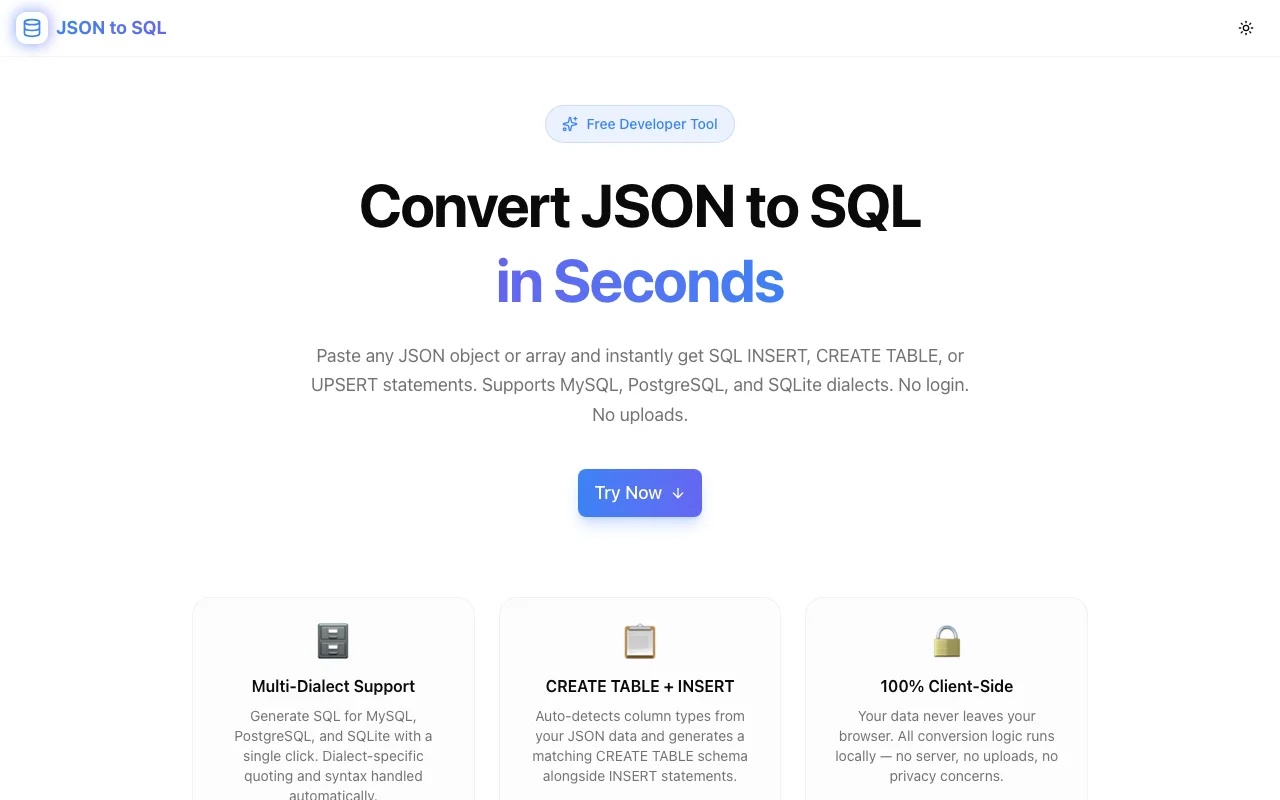
Stop writing SQL INSERT statements by hand. This free browser tool converts any JSON object or array into SQL INSERT, CREATE TABLE, and UPSERT statements for MySQL, PostgreSQL, and SQLite — instantly, with no data leaving your device.
JSON to SQL Converter: Free Online JSON to SQL INSERT Generator
If you've ever needed to seed a database, migrate data from a JSON-based system, or write integration test fixtures, you know the pain: you have the data in JSON but need it in SQL. Typing INSERT statements by hand is tedious, error-prone, and doesn't scale past a handful of rows.
JSON to SQL Converter solves this instantly. Paste any JSON object or array, choose your SQL dialect, and get correct INSERT, CREATE TABLE, and UPSERT statements in seconds — no login, no uploads, 100% free.
Why Do Developers Need to Convert JSON to SQL?
JSON has become the lingua franca of data exchange. APIs return JSON, mock data generators output JSON, NoSQL exports are JSON, and test fixtures are often written as JSON because it's fast to type and easy to read.
But relational databases speak SQL. The gap between JSON and SQL creates recurring friction:
- You have fixture data as JSON and need to seed a PostgreSQL database
- You're migrating from MongoDB to MySQL and have JSON exports
- You're writing integration tests that need exact database state
- You got a data dump from a colleague in JSON format and need to load it into SQLite
- You're prototyping and want to insert a few rows quickly without writing a migration script
The manual approach — writing INSERT statements row by row, quoting every string, remembering NULL syntax, handling booleans differently for MySQL vs PostgreSQL — is exactly the kind of boilerplate work that slows down real development.
Introducing JSON to SQL Converter
JSON to SQL Converter is a free, browser-based tool by Jagodana that eliminates this boilerplate entirely.
Here's the workflow:
- Paste your JSON — a single object or an array of objects
- Choose your dialect — MySQL, PostgreSQL, or SQLite
- Set a table name — editable inline
- Toggle options — CREATE TABLE, UPSERT, batch INSERT
- Copy your SQL — one click, done
The SQL output updates live as you type. No submit button, no waiting.
What SQL Does It Generate?
INSERT Statements
For a JSON array like this:
[
  { "id": 1, "name": "Alice", "active": true, "score": 98.5 },
  { "id": 2, "name": "Bob",   "active": false, "score": 72.0 }
]
PostgreSQL output:
INSERT INTO "my_table" ("id", "name", "active", "score")
VALUES
  (1, 'Alice', TRUE, 98.5),
  (2, 'Bob', FALSE, 72.0);
MySQL output uses backtick quoting and TINYINT(1) for booleans:
INSERT INTO `my_table` (`id`, `name`, `active`, `score`)
VALUES
  (1, 'Alice', 1, 98.5),
  (2, 'Bob', 0, 72.0);
CREATE TABLE Statements
Enable the CREATE TABLE toggle to get an inferred schema alongside your INSERT statements:
CREATE TABLE IF NOT EXISTS "my_table" (
  "id" INT,
  "name" TEXT,
  "active" BOOLEAN,
  "score" REAL
) ENGINE=InnoDB DEFAULT CHARSET=utf8mb4;
Column types are inferred automatically: integers become INT, floating-point numbers become REAL, booleans become BOOLEAN (or TINYINT(1) for MySQL), and everything else becomes TEXT.
UPSERT Statements
Enable UPSERT to generate conflict-resolution SQL for each dialect:
PostgreSQL:
INSERT INTO "my_table" ("id", "name", "active", "score")
VALUES
  (1, 'Alice', TRUE, 98.5)
ON CONFLICT DO UPDATE SET
    "id" = EXCLUDED."id",
    "name" = EXCLUDED."name",
    "active" = EXCLUDED."active",
    "score" = EXCLUDED."score";
MySQL:
INSERT INTO `my_table` (`id`, `name`, `active`, `score`)
VALUES
  (1, 'Alice', 1, 98.5)
ON DUPLICATE KEY UPDATE
    `id` = VALUES(`id`),
    `name` = VALUES(`name`),
    `active` = VALUES(`active`),
    `score` = VALUES(`score`);
SQLite:
INSERT OR REPLACE INTO "my_table" ("id", "name", "active", "score")
VALUES
  (1, 'Alice', 1, 98.5);
Which SQL Dialects Are Supported?
The tool currently supports three dialects:
- MySQL — backtick identifier quoting,
TINYINT(1)for booleans,ON DUPLICATE KEY UPDATEfor UPSERT,ENGINE=InnoDB DEFAULT CHARSET=utf8mb4in CREATE TABLE - PostgreSQL — double-quote identifier quoting,
BOOLEANtype,ON CONFLICT DO UPDATE SETfor UPSERT - SQLite — double-quote identifier quoting,
BOOLEANtype,INSERT OR REPLACEfor UPSERT, no engine clause in CREATE TABLE
Each dialect handles identifier quoting, boolean representation, and UPSERT syntax correctly out of the box.
How Does Type Inference Work?
The tool inspects JSON values to assign SQL column types:
| JSON Value Type | MySQL | PostgreSQL / SQLite |
|---|---|---|
| Integer (e.g. 42) | INT | INT |
| Float (e.g. 3.14) | REAL | REAL |
| Boolean (true/false) | TINYINT(1) | BOOLEAN |
| String | TEXT | TEXT |
| Null | TEXT (column type) | TEXT (column type) |
| Object / Array | TEXT | TEXT |
Nested objects and arrays are serialised to JSON strings. This is the standard approach for storing complex sub-documents in relational columns — you can always use JSON_VALUE() (MySQL/PostgreSQL) to query them later.
What Happens to Null Values?
JSON null values produce NULL in the SQL output. If a key is missing entirely from some rows (sparse JSON arrays), the tool fills in NULL for those columns.
For example:
[
  { "id": 1, "name": "Alice", "role": "admin" },
  { "id": 2, "name": "Bob" }
]
Produces:
INSERT INTO "users" ("id", "name", "role")
VALUES
  (1, 'Alice', 'admin'),
  (2, 'Bob', NULL);
Does It Support Nested JSON?
Yes. Nested objects and arrays are automatically serialised to JSON strings:
[
  {
    "id": 1,
    "name": "Alice",
    "address": { "city": "Mumbai", "country": "IN" },
    "tags": ["developer", "designer"]
  }
]
Produces:
INSERT INTO "users" ("id", "name", "address", "tags")
VALUES
  (1, 'Alice', '{"city":"Mumbai","country":"IN"}', '["developer","designer"]');
Who Is This Tool For?
Backend Developers
Seeding a database for local development or staging? Paste your fixture JSON, choose your database engine, and run the output. No migration boilerplate, no ORM seed configuration.
Data Engineers
Running a JSON-to-relational migration? Use the tool to inspect the SQL schema that gets inferred from your JSON sample, then validate it against your target table before loading full data.
QA Engineers
Writing integration tests that need specific database state? Describe the test data as JSON (fast and readable), convert it to SQL, and use the INSERT statements in your test setup.
Full-Stack Developers
Prototyping a new feature and need a few rows of test data in the database quickly? JSON is faster to write than SQL. Write the data as JSON, convert it, seed your local database in 30 seconds.
DevOps & SREs
Got a JSON export from a monitoring system, log aggregator, or incident report that needs to be loaded into a relational database for analysis? This tool handles the column extraction and type mapping.
Is My Data Safe?
Yes. JSON to SQL Converter runs entirely in your browser using JavaScript. Your JSON data is never sent to a server, never logged, and never stored. This is especially important when working with:
- User data containing PII
- Database exports with sensitive records
- API responses with credentials or tokens
- Internal configuration data
No account required. No rate limits. No data exposure.
Common Questions About JSON to SQL Conversion
What's the fastest way to convert JSON to SQL INSERT?
Paste your JSON into JSON to SQL Converter, choose your dialect, and click Copy SQL. The entire process takes under 30 seconds for any JSON payload.
Can I convert a JSON array with 100+ objects?
Yes. There's no row limit. Paste an array of any size and the tool generates a single multi-row INSERT statement (with batch INSERT enabled) or individual INSERT statements per row.
How do I convert JSON to a MySQL INSERT statement?
Select "MySQL" as the dialect in JSON to SQL Converter. The tool automatically uses backtick quoting for identifiers, converts booleans to TINYINT(1), and generates ON DUPLICATE KEY UPDATE syntax for UPSERTs.
How do I generate a CREATE TABLE from JSON?
Enable the "CREATE TABLE" toggle in the options bar. The tool infers column names from JSON keys and column types from the corresponding values, then generates a CREATE TABLE IF NOT EXISTS statement.
What SQL dialect should I use for Amazon RDS?
For Amazon RDS MySQL, use the MySQL dialect. For Amazon Aurora PostgreSQL or standard RDS PostgreSQL, use the PostgreSQL dialect.
Try JSON to SQL Converter Now
Stop writing INSERT statements by hand. Paste your JSON, choose your dialect, and copy the SQL.
👉 json-to-sql.tools.jagodana.com
Free. Private. Instant.
Need more JSON tools? Try JSON Formatter for beautifying and validating JSON, JSON to TypeScript for generating TypeScript interfaces, or JSON Path Finder for navigating nested JSON structures. All tools are free and run 100% in the browser.