Introducing Schema Flow: Design Your Database Visually
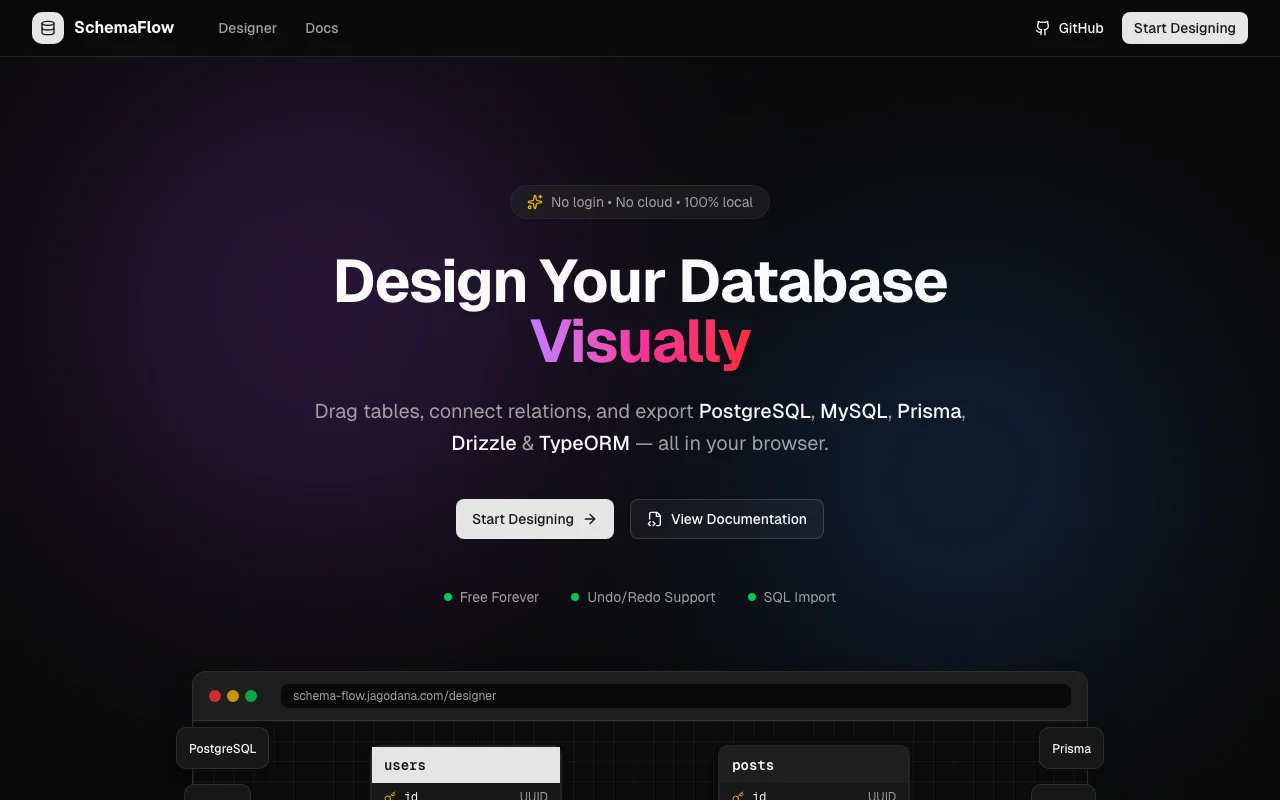
Stop writing schema code by hand. Schema Flow lets you drag tables, draw relationships, and export PostgreSQL, MySQL, SQLite, Prisma, Drizzle & TypeORM schemas — all in your browser.
Introducing Schema Flow: Design Your Database Visually
Ever spent an hour debugging a schema migration because you forgot a foreign key? Or written the same boilerplate column definitions for the hundredth time? We built Schema Flow to make database design actually enjoyable.
The Problem with Schema Design
Designing database schemas traditionally means:
- Writing SQL or ORM code in a text file
- Running migrations to test if it works
- Realizing you got a relationship wrong
- Rewriting and re-running migrations
- Losing track of how tables relate to each other
- Drawing diagrams in a separate tool that immediately goes stale
For small projects, this is annoying. For large projects with dozens of tables, it becomes a maintenance nightmare. You need a visual overview, but the tools that provide one are either:
- Expensive enterprise software with complex licensing
- Cloud-based tools that require you to upload your schema
- Diagram tools that don't generate actual code
Enter Schema Flow
Schema Flow is a visual database schema designer that runs 100% in your browser. No signup, no cloud, no data collection. Just you and your schema.
Drag, Drop, Connect
The core experience is simple: drag tables onto an infinite canvas, add columns, and draw relationships between them. It feels like a whiteboard, but it generates real code.
- Create tables with one click
- Add columns with types like UUID, VARCHAR, INTEGER, TIMESTAMP
- Set constraints like PRIMARY KEY, NOT NULL, UNIQUE, DEFAULT
- Draw relationships by connecting columns visually
- See cardinality (1:1, 1:N, M:N) right on the canvas
- Undo/redo with ⌘Z and ⌘⇧Z
Export to Your Stack
The magic happens when you hit export. Schema Flow generates production-ready code for:
SQL Databases
- PostgreSQL — Full DDL with enums, constraints, and indexes
- MySQL — InnoDB engine, UTF8MB4 charset, AUTO_INCREMENT
- SQLite — PRAGMA foreign_keys, CHECK constraints for enums
ORMs
- Prisma — Complete schema.prisma with models and relations
- Drizzle — TypeScript pgTable definitions with relations
- TypeORM — Entity classes with decorators
Images
- PNG — High-resolution export for documentation
- SVG — Scalable vector for presentations
Import Existing Schemas
Already have a database? Just paste your CREATE TABLE statements:
CREATE TABLE users (
  id UUID PRIMARY KEY DEFAULT gen_random_uuid(),
  email VARCHAR(255) NOT NULL UNIQUE,
  name VARCHAR(255)
);

CREATE TABLE posts (
  id UUID PRIMARY KEY DEFAULT gen_random_uuid(),
  title VARCHAR(255) NOT NULL,
  author_id UUID REFERENCES users(id)
);
Schema Flow parses the SQL and creates a visual diagram with all the relationships intact.
Start with Templates
Don't want to start from scratch? Use one of our pre-built templates:
- 📝 Blog — Users, posts, categories, comments with proper relationships
- 🚀 SaaS — Multi-tenant with organizations, members, projects, subscriptions
- 🛒 E-commerce — Products, orders, customers, addresses, order items
Why 100% Local?
We believe your database schema is sensitive information. It reveals your data model, your business logic, and your architecture. You shouldn't have to upload it to someone else's server just to get a visual overview.
Schema Flow:
- Never sends data anywhere — everything runs client-side
- Requires no account — just open the URL and start designing
- Stores nothing — use the JSON export to save your work locally
- Works offline — once loaded, no internet needed
This also means it's fast. No API calls, no loading spinners. Real-time updates as you design.
The Tech Stack
Schema Flow is built with:
- Next.js 14 (App Router) for the framework
- React Flow for the visual canvas and node/edge management
- Zustand + Zundo for state management with undo/redo
- TypeScript for type safety throughout
- shadcn/ui for beautiful, accessible UI components
- Framer Motion for smooth animations
- Tailwind CSS for styling
Use Cases
Schema Flow shines for:
🚀 Starting a New Project
Sketch out your data model visually before writing any code. See how tables relate to each other. Export directly to your ORM of choice.
📚 Documenting Existing Schemas
Import your SQL and get a visual diagram instantly. Export as PNG or SVG for your documentation.
👥 Team Collaboration
Export the schema as JSON and share it with your team. Load it in Schema Flow to discuss changes before implementing them.
🎓 Learning SQL & ORMs
See how the same schema translates to different formats. Great for understanding the differences between Prisma, Drizzle, and TypeORM.
Try It Now
Ready to stop wrestling with schema code?
No signup required. Just open the designer and start dragging tables.
Open Source
Schema Flow is open source. Check out the code, report issues, or contribute:
What's Next?
We're actively building new features:
- More export formats — Supabase, Planetscale
- Indexes & constraints UI — Define indexes visually
- Schema versioning — Track changes over time
- Team workspaces — Collaborate in real-time (cloud optional)
Have a feature request? Let us know!
Design databases the way they should be designed — visually. Try Schema Flow today →