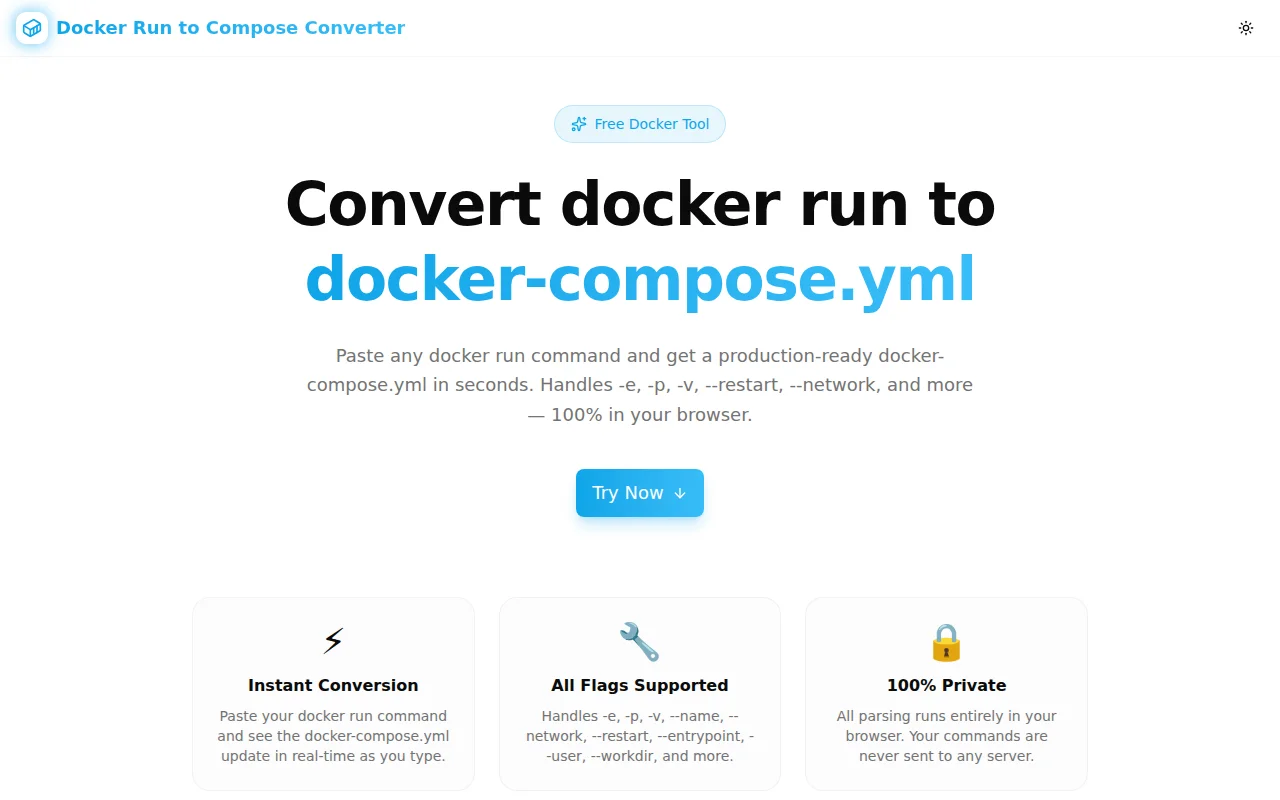
Introducing Docker Run to Compose Converter: Instant docker-compose.yml from Any docker run Command
Tired of manually translating docker run commands into docker-compose.yml? This free browser tool does it instantly — handles -e, -p, -v, --restart, --network, and all common flags with live preview.
Introducing Docker Run to Compose Converter: Instant docker-compose.yml from Any docker run Command
Every developer who works with Docker has a graveyard of docker run commands somewhere. In a Notion doc. In a Slack message. In a runbook that hasn't been updated in two years. They work — but they're not in source control, they're not reproducible, and they're impossible to hand off.
The fix is docker-compose.yml. The friction is translating a one-liner (or a multi-line monster) into correct YAML without missing a flag or mangling the syntax.
Today we're shipping Docker Run to Compose Converter — a free, browser-based tool that does that translation in real time.
What Does the Tool Actually Do?
You paste a docker run command. You get docker-compose.yml. That's it.
# Input
docker run -d \
  --name api-server \
  -p 3000:3000 \
  -e NODE_ENV=production \
  -e DATABASE_URL=postgres://localhost:5432/mydb \
  -v /data/uploads:/app/uploads \
  --network app-network \
  --restart unless-stopped \
  my-api:latest
# Output
services:
api-server:
image: my-api:latest
container_name: api-server
restart: unless-stopped
ports:
- "3000:3000"
environment:
- NODE_ENV=production
- DATABASE_URL=postgres://localhost:5432/mydb
volumes:
- /data/uploads:/app/uploads
networks:
- app-network
networks:
app-network:
external: trueThe output is ready to drop into your repo. No manual editing needed.
Why Does This Keep Coming Up?
Why Do Developers Still Use docker run in 2026?
Quick iteration. You're testing a new image, tweaking port bindings, experimenting with env vars. docker run is fast to type and easy to edit inline. By the time the container is configured correctly, you've run variations of the command fifteen times.
At that point, the working command is your source of truth — and it lives in your terminal history.
Why Not Just Write docker-compose.yml From the Start?
You could. But the YAML syntax is verbose for small experiments. You have to remember that -p 8080:80 becomes ports: - "8080:80", that -e KEY=VALUE becomes environment: - KEY=VALUE, that --restart unless-stopped becomes restart: unless-stopped. It's all documented — but it's cognitive overhead you don't want during active debugging.
What's the Cost of Not Converting?
The cost shows up later. When a new engineer joins and asks "how do I run this locally?" The answer is: dig through Slack, find the command, hope it still works. When you want to add it to CI. When you need to version the configuration. All of that is harder without a Compose file.
How the Parser Handles Real-World Commands
Quoted Strings
Environment variables often contain special characters:
-e "DATABASE_URL=postgres://user:pass@host:5432/db?sslmode=require"The parser handles both single and double-quoted strings, preserving the full value including ://, @, ?, and = inside the value.
Line Continuations
Most multi-service commands in READMEs use backslash continuations:
docker run -d \
  --name myapp \
  -p 8080:80 \
  nginx:alpine
The tokeniser collapses \ + newline pairs before parsing, so the command is handled identically regardless of formatting.
Short and Long Flag Forms
Both -e VAL and --env VAL and --env=VAL work. The same goes for -p/--publish, -v/--volume, -u/--user, -w/--workdir, -h/--hostname. This matters because commands copied from different sources often mix conventions.
Flags Not Yet Converted
Some flags (--cpus, --memory, --log-driver, --cap-add) don't have direct Compose equivalents or require context the tool can't infer. Rather than silently dropping them, the converter adds a comment:
# Note: the following flags were not automatically converted: --memory, --cpusNothing disappears. You know exactly what needs manual attention.
What Flag Mappings Are Supported?
The converter handles the flags developers reach for most often in production configurations:
| docker run flag | docker-compose.yml field |
|-----------------|--------------------------|
| --name | container_name |
| -p / --publish | ports |
| -e / --env | environment |
| -v / --volume | volumes |
| --network | networks |
| --restart | restart |
| --entrypoint | entrypoint |
| -u / --user | user |
| -w / --workdir | working_dir |
| -h / --hostname | hostname |
| --privileged | privileged: true |
When --network is present, the tool also generates the top-level networks: block with external: true, which is the correct default for named networks created outside Compose.
Who Is This For?
Backend Developers
You tested your service with docker run. Now write the Compose file and add it to the repo — without copying YAML syntax from the docs.
DevOps and Platform Engineers
You have runbooks full of container startup commands. Convert them to Compose files, commit them, and point developers to docker-compose up instead of a wall of flags.
Developers Learning Docker Compose
Not sure what -v /host:/container becomes in YAML? Paste the command and see the field mapping immediately. It's faster than the docs.
Teams Migrating to Docker Compose
If your CI pipeline runs containers with docker run commands scattered across shell scripts, convert them all to Compose services and move to docker-compose up --build. One command, consistent environments.
Is My Command Sent Anywhere?
No. The entire parser runs in the browser using TypeScript. Your docker run command — including environment variable values, image names, and volume paths — is never sent to any server, never stored, never logged. Close the tab and it's gone.
How Was This Built?
The tool is built with:
- Next.js 16 with App Router
- TypeScript — the parser is a hand-written tokeniser with no dependencies
- Tailwind CSS v4 and shadcn/ui for the interface
- Sonner for copy confirmations
The parser handles quoted strings, backslash continuations, and both --flag value and --flag=value syntax without any third-party parsing library. The entire conversion logic is around 200 lines of straightforward TypeScript.
Try It Now
Docker Run to Compose Converter →
Paste your command. Copy the YAML. Ship it.