YAML to .env Converter: Stop Manually Transcribing Config Files
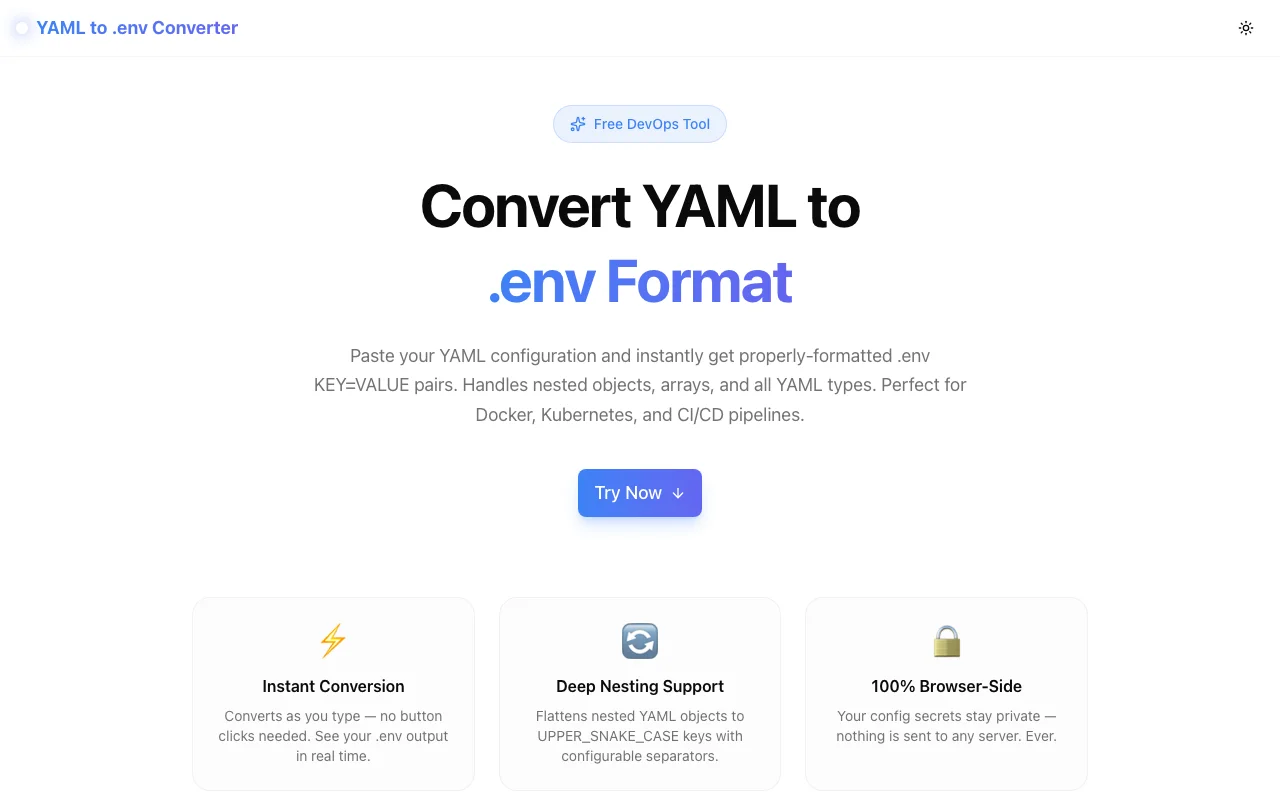
A free online tool that converts YAML configuration files into .env KEY=VALUE pairs instantly. Handles nested objects, arrays, and all YAML types. Perfect for Docker, Kubernetes, and CI/CD workflows.
YAML to .env Converter: Stop Manually Transcribing Config Files
If you've ever spent ten minutes copying values from a Kubernetes ConfigMap into a .env.local file, you've felt this pain. You look at a YAML block, work out the flattened key name in your head, type it out, check it twice, move to the next key, and repeat. For five keys it's annoying. For fifty it's a genuine waste of your afternoon.
YAML to .env Converter solves this in one paste.
What Does a YAML to .env Converter Do?
A YAML to .env converter takes a YAML configuration file and transforms it into .env format — the KEY=VALUE pairs that Docker, Kubernetes pods (via envFrom), Node.js (dotenv), Python (python-dotenv), and virtually every modern runtime understand.
The conversion involves three things:
- Parsing the YAML document into a structured tree
- Flattening nested objects into a single level by joining key paths with a separator (typically
_) - Formatting each value as a string suitable for a
.envfile
This sounds simple, but the edge cases add up fast: what happens to arrays? How do you handle boolean values? What about strings that contain spaces or special characters that need quoting? What if a key itself contains an underscore and your separator is also _ — how do you tell nesting levels apart?
A good converter handles all of these for you.
How to Convert YAML to .env Format Online
Using the YAML to .env Converter:
- Paste your YAML into the left panel
- Choose your options: separator (
_,__, or.), key case (UPPER / lower / preserve), prefix, and array format - Copy the output from the right panel with the Copy button
The conversion runs as you type — no button to click. Your output is ready the moment you stop typing.
Why YAML and .env Files Are Both Common (and Rarely the Same Format)
YAML became the standard configuration format for infrastructure tools because it's human-readable and supports nesting naturally. A database configuration in YAML looks like this:
database:
  host: db.prod.internal
  port: 5432
  pool:
    min: 2
    max: 10
  credentials:
    user: app_user
    password: sup3rS3cr3t
The .env format, popularized by the Twelve-Factor App methodology, is flat: one KEY=VALUE pair per line, no nesting, all values are strings. The same configuration looks like:
DATABASE_HOST=db.prod.internal
DATABASE_PORT=5432
DATABASE_POOL_MIN=2
DATABASE_POOL_MAX=10
DATABASE_CREDENTIALS_USER=app_user
DATABASE_CREDENTIALS_PASSWORD=sup3rS3cr3t
Both formats are right for their context. YAML is better for authoring and reviewing complex, nested configuration. .env is better for runtime injection — it's what docker run --env-file, kubectl create secret generic --from-env-file, and dotenv.config() all consume.
The problem arises when you need to move between them, which happens constantly in real development workflows.
When Do You Need to Convert YAML to .env?
Local Development Against Kubernetes Config
Your staging and production environments run in Kubernetes. Services read their configuration from ConfigMaps and Secrets mounted as environment variables. For local development, you need those same values in a .env.local file. The ConfigMap source is YAML; your local tool needs .env.
Migrating Between CI/CD Systems
GitHub Actions, GitLab CI, CircleCI, and Jenkins all store secrets and environment configuration differently. When migrating, you might have configuration expressed as YAML in one system's format and need it as flat KEY=VALUE pairs to import into another system's secret store.
Extracting Docker Compose Environment Blocks
Docker Compose environment: blocks are YAML. If you want to move those values to a separate .env file (as Docker Compose supports via env_file:), you need to convert the YAML block to .env format.
Team Onboarding Faster
Maintain a canonical config.yaml in your team's shared documentation. When a new developer joins, they paste it into the converter and get a .env.local file in seconds rather than spending twenty minutes transcribing values from the onboarding doc.
What YAML Types Does the Converter Handle?
Strings — output as-is, quoted automatically if they contain spaces, #, =, or other shell-special characters.
Numbers — converted to string representation: port: 5432 becomes PORT=5432.
Booleans — true becomes the string "true", false becomes "false". This is the standard .env convention — there are no native boolean types in .env format.
Null — null or ~ becomes an empty value: SOME_KEY=.
Nested objects — flattened by joining key segments with the separator: database.credentials.password → DATABASE_CREDENTIALS_PASSWORD=...
Arrays — two options:
- Indexed (default):
features[0],features[1]→FEATURES_0=value,FEATURES_1=value - CSV: the entire array is joined as a comma-separated string →
FEATURES=val1,val2,val3
YAML Separator Options: Which One Should You Use?
Single Underscore (_) — Default and Recommended
Supported by every .env loader. The most common convention. Use this unless you have a specific reason to choose differently.
Potential ambiguity: if a YAML key itself contains an underscore (e.g., api_key:), you can't tell from API_KEY_VALUE=... whether KEY is a nesting level or part of the key name. In practice this rarely matters because loaders read the final environment variable name, not the source structure.
Double Underscore (__) — For Keys That Contain Underscores
Some configuration frameworks use __ as the nesting separator explicitly for this reason. ASP.NET Core's IConfiguration, for example, supports DATABASE__HOST as equivalent to database.host in JSON config. If you're working with a framework that supports __-separated keys, this option makes the nesting explicit.
Dot (.) — Rarely Used in .env Files
Some loaders (Doppler, for example) support dotted key names. Use this only if your specific loader requires it — most shell environments don't support dots in variable names.
Prefix: Namespacing Multiple Services
When you run multiple services locally and each has its own YAML config, you can use the Prefix option to namespace all variables:
# Service A config with prefix "PAYMENTS_"
PAYMENTS_DATABASE_HOST=...
PAYMENTS_REDIS_HOST=...

# Service B config with prefix "NOTIFICATIONS_"
NOTIFICATIONS_DATABASE_HOST=...
NOTIFICATIONS_SMTP_HOST=...
Convert each service's YAML separately with its own prefix, then combine the outputs into a single .env file.
Is It Safe to Paste Production Secrets?
Yes — the converter runs 100% in your browser. No data is sent to any server. The JavaScript processes your YAML locally and displays the output in the same browser tab. There are no network requests, no logging, and no storage. You can verify this by checking the Network tab in your browser's developer tools while converting — you'll see zero outbound requests.
The tool works offline after the page loads.
Build Time
This tool was built in approximately 40 minutes as part of the 365 Tools Challenge — one small, useful developer tool published every day. The core conversion logic is pure TypeScript using the js-yaml library for standards-compliant YAML parsing, wrapped in a Next.js frontend with real-time reactive updates.
Try it now: yaml-to-env.tools.jagodana.com
Source code: github.com/Jagodana-Studio-Private-Limited/yaml-to-env