Back to Projects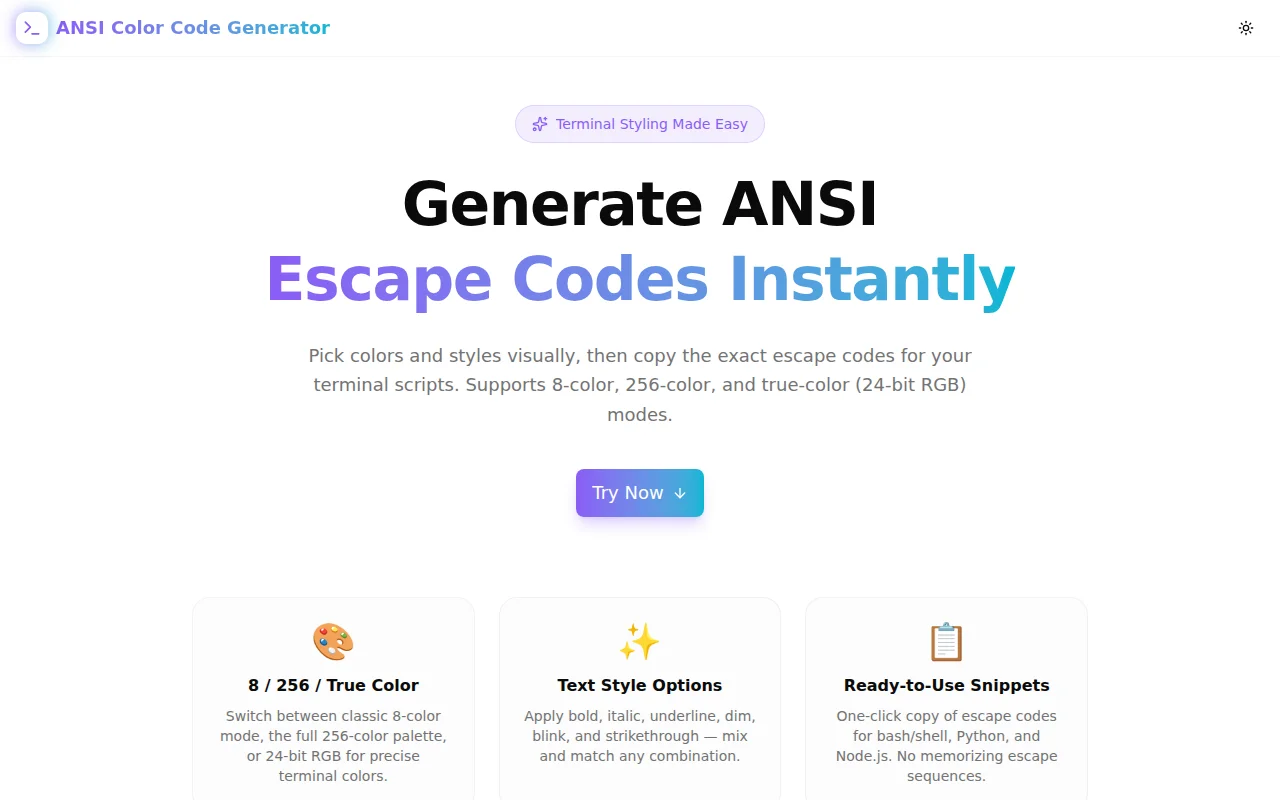
Developer ToolsFeatured
ANSI Color Code Generator
A free visual generator for ANSI escape codes — supports 8-color, 256-color, and 24-bit true-color modes with live terminal preview and ready-to-use code snippets for bash, Python, and Node.js.
TerminalANSICLIDeveloper ToolsColorBashPythonNode.jsTypeScriptNext.js
Start Similar ProjectAbout the Project
ANSI Color Code Generator — Terminal Colors & Escape Codes
ANSI Color Code Generator is a free, browser-based tool that lets you visually pick foreground and background colors, toggle text styles like bold and italic, and instantly copy the escape codes for bash, Python, or Node.js. No memorizing \033[38;2;255;100;30m — just pick colors and go.
The Problem
Every developer who writes a CLI tool, shell script, or terminal application hits the same wall: you know you want green text and bold headers, but the escape codes are arcane and the syntax changes between color modes.
The 8-color mode uses one set of codes. The 256-color palette uses a completely different syntax with index numbers. True-color (24-bit RGB) adds yet another format. And styles like bold, underline, and dim stack on top — in the right order, separated by semicolons, followed by m.
# Which of these is correct for bold bright cyan text on a dark blue background?
echo -e "\033[1;96;44m Hello \033[0m"
echo -e "\033[96;1;44m Hello \033[0m"
echo -e "\033[44;1;96m Hello \033[0m"
All three produce the same result — but if you're typing from memory, you're guessing. Then you mix up 8-color and 256-color syntax, forget to reset, and your terminal turns magenta for the rest of the session.
How It Works
1. Color Mode Selection
Choose from three color modes:
8 Colors — The classic ANSI palette (codes 30–37 for foreground, 40–47 for background, plus 90–97 / 100–107 for bright variants). Maximum terminal compatibility, including ancient systems and embedded consoles.
256 Colors — Extended palette using \033[38;5;Nm for foreground and \033[48;5;Nm for background. Includes 16 basic colors, a 6×6×6 color cube, and 24 grayscale steps. Supported by virtually every modern terminal.
True Color (RGB) — Full 24-bit color with \033[38;2;R;G;Bm syntax. Pick any color in the RGB spectrum with a native browser color picker. Supported by iTerm2, Alacritty, Kitty, Windows Terminal, GNOME Terminal, Konsole, and recent tmux.
2. Visual Color Picker
For 8-color mode, a 4×4 swatch grid shows all 16 standard colors. Click any swatch to select it for foreground or background; click again to deselect.
For 256-color mode, the full palette grid is rendered — 16 basic colors, the 6×6×6 cube spanning 216 cells, and 24 grayscale steps. Click any cell to select it.
For true-color mode, a native <input type="color"> picker lets you choose any RGB value. A toggle enables the background color channel independently.
3. Text Style Toggles
Six style toggles are available — all of which map to standard SGR (Select Graphic Rendition) parameters:
- Bold (
\033[1m) — heavier font weight - Dim (
\033[2m) — reduced intensity / faint - Italic (
\033[3m) — slanted text (terminal-dependent) - Underline (
\033[4m) — underline decoration - Blink (
\033[5m) — slow blinking (rendered as pulse in preview) - Strikethrough (
\033[9m) — text with line through
Styles combine freely with color codes. The generator builds the correct semicolon-delimited sequence automatically.
4. Live Terminal Preview
A terminal-style preview panel renders styled text exactly as it would appear in a dark terminal window — complete with a fake macOS-style traffic-light header for context. The preview updates instantly with every picker change or style toggle.
5. Code Snippets for Three Runtimes
Three tabs generate ready-to-paste code:
Bash / Shell — echo -e with \033 sequences and an automatic reset at the end.
Python — print() with an f-string using \033 escape sequences. Includes a note about colorama for Windows compatibility.
Node.js — console.log() with a template literal using \x1b sequences. Includes a note about FORCE_COLOR=1 for CI environments that strip color.
6. Quick Reference Panel
A built-in reference table lists the most-used escape codes — style codes, color format patterns for all three modes — so you never have to leave the tool to look up syntax.
Key Features
- Three color modes — 8-color, 256-color, and 24-bit true-color (RGB)
- Live terminal preview — styled text renders exactly as in a terminal
- Style toggles — bold, dim, italic, underline, blink, strikethrough
- Code snippets — bash, Python, Node.js with reset codes included
- 256-color palette grid — clickable swatches for every index color
- Reset-aware output —
\033[0malways appended to prevent bleed - Fully client-side — no data leaves your browser
- No signup required — open and generate immediately
Technical Implementation
Core Technologies
- Next.js with App Router
- TypeScript in strict mode
- Tailwind CSS v4 for styling
- shadcn/ui component library
- Framer Motion for animations
- Client-side rendering — zero external dependencies
Architecture
- Color mode switcher manages three separate selection paradigms
- 256-color conversion: hex → index via the standard cube and grayscale ramp formulas
- True-color extraction: native
<input type="color">→[r, g, b]tuple viaparseInt - SGR code builder assembles style codes first, then color codes, in the correct order
- Per-runtime code generators produce correctly escaped strings for bash (
\033), Python (\033), and Node.js (\x1b) - Clipboard API integration with
navigator.clipboard.writeTextfor one-click copy
Use Cases
CLI Tool Development
Building a command-line utility and want colored output for warnings, errors, and success states? Generate the exact escape sequences for each state, copy the bash snippet, and paste it into your script.
Shell Scripting
A shell script that logs to the terminal is far more readable when errors are red, warnings are yellow, and success messages are green. The generator produces echo -e commands ready to drop in.
Python CLI Applications
Python terminal apps using sys.stdout.write() or print() benefit from ANSI styling. The generator handles the escape syntax so you can focus on your application logic.
Node.js CLIs
Node scripts that run in terminal environments — build tools, scaffolders, test reporters — commonly use ANSI codes for color. The generator produces console.log() statements with \x1b sequences for immediate use.
Learning Terminal Escape Codes
The live preview makes ANSI codes tangible: change a value, see the color change, understand the mapping. The quick reference panel shows all the key format patterns in one place.
PS1 and Prompt Customization
Many shell prompt configurations use ANSI codes directly. The generator helps you find the right color for username, hostname, or path segments in your custom PS1 prompt.
Why ANSI Color Code Generator?
vs. Memorizing the Syntax
- No memorization — pick colors visually, get the codes
- Mode switching — handles 8-color, 256-color, and true-color without you tracking which syntax is which
- Reset included —
\033[0mis always appended so you never bleed color into the next line
vs. Other References
- Interactive, not static — a live preview beats a table of colors
- Multiple runtimes — bash, Python, and Node.js in one tool
- 256-color grid — clickable palette instead of hunting for index numbers
vs. Writing the Code Manually
- Faster — visual picking is faster than hunting escape code tables
- Fewer errors — generated code is always syntactically correct
- Discoverable — styles you didn't know existed (dim, blink, strikethrough) are surfaced as toggles
Results
ANSI Color Code Generator removes the friction from terminal text styling:
- Zero escape-code memorization — pick colors visually
- Correct syntax every time — no typos in semicolons or mode prefixes
- Multi-runtime output — the right format for your language, instantly
- Portable — works in any browser, no install required
Try it now: ansi-color-code-generator.tools.jagodana.com
The Challenge
The client needed a robust developer tools solution that could scale with their growing user base while maintaining a seamless user experience across all devices.
The Solution
We built a modern application using Terminal and ANSI, focusing on performance, accessibility, and a delightful user experience.
Project Details
Category
Developer Tools
Technologies
Terminal,ANSI,CLI,Developer Tools,Color,Bash,Python,Node.js,TypeScript,Next.js
Date
June 2026
Related Projects
More work in Developer Tools

