Back to Projects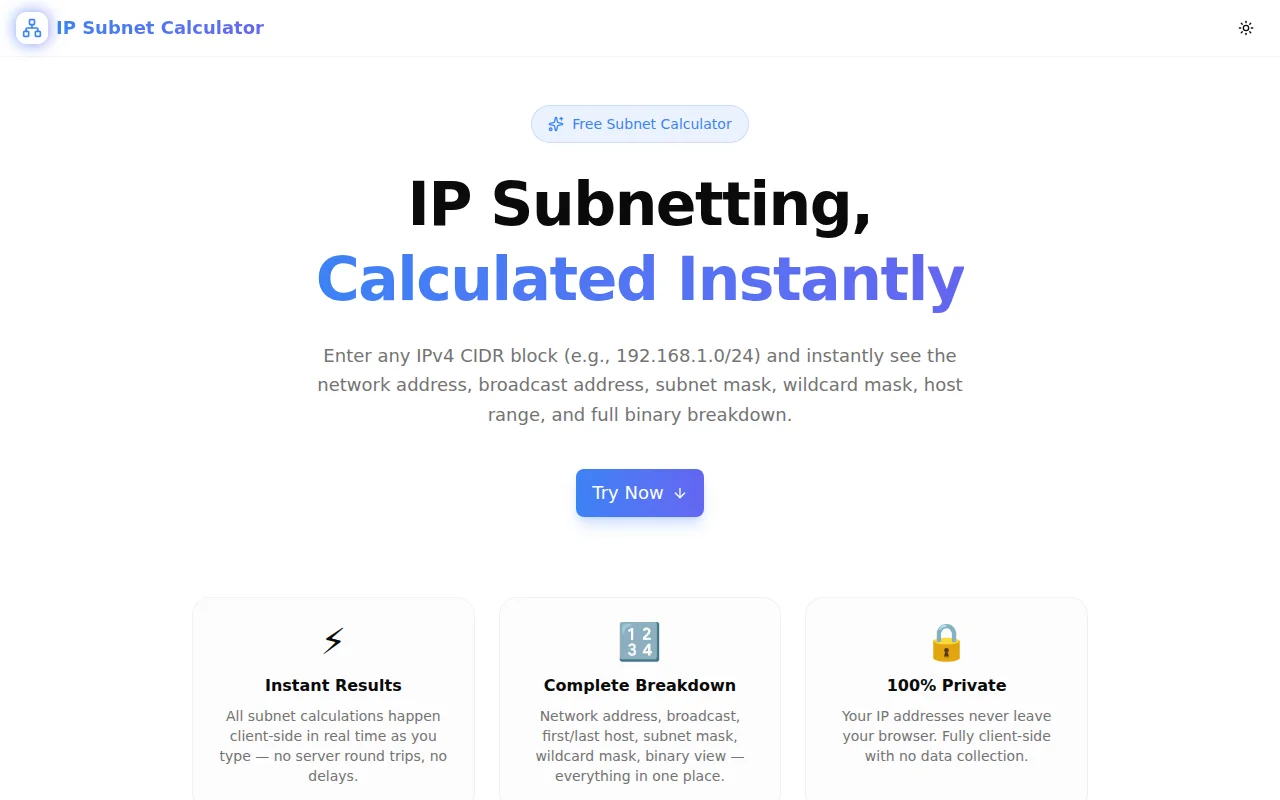
Developer ToolsFeatured
IP Subnet Calculator
A free, browser-based IP subnet calculator. Enter any IPv4 CIDR block and instantly get the network address, broadcast address, usable host range, subnet mask, wildcard mask, host count, IP class, and full binary breakdown — no signup required.
NetworkingIP AddressCIDRSubnettingDevOpsNext.jsTypeScript
Start Similar ProjectAbout the Project
IP Subnet Calculator — CIDR, Subnet Mask & Host Range
IP Subnet Calculator is a free, browser-based tool that computes the full subnet breakdown for any IPv4 CIDR block. Enter a network in CIDR notation — like 192.168.1.0/24 — and immediately see the network address, broadcast address, first and last usable host, subnet mask, wildcard mask, total and usable host count, IP class, address type, and a binary representation of all values. No install, no signup, no backend calls.
The Problem
Subnetting calculations are routine in network engineering and DevOps work — planning VPCs in AWS or Azure, configuring firewall rules, writing OSPF route summaries, verifying that two hosts are on the same subnet, or checking whether a CIDR block leaves enough usable addresses. Yet each calculation involves the same tedious binary arithmetic: convert IP to 32-bit integer, apply the mask, derive network and broadcast, subtract two for usable hosts.
The mental model is straightforward. The arithmetic is error-prone, especially at speed. A miscalculated host range can mean a misconfigured security group, a routing loop, or wasted address space in a cloud environment where every available IP costs money.
The alternative — keeping a reference sheet or reaching for a command-line tool — breaks the flow. You're either opening a terminal, running ipcalc, or switching browser tabs to a subnet calculator that was last updated in 2012 with a UI that hasn't changed since.
How It Works
1. CIDR Input With Instant Calculation
Type or paste any IPv4 CIDR block into the input field. The tool parses the notation, validates it, and recalculates everything in real time as you type. There's no submit button — the results appear immediately.
Quick-access example buttons let you load common subnets with a single click: 192.168.1.0/24, 10.0.0.0/8, 172.16.0.0/12, 192.168.100.0/26, 10.10.10.0/30. These cover the RFC 1918 private ranges plus two practical examples of smaller subnets.
2. Network Details Panel
The primary results panel shows everything you need:
| Field | Description | |-------|-------------| | Network Address | First address in the subnet (host bits = 0) | | Broadcast Address | Last address in the subnet (host bits = 1) | | First Usable Host | Network address + 1 (or same for /31, /32) | | Last Usable Host | Broadcast address − 1 (or same for /31, /32) | | Subnet Mask | Dotted-decimal mask (e.g., 255.255.255.0) | | Wildcard Mask | Inverse of subnet mask (e.g., 0.0.0.255) | | Total Addresses | 2^(32−prefix), including network and broadcast | | Usable Hosts | Total minus 2 (handles /31 and /32 edge cases) | | CIDR Notation | Normalised network/prefix format |
/31 subnets follow RFC 3021 — both addresses are usable for point-to-point links. /32 addresses represent a single host.
3. Binary Breakdown Panel
The binary panel renders the network address, subnet mask, and broadcast address in 32-bit binary, grouped in 8-bit octets. This is the most direct way to see exactly where the network/host boundary falls for any prefix length.
Network:   11000000.10101000.00000001.00000000
Mask:      11111111.11111111.11111111.00000000
Broadcast: 11000000.10101000.00000001.11111111
Binary visualisation is particularly useful when explaining subnetting, reviewing routing decisions, or calculating supernets.
4. IP Classification Badges
Summary badges at the top of the results show the prefix length, IP class (A, B, C, D, or E), address type (Private RFC 1918, Public, Loopback, Link-Local, Multicast, or Shared), and usable host count at a glance.
5. One-Click Copy
Every result value has a copy button. Click to copy the individual value — network address, subnet mask, wildcard mask, any binary string — directly to your clipboard. A success indicator confirms the copy.
Key Features
- Real-time calculation — results update as you type, no submit required
- Full subnet breakdown — network, broadcast, host range, mask, wildcard, counts
- Binary breakdown — 32-bit binary for network, mask, and broadcast
- IP classification — class (A/B/C/D/E) and type (Private/Public/Loopback/etc.)
- Edge case handling — correct /31 and /32 results per RFC 3021
- One-click copy — copy any individual result field instantly
- Quick examples — load common subnets with a single click
- Input validation — clear error messages for invalid CIDR notation
- Fully client-side — all arithmetic runs in the browser, nothing sent to a server
- No signup required — open and use immediately
Technical Implementation
Core Technologies
- Next.js with App Router
- TypeScript in strict mode
- TailwindCSS for styling
- Framer Motion for animations
- shadcn/ui components
- Client-side rendering — zero external API dependencies
Subnet Arithmetic
All calculations use 32-bit unsigned integer operations:
- Parse the four IP octets and left-shift into a 32-bit integer
- Build the subnet mask by shifting
0xFFFFFFFFleft by(32 − prefix)bits - AND the IP with the mask to get the network address
- OR the network with the bitwise complement of the mask (wildcard) to get the broadcast
- Increment network by 1 and decrement broadcast by 1 for usable host range
- Handle /31 and /32 edge cases per RFC 3021 and RFC 3068
The binary representations are produced by converting the 32-bit integers to binary strings, padding to 32 bits, and inserting dots every 8 characters.
IP Classification
- Class A: first octet 1–127
- Class B: first octet 128–191
- Class C: first octet 192–223
- Class D: first octet 224–239 (Multicast)
- Class E: first octet 240–255 (Reserved)
Address type classification covers RFC 1918 private ranges (10.x, 172.16–31.x, 192.168.x), loopback (127.x), link-local (169.254.x), shared address space (100.64–127.x), and multicast.
Use Cases
Cloud VPC and Subnet Planning
When designing AWS VPCs, Azure VNets, or GCP VPCs, you're working with CIDR blocks and subnets. Use the calculator to verify that your chosen CIDR provides enough IP addresses before committing to a range, or to check whether a new subnet will overlap with an existing one.
VPC:              10.0.0.0/16  →  65,534 usable hosts
Public subnet:    10.0.1.0/24  →      254 usable hosts
Private subnet:   10.0.2.0/24  →      254 usable hosts
Database subnet:  10.0.3.0/28  →       14 usable hosts
Firewall Rule and ACL Writing
Wildcard masks appear in Cisco ACLs and OSPF network statements. The calculator gives you the wildcard mask directly:
permit ip 192.168.0.0 0.0.255.255 any
! = permit all of 192.168.0.0/16
Subnetting Verification
Confirm that two IP addresses are on the same subnet by checking whether their network addresses match. Enter each IP with the same prefix — if the network address is identical, they're on the same subnet.
Point-to-Point Links
/30 subnets give 2 usable host addresses — the minimum for a routed point-to-point link. /31 subnets follow RFC 3021 and also provide 2 usable addresses with no wasted network/broadcast overhead. The calculator handles both correctly.
Routing and Summarisation
Planning route summarisation? Enter the supernet (e.g., 10.0.0.0/22) to see the range it covers (10.0.0.0–10.0.3.255, 1022 usable hosts), and verify it encompasses all the smaller subnets you want to aggregate.
Education and Training
The binary breakdown panel makes subnetting education tangible. The relationship between prefix length, subnet mask bits, and host range becomes visually obvious when you can see the 32-bit binary representation and move the prefix slider.
Why IP Subnet Calculator?
vs. ipcalc (CLI)
- No terminal required — works in the browser
- No install or package manager needed
- Accessible from any device
- Results copyable by field, not as a block of text
vs. Other Online Calculators
- No ads, no popups, no cookie consent walls
- Instant results — no submit button required
- Correct /31 and /32 handling (many tools get this wrong)
- Copy individual fields rather than copy-searching text blocks
- Binary breakdown alongside decimal results
vs. Manual Calculation
- Zero arithmetic errors
- Seconds instead of minutes
- No binary-to-decimal conversion tables needed
Results
The IP Subnet Calculator eliminates subnet arithmetic friction:
- Instant answers — results appear as you type, no calculate button
- Complete information — every value you'd ever derive manually, in one view
- No context switching — stay in your browser tab, no terminal needed
- Zero errors — integer arithmetic in JavaScript, not human mental math
Try it now: ip-subnet-calculator.tools.jagodana.com
The Challenge
The client needed a robust developer tools solution that could scale with their growing user base while maintaining a seamless user experience across all devices.
The Solution
We built a modern application using Networking and IP Address, focusing on performance, accessibility, and a delightful user experience.
Project Details
Category
Developer Tools
Technologies
Networking,IP Address,CIDR,Subnetting,DevOps,Next.js,TypeScript
Date
July 2026
Related Projects
More work in Developer Tools

