Back to Projects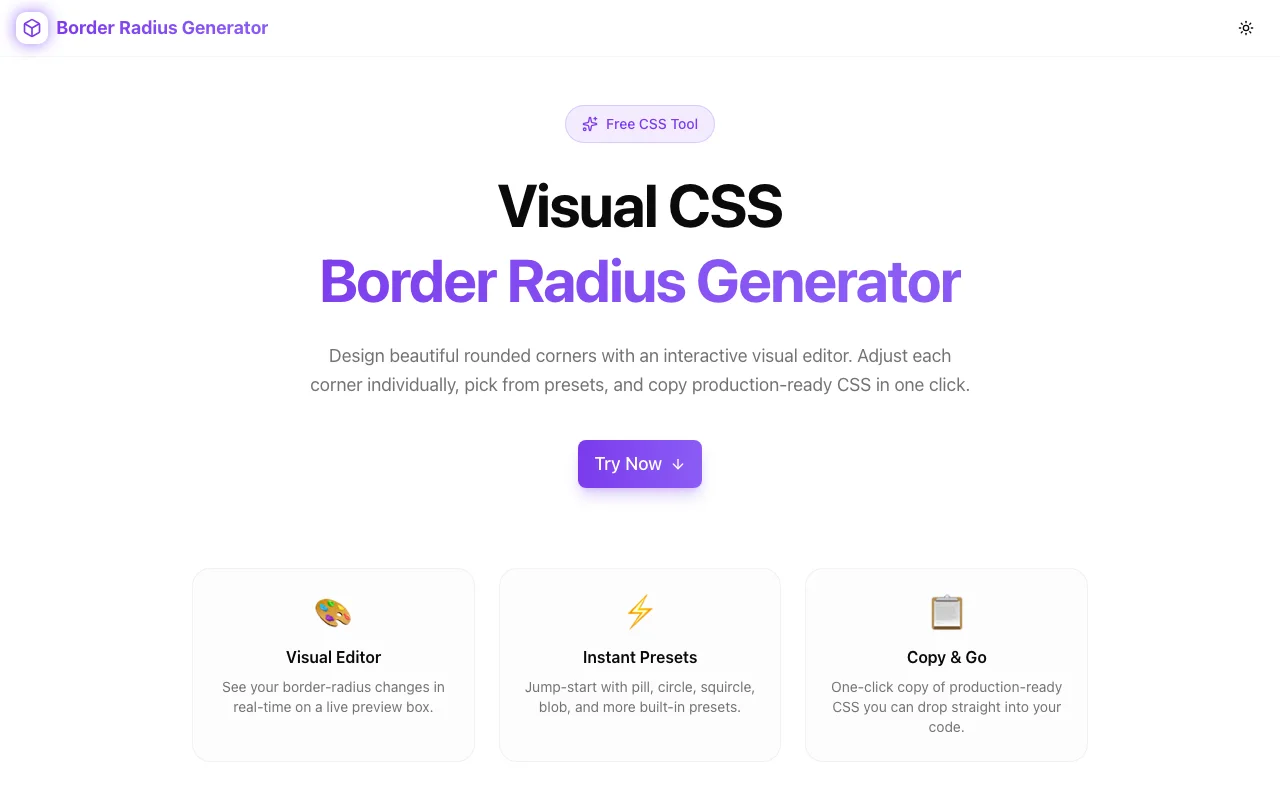
Developer ToolsFeatured
Border Radius Generator
A free visual CSS border-radius editor that lets you adjust each corner individually, preview the shape in real time, use presets, and copy production-ready CSS—no signup required.
CSSBorder RadiusDeveloper ToolsFrontendNext.jsTypeScript
Start Similar ProjectAbout the Project
Border Radius Generator — Visual CSS Border Radius Editor
Border Radius Generator is a free, browser-based tool that lets you visually create CSS border-radius values by dragging corners, adjusting sliders, or selecting presets. See the shape update in real time, copy the CSS with one click, and move on. No signup, no install—just open and start shaping.
The Problem
CSS border-radius looks simple until you need asymmetric corners. The shorthand syntax accepts up to eight values—four horizontal radii and four vertical radii separated by a slash—and the mental model breaks down fast:
border-radius: 30% 70% 70% 30% / 30% 30% 70% 70%;What shape does that produce? Without a visual preview, you're guessing, refreshing, adjusting, and refreshing again. The feedback loop is slow, and the syntax is unintuitive for anything beyond uniform rounding.
Designers hand over mockups with organic, blob-like shapes. Translating those into eight numeric values by trial and error wastes time and produces frustration.
How It Works
1. Individual Corner Control
Each corner has its own control. Adjust the top-left, top-right, bottom-right, and bottom-left radii independently. The preview shape updates as you drag, so you see exactly what you're building—no guesswork.
For advanced shapes, toggle to eight-value mode to set horizontal and vertical radii separately for each corner. This is how you create organic blobs, pill shapes, and asymmetric cards that go beyond simple rounded rectangles.
2. Real-Time Visual Preview
A live preview panel shows the resulting shape as you adjust values. The shape updates instantly—no "apply" button, no page reload. You see the exact CSS output rendered in the browser, so what you see is what your users will see.
3. Presets
Not starting from scratch. Common shapes are available as presets—rounded rectangle, pill, circle, blob, and more. Click a preset to load its values, then fine-tune from there. This is the fastest path from "I need a shape" to "I have the CSS."
4. One-Click Copy
When the shape looks right, copy the CSS with a single click. The output includes the full border-radius declaration ready to paste into your stylesheet, component, or inline style.
Key Features
- Individual corner control — set each corner's radius independently
- Eight-value mode — separate horizontal and vertical radii for organic shapes
- Real-time preview — shape updates as you adjust values
- Shape presets — common shapes available instantly
- One-click CSS copy — production-ready output
- Fully client-side — no API calls, no data leaves your browser
- No signup required — start generating immediately
- Responsive design — works on desktop and mobile
Technical Implementation
Core Technologies
- Next.js with App Router
- TypeScript in strict mode
- TailwindCSS for styling
- Client-side rendering — zero external API dependencies
Architecture
- Interactive corner controls with real-time value binding
- CSS property generation from individual corner state
- Preset system with one-click application
- Clipboard API integration for copy functionality
- Responsive layout for desktop and mobile use
Use Cases
Card & Button Styling
Most UI components start with rounded corners. Use the generator to dial in the exact radius—subtle 4px rounding for professional cards, fully rounded pill shapes for buttons, or asymmetric corners for distinctive callout boxes.
Organic & Blob Shapes
Marketing pages and landing pages often need organic, blob-like shapes for backgrounds, hero sections, or decorative elements. The eight-value mode lets you create these without hand-coding the slash syntax.
Design-to-Code Translation
A designer hands you a mockup with custom rounded shapes. Instead of eyeballing values and iterating through browser refreshes, open the generator, match the shape visually, and copy the exact CSS.
Prototyping UI Components
When experimenting with component styles during prototyping, the generator lets you try different corner treatments quickly. Compare a fully rounded chip vs. a subtly rounded card vs. an asymmetric notification badge—all without touching your codebase.
Learning CSS Border Radius
The border-radius shorthand with its slash notation is one of CSS's less intuitive syntaxes. The visual editor makes the relationship between values and shapes tangible—adjust a value, see the shape change, understand the mapping.
Why Border Radius Generator?
vs. Manual CSS
- Visual feedback — see the shape as you build it, not after a refresh
- Eight-value syntax made easy — no memorizing the slash notation
- Faster iteration — drag and adjust instead of type, save, reload
vs. Other Generators
- Individual corner control — not just a single-value slider
- Preset library — start from common shapes instead of zero
- Clean output — production-ready CSS, not a learning exercise
- No ads or account walls — open, use, copy, done
vs. Design Tools (Figma, Sketch)
- Direct CSS output — no manual translation from design values
- Eight-value support — design tools typically only expose four-corner rounding
- Browser-native rendering — the preview matches what CSS will actually produce
Results
Border Radius Generator removes the friction from CSS border-radius:
- Zero guesswork — see the shape before writing any CSS
- Organic shapes accessible — eight-value syntax without the complexity
- Faster workflow — from idea to CSS in seconds, not minutes
- Exact output — copy and paste with confidence
Try it now: border-radius-generator.tools.jagodana.com
The Challenge
The client needed a robust developer tools solution that could scale with their growing user base while maintaining a seamless user experience across all devices.
The Solution
We built a modern application using CSS and Border Radius, focusing on performance, accessibility, and a delightful user experience.
Project Details
Category
Developer Tools
Technologies
CSS,Border Radius,Developer Tools,Frontend,Next.js,TypeScript
Date
March 2026
Related Projects
More work in Developer Tools

