Back to Projects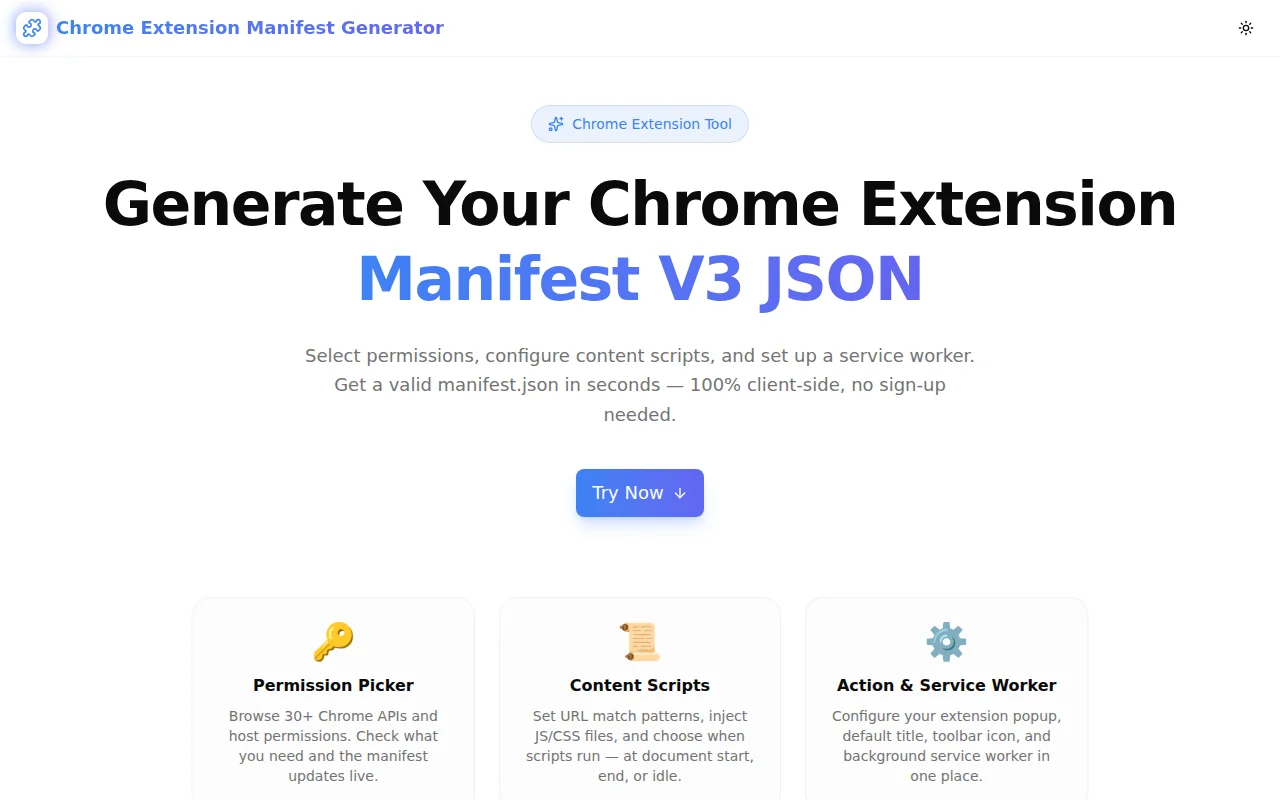
Developer ToolsFeatured
Chrome Extension Manifest Generator
A free browser-side tool that generates a complete Chrome Extension Manifest V3 JSON file. Pick permissions from 40+ Chrome APIs, configure content scripts, set up a service worker, and copy the result in seconds — no signup, no install.
Chrome ExtensionBrowser ExtensionManifest V3Developer ToolsJavaScriptNext.jsTypeScript
Start Similar ProjectAbout the Project
Chrome Extension Manifest Generator — Manifest V3 JSON Builder
Chrome Extension Manifest Generator is a free, browser-side tool that produces a valid manifest.json file for Chrome browser extensions. Fill in your extension's name, choose the Chrome APIs you need, configure a content script or service worker, and copy the complete JSON — all without leaving the page or creating an account.
The Problem
Every Chrome extension starts with a manifest.json file. In Manifest V3 — the current and only accepted version for new Chrome extensions — the format has changed significantly from V2:
- Background pages are replaced by service workers
browser_actionandpage_actionare merged intoaction- Permissions are split into
permissions(API access) andhost_permissions(URL patterns) - The list of available permissions has grown and several V2 permissions are removed or renamed
Most developers building their first extension spend 20–30 minutes reading the Chrome developer docs, checking what permissions they need, and verifying the correct JSON keys. Even experienced extension developers occasionally get the structure wrong under time pressure.
The Chrome developer docs are comprehensive but require navigating multiple pages to understand the full manifest schema. There is no official interactive builder.
How It Works
1. Basic Info
Enter your extension's name, version string, and description. The generator validates these as you type and keeps the JSON output in sync. The manifest_version field is always set to 3 — the only version accepted by the Chrome Web Store for new submissions.
2. Permission Picker
A grid of 40+ Chrome API permissions renders as toggleable tags. Click to include or exclude any permission. Active permissions turn blue and the JSON updates immediately. This makes it easy to compare before and after adding a sensitive permission like tabs or webRequest.
Host permissions — the URL patterns that give your extension access to specific websites — go in a separate textarea, one pattern per line. Common patterns like https://*/* or https://*.example.com/* are shown as placeholder examples.
3. Action (Toolbar Button)
Set the popup HTML filename (e.g., popup.html) and the default tooltip title shown when the user hovers over your extension's toolbar icon. Leave the popup field blank to produce an extension without a popup — useful for extensions that only run content scripts or background tasks.
4. Background Service Worker
Enter your service worker filename (e.g., background.js) and choose between module and classic type. Module type enables ES module imports (import/export) in the service worker. Classic type is the default and supports older CommonJS patterns. If you do not need a background service worker, leave the field blank.
5. Content Scripts
Add one or more content scripts with a click. For each script, specify:
- URL match patterns — one per line (e.g.,
https://*/*orhttps://example.com/*) - JS files — comma-separated list (e.g.,
content.js, helpers.js) - CSS files — comma-separated list (e.g.,
content.css) - Run at —
document_start,document_end, ordocument_idle
Content scripts can be removed individually with the trash icon.
6. Live JSON Output
The right panel shows the complete manifest.json at all times. It updates instantly as you change any field. A single "Copy JSON" button copies the output to the clipboard. A "Reset" button returns all fields to defaults.
Key Features
- Manifest V3 compliant — always generates the correct structure for current Chrome extension requirements
- 40+ permissions — covers every standard Chrome API permission
- Host permissions — separate input for URL pattern-based access
- Content script configurator — supports multiple scripts, JS/CSS injection, and run_at timing
- Service worker setup — module or classic type selection
- Options page field — include an options page reference when needed
- Icon paths toggle — include or exclude icon path references in the output
- Live JSON preview — the output panel updates in real time, no submit button required
- One-click copy — clipboard API with visual confirmation
- 100% client-side — no data sent to any server
- No signup required — open, configure, copy
Technical Implementation
Core Technologies
- Next.js with App Router
- TypeScript in strict mode
- TailwindCSS v4 with OKLCH color tokens
- shadcn/ui components (New York style)
- Framer Motion for section animations
- Sonner for toast notifications
Architecture
The tool is implemented as a single client component (ChromeExtensionManifestGeneratorTool) with a ManifestConfig interface that models the full form state. A pure buildManifest() function derives the JSON object from the config — no side effects, easily testable.
Permissions are managed with a Set<string> for O(1) toggle operations. The permissions grid maps the static CHROME_PERMISSIONS array to interactive buttons. Content scripts are an array in state — each with match patterns, JS/CSS files, and run_at — managed with indexed update helpers.
The JSON output panel uses JSON.stringify(manifest, null, 2) inside a <pre> block for syntax-highlighted-like output without a third-party syntax highlighter dependency, keeping the bundle small.
No External API Dependencies
Every output is computed from the form state. There are no API calls, no authentication, and no server-side rendering of dynamic data. The tool works offline once the page has loaded.
Use Cases
First Chrome Extension
Developers building their first Chrome extension often get stuck on the manifest before writing a single line of JavaScript. The generator produces a valid starting manifest in under a minute, so they can focus on the extension logic rather than the config file format.
Migrating from Manifest V2
Extensions using Manifest V2 need to be migrated to V3. The generator helps developers reconstruct their manifest in the new format — particularly useful for understanding the split between permissions and host_permissions, and replacing background.scripts with background.service_worker.
Multi-Permission Extensions
Extensions with complex permission sets — content blockers, tab managers, download tools — need careful permission selection. The visual picker makes it easy to review what you are requesting before submission, reducing the chance of user warnings at install time.
Code Review and Documentation
Paste a manifest into a conversation with the generator open alongside it to verify the structure is correct. Useful for PR reviews where the manifest has changed, or for onboarding a new team member to an extension codebase.
Template Generation
Generate a clean manifest template for different extension archetypes — popup-only, content-script-only, background-only — and save them as project starters.
Why Chrome Extension Manifest Generator?
vs. Reading the Docs
The Chrome developer documentation covers every field in detail, but it requires cross-referencing multiple pages and manually constructing the JSON. The generator collapses the most common fields into a single interactive form.
vs. Starting from an Example
GitHub starter templates quickly go stale and may reflect outdated Manifest V2 patterns or miss newer V3 fields. The generator always produces current V3 structure.
vs. AI Assistants
AI assistants occasionally produce manifest JSON with hallucinated fields, wrong key names, or V2 syntax in a V3 manifest. The generator uses a hardcoded schema that matches the current Chrome extension specification exactly.
Results
Chrome Extension Manifest Generator eliminates the setup friction at the start of every Chrome extension project:
- Valid JSON, first time — the output matches the Manifest V3 schema
- Permission clarity — see all 40+ available permissions at a glance
- Faster start — go from idea to valid manifest in under 60 seconds
- No doc-diving required — the form captures the most commonly used fields
Try it now: chrome-extension-manifest-generator.tools.jagodana.com
The Challenge
The client needed a robust developer tools solution that could scale with their growing user base while maintaining a seamless user experience across all devices.
The Solution
We built a modern application using Chrome Extension and Browser Extension, focusing on performance, accessibility, and a delightful user experience.
Project Details
Category
Developer Tools
Technologies
Chrome Extension,Browser Extension,Manifest V3,Developer Tools,JavaScript,Next.js,TypeScript
Date
June 2026
Related Projects
More work in Developer Tools

