Back to Projects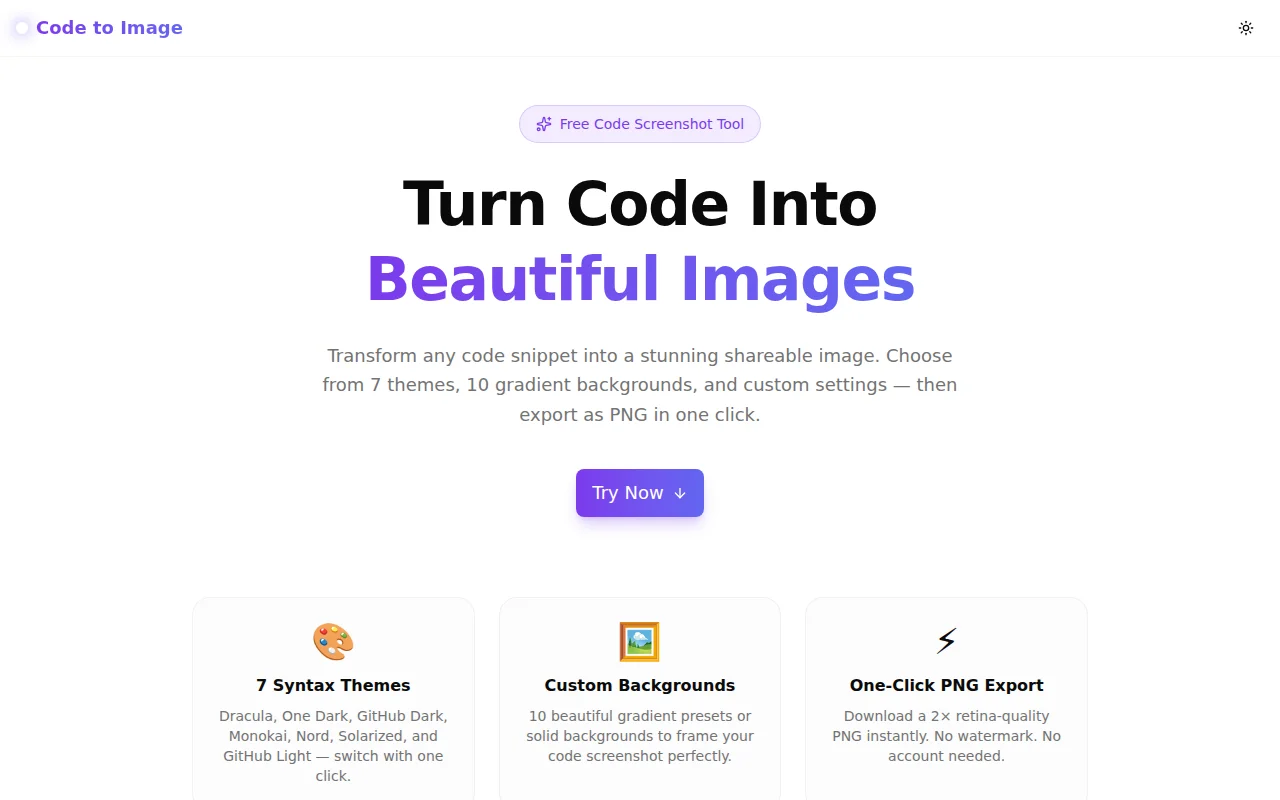
Developer ToolsFeatured
Code to Image
A free browser-based tool that converts code snippets into beautiful, shareable images. Choose a syntax theme, gradient background, and export a 2× PNG in one click — no signup required.
Developer ToolsCode ScreenshotSyntax HighlightingNext.jsTypeScriptFrontend
Start Similar ProjectAbout the Project
Code to Image — Beautiful Code Screenshots in One Click
Code to Image is a free, browser-based tool that turns any code snippet into a stunning shareable image. Pick a syntax highlighting theme, choose a gradient background, configure font size and padding, toggle macOS window chrome, and download a 2× retina PNG — all without leaving your browser or creating an account.
The Problem
Sharing code on social media, in blog posts, or in presentations is frustrating. Pasting raw code into a tweet looks like noise. Taking a screenshot of your IDE means sharing distracting window chrome, custom editor fonts, and inconsistent padding. Resizing that screenshot for every platform breaks sharpness.
Developers want clean, visually appealing code cards — the kind you see on Twitter from @dan_abramov or in high-quality technical blog posts. Creating them manually means:
- Paste code into a screenshot tool or image editor
- Manually add a gradient background
- Apply a font and color scheme
- Export and resize at the right resolution
That workflow takes 10–15 minutes per image, discouraging developers from sharing their work.
How It Works
1. Paste Your Code
Type or paste any code snippet into the editor panel. The tool immediately begins syntax highlighting it using highlight.js, one of the most widely used client-side highlighting engines (used by GitHub, Stack Overflow, and thousands of documentation sites).
20+ programming languages are supported out of the box: JavaScript, TypeScript, Python, JSX, TSX, CSS, HTML, JSON, Bash, Go, Rust, Java, C++, SQL, YAML, Markdown, PHP, Swift, Kotlin, Ruby, and more.
2. Choose Your Theme
Seven carefully chosen syntax highlighting themes are built in:
- Dracula — the iconic dark purple scheme used by millions of developers
- One Dark — Atom's popular dark grey palette
- GitHub Dark — the exact colors from GitHub's dark mode
- Monokai — the classic Sublime Text theme
- Nord — the cool blue-toned Arctic theme
- Solarized Dark — the beloved low-contrast dark scheme
- GitHub Light — clean, professional light theme for bright backgrounds
All theme colors are applied as inline styles, ensuring the exported PNG renders them accurately regardless of browser or OS settings.
3. Pick a Background
Ten background options frame your code card:
- Violet Dream — purple-to-violet gradient
- Ocean — cyan-to-teal gradient
- Sunset — pink-to-red gradient
- Forest — teal-to-green gradient
- Fire — orange-to-yellow gradient
- Night Sky — deep navy multi-stop gradient
- Cotton Candy — warm peach-to-lavender gradient
- Aurora — electric blue-to-yellow gradient
- Dark — solid near-black for minimal presentations
- Transparent — clear background for layering on slides and designs
4. Adjust and Customise
- Font size — slide from 11px to 20px for the code text
- Padding — 16px to 80px outer padding for composition
- Line numbers — toggle on/off
- Window chrome — show or hide the macOS-style traffic light buttons
5. Download PNG
Click Download PNG to export a 2× pixel-density image using html-to-image. The export captures the exact rendered preview — fonts, colors, shadows, and all — at retina quality, ready for Twitter/X, LinkedIn, blog post header images, or presentation slides.
Key Features
- 7 built-in syntax themes — Dracula, One Dark, GitHub Dark, Monokai, Nord, Solarized, GitHub Light
- 10 background options — gradient presets + solid dark + transparent
- 20+ languages — JavaScript, TypeScript, Python, and more
- macOS window chrome — optional title bar with traffic lights
- Line number toggle — on or off
- Font size + padding sliders — precise composition control
- 2× retina PNG export — crisp on any screen
- No watermark — the image is yours
- No signup required — open and use
- 100% client-side — code never leaves your browser
Technical Implementation
Core Technologies
- Next.js 16 with App Router
- TypeScript in strict mode
- Tailwind CSS v4 with OKLCH color tokens
- shadcn/ui for accessible UI components
- highlight.js for multi-language syntax parsing
- html-to-image for DOM-to-PNG export at 2× pixel ratio
- framer-motion for page animations
Architecture
The tool is structured as a single "use client" React component with no server-side dependencies:
-
Syntax highlighting —
highlight.jsis dynamically imported in auseEffectto avoid SSR issues. After highlighting, all<span class="hljs-*">CSS classes are converted to inline styles using a customapplyInlineStyles()function. This ensures the exported PNG renders theme colors correctly even thoughhtml-to-imagecaptures computed styles. -
Theme system — each of the 7 themes is defined as a
ClassStyleMapobject mapping every highlight.js CSS class name to its colour, font-style, and font-weight values. Switching themes triggers re-highlighting. -
Export —
html-to-image'stoPng()function is dynamically imported in the click handler and captures the preview<div>atpixelRatio: 2. The entire preview uses inline styles (no external CSS), making export reliable across browsers. -
Preview — the code card uses a
<pre><code>structure withdangerouslySetInnerHTMLfor the highlighted HTML. Line numbers are rendered as a separate div column to avoid breaking copy-paste on the actual code.
Why Inline Styles for Export
html-to-image captures elements by reading their computed styles via getComputedStyle. When styles are applied via CSS class names and external stylesheets, they work correctly in the browser view. However, serialising the element subtree to an SVG foreignObject (the internal mechanism) may not correctly carry over class-based styles from external sheets.
By converting all hljs-* class-based styles to inline styles at render time, the tool guarantees that syntax colours appear identically in the browser preview and in the exported PNG — regardless of browser, OS, or rendering environment.
Use Cases
Twitter / X Code Posts
The classic use case. Instead of screenshotting your IDE, paste the snippet, pick Dracula with the Violet Dream gradient, and download. The resulting image looks professional and loads instantly in a timeline — no need for GitHub Gists or embedded code blocks that require login.
Blog Post and Documentation Images
Use the GitHub Light theme over a subtle transparent or solid background to generate code images for technical blog posts, README headers, or documentation screenshots. These export cleanly at 2× and look sharp in any browser.
Presentation Slides
Use the Transparent background option to export a code card with no background, then layer it over any slide in Keynote, PowerPoint, Google Slides, or Canva. Adjust padding to fit the slide frame.
Social Media Content for Developer Brands
Developer-focused companies use styled code images as content marketing — "here's how our API looks", "here's a one-liner from our SDK". Code to Image eliminates the need for a design tool in that workflow.
Teaching and Tutorials
Educators creating course content, YouTube thumbnails, or social posts use code screenshots to illustrate concepts. The macOS chrome and gradient backgrounds make these images feel polished rather than like raw IDE dumps.
Why Code to Image?
vs. Carbon.sh
Carbon is the most popular alternative. It requires an internet connection (images are rendered server-side), and its interface has grown complex. Code to Image runs entirely in your browser — no network round-trip for rendering, no account required, and exports are instant.
vs. IDE Screenshot
Your IDE screenshot carries unwanted context: your file tree, window chrome, OS menu bar, specific fonts the viewer might not have, and inconsistent padding. Code to Image produces a clean, standalone card with a predictable, professional look.
vs. Manual Image Editing
Photoshop or Figma can produce a great code card, but require significant manual work for each image — font setup, color theming, gradient backgrounds, correct padding. Code to Image reduces that to under a minute.
Results
Code to Image eliminates the friction of sharing code visually:
- Under 60 seconds from paste to downloaded PNG
- No watermarks — the image belongs to you
- 7 themes × 10 backgrounds — 70 visual combinations out of the box
- 2× resolution — sharp on retina displays and social media
- Zero privacy risk — code stays in your browser
Try it now: code-to-image.tools.jagodana.com
The Challenge
The client needed a robust developer tools solution that could scale with their growing user base while maintaining a seamless user experience across all devices.
The Solution
We built a modern application using Developer Tools and Code Screenshot, focusing on performance, accessibility, and a delightful user experience.
Project Details
Category
Developer Tools
Technologies
Developer Tools,Code Screenshot,Syntax Highlighting,Next.js,TypeScript,Frontend
Date
June 2026
Related Projects
More work in Developer Tools

