Back to Projects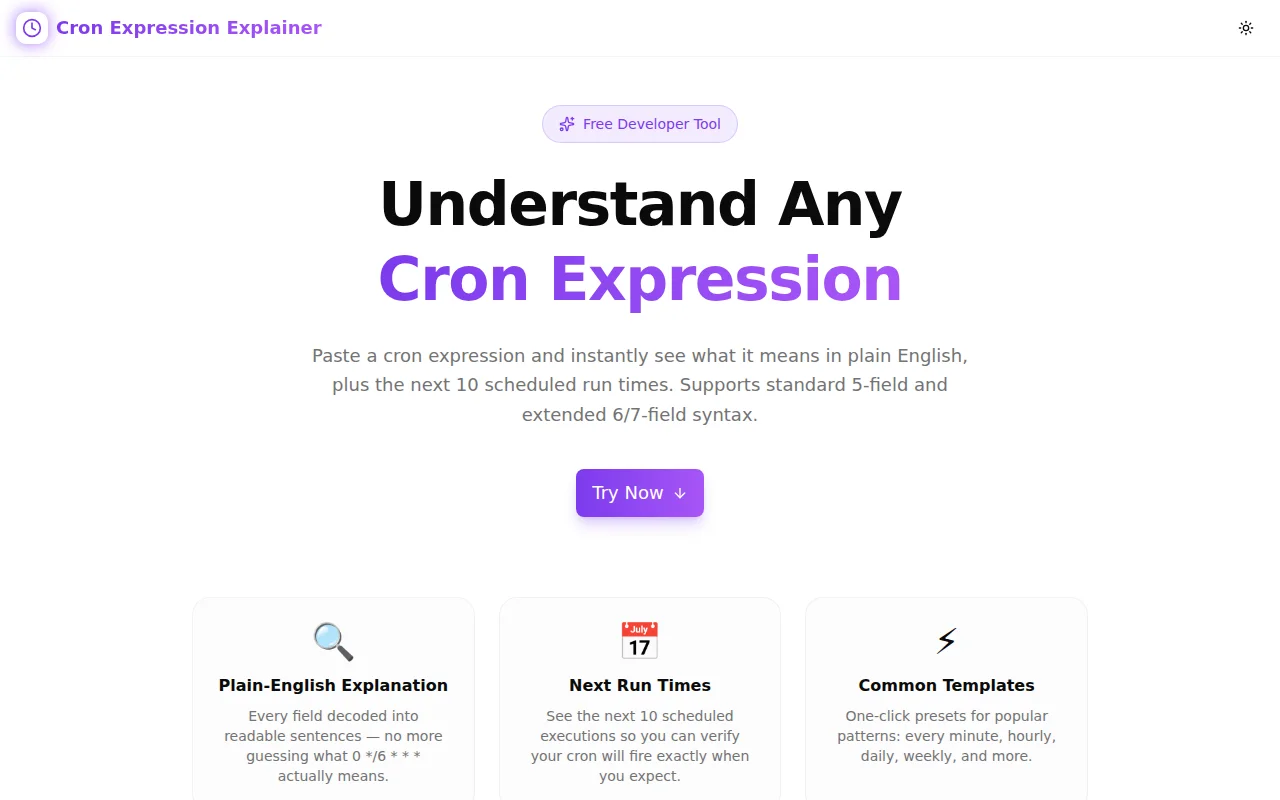
Developer ToolsFeatured
Cron Expression Explainer
A free browser-based tool that translates any 5-, 6-, or 7-field cron expression into plain English, color-codes each field, and shows the next 10 scheduled run times — instantly, no login required.
CronCron ExpressionSchedulerDevOpsDeveloper ToolsTypeScriptFrontendNext.js
Start Similar ProjectAbout the Project
Cron Expression Explainer — Translate Cron to Plain English Instantly
Cron Expression Explainer is a free, browser-based tool that converts any cron expression into a plain English description with color-coded field breakdowns. Paste a schedule, see what it means, and preview the next 10 run times — all without running a single terminal command. Supports 5-field Unix cron, 6-field (with seconds), and 7-field (with year) formats.
The Problem
Cron syntax is compact by design — but compact means opaque. Even experienced developers need to pause on 0 4 */7 * 1-5 and work through each field manually to confirm what they think it does.
The problem compounds across platforms. GitHub Actions uses 5-field cron but runs in UTC regardless of your timezone. AWS EventBridge uses a slightly different 6-field format. Kubernetes CronJobs follow Unix cron but have well-known edge cases around day-of-month and day-of-week OR semantics. Cloud Scheduler, Heroku Scheduler, Vercel Cron — each has its own dialect.
And the most expensive cron errors are silent ones:
0 0 31 * *— skips silently in February, April, June, September, November0 9 * * 1— is Monday in Unix cron but Sunday in some Windows-derived cron implementations*/5 9-17 * * 1-5— business hours every 5 minutes, but only if both the time and the weekday conditions match (AND semantics)0 0 15 * 5— once a month on the 15th OR every Friday? It's both — OR semantics when neither field is*
The only reliable way to verify a cron expression is to read what it actually schedules, not what you think it schedules.
How It Works
Field Detection
Paste any cron expression into the input field. The tool automatically detects the field count:
- 5 fields — standard Unix cron: minute, hour, day-of-month, month, day-of-week
- 6 fields — extended format: second + the 5 standard fields
- 7 fields — extended format: second + minute + hour + day-of-month + month + day-of-week + year
Each field is displayed in a color-coded row: pink for seconds, violet for minutes, purple for hours, blue for day-of-month, green for month, amber for day-of-week, rose for year. The color system lets you read field positions at a glance without counting whitespace.
Field Breakdown
For each field, the explainer shows:
- Field name — what position this value controls
- Raw value — exactly what you typed
- Human description — a full English phrase: "every 15 minutes", "at 09:00", "on Monday through Friday", "in January, June, and December"
Supported field syntaxes:
| Syntax | Example | Meaning |
|---|---|---|
| * | * | Every valid value |
| Single value | 30 | At value 30 |
| Range | 9-17 | From 9 to 17 inclusive |
| Step | */15 | Every 15 steps |
| Range + step | 0-30/5 | Every 5 steps from 0 to 30 |
| List | 1,3,5 | At values 1, 3, and 5 |
| Named alias | MON-FRI | Day-of-week and month names |
Plain English Summary
Below the field breakdown, the tool generates a single plain-English sentence that describes the full schedule. Some examples:
* * * * *→ "Every minute"0 9 * * 1-5→ "At 09:00 on Monday through Friday"*/15 9-17 * * 1-5→ "Every 15 minutes from hour 9 to hour 17 on Monday through Friday"0 0 1,15 * *→ "At midnight on the 1st and 15th of every month"0 4 */7 * *→ "At 04:00 every 7 days"30 6 1 1 *→ "At 06:30 on January 1st"
Next Run Times
The tool computes the next 10 run times starting from the current moment. The algorithm forward-scans minute by minute (or second by second for 6-field expressions), checking each candidate against all field constraints simultaneously, up to a 1,000,000-iteration limit to prevent infinite loops on impossible schedules.
Run times are displayed in your local timezone using Date.toLocaleString().
Common Patterns
A grid of 12 common cron patterns provides one-click loading — "Every minute", "Every hour", "Daily at midnight", "Every weekday at 9 AM", "Every 15 minutes", "Weekly on Monday", "Monthly on the 1st", "Every 5 minutes on weekdays", "Twice daily", "Every Sunday at midnight", "Every 6 hours", "Quarterly on the 1st". Clicking any pattern populates the input and immediately explains it.
Key Features
- Instant parsing — output appears as you type
- 5/6/7 field support — standard Unix, extended (seconds), and year-inclusive formats
- Color-coded fields — unique color per field position for fast visual parsing
- Plain English summary — full schedule described in one natural-language sentence
- Next 10 run times — computed from the current moment in your local timezone
- 12 common patterns — one-click templates for the most frequent schedules
- Error handling — invalid expressions show a clear message rather than silently failing
- Copy button — copy any expression to clipboard with a confirmation toast
- 100% client-side — no data leaves your browser, works offline once loaded
- Dark mode — full light/dark theme support
Technical Implementation
Core Technologies
- Next.js with App Router
- TypeScript in strict mode
- Tailwind CSS v4 for styling
- shadcn/ui component library
- framer-motion for staggered animations
- sonner for toast notifications
Parser Architecture
The parser is a pure TypeScript function with no external dependencies:
function parseValues(raw: string, min: number, max: number, aliases?: Record<string, number>): number[]It handles the full cron value grammar:
- Alias expansion — named values like
MON,FRI,JANare substituted before numeric parsing - List splitting — comma-separated values are parsed individually and merged
- Range expansion —
n-mis expanded to all integers from n to m inclusive - Step application —
/stepfilters the expanded range to every nth value - Wildcard expansion —
*expands to all valid values for the field
The result is always a sorted array of valid integers, making schedule computation deterministic.
Next Run Time Algorithm
function getNextRuns(expression: string, count: number): string[]Starting from Date.now(), the algorithm advances by one minute (or one second for 6-field expressions) per iteration, checking whether the candidate timestamp satisfies all field constraints simultaneously. Once count matches are found, it returns their local-timezone string representations. The 1,000,000-iteration ceiling prevents infinite loops on impossible schedules like 0 0 31 2 * (February 31st — never occurs).
Architecture Decisions
No external cron library — a minimal purpose-built parser handles the exact feature set needed without adding bundle weight for features that don't apply to an explanation tool (job execution, timezones, cron daemon management).
Forward-scan algorithm — field-by-field constraint propagation would be faster for pathological cases, but the forward scan is simple, transparent, and correct for all real-world schedules within the iteration limit. For a tool whose primary purpose is explanation rather than high-frequency scheduling, correctness and readability of the implementation outweigh micro-optimization.
Local timezone display — run times are shown in the user's local timezone using Date.toLocaleString() rather than UTC. This is the relevant timezone for most consumers of a web-based cron explainer, since they're typically checking what time a job will fire relative to their workday.
Use Cases
Verifying a Schedule Before Deploying
You're about to set 0 */6 * * * as a cleanup job schedule. Before pushing the cron configuration, paste it into the explainer. You get: "Every 6 hours at minute 0" with next runs at 00:00, 06:00, 12:00, 18:00. Confirmed — no debugging required.
Understanding Someone Else's Cron Job
You're reviewing an infrastructure config and encounter 30 2 * * 0. Is this 2:30 AM every Sunday? Or every 30 minutes from 2 AM on Sundays? Paste it. You get: "At 02:30 on Sunday." Confirmed — and now you know the job runs weekly, not multiple times per night.
Learning Cron Syntax
If you're new to cron, the field breakdown teaches by example. Paste */5 9-17 * * 1-5, read the row-by-row explanation ("every 5 minutes", "from hour 9 to hour 17", "on Monday through Friday"), and the syntax becomes readable. Change one field and watch the explanation update in real time.
Debugging Silent Failures
You have a job scheduled as 0 0 30 2 * — "February 30th at midnight." Paste it. The explainer shows the next run times and reveals that February 30th never occurs — no matches found within the iteration window. The schedule is impossible and the job will never fire.
Documenting Scheduled Jobs
When writing runbooks or deployment docs, paste each cron expression into the explainer, copy the plain English summary, and paste it into the comment above the cron configuration. Future readers get both the raw expression and the human description without needing to run a terminal.
Why Cron Expression Explainer?
vs. cron-expression-builder — the Builder is for creating new cron expressions through a GUI. The Explainer is for understanding existing ones. Different primary use case: input-first vs. comprehension-first.
vs. cron-expression-editor — the Editor focuses on editing a 5-field expression with a form interface and previewing changes. The Explainer focuses on taking any existing expression — 5, 6, or 7 fields — and generating a detailed, color-coded explanation of what it does.
vs. crontab.guru — crontab.guru is excellent for 5-field Unix cron. Cron Expression Explainer also supports 6-field (seconds) and 7-field (year) formats, provides color-coded field breakdowns, and shows 10 next run times rather than 5.
vs. reading the man page — the man page is accurate but slow. The Explainer is faster for the common case of "what does this specific expression do."
The Challenge
The client needed a robust developer tools solution that could scale with their growing user base while maintaining a seamless user experience across all devices.
The Solution
We built a modern application using Cron and Cron Expression, focusing on performance, accessibility, and a delightful user experience.
Project Details
Category
Developer Tools
Technologies
Cron,Cron Expression,Scheduler,DevOps,Developer Tools,TypeScript,Frontend,Next.js
Date
July 2026
Related Projects
More work in Developer Tools

