Back to Projects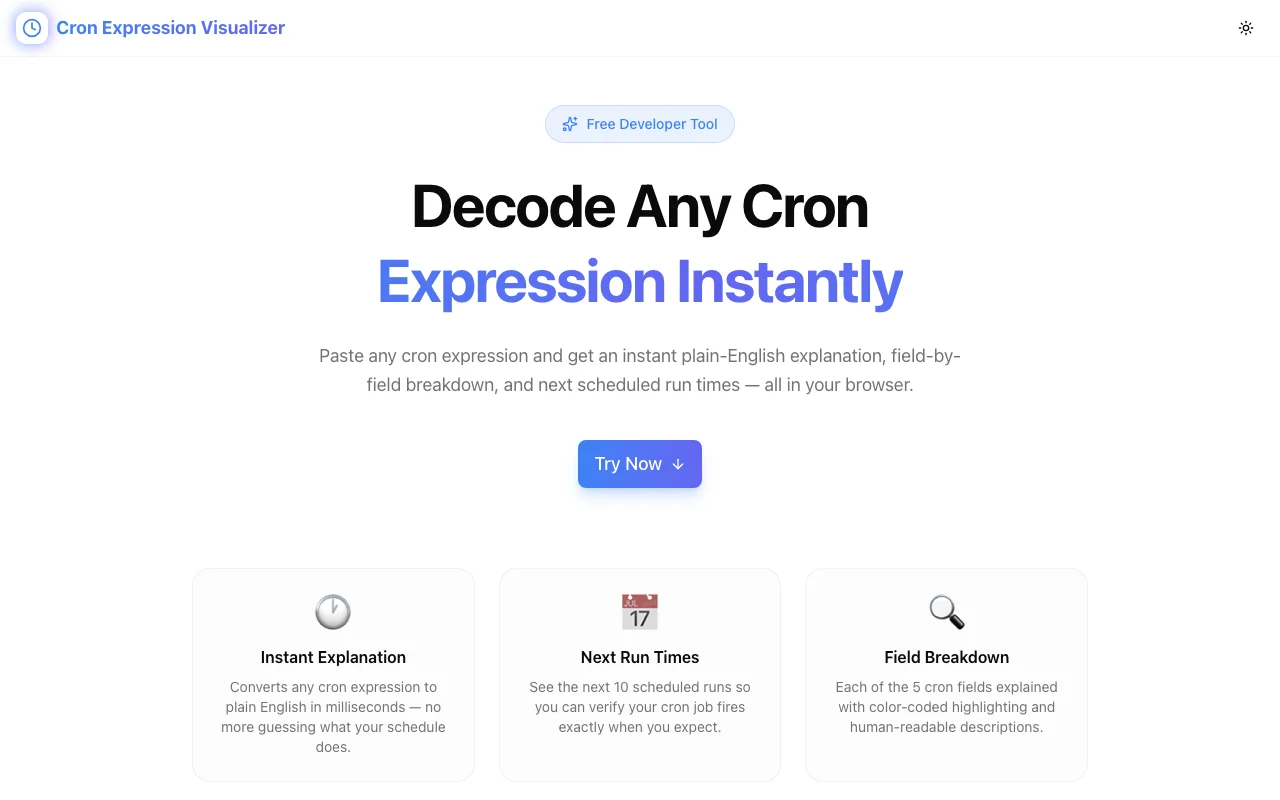
Developer ToolsFeatured
Cron Expression Visualizer
A developer tool that translates any cron expression into plain English and shows upcoming execution times—so you can verify your schedules before deploying.
CronTask SchedulingDevOpsDeveloper ToolsNext.jsTypeScript
Start Similar ProjectAbout the Project
Cron Expression Visualizer — Decode & Schedule Cron Jobs Instantly
Cron Expression Visualizer is a free developer tool that translates any cron expression into plain English and shows you exactly when your job will run next. Stop guessing whether 0 */6 * * * means every 6 hours from midnight or offset by the current hour—paste it and know instantly.
The Problem
Cron syntax is compact by design, but that compactness makes it error-prone:
*/5vs5— every 5 minutes vs. only at minute 5- Day-of-week numbering — is Sunday 0 or 7? (It's both, depending on implementation)
- Step values in ranges —
10-30/5means every 5 minutes between 10 and 30, which isn't obvious at a glance - Month indexing — months are 1–12, easy to confuse in 0-indexed languages
L,W,#extensions — "last day of month" and "nearest weekday" modifiers aren't standard
The cost of getting cron wrong ranges from annoying (a report running at 3 AM instead of midnight) to serious (a billing job that runs twice, or a cleanup job that never runs). Production incidents from misconfigured cron jobs are more common than most teams admit.
Even experienced developers reading someone else's cron expression cold—in an unfamiliar codebase or a cloud console at 2 AM—need to stop and parse it mentally. That's slow and error-prone.
How It Works
1. Enter a Cron Expression
Type or paste any standard cron expression (5-field or 6-field format). The tool validates the syntax immediately and highlights any errors.
2. Read the Plain English Translation
The expression is instantly translated into human-readable language:
0 */6 * * *→ "Every 6 hours, at minute 0"30 2 * * 1-5→ "At 02:30, Monday through Friday"0 0 1 * *→ "At midnight, on the 1st of every month"*/15 9-17 * * *→ "Every 15 minutes, from 9 AM to 5 PM"
No ambiguity. No mental parsing.
3. See Upcoming Execution Times
A timeline shows the next N execution times for your expression. This answers the question developers actually care about: "When exactly will this job run?"
4. Build Expressions Visually
Not sure how to write the expression? Use the visual builder to select minute, hour, day of month, month, and day of week—and watch the cron expression update in real time.
Key Features
- Instant translation — paste any cron expression, get plain English
- Execution timeline — see the next scheduled run times
- Visual builder — construct expressions without knowing the syntax
- Syntax validation — immediate error highlighting for invalid expressions
- 5-field and 6-field support — handles standard and extended cron formats
- No signup — start immediately
- Client-side — your expressions stay in your browser
Technical Implementation
Core Technologies
- Next.js with App Router
- TypeScript in strict mode
- TailwindCSS for styling
- shadcn/ui for accessible components
Parsing Engine
- Custom cron expression parser supporting standard 5-field and extended 6-field formats
- Range, step, list, and wildcard operators fully supported
- Plain English generation with correct grammar and edge case handling
- Execution time calculator using forward-scanning algorithm
Architecture
- All parsing and computation runs client-side—no server calls
- Real-time updates as you type
- Responsive design for use on desktop and mobile
- Accessible keyboard navigation for the visual builder
Use Cases
Deployment Verification
Before deploying a new cron job to production, paste the expression into the tool and verify it runs when you expect. Compare the timeline against your requirements to catch off-by-one errors.
Code Review
Reviewing a PR that changes a cron schedule? Paste both the old and new expressions to compare their behavior. The plain English translation makes the change immediately clear to everyone in the review.
Debugging Existing Jobs
A cron job isn't running when expected. Paste the expression to see what it actually evaluates to. Common discoveries: the job runs at UTC, not local time; the day-of-week is off by one; the step value doesn't do what you thought.
Onboarding
New team members inheriting a codebase with dozens of cron jobs can use the tool to quickly understand each schedule without manually parsing every expression.
Building New Schedules
Need a job that runs every weekday at 9 AM, 1 PM, and 5 PM? Use the visual builder to construct the expression, then verify it with the execution timeline before deploying.
Why Cron Expression Visualizer?
vs. crontab.guru
- Execution timeline — see the next N run times, not just the translation
- Visual builder — construct expressions by selecting values
- Clean UI — modern interface, no ads
- Extended format — supports 6-field cron expressions
vs. Manual Parsing
- Instant — no mental math
- Accurate — handles edge cases you might miss
- Sharable — show the translation to non-technical stakeholders
- Verifiable — the timeline proves the expression is correct
vs. Running and Waiting
- Immediate — no need to deploy and wait for the next trigger
- Full picture — see multiple future executions at once
- Risk-free — verify before deploying to production
Results
Cron Expression Visualizer eliminates cron-related production issues:
- Zero ambiguity — know exactly when your job runs
- Faster code reviews — plain English makes cron changes obvious
- Fewer production incidents — catch misconfigured schedules before deploy
- Lower onboarding friction — new team members understand existing schedules instantly
Try it now: cron-expression-visualizer.jagodana.com
The Challenge
The client needed a robust developer tools solution that could scale with their growing user base while maintaining a seamless user experience across all devices.
The Solution
We built a modern application using Cron and Task Scheduling, focusing on performance, accessibility, and a delightful user experience.
Project Details
Category
Developer Tools
Technologies
Cron,Task Scheduling,DevOps,Developer Tools,Next.js,TypeScript
Date
March 2026
Related Projects
More work in Developer Tools

