Back to Projects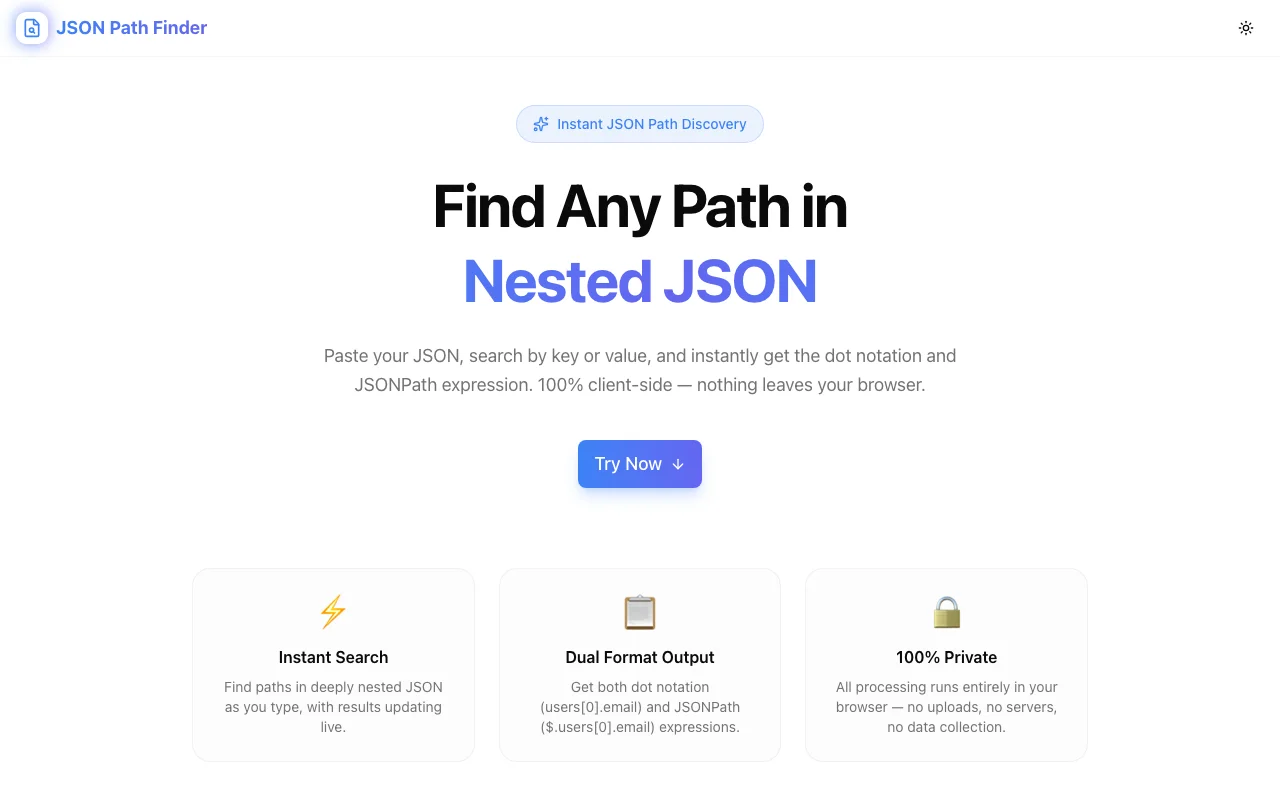
Developer ToolsFeatured
JSON Path Finder
A developer tool that instantly reveals the exact path to any key or value in nested JSON structures. Paste, click, copy—no manual tracing required.
JSONJSONPathAPI DebuggingDeveloper ToolsNext.jsTypeScript
Start Similar ProjectAbout the Project
JSON Path Finder — Find Paths in Nested JSON Instantly
JSON Path Finder is a free developer tool that shows you the exact path to any key or value inside nested JSON structures. Paste your JSON, click any node, and get the full path—ready to copy into your code.
The Problem
Modern APIs return deeply nested JSON. A single Stripe webhook, GitHub API response, or Salesforce record can have 6–10 levels of nesting. Manually tracing paths through these structures means:
- Counting array indices — is the item at index 0, 1, or somewhere else?
- Remembering object keys — especially when key names are ambiguous or use different casing
- Making typos — one wrong character in a path breaks your code silently
- Switching tools — copying JSON into an editor, collapsing and expanding nodes, writing paths by hand
Every developer has spent 20 minutes debugging a TypeError: Cannot read property 'x' of undefined only to discover the path was slightly wrong.
How It Works
1. Paste Your JSON
Drop any valid JSON into the editor—API responses, config files, database exports. The tool parses and validates it instantly.
2. Explore the Tree
The JSON renders as an interactive, collapsible tree. Expand and collapse nested objects and arrays to navigate the structure visually. Color-coded types (strings, numbers, booleans, null) make scanning fast.
3. Click Any Node
Click any key or value in the tree, and the tool instantly computes the full path from root to that node. Paths use standard dot notation with bracket syntax for array indices:
data.user.profile.address.citydata.users[0].details.location.cityresponse.items[2].metadata.tags[0]
4. Copy the Path
One click copies the path to your clipboard—ready to paste into your code, API client, or debugging session.
Key Features
- Instant path computation — click any node, get the exact path
- Interactive tree view — collapse/expand nested structures
- Color-coded types — quickly identify strings, numbers, booleans, arrays, objects
- Copy to clipboard — one-click path copying
- Client-side only — your JSON never leaves your browser
- No signup — start using immediately
- Large JSON support — handles complex, deeply nested structures
Technical Implementation
Core Technologies
- Next.js with App Router
- TypeScript in strict mode
- TailwindCSS for styling
- shadcn/ui for accessible components
Architecture
- Custom JSON parser with path tracking at every node
- Recursive tree renderer with lazy expansion for performance
- Clipboard API integration for one-click copying
- Input validation with clear error messages for malformed JSON
Performance
- Lazy tree rendering—only expanded nodes are in the DOM
- Path computation is O(depth), instant for any click
- No external API calls—zero network overhead
- Handles JSON payloads with thousands of nested keys
Use Cases
API Integration
You're consuming a REST or GraphQL API. The response has 8 levels of nesting. Instead of manually counting dots and brackets, paste the response and click to find the exact path to the data you need.
Debugging
A path in your code is returning undefined. Paste the actual JSON payload into the tool, navigate to the field you expect, and compare the real path with what your code uses. Mismatches become obvious instantly.
Data Mapping
Building ETL pipelines, data transformations, or config files that reference nested JSON fields. Use the tool to find correct paths for mapping rules without manual inspection.
Documentation
Writing API documentation or developer guides that reference specific fields in JSON responses. Use the tool to verify the exact path before including it in docs.
Code Reviews
Reviewing code that accesses deeply nested JSON? Paste the expected payload into the tool and verify that the paths in the code match the actual structure.
Why JSON Path Finder?
vs. Browser DevTools
- Purpose-built — designed specifically for path discovery
- One-click paths — no manual tree traversal
- Copy-ready — paths formatted for code, not just inspection
- Full tree — see the entire structure, not just console output
vs. JSON Editors (VS Code, etc.)
- No file creation — paste and go
- Path computation — editors show structure but don't compute paths
- Click to path — faster than selecting text and counting levels
- Zero setup — works in any browser
vs. jq / CLI Tools
- Visual — see the structure, not just query results
- Interactive — explore by clicking, not by writing queries
- No syntax to learn — just click
- Accessible — no command-line knowledge needed
Results
JSON Path Finder eliminates a common source of developer friction:
- Seconds instead of minutes — find any path instantly
- Zero typos — computed paths are always correct
- No context switching — paste, click, copy, done
- Privacy preserved — your data stays in your browser
Try it now: json-path-finder.jagodana.com
The Challenge
The client needed a robust developer tools solution that could scale with their growing user base while maintaining a seamless user experience across all devices.
The Solution
We built a modern application using JSON and JSONPath, focusing on performance, accessibility, and a delightful user experience.
Project Details
Category
Developer Tools
Technologies
JSON,JSONPath,API Debugging,Developer Tools,Next.js,TypeScript
Date
March 2026
Related Projects
More work in Developer Tools

