Back to Projects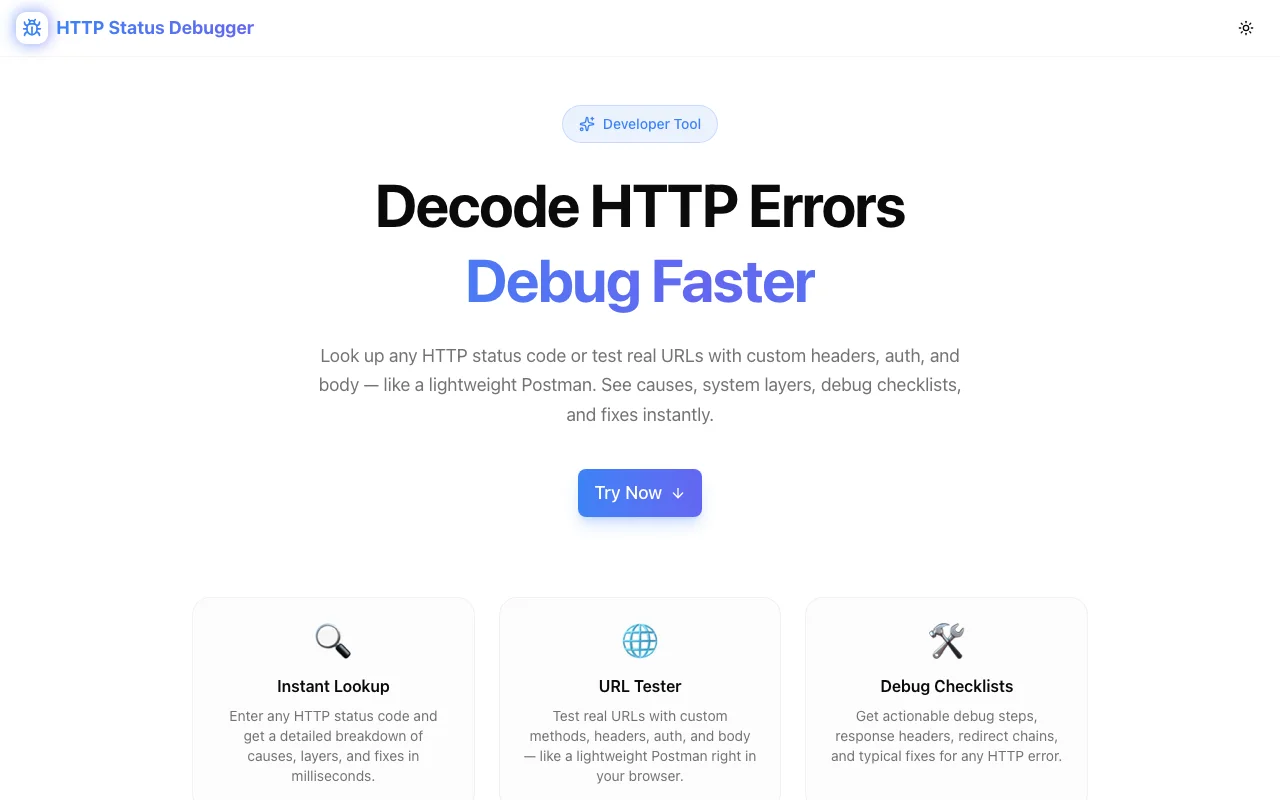
Developer ToolsFeatured
HTTP Status Debugger
A developer tool that decodes HTTP status codes, tests real URLs, identifies the responsible system layer, and provides actionable fix checklists—all in the browser, no signup required.
HTTPAPI DebuggingStatus CodesDeveloper ToolsNext.jsTypeScript
Start Similar ProjectAbout the Project
HTTP Status Debugger — Decode HTTP Errors & Fix API Issues Fast
HTTP Status Debugger is a free, browser-based developer tool that helps you understand HTTP status codes, test live URLs, identify which system layer failed, and follow actionable fix checklists. Think of it as Postman's status code panel—without the install.
The Problem
When an API returns a 403, 502, or 418, developers typically Google the code, dig through MDN docs, or guess. That wastes time—and the wrong fix makes things worse. The problem compounds when you can't tell whether the issue is on the client, server, proxy, CDN, or authentication middleware.
Most HTTP reference tools just list codes and definitions. They don't tell you what to do next or help you test the actual endpoint in question.
How It Works
1. Status Code Reference
Browse or search the complete HTTP status code catalog—every 1xx, 2xx, 3xx, 4xx, and 5xx code with plain-English explanations. Each entry includes:
- What it means — human-readable description
- Common causes — the real-world reasons this code appears
- System layer — is it the client, server, proxy, CDN, or auth layer?
- Fix checklist — step-by-step actions to resolve the issue
2. Live URL Testing
Paste any URL and send a real HTTP request—similar to Postman but with zero setup. The tool returns:
- The actual status code from the server
- Response headers
- Timing information
- The system layer responsible for the response
No accounts. No configuration. Works directly in your browser.
3. System Layer Identification
One of the hardest parts of debugging HTTP errors is figuring out where the failure occurred. HTTP Status Debugger maps each status code to its most likely system layer:
- Client — the request was malformed or unauthorized
- Server — the origin server failed to process the request
- Proxy / Load Balancer — an intermediary rejected or failed to forward the request
- CDN — the caching layer returned an error
- Authentication Middleware — the auth layer blocked the request
This saves you from checking the wrong logs or blaming the wrong system.
4. Actionable Fix Checklists
For every status code, the tool provides a concrete checklist of what to do next. Not theory—specific debugging steps:
- Check these headers
- Verify these permissions
- Test this endpoint variation
- Look at these server logs
Key Features
- Complete code catalog — every standard HTTP status code from 100 to 599
- Live URL testing — send real requests without leaving the browser
- Layer identification — know which system component failed
- Fix checklists — actionable steps, not just definitions
- No signup required — start debugging immediately
- Client-side processing — your URLs and data stay in your browser
Technical Implementation
Core Technologies
- Next.js with App Router
- TypeScript in strict mode
- TailwindCSS for styling
- shadcn/ui for accessible components
Architecture
- Status code database with structured metadata (description, causes, layer, fixes)
- Client-side HTTP request proxy for live URL testing
- Responsive layout optimized for developer workflows
- Zero external dependencies for the core debugging logic
Use Cases
API Development
You're building or consuming a REST API. An endpoint returns an unexpected status code. Instead of opening a new tab and searching, use HTTP Status Debugger to instantly understand the code, identify the layer, and follow the fix checklist.
Production Debugging
A user reports an error. Your monitoring shows a spike in 5xx responses. Use the tool to quickly map the status code to the responsible system layer and narrow down where to look in your infrastructure.
Learning & Onboarding
Junior developers or team members new to HTTP can use the tool as an interactive reference—faster than reading docs, with more context than a status code table.
QA & Testing
Test endpoints directly from the tool during QA cycles. Verify that your API returns the correct status codes for different scenarios without switching to Postman or curl.
Why HTTP Status Debugger?
vs. MDN / Wikipedia
- Actionable — fix checklists, not just definitions
- Layer mapping — know which system component to investigate
- Live testing — test URLs without leaving the page
- Developer-focused — built for debugging, not documentation
vs. Postman
- No install — works in any browser
- No account — start immediately
- Status code context — understand what the code means and what to do
- Lighter — purpose-built for HTTP debugging, not a full API platform
vs. curl
- Visual — structured output instead of raw terminal text
- Contextual — status code explanations inline with test results
- Accessible — no command-line knowledge required
Results
HTTP Status Debugger delivers faster resolution for HTTP errors:
- Instant understanding — know what any status code means without searching
- Targeted debugging — go straight to the right system layer
- Actionable next steps — follow checklists instead of guessing
- Zero friction — no signup, no install, no configuration
Try it now: http-status-debugger.jagodana.com
The Challenge
The client needed a robust developer tools solution that could scale with their growing user base while maintaining a seamless user experience across all devices.
The Solution
We built a modern application using HTTP and API Debugging, focusing on performance, accessibility, and a delightful user experience.
Project Details
Category
Developer Tools
Technologies
HTTP,API Debugging,Status Codes,Developer Tools,Next.js,TypeScript
Date
March 2026
Related Projects
More work in Developer Tools

