Back to Projects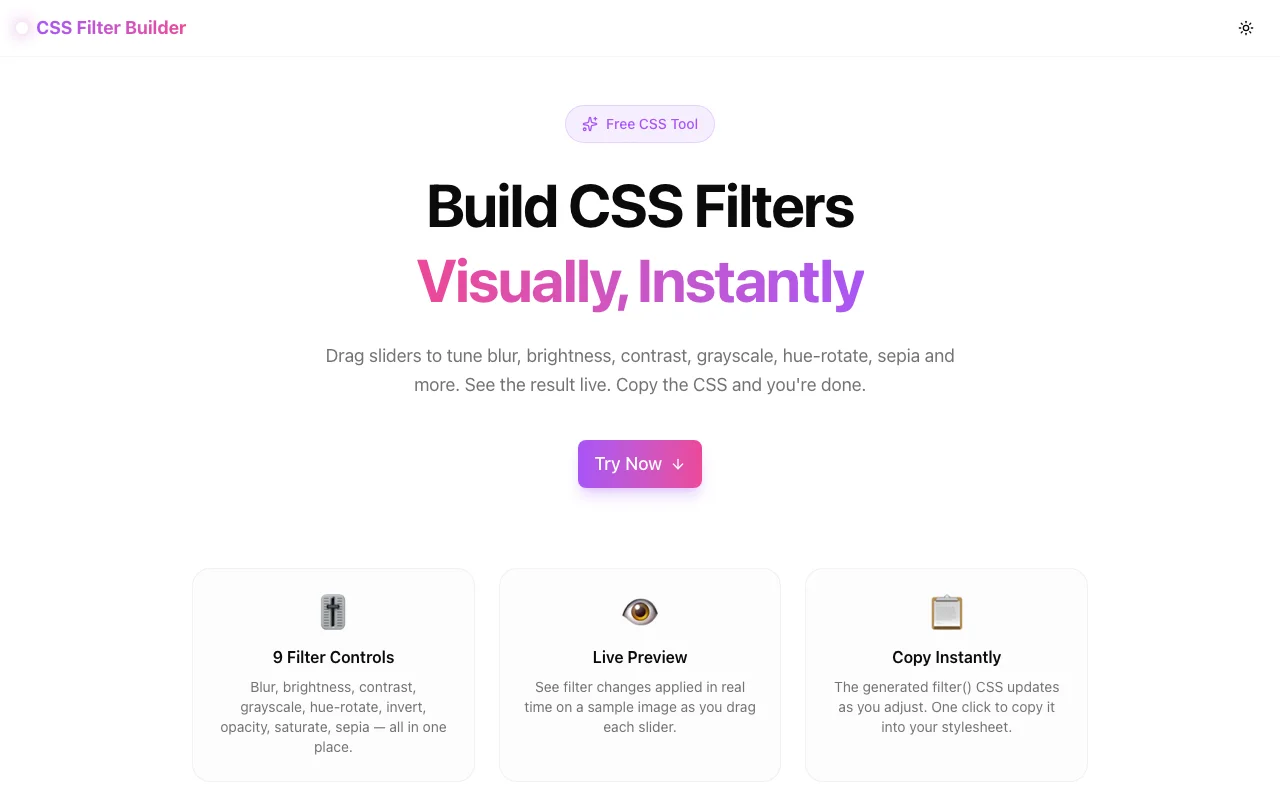
Developer ToolsFeatured
CSS Filter Builder
A free visual tool to build CSS filter() properties with live preview. Adjust blur, brightness, contrast, grayscale, hue-rotate, invert, opacity, saturate, and sepia with sliders. Copy production-ready CSS instantly, no login required.
CSSFilterDeveloper ToolsDesign ToolsFrontendNext.jsTypeScript
Start Similar ProjectAbout the Project
CSS Filter Builder — Visual CSS filter() Generator
CSS Filter Builder is a free, browser-based tool for building CSS filter() properties visually. Move sliders for any of the nine CSS filter functions — blur, brightness, contrast, grayscale, hue-rotate, invert, opacity, saturate, sepia — watch the preview update live, and copy the generated CSS in one click.
The Problem
Writing filter() values by hand means guessing. You change a number, save the file, wait for the browser to reload, and still aren't sure if the values are right. For a property with nine independent parameters that compound unpredictably, manual iteration is slow.
There was no dedicated visual tool for CSS filters that showed all nine controls at once with a live preview.
How It Works
1. Adjust Any Slider
The control panel contains nine sliders — one for each CSS filter function. Drag any slider and the preview image updates in real time.
| Filter | Range | Default | |---|---|---| | blur | 0–20px | 0px | | brightness | 0–200% | 100% | | contrast | 0–200% | 100% | | grayscale | 0–100% | 0% | | hue-rotate | 0–360deg | 0deg | | invert | 0–100% | 0% | | opacity | 0–100% | 100% | | saturate | 0–300% | 100% | | sepia | 0–100% | 0% |
2. See the Live Preview
A built-in sample image (a colorful SVG scene rendered in-browser) reflects every filter change instantly. No page reload. No server call. Everything runs in the browser.
3. Copy the Generated CSS
The generated filter property updates as you drag. Click Copy CSS to copy the complete declaration to your clipboard:
filter: brightness(130%) contrast(110%) saturate(150%);Only non-default values appear in the output — no redundant blur(0px) or grayscale(0%) cluttering the output.
4. Reset All
Click Reset to return every slider to its default value and start fresh.
Key Features
- 9 CSS filter controls — all standard filter functions in one panel
- Live preview — built-in SVG image updates as you drag
- Smart CSS output — only non-default values included
- One-click copy — grab the CSS with a single click
- Reset all — clear every filter at once
- 100% client-side — no data sent to any server
- Dark mode — matches your system theme
- No signup required — start immediately
Technical Implementation
Core Technologies
- Next.js 16 with App Router
- TypeScript in strict mode
- Tailwind CSS v4 with OKLCH brand tokens
- shadcn/ui for accessible components
- Framer Motion for animations
- lucide-react for icons
Architecture
The tool is a single React client component managing a FilterState object:
interface FilterState {
  blur: number;
  brightness: number;
  contrast: number;
  grayscale: number;
  hueRotate: number;
  invert: number;
  opacity: number;
  saturate: number;
  sepia: number;
}
The filterString is derived with useMemo — only filters with non-default values are included in the output. The CSS value is applied directly via the style prop on the preview SVG element.
const filterString = useMemo(() => {
  const parts = SLIDERS
    .filter(({ key }) => !isDefault(key, filters[key]))
    .map(({ key, format }) => format(filters[key]));
  return parts.length > 0 ? parts.join(" ") : "none";
}, [filters]);
The preview image is a fully self-contained inline SVG (sky, ground, house, trees, clouds) with no external image dependencies — ensuring zero network requests and instant loading.
Slider Styling
HTML <input type="range"> elements use inline background style to show a gradient fill matching the current value percentage:
const fillPercent = (value: number, min: number, max: number) =>
  ((value - min) / (max - min)) * 100;
The gradient transitions from the brand color at the filled portion to the muted background at the unfilled portion, giving a visual indication of how far each slider is from its default.
Use Cases
Frontend Development
You need to desaturate an image on hover, add a warm sepia tone to a photo gallery, or subtly brighten a hero image. Dial in the exact values visually, then paste the CSS.
Design Handoff
Designers who want to specify filter effects in CSS can use the tool to find the exact combination, then hand the copied CSS directly to developers.
Image Styling Without Editing
Apply visual effects to images in CSS without modifying the source files — useful for theming, dark mode inversions, or brand-matched image treatments.
Learning CSS Filters
Students and developers new to CSS filters can experiment with each parameter independently to understand how they combine and compound.
Why CSS Filter Builder?
vs. Browser DevTools
DevTools lets you adjust one property at a time in a tiny input field with no dedicated preview. The CSS Filter Builder shows all nine controls simultaneously with a full-size preview.
vs. Image Editing Software
Photoshop and Figma are the wrong tool for CSS filter values. They don't output filter() CSS. The Filter Builder outputs copy-ready CSS directly.
vs. Manual Trial-and-Error
Guessing brightness(1.2) contrast(1.1), saving, and reloading is slow. Visual sliders with live preview let you find the right values in seconds.
Try it now: css-filter-builder.tools.jagodana.com
The Challenge
The client needed a robust developer tools solution that could scale with their growing user base while maintaining a seamless user experience across all devices.
The Solution
We built a modern application using CSS and Filter, focusing on performance, accessibility, and a delightful user experience.
Project Details
Category
Developer Tools
Technologies
CSS,Filter,Developer Tools,Design Tools,Frontend,Next.js,TypeScript
Date
April 2026
Related Projects
More work in Developer Tools

