Back to Projects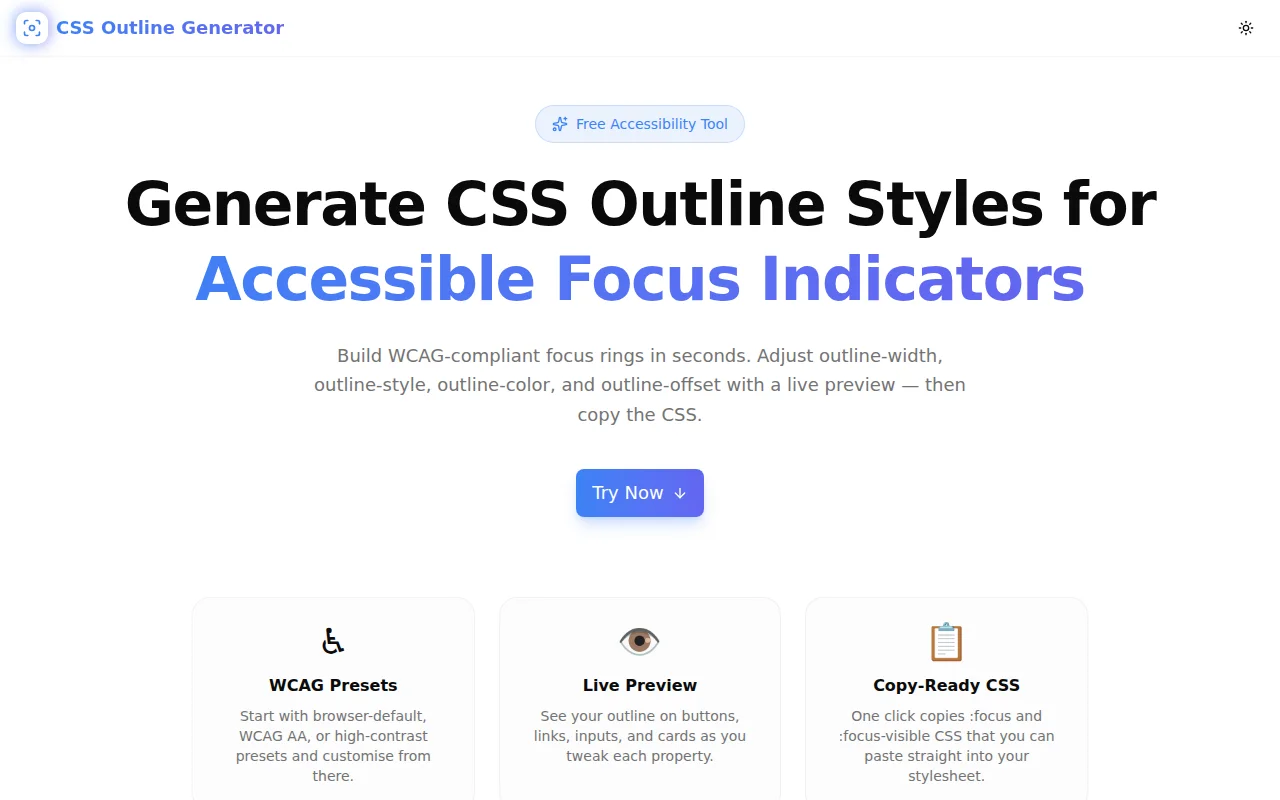
Developer ToolsFeatured
CSS Outline Generator
A free browser-based CSS outline generator for creating accessible focus indicators. Configure outline-width, outline-style, outline-color, and outline-offset with a live preview, then copy production-ready :focus and :focus-visible CSS instantly.
CSSAccessibilityFocus IndicatorWCAGDeveloper ToolsFrontendNext.jsTypeScript
Start Similar ProjectAbout the Project
CSS Outline Generator — Create Accessible Focus Indicators
CSS Outline Generator is a free, browser-based tool for building CSS outline styles for keyboard focus indicators. Pick a WCAG-compliant preset or dial in every property yourself — width, style, color, and offset — with a live preview on buttons, links, inputs, and cards. Copy the :focus or :focus-visible CSS and paste it straight into your stylesheet. No login, no install, no server calls.
The Problem
Focus styles are one of the most overlooked parts of front-end development. The browser's default focus ring gets removed with outline: none on day one of most projects, replaced with nothing. The result: keyboard users, screen-reader users, and anyone who tabs through a form has no idea where they are on the page.
WCAG 2.2 SC 2.4.11 (Level AA) makes a visible focus indicator a formal requirement — not a nice-to-have. It must:
- Enclose the component's bounding box
- Have a minimum area of perimeter × 2px
- Achieve at least a 3:1 contrast ratio between focused and unfocused states
Getting this right by hand means juggling four CSS properties, running contrast calculations, testing across element types, and checking both light and dark mode. It's slow and error-prone.
How It Works
1. Start with a Preset
Six presets cover the most common use cases:
- Browser Default — mirrors the native browser focus ring (3px solid #005fcc, offset 2px), WCAG 2.1 AA
- Accessible — the recommended starting point for new projects (3px solid #2563eb, offset 3px), WCAG 2.2 AA
- High Contrast — maximum legibility for low-vision users (4px solid black, offset 2px), WCAG 2.1 AAA
- Subtle Glow — soft indigo ring for design systems that want a lighter touch
- Dashed — dashed green ring for a distinctive keyboard-only indicator
- Double — double amber ring for rich, decorative focus treatment
Click any preset and the controls update instantly. You can then adjust from there.
2. Fine-Tune the Properties
Four controls let you customise every aspect of the outline:
outline-style — Choose from solid, dashed, dotted, or double. Each style communicates something different: solid rings are the universal standard; dashed and dotted draw attention; double adds visual weight.
outline-width — A range slider from 1px to 10px. WCAG 2.2 recommends at least 2px for accessibility; 3px is the practical sweet spot for most interfaces.
outline-color — A colour picker plus a hex input for precision. Choose a color with sufficient contrast against both the element background and the surrounding page background to meet the 3:1 WCAG requirement.
outline-offset — A range slider from 0px to 16px. Offset adds transparent space between the element's border box and the outline, preventing overlap with backgrounds and giving the indicator breathing room.
3. Preview on Your Element Type
The live preview panel shows the outline on four element types — <button>, <a>, <input>, and <div> — so you can verify it works across different contexts. A large card icon button looks different from a small text link; a good focus style should work on both.
4. Copy Production-Ready CSS
The generator outputs two CSS blocks side by side:
:focus {
  outline: 3px solid #2563eb;
  outline-offset: 3px;
}
:focus-visible {
outline: 3px solid #2563eb;
outline-offset: 3px;
}One click copies either block to the clipboard. The :focus-visible variant is the recommended modern approach: it shows the ring only during keyboard navigation, not after a mouse click, giving a cleaner UX while preserving full accessibility.
Key Features
- WCAG 2.2 presets — start from compliant defaults for WCAG AA and AAA
- Live preview — four element types: button, link, input, and card
- All four outline properties — width, style, color, offset in a single tool
- Dual CSS output —
:focusand:focus-visibleblocks ready to copy - Accessibility tips — inline guidance on WCAG requirements and best practices
- Fully client-side — zero server calls, zero data collection
- No account required — open the URL, start generating
Technical Implementation
Core Technologies
- Next.js 16 with App Router
- TypeScript in strict mode
- Tailwind CSS v4 with OKLCH color tokens
- shadcn/ui component library (new-york style)
- Framer Motion for animations
- Sonner for toast notifications
Architecture
The tool is a single React client component with no external dependencies. State is managed with useState for the four outline properties and UI state (active preset, copied flags, preview element). The generated CSS strings are derived directly from state — no memoization needed given the trivial computation.
Clipboard access uses the navigator.clipboard.writeText API with a toast confirmation and a 2-second reset of the copy button state for user feedback.
Use Cases
Accessibility Audits
An auditor identifies a site with outline: none applied globally. CSS Outline Generator provides a compliant replacement in 30 seconds — pick the Accessible preset, verify contrast, copy the CSS, hand it to the development team with a specific fix rather than a vague recommendation.
Design Systems
A design system team needs a focus style token that works across all interactive elements — buttons, links, form inputs, checkboxes. The preview mode lets them verify across four element types in one view before writing the spec.
New Projects
A developer starting a new project removes the browser default styles (standard practice) and immediately needs a focus indicator that meets WCAG 2.2. Open the generator, pick the Accessible preset, copy, paste. Three minutes, zero research required.
Dark Mode
The live preview respects the system theme. Designers testing a dark-mode-first interface can verify the focus ring is visible against dark backgrounds without switching between tools.
Learning Accessibility
Junior developers learning about keyboard accessibility get hands-on feedback: change the outline to match a low-contrast colour and see immediately why it would fail. The accessibility tips panel explains the WCAG requirements in plain language alongside the controls.
Why CSS Outline Generator?
vs. Writing CSS Manually
- Visual feedback — see the ring before adding it to your stylesheet
- Four properties at once — no context-switching between properties
- Instant compliance check — presets labeled with WCAG level
- Both pseudo-classes —
:focusand:focus-visibleoutput simultaneously
vs. DevTools
- Persistent — settings don't reset on page reload
- Multi-element — preview on button, link, input, and div in one view
- Copy-ready — formatted CSS blocks, not inline DevTools overrides
- Accessible tips — WCAG guidance built in
vs. Other CSS Generators
- Accessibility-first — presets calibrated to WCAG 2.1 and 2.2 requirements
- Focus-only — no noise from unrelated properties; every control matters
- :focus-visible aware — modern output, not just the legacy
:focuspseudo-class - No ads, no login — pure utility
Try it now: css-outline-generator.tools.jagodana.com
The Challenge
The client needed a robust developer tools solution that could scale with their growing user base while maintaining a seamless user experience across all devices.
The Solution
We built a modern application using CSS and Accessibility, focusing on performance, accessibility, and a delightful user experience.
Project Details
Category
Developer Tools
Technologies
CSS,Accessibility,Focus Indicator,WCAG,Developer Tools,Frontend,Next.js,TypeScript
Date
June 2026
Related Projects
More work in Developer Tools

