Back to Projects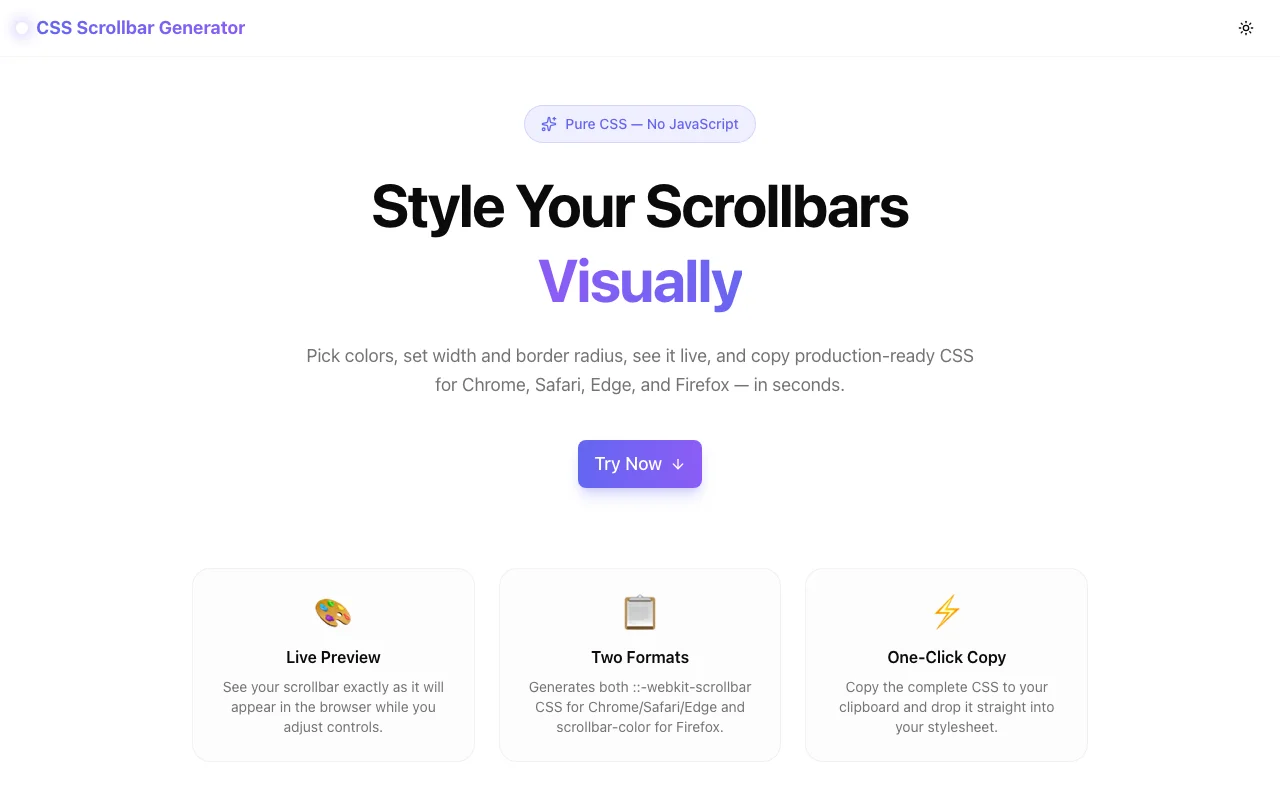
Developer ToolsFeatured
CSS Scrollbar Generator
A free visual CSS custom scrollbar generator — set width, track color, thumb color, hover state, and border radius with live preview. Copies production-ready Webkit and Firefox CSS in one click, no login required.
CSSScrollbarDeveloper ToolsDesign ToolsFrontendNext.jsTypeScript
Start Similar ProjectAbout the Project
CSS Scrollbar Generator — Style Custom Scrollbars Online
The CSS Scrollbar Generator is a free, browser-based tool that lets developers and designers style ::-webkit-scrollbar and Firefox scrollbar-color properties visually — no DevTools guesswork, no browser-specific documentation hunting. Adjust width, colors, hover state, and border radius while watching a live scrollable preview update in real time. Copy clean CSS in one click.
The Problem
Custom scrollbar styling is one of the most awkward parts of CSS. The ::-webkit-scrollbar pseudo-element API works in Chrome, Safari, and Edge but requires five separate rules. Firefox uses a completely different pair of properties (scrollbar-width and scrollbar-color). The syntaxes don't overlap, the documentation is scattered, and you can't see the result without loading an actual scrollable element in a browser.
Most developers end up copying a Stack Overflow snippet that only covers one browser, or spending 15 minutes iterating in DevTools to get colors and sizing right.
How It Works
1. Dimension Controls
Two sliders set the visual weight of the scrollbar:
- Width — from 0px (hidden but still scrollable) to 24px (wide custom scrollbar). Most modern UIs use 6–12px.
- Border Radius — from 0px (square edges) to 12px (rounded pill). Matches with the thumb shape.
2. Color Controls
Three color pickers cover every visual state:
- Track — the scrollbar background (the rail the thumb sits on). Includes an opacity slider for semi-transparent tracks.
- Thumb — the draggable part. Includes an opacity slider. Common pattern is a brand color at 70% opacity.
- Thumb Hover — what the thumb becomes when the user hovers it. Usually a darker or more saturated version of the thumb color for interactive feedback.
3. Browser Output Selector
Two checkboxes let you control what CSS is generated:
- Webkit — outputs the five
::-webkit-scrollbarpseudo-element rules for Chrome, Safari, and Edge. - Standard / Firefox — outputs
scrollbar-widthandscrollbar-colorin a single rule block.
Both can be enabled simultaneously for maximum browser coverage.
4. Custom Selector
The default output targets .scrollable. Change it to any valid CSS selector — body, .chat-window, #sidebar, or a utility class — and the generated CSS updates instantly.
5. Live Scrollable Preview
A scrollable box in the right panel renders your scrollbar configuration in real time. Scroll through the preview content to see exactly how the track, thumb, and hover state look in an actual scrollable context — not just a static mockup.
6. One-Click Copy
Click Copy CSS to copy the complete output to your clipboard. The button shows a check icon for 2 seconds to confirm success.
Key Features
- Webkit + Firefox CSS — generates both
::-webkit-scrollbarandscrollbar-colorformats - Live preview — scrollable box updates in real time as you change controls
- Opacity sliders — separate alpha control for track and thumb without editing rgba values
- Custom selector — target any element, not just a fixed class
- Width = 0 mode — hide scrollbar while keeping scroll functionality (with a UI hint)
- Reset button — return to sensible defaults in one click
- No login required — start immediately, no account needed
- Fully client-side — all CSS generation runs in your browser
Technical Implementation
Core Technologies
- Next.js 16 with App Router
- TypeScript in strict mode
- Tailwind CSS v4 with OKLCH color tokens
- shadcn/ui (new-york) for accessible components
- framer-motion for animations
- Vercel for deployment and edge CDN
Architecture
The tool is a single "use client" React component. Config state is managed with useState and a generateCSS() function computes the output string on every render. The preview scrollbar style is injected via a <style> tag with dangerouslySetInnerHTML — the only safe way to apply ::-webkit-scrollbar pseudo-element CSS dynamically, since Tailwind and CSS Modules cannot target pseudo-elements by name at runtime.
A hexToRgba() utility converts hex + opacity slider values into rgba() strings so opacity works correctly across the Webkit and Firefox outputs without storing alpha separately in state.
Use Cases
Polished Web App Scrollbars
You're building a SaaS dashboard with a custom sidebar. The default OS scrollbar doesn't match your design system. Style the sidebar scrollbar with your brand color at 8px wide, rounded corners, and a hover state — done in 90 seconds.
Chat and Feed UIs
Message lists and social feeds need scrollbars that feel native but on-brand. Generate a thin (4px), semi-transparent scrollbar with a rounded thumb that appears on hover.
Design System Documentation
Define scrollbar tokens for your design system. Use the tool to find the right values, then document them as CSS custom properties your team can reference.
Hide-but-Scroll Pattern
Set width to 0 to output the hide-the-scrollbar-but-keep-scrollability pattern. The tool generates both the Webkit and Firefox rules needed to suppress the scrollbar without locking scroll.
Results
The CSS Scrollbar Generator eliminates the trial-and-error cycle of custom scrollbar styling:
- No documentation lookup — all five Webkit rules plus Firefox shorthand generated automatically
- Correct browser coverage — Webkit and Firefox CSS in one output, no copy-pasting between Stack Overflow answers
- Live feedback — no reload needed, see changes instantly in a real scrollable element
- Accurate opacity — rgba conversion handled automatically, no manual hex-to-rgba math
Try it now: css-scrollbar-generator.tools.jagodana.com
The Challenge
The client needed a robust developer tools solution that could scale with their growing user base while maintaining a seamless user experience across all devices.
The Solution
We built a modern application using CSS and Scrollbar, focusing on performance, accessibility, and a delightful user experience.
Project Details
Category
Developer Tools
Technologies
CSS,Scrollbar,Developer Tools,Design Tools,Frontend,Next.js,TypeScript
Date
April 2026
Related Projects
More work in Developer Tools

