Back to Projects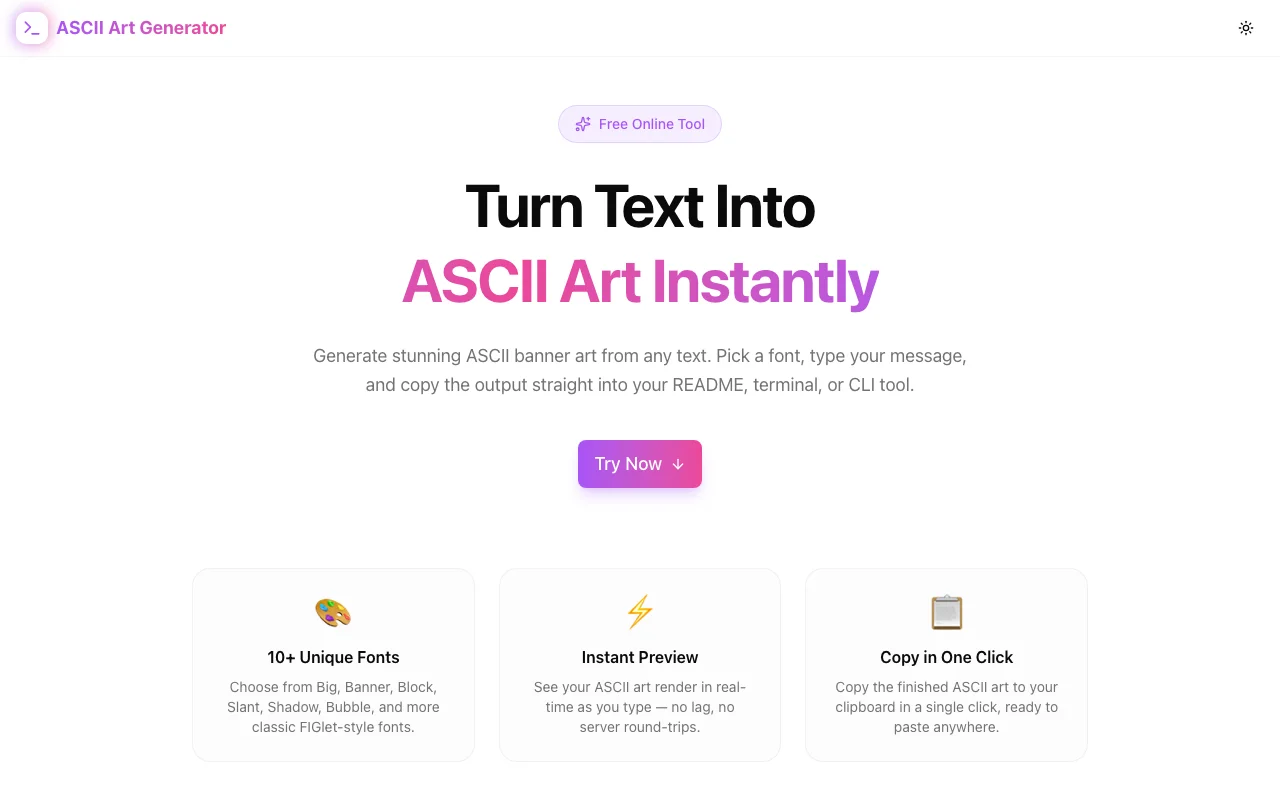
Developer ToolsFeatured
ASCII Art Generator
A free browser-based tool that converts any text into ASCII art banner art. Choose from 10 fonts including Big, Block, Banner, Shadow, Bubble, and Double, preview output instantly, and copy to clipboard with one click.
ASCII ArtText ToolsDeveloper ToolsCLITerminalNext.jsTypeScript
Start Similar ProjectAbout the Project
ASCII Art Generator — Free Online Text to ASCII Art Converter
ASCII Art Generator is a free, browser-based tool that converts any text into ASCII banner art using 10+ classic FIGlet-inspired fonts. Type your text, choose a style, and copy the output straight into your README, terminal, code comments, or CLI banners — no server, no signup, no install.
The Problem
Every developer eventually needs ASCII art. The moment you want a banner for your CLI tool, a stylised header for your README, a section divider in your codebase, or a startup message in your server logs, you're either hand-typing something rough or hunting for a tool that doesn't require installing figlet locally or running a Python script.
The existing online options are outdated, ad-heavy, or require you to select from obscure font names that give you no visual preview. You end up copying five different versions before finding one that looks right.
How It Works
1. Type Your Text
Enter any word, name, acronym, or short phrase in the input field — up to 50 characters. The output renders in real time as you type, with no lag.
2. Choose a Font
Select one of 10 built-in fonts from the font selector:
- Big — classic wide ASCII letters
- Block — bold, filled-in block characters
- Banner — tall asterisk-based banner style
- Shadow — slanted, shadow-art characters
- Lean — compact, angular letters
- Mini — tiny 2-row characters
- Digital — LCD-display-style digits and letters
- Double — Unicode box-drawing characters (╔═╗ style)
- Bubble — rounded bubble-letter style
- Straight — clean uppercase monospace pass-through
3. Copy and Use
Click Copy to send the ASCII art to your clipboard. Paste it anywhere — README files, code comments, terminal startup scripts, shell prompt configurations, or decoration.
Key Features
- 10 built-in fonts — Big, Block, Banner, Shadow, Lean, Mini, Digital, Double, Bubble, Straight
- Real-time preview — output updates as you type with zero delay
- One-click copy — copies to clipboard instantly via the Clipboard API
- Fully client-side — all rendering happens in the browser; nothing is sent to a server
- 50-character input limit — generous enough for most banners, constrained for readability
- Dark/light theme — honours system preference with a toggle
- No signup required — open and use immediately
- Responsive — works on desktop and mobile
Technical Implementation
Core Technologies
- Next.js 16 with App Router
- TypeScript in strict mode
- Tailwind CSS v4 with OKLCH brand tokens
- shadcn/ui component library (new-york style)
- framer-motion for section animations
ASCII Rendering Engine
The font engine is implemented as a pure TypeScript character map — no FIGlet binary, no server call, no npm dependency for the rendering itself. Each font is defined as a Record<string, string[]> mapping uppercase characters and common punctuation to arrays of strings (one string per row).
// Each character mapped to rows of ASCII art strings
const BLOCK_CHARS: Record<string, string[]> = {
  A: ["###", "# #", "###", "# #", "# #"],
  B: ["## ", "# #", "## ", "# #", "## "],
  // ...
};
The renderAscii function iterates over each input character, looks up its glyph from the font map, aligns all glyphs to the same height by padding shorter characters, and concatenates rows horizontally with a space gap between characters.
Why No figlet.js?
Including a full FIGlet parser adds ~40 KB of JavaScript and requires loading font files at runtime. For a tool with 10 fixed fonts, a hand-crafted character map renders faster, ships smaller, and works offline — which aligns with the "no server, instant results" philosophy of the entire tools suite.
Analytics
Google Analytics 4 event tracking is integrated via ToolEvents.toolUsed() and ToolEvents.resultCopied() to measure font usage patterns and copy actions.
Use Cases
README Headers
The most popular use. Developers use ASCII art to add a distinctive header to their project README:
 /\  / __| |_ _ _
/ _\|__ \ |/ / | |
/_/ \_\___/_/\___|
Wrap the output in a ``` code block to preserve spacing in rendered Markdown.
CLI Tool Banners
Many CLI tools print an ASCII art banner on first launch. ASCII Art Generator is the fastest way to prototype and settle on a style before hardcoding it.
Server Startup Logs
Express, Fastify, and other Node.js servers often print a banner when the server starts. The generator lets you create one in seconds.
Code Section Dividers
ASCII art headers in source files make large codebases easier to navigate:
// ╔══════════════════════════════╗
// ║       AUTHENTICATION         ║
// ╚══════════════════════════════╝
Terminal & Shell Customization
Add ASCII art to your .bashrc or .zshrc to display a message when a new terminal session starts.
Why ASCII Art Generator?
vs. Installing figlet
- No install required — works in any browser, on any machine
- Visual font picker — see the rendered result immediately, not font names
- Cross-platform — the same tool on macOS, Windows, Linux, CI environments
vs. Other Online Tools
- No ads, no paywalls — open and use, nothing in the way
- Real-time rendering — no "Generate" button to click
- Modern UI — dark mode, responsive layout, clean design
- 10 distinct fonts — covers the most popular styles without overwhelming options
vs. Manual ASCII Art
- Seconds, not minutes — type and copy vs. hand-crafting characters
- Consistent letterforms — every character in a font is balanced
- Easy iteration — try a different font in one click
Results
ASCII Art Generator removes the friction from one of those small-but-annoying developer tasks:
- Instant results — from idea to clipboard in under 5 seconds
- No dependencies — works offline once the page is loaded
- Professional output — consistent, clean ASCII letterforms
- Zero friction — no account, no install, no API key
Try it now: ascii-art-generator.tools.jagodana.com
The Challenge
The client needed a robust developer tools solution that could scale with their growing user base while maintaining a seamless user experience across all devices.
The Solution
We built a modern application using ASCII Art and Text Tools, focusing on performance, accessibility, and a delightful user experience.
Project Details
Category
Developer Tools
Technologies
ASCII Art,Text Tools,Developer Tools,CLI,Terminal,Next.js,TypeScript
Date
April 2026
Related Projects
More work in Developer Tools

