Back to Projects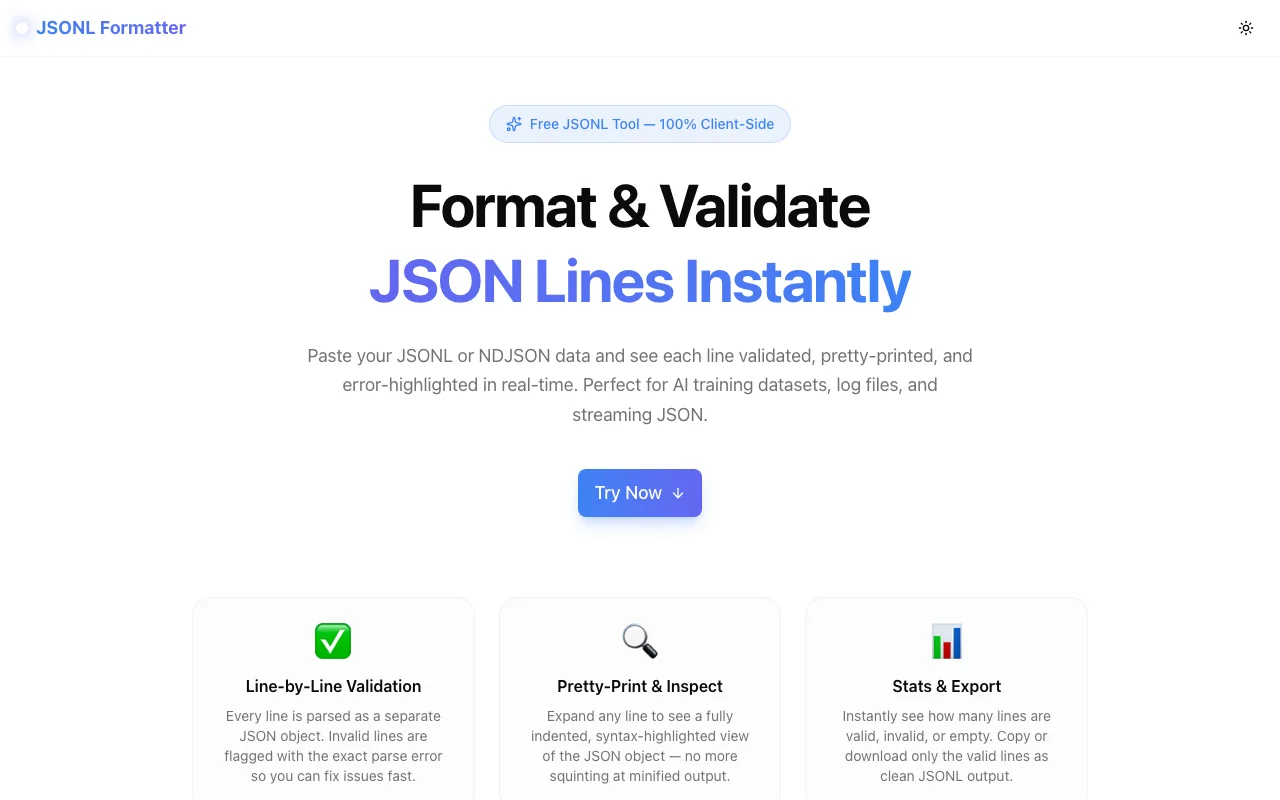
Developer ToolsFeatured
JSONL Formatter
A free browser-based JSONL / NDJSON validator and formatter. Paste your JSON Lines data and see each line validated, pretty-printed, and error-highlighted in real-time — no upload, no server, no login.
JSONJSONLNDJSONDeveloper ToolsAI/MLData EngineeringNext.jsTypeScript
Start Similar ProjectAbout the Project
JSONL Formatter — Free Online JSON Lines Validator & Viewer
JSONL Formatter is a free, browser-based tool that validates, formats, and inspects JSON Lines (JSONL / NDJSON) files line-by-line. Paste your data, instantly see which lines are valid or broken, expand any line for a pretty-printed view, and download only the clean output — all without sending a single byte to a server.
The Problem
JSON Lines (.jsonl) is everywhere in modern data pipelines: OpenAI fine-tuning datasets, LLM training corpora, streaming API responses, log files, ClickHouse exports, and NDJSON feeds. The format is deceptively simple — one JSON object per line — but when things go wrong, they go wrong silently.
A single malformed line in a 10,000-line fine-tuning dataset will fail the upload with a cryptic error. Log aggregation pipelines drop records silently when one line is invalid. Debugging means cat file.jsonl | python -c "import sys,json;[json.loads(l) for l in sys.stdin]" — fragile, slow, and opaque.
There was no dedicated, clean browser tool for this. Every workaround was either a CLI command you have to Google every time, a full-featured IDE plugin you don't want to install for a one-off check, or an upload-based service you can't trust with training data.
How It Works
1. Paste and Validate Instantly
Paste any JSONL or NDJSON content into the input area and click Validate & Format. Each line is parsed as an independent JSON object — exactly how a real JSONL parser would process it. Results appear immediately.
2. Line-by-Line Status
Every line gets a status badge:
- Green check — valid JSON object
- Red X — invalid, with the exact parse error message (
Unexpected token 'n',Expected ':' but found ',', etc.) - Grey dash — empty line (skipped without noise)
A stats panel at the top shows the total line count alongside the valid, invalid, and empty counts at a glance.
3. Expand to Pretty-Print
Click any valid line to expand a fully-indented, readable view of the JSON object. Useful when you need to inspect a specific record without copy-pasting into a separate JSON formatter. Click again to collapse.
4. Export Clean Output
Two export options:
- Copy valid — copies only the valid lines to clipboard as compact JSONL, ready to paste or re-upload
- Download .jsonl — saves a
valid-lines.jsonlfile to your machine
5. Sample Data
The Load Sample button inserts a short demo JSONL snippet — including one intentionally broken line — so you can explore the tool without needing your own data.
Key Features
- Line-by-line validation — each line parsed independently, not as a whole document
- Exact error messages — know precisely what is wrong and on which line
- Expand / collapse per line — pretty-print any record inline
- Stats panel — total / valid / invalid / empty counts
- Copy valid lines — clipboard export of clean output
- Download .jsonl — save valid lines as a file
- Expand all / Collapse all — bulk toggle for large datasets
- Sample data — one-click demo with a broken line included
- 100% client-side — no uploads, no server, no data retention
- Dark mode — respects system preference, switchable in header
Technical Implementation
Core Technologies
- Next.js 16 with App Router
- TypeScript in strict mode
- Tailwind CSS v4 with OKLCH color tokens
- shadcn/ui components (new-york style)
- Framer Motion for animated expand/collapse transitions
- Lucide React icons
Architecture
The entire JSONL parser is a single pure function:
function parseLines(input: string): ParsedLine[] {
  return input.split("\n").map((raw, index) => {
    const trimmed = raw.trim();
    if (trimmed === "") return { index, raw, status: "empty" };
    try {
      const parsed = JSON.parse(trimmed);
      return { index, raw: trimmed, status: "valid", parsed };
    } catch (e) {
      return { index, raw: trimmed, status: "invalid", error: e.message };
    }
  });
}
Each line is split and individually fed to JSON.parse. The native JSON parser's error message is surfaced directly — no custom error formatting that might hide information.
Line expand/collapse state is managed with a Set<number> so toggling one line doesn't re-render others. The list uses AnimatePresence from Framer Motion for smooth height transitions when expanding.
Export uses the browser's native Blob + URL.createObjectURL pattern — no dependencies, no file size limits beyond available RAM.
Use Cases
AI / ML Training Data
OpenAI, Anthropic, and Mistral fine-tuning APIs all accept JSONL. A single malformed line breaks the entire upload. Paste your fine-tuning file here, confirm all lines are valid, then download the clean output to upload with confidence.
LLM Prompt Dataset Curation
Prompt datasets (ShareGPT format, Alpaca format, instruction-tuning corpora) are distributed as JSONL. Validate and inspect records before feeding them into a training pipeline.
Log File Debugging
Structured logging libraries (winston, pino, structlog) write JSONL to stdout. When a deployment goes wrong, paste the log output here to quickly identify malformed entries.
NDJSON API Responses
Some streaming APIs (Elasticsearch _search?scroll, Kibana exports, ClickHouse HTTP interface) return NDJSON. Paste the response and browse individual records without writing a script.
Data Pipeline Validation
Before loading a JSONL file into a database or message queue, validate it here to catch type mismatches, missing fields, or truncated lines that would fail silently downstream.
Why JSONL Formatter?
vs. python -m json.tool
python -m json.tool only handles standard JSON, not JSONL. You'd need a loop: while IFS= read -r line; do echo "$line" | python -m json.tool; done — slow, verbose, and it stops at the first error.
vs. jq
jq is powerful but requires installation and CLI familiarity. cat file.jsonl | jq '.' also stops at the first invalid line. There's no line-by-line summary of what passed and what failed.
vs. Online JSON Formatters
Standard JSON formatters reject JSONL because it isn't valid JSON as a whole. They try to parse all lines together and throw a top-level syntax error.
vs. IDE Plugins
VS Code's JSON tools don't understand JSONL natively. You'd need a specific extension, and it's overkill for a one-off validation task on data you'd rather not save to disk.
Try it now: jsonl-formatter.tools.jagodana.com
The Challenge
The client needed a robust developer tools solution that could scale with their growing user base while maintaining a seamless user experience across all devices.
The Solution
We built a modern application using JSON and JSONL, focusing on performance, accessibility, and a delightful user experience.
Project Details
Category
Developer Tools
Technologies
JSON,JSONL,NDJSON,Developer Tools,AI/ML,Data Engineering,Next.js,TypeScript
Date
April 2026
Related Projects
More work in Developer Tools

