Back to Projects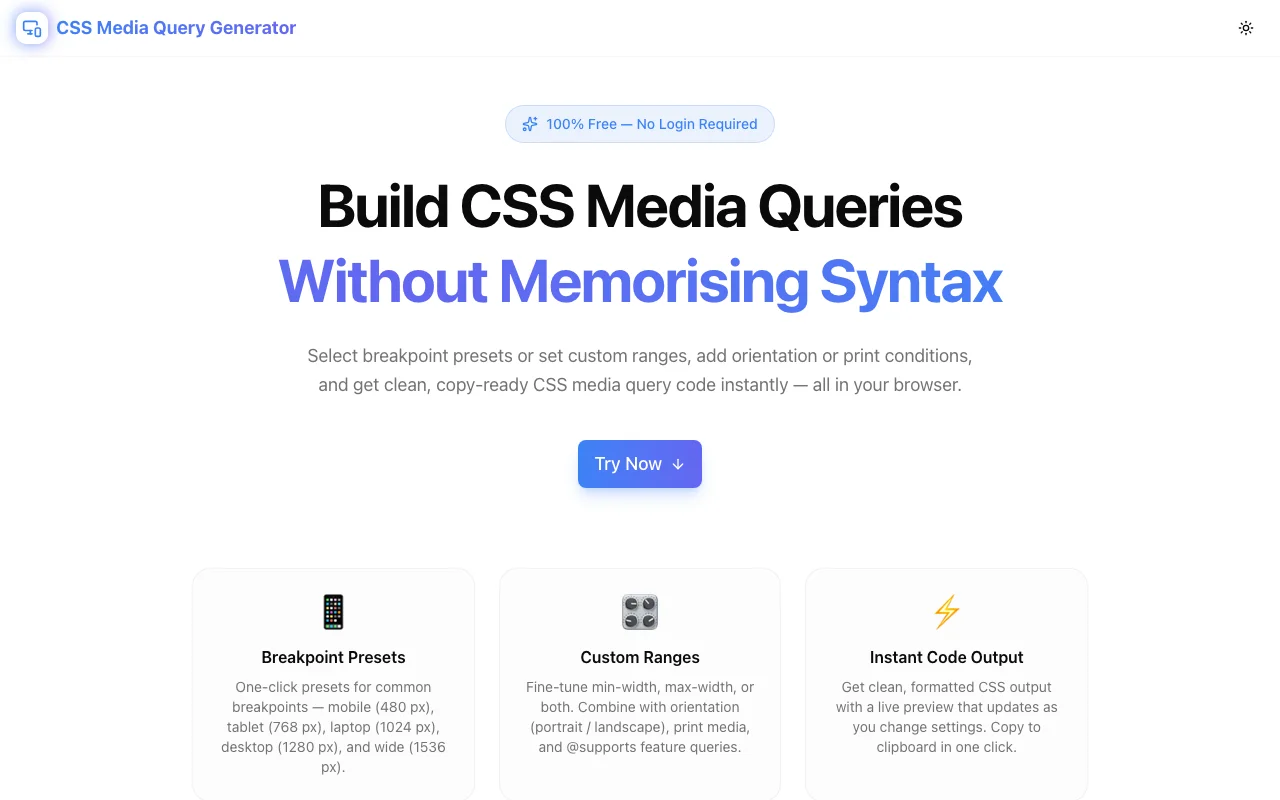
Developer ToolsFeatured
CSS Media Query Generator
A free browser-based CSS media query builder. Pick breakpoint presets or set custom min/max widths, add orientation, print media, color-scheme, hover, resolution, and @supports conditions — then copy production-ready CSS in one click. No login, no install.
CSSMedia QueriesResponsive DesignDeveloper ToolsFrontendNext.jsTypeScript
Start Similar ProjectAbout the Project
CSS Media Query Generator — Build Responsive Breakpoints Without Memorising Syntax
CSS Media Query Generator is a free, browser-based tool that lets you construct any CSS @media rule visually — pick a breakpoint preset, dial in custom pixel values, layer on orientation, print, color-scheme, hover, resolution, and @supports conditions, then copy the complete CSS in one click. No login, no install, no syntax lookup.
The Problem
Responsive CSS should be simple, but the @media syntax has grown far beyond min-width and max-width. Today a single media query might combine:
@supports (display: grid) {
  @media screen and (min-width: 768px) and (max-width: 1023px) and
         (orientation: portrait) and (prefers-color-scheme: dark) {
    /* your styles */
  }
}
Writing that from memory is error-prone. Forgetting the and keyword, misplacing parentheses, or confusing dppx with dpi produces silent failures — the browser ignores the rule and no error appears in the console. The feedback loop is a full page reload to check whether the rule applied.
Even experienced developers reach for MDN or Stack Overflow to look up the exact prefers-color-scheme value, the correct @supports syntax, or which resolution unit the browser actually honours. That context-switch breaks flow. This tool eliminates the lookup.
How It Works
1. Breakpoint Presets
Six one-click presets cover the widths developers actually use:
| Preset | Range | |---------|-------------------------| | Mobile | ≤ 767 px | | Tablet | 768 px – 1023 px | | Laptop | 1024 px – 1279 px | | Desktop | 1280 px – 1535 px | | Wide | ≥ 1536 px | | Custom | Any values you enter |
Selecting a preset populates the min-width and max-width inputs automatically. Switch to Custom to type any value.
2. Custom Width Range
The min-width and max-width inputs accept any pixel value. Enter just one for a one-sided query (mobile-first min-width or desktop-first max-width) or fill in both for a range query. The output updates live as you type.
3. Media Type
Toggle between screen (the default for visual styling), print (printer and print-preview styles), and all (applies regardless of output device). The media type is correctly placed before the and conditions in the output.
4. Orientation
Add (orientation: portrait) or (orientation: landscape) as a condition. Useful for tablets where you want different layouts in each orientation.
5. Prefers Color Scheme
Add (prefers-color-scheme: dark) or (prefers-color-scheme: light) to the query. This is the standard way to apply CSS-in-stylesheet dark mode overrides without JavaScript.
6. Hover Capability
Distinguish pointer devices with (hover: hover) for mouse-capable devices and (hover: none) for touch-only screens. This lets you show hover states only where they work rather than leaving them as phantom interactions on mobile.
7. Resolution (Retina / HiDPI)
Enter a resolution value like 2dppx or 192dpi to target high-density displays. The tool wraps it in (min-resolution: ...), the most widely supported form of the resolution media feature.
8. @supports Feature Queries
Add one or more @supports conditions via the panel. Each condition takes a CSS property and value — e.g. display: grid, gap: 1rem, aspect-ratio: 1. A not toggle negates the condition for progressive degradation patterns. The output wraps the @media block inside the @supports block, which is the correct nesting order.
9. One-Click Copy
When the output looks right, click Copy CSS. The complete, formatted code is in your clipboard — @supports wrapper, @media rule, and the placeholder comment — ready to paste into your stylesheet.
10. Quick Reference Panel
A reference card in the output panel shows the most common patterns at a glance: mobile-first, desktop-first, range query, and retina. It stays visible while you build the query so you never need to switch tabs.
Key Features
- Six breakpoint presets — mobile, tablet, laptop, desktop, wide, and custom
- Custom min / max width — any pixel value, one-sided or range
- Media type toggle — screen, print, all
- Orientation filter — any, portrait, landscape
- Prefers color scheme — any, light, dark
- Hover capability — any, hover, touch-only
- Resolution query — min-resolution for HiDPI / retina
- @supports builder — add feature query conditions with a
nottoggle - Live code output — updates on every change, no apply button
- One-click copy — formatted CSS to clipboard
- Common breakpoints reference — visible in the output panel
- 100% client-side — no API calls, no data leaves your browser
- No signup required — open and start building immediately
Technical Implementation
Core Technologies
- Next.js 16 with App Router
- TypeScript in strict mode
- Tailwind CSS v4 with OKLCH color tokens
- shadcn/ui components (new-york style)
- Framer Motion for animations
- Lucide React icons
Architecture
The generator is a single pure function that takes the full query state and returns the CSS string:
function generateMediaQuery(state: QueryState): string {
  const conditions: string[] = [];
  if (state.minWidth) conditions.push(`(min-width: ${state.minWidth}px)`);
  if (state.maxWidth) conditions.push(`(max-width: ${state.maxWidth}px)`);
  if (state.orientation !== "none")
    conditions.push(`(orientation: ${state.orientation})`);
  // ... more conditions
  const mediaLine = `@media ${mediaType}${conditions.join(" and\n       ")} {`;
  if (state.supportsEntries.length > 0) {
    return `@supports ${supportsParts} {\n  ${mediaLine}\n    /* your styles here */\n  }\n}`;
  }
  return `${mediaLine}\n  /* your styles here */\n}`;
}
UI state is stored in a single QueryState object. Every control updates one field on that object; React re-renders and the generator function produces fresh output on each render. No effect, no debounce, no async — the output is always synchronously in sync with the inputs.
Preset selection is handled by mapping a preset key to fixed min/max values, which flow through the same generator function as manual input.
The @supports entries are stored as an array of { property, value, negate } objects. Adding, removing, and toggling not are all pure array operations on local state.
Use Cases
Responsive Layout Breakpoints
The primary use case: generate the @media blocks for your responsive grid, navigation, or typography without looking up exact syntax. Use a preset for speed or enter specific values for a custom system.
Mobile-First Development
Select the Tablet or Laptop preset to get (min-width: ...) queries. The Quick Reference shows how to structure mobile-first CSS so base styles serve small screens and media queries progressively enhance for larger ones.
Print Stylesheet
Switch the media type to print to generate @media print { } blocks for print-specific styles — removing navigation, adjusting font sizes, setting margins in cm or pt, or hiding interactive elements.
Dark Mode CSS
Add prefers-color-scheme: dark as a condition to generate dark mode overrides in CSS without a JavaScript theme toggle. This is the progressive-enhancement approach: the stylesheet adapts to the OS preference automatically.
HiDPI / Retina Image Targeting
Enter 2dppx in the resolution field to generate a query that serves high-resolution images or tighter grid spacing only to displays that can render them. The output shows (min-resolution: 2dppx) — correct, unlike the older -webkit-min-device-pixel-ratio approach.
Progressive Enhancement with @supports
Use the @supports builder to wrap a CSS Grid layout in a feature query, so browsers without Grid support fall back to the base flex layout. Correct nesting order — @supports wraps @media — is handled automatically.
Coarse Pointer / Accessibility
Combine the touch-only hover setting with wider tap-target CSS to build touch-accessible UIs that don't degrade the mouse experience. The (hover: none) condition is the standards-based way to detect touch-first devices.
Why CSS Media Query Generator?
vs. Memorising Syntax
- No MDN tab needed — all conditions available in the UI
- Correct output guaranteed — no typos in property names, no missing
andkeywords - Nested syntax handled —
@supportswrapping@mediais done right automatically
vs. Other Online Tools
- More conditions — most tools only do min/max width; this one covers orientation, color-scheme, hover, resolution, and @supports
- Live output — no "Generate" button to forget to click
- Clean, readable output — multi-condition queries are line-broken for readability, not crammed onto one line
- No ads, no login — open, build, copy, done
vs. Framework Helpers (Tailwind, Sass)
- Framework-agnostic output — plain CSS that works in any project
- Sees the raw CSS — useful for understanding what Tailwind's responsive prefixes actually generate
- Non-standard conditions — Tailwind only handles width breakpoints; this tool covers all media features
Results
CSS Media Query Generator removes the syntax friction from responsive CSS:
- Zero lookups — all conditions are in the UI, not in your memory
- Fewer typos — the generator constructs the query string, not you
- Faster breakpoint work — preset → adjust → copy in under 30 seconds
- Correct nesting —
@supports+@mediacombination is always valid
Try it now: css-media-query-generator.tools.jagodana.com
The Challenge
The client needed a robust developer tools solution that could scale with their growing user base while maintaining a seamless user experience across all devices.
The Solution
We built a modern application using CSS and Media Queries, focusing on performance, accessibility, and a delightful user experience.
Project Details
Category
Developer Tools
Technologies
CSS,Media Queries,Responsive Design,Developer Tools,Frontend,Next.js,TypeScript
Date
April 2026
Related Projects
More work in Developer Tools

