Back to Projects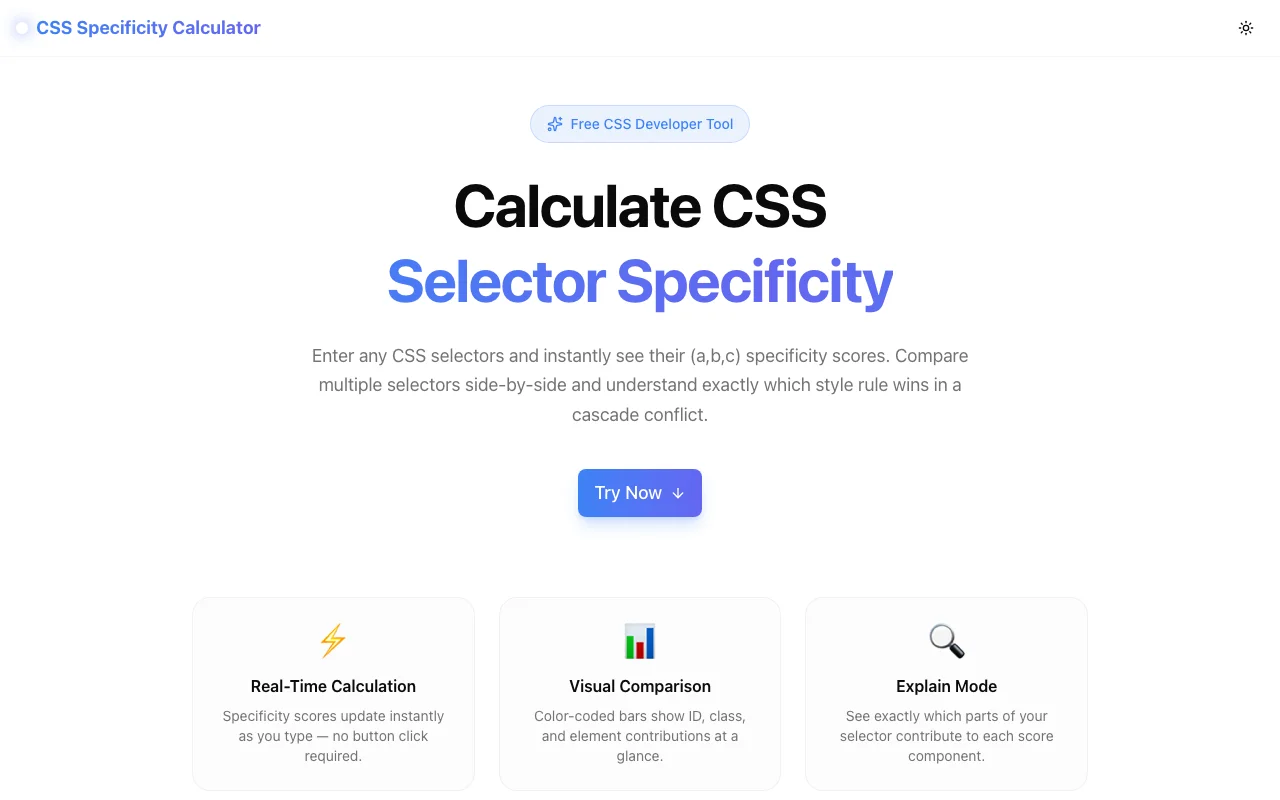
Developer ToolsFeatured
CSS Specificity Calculator
A free browser-based tool that calculates CSS selector specificity in real time, compares multiple selectors visually, and explains per-part scoring—no signup required.
CSSSpecificityDeveloper ToolsFrontendNext.jsTypeScript
Start Similar ProjectAbout the Project
CSS Specificity Calculator — Understand & Compare Selector Specificity Instantly
CSS Specificity Calculator is a free, browser-based tool that computes CSS selector specificity scores in real time, lets you compare multiple selectors side by side, and explains exactly how each part of a selector contributes to the final score. No signup, no install—just paste your selectors and see the results.
The Problem
CSS specificity is the cascade's tiebreaker. When two rules target the same element, the one with higher specificity wins. But calculating specificity by hand is tedious and error-prone—especially with complex selectors involving nested pseudo-classes, attribute selectors, and combinators.
Developers waste time debugging "why isn't my CSS applying?" only to discover a specificity conflict buried three layers deep. The mental math of counting IDs, classes, and elements across compound selectors doesn't scale.
How It Works
1. Real-Time Specificity Calculation
Type or paste any CSS selector and see its specificity score instantly. The tool parses the selector as you type and displays the (a, b, c) score:
- a — ID selectors (
#header,#nav) - b — class selectors, attribute selectors, pseudo-classes (
.active,[type="text"],:hover) - c — element selectors, pseudo-elements (
div,p,::before)
Each component is color-coded so you can spot which category is driving the score.
2. Multi-Selector Comparison
Add multiple selectors and compare them side by side. Visual bars show relative specificity at a glance, and the selector with the highest specificity gets a trophy badge. This is the fastest way to answer "which rule wins?" without digging through DevTools.
3. Explain Mode
Click the info icon on any selector to see a per-part breakdown. The tool shows exactly which parts contribute to each specificity bucket:
#nav→ ID +1.menu→ Class +1li→ Element +1:hover→ Class +1
This turns an opaque number into an understandable explanation.
4. Quick Examples & Reference
Pre-loaded example selectors let you explore common patterns immediately. A quick reference table at the bottom summarizes the specificity rules so you don't need to leave the page.
Key Features
- Real-time calculation — scores update as you type
- Multi-selector comparison — compare any number of selectors visually
- Visual specificity bars — see relative weights at a glance
- Explain mode — per-part breakdown of every selector
- Winner highlighting — trophy badge on the highest-specificity selector
- Quick examples — pre-loaded selectors to explore immediately
- Copy results — one-click copy of specificity scores
- Quick reference table — specificity rules summarized in-page
- Fully client-side — no API calls, no data leaves your browser
- No signup required — start calculating immediately
Technical Implementation
Core Technologies
- Next.js with App Router
- TypeScript in strict mode
- TailwindCSS for styling
- Client-side CSS selector parsing — zero external API dependencies
Architecture
- Custom specificity parser that handles compound, complex, and nested selectors
- Real-time input processing with debounced calculation
- Responsive layout for desktop and mobile use
- Google Analytics integration for usage tracking
Use Cases
Debugging CSS Overrides
Your styles aren't applying. You suspect a specificity conflict but can't tell which rule wins. Paste both selectors into the calculator, compare their scores, and see the winner instantly—no more guessing.
Code Review
Reviewing a teammate's CSS and wondering if a new selector will accidentally override existing styles? Compare the new selector against the existing ones to catch conflicts before they ship.
Learning CSS Specificity
New to CSS or teaching others? The explain mode makes specificity tangible. Instead of memorizing abstract rules, see exactly how each part of a selector contributes to the score.
Refactoring Stylesheets
Cleaning up a legacy codebase with deeply nested selectors? Use the comparison view to understand the specificity landscape before simplifying. Know which selectors are safe to flatten and which would break the cascade.
Technical Interviews
Specificity questions come up in frontend interviews. Use the tool to verify your understanding and practice with real selectors.
Why CSS Specificity Calculator?
vs. Browser DevTools
- Comparison view — DevTools shows one element at a time; this tool compares any selectors side by side
- Explain mode — see per-part breakdowns, not just the final score
- No context switching — calculate specificity without opening a project
vs. Online Calculators
- Real-time updates — no "calculate" button to press
- Multi-selector comparison — most calculators only handle one selector at a time
- Visual bars — relative specificity shown graphically, not just as numbers
- Explain mode — unique per-part breakdown feature
vs. Manual Counting
- Faster — instant results vs. mental arithmetic
- Accurate — handles edge cases like
:not(),:is(), and nested pseudo-classes - Visual — color-coded scores are easier to reason about than raw numbers
Results
CSS Specificity Calculator makes specificity debugging instant and visual:
- Zero friction — paste a selector, see the score immediately
- Confident overrides — know exactly which rule wins before writing CSS
- Faster debugging — skip the cascade guessing game
- Better understanding — explain mode turns specificity from abstract to concrete
Try it now: css-specificity-calculator.tools.jagodana.com
The Challenge
The client needed a robust developer tools solution that could scale with their growing user base while maintaining a seamless user experience across all devices.
The Solution
We built a modern application using CSS and Specificity, focusing on performance, accessibility, and a delightful user experience.
Project Details
Category
Developer Tools
Technologies
CSS,Specificity,Developer Tools,Frontend,Next.js,TypeScript
Date
March 2026
Related Projects
More work in Developer Tools

