Back to Projects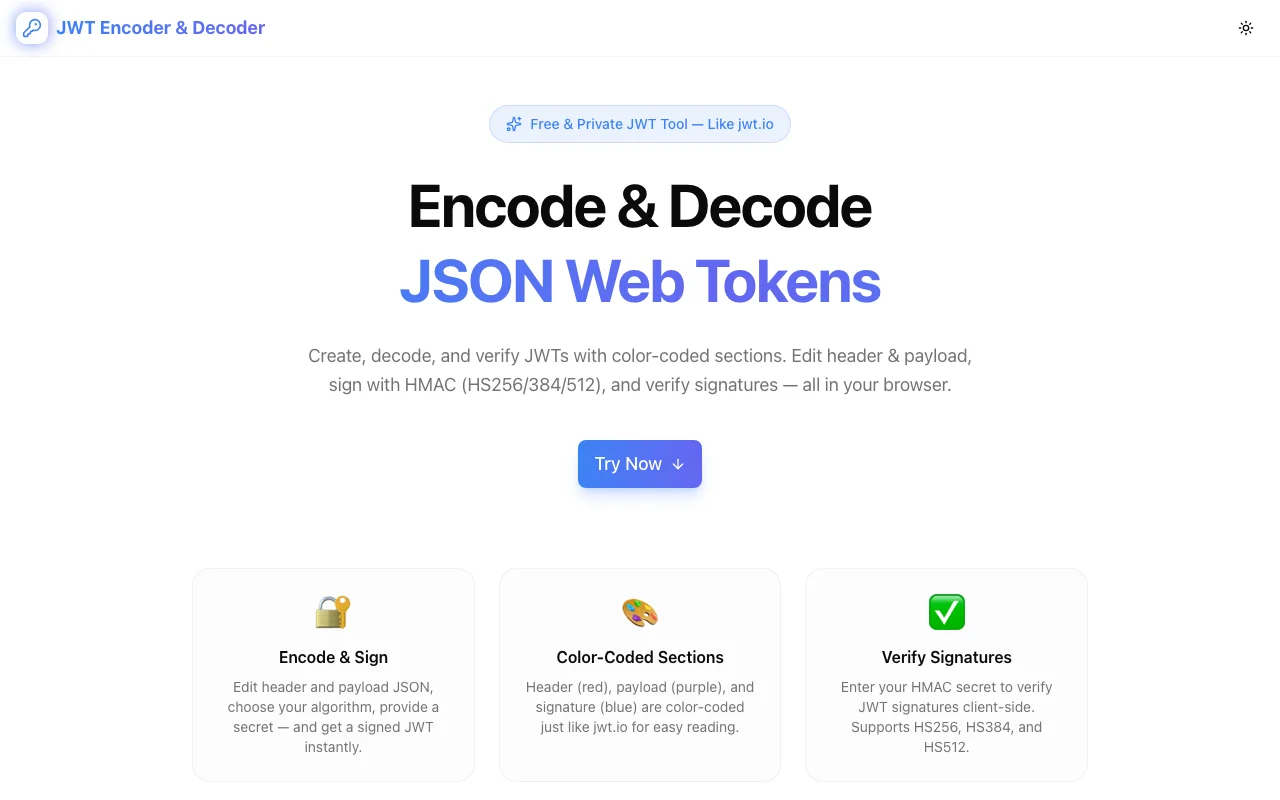
Developer ToolsFeatured
JWT Decoder
Free, privacy-first JWT decoder — inspect JSON Web Token headers, payloads, claims, and expiration. Runs entirely in your browser, zero data transmitted.
JWTJSON Web TokensAuthenticationAPI SecurityDeveloper ToolsNext.jsTypeScript
Start Similar ProjectAbout the Project
JWT Decoder — Decode & Inspect JSON Web Tokens Instantly
JWT Decoder is a free, browser-based tool that lets you paste any JSON Web Token and immediately see its decoded header, payload, registered claims, and expiration status. Everything runs client-side — your tokens never leave your machine.
The Problem
JWTs are everywhere — authentication flows, API gateways, OAuth providers, microservice communication. But they're Base64-encoded blobs that look like gibberish:
eyJhbGciOiJIUzI1NiIsInR5cCI6IkpXVCJ9.eyJzdWIiOiIxMjM0NTY3ODkwIiwibmFtZSI6IkpvaG4gRG9lIiwiaWF0IjoxNTE2MjM5MDIyfQ.SflKxwRJSMeKKF2QT4fwpMeJf36POk6yJV_adQssw5c
When something goes wrong — a 401 from your API, an expired session, a missing claim — you need to decode that token fast. Most developers either Base64-decode it manually, use jwt.io (which sends your token to a server), or write throwaway code to parse it.
None of these are fast, and some aren't safe.
How It Works
1. Paste & Decode
Paste any JWT into the input field. The tool instantly splits the token into its three parts and decodes each one:
- Header — algorithm (
alg), token type (typ), key ID (kid) - Payload — all claims, both registered and custom
- Signature — the raw signature segment (displayed, not verified server-side)
No buttons to click. Decoding happens as you type.
2. Claim Inspection
The decoded payload is displayed with structured formatting. Registered claims are highlighted and explained:
sub— Subject (who the token represents)iss— Issuer (who created the token)aud— Audience (who the token is intended for)exp— Expiration timeiat— Issued atnbf— Not beforejti— JWT ID (unique identifier)
Custom claims from your application are displayed alongside registered ones, so you see the full picture.
3. Expiration Check
One of the most common JWT debugging tasks is answering: "Is this token expired?" JWT Decoder checks the exp claim against the current time and shows you:
- Whether the token is active or expired
- When it expires (or when it expired)
- The token's total lifetime
No mental math with Unix timestamps.
4. Privacy-First Architecture
This is the critical difference from most online JWT tools. JWT Decoder processes everything in your browser using client-side JavaScript. Your token is never transmitted to any server. This matters because JWTs often contain:
- User IDs and email addresses
- Role and permission claims
- Tenant identifiers
- Session metadata
Decoding tokens on a third-party server creates unnecessary exposure. JWT Decoder eliminates that risk entirely.
Key Features
- Instant decoding — paste and see results immediately, no submit button
- Claim labeling — registered claims are identified and explained
- Expiration detection — clear active/expired status with timestamps
- Client-side only — zero network requests with your token data
- Dark/light theme — comfortable viewing in any environment
- No signup required — open the URL and start decoding
- Mobile responsive — works on any device
Technical Implementation
Core Technologies
- Next.js with App Router
- TypeScript in strict mode
- TailwindCSS for styling
- shadcn/ui for accessible components
- Framer Motion for animations
Architecture
- Pure client-side JWT parsing — no server endpoints involved
- Base64URL decoding with proper padding handling
- Structured claim metadata for registered JWT claims
- Responsive layout optimized for copy-paste workflows
Use Cases
Debugging Authentication Issues
Your API returns 401 Unauthorized. Is the token expired? Is the aud claim wrong? Is the algorithm mismatched? Paste the token into JWT Decoder and get your answer in seconds instead of writing JSON.parse(atob(token.split('.')[1])) in the console.
Verifying Token Contents During Development
You're building an OAuth flow or setting up a new identity provider. Before writing validation logic, paste the tokens you're receiving to confirm the claims structure matches your expectations.
Investigating Security Incidents
A user reports unauthorized access. You pull the JWT from your logs. JWT Decoder lets you inspect the claims — who issued it, what permissions it grants, when it was created — without exposing the token to any external service.
API Integration & Onboarding
Working with a new API that uses JWT auth? Decode the tokens you receive to understand the claim structure, expiration policy, and issuer configuration before writing integration code.
Why JWT Decoder?
vs. jwt.io
- Privacy — your token never leaves your browser. jwt.io processes tokens server-side
- Speed — instant decode on paste, no page reloads
- Clean UI — focused on decoding, not signature verification configuration
vs. Manual Base64 Decoding
- Structured output — formatted JSON with claim labels, not raw text
- Expiration check — automatic timestamp comparison
- Error handling — graceful handling of malformed tokens
vs. Browser DevTools
- Purpose-built — dedicated UI for JWT inspection
- Claim context — registered claims are labeled and explained
- Shareable — send the URL to a teammate, not a console snippet
Results
JWT Decoder removes friction from one of the most common developer debugging tasks:
- Instant understanding — decode any JWT without writing code
- Zero risk — client-side processing means no token exposure
- Universal access — works on any device, any browser, no install
Try it now: jwt-decoder.tools.jagodana.com
The Challenge
The client needed a robust developer tools solution that could scale with their growing user base while maintaining a seamless user experience across all devices.
The Solution
We built a modern application using JWT and JSON Web Tokens, focusing on performance, accessibility, and a delightful user experience.
Project Details
Category
Developer Tools
Technologies
JWT,JSON Web Tokens,Authentication,API Security,Developer Tools,Next.js,TypeScript
Date
March 2026
Related Projects
More work in Developer Tools

