Back to Projects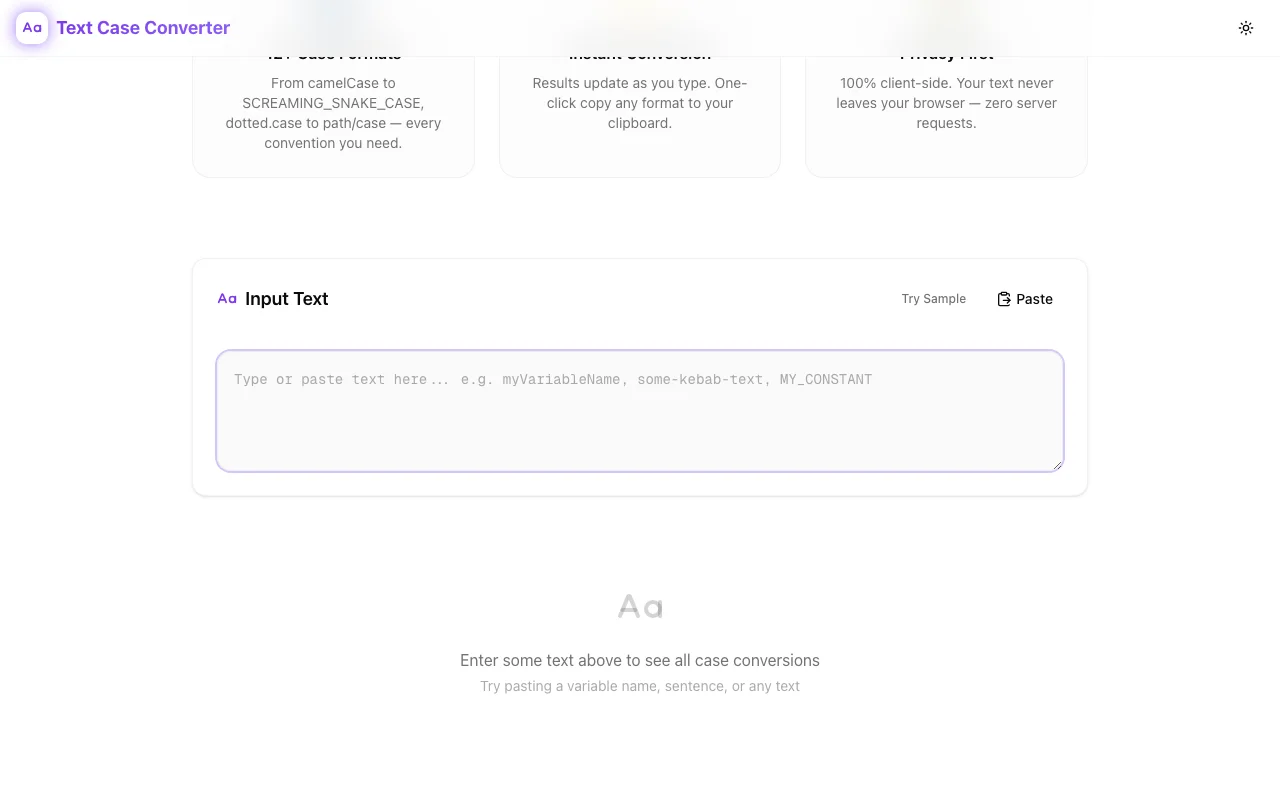
Developer ToolsFeatured
Text Case Converter
A free, browser-based tool that instantly converts text between 14 naming conventions—camelCase, snake_case, kebab-case, PascalCase, and more. Live preview, one-click copy, privacy-first. No signup required.
Text ConversionCase FormattingDeveloper ToolsNaming ConventionsNext.jsTypeScript
Start Similar ProjectAbout the Project
Text Case Converter — Instantly Convert Text Between 14 Naming Conventions
Text Case Converter is a free, browser-based tool that transforms text between 14 case formats used in programming, writing, and design. Paste your text, pick a format, copy the result. No signup, no data leaves your browser.
The Problem
Developers switch between naming conventions constantly. Your JavaScript variable is camelCase, but the Python API expects snake_case. The database column uses SCREAMING_SNAKE_CASE, the URL slug needs kebab-case, and the CSS class follows flatcase. A single data field can require three or four different case formats across the stack.
Manual conversion is error-prone. Renaming userProfileSettings to user_profile_settings by hand—across dozens of fields—introduces typos. Regex find-and-replace works sometimes, but it doesn't understand word boundaries in camelCase or PascalCase strings. You end up checking every transformation manually anyway.
There are CLI tools and IDE extensions, but they require installation, configuration, and context-switching. When you just need to convert one string quickly—in a PR review, a Slack conversation, a documentation draft—you want something instant.
How It Works
1. Paste Your Text
Type or paste any text into the input field. The tool accepts plain text, variable names, sentences, or multi-word strings in any existing format.
2. See All 14 Formats Instantly
As you type, the tool generates all 14 case conversions simultaneously with live preview:
| Format | Example |
|--------|---------|
| camelCase | userProfileSettings |
| PascalCase | UserProfileSettings |
| snake_case | user_profile_settings |
| SCREAMING_SNAKE_CASE | USER_PROFILE_SETTINGS |
| kebab-case | user-profile-settings |
| SCREAMING-KEBAB-CASE | USER-PROFILE-SETTINGS |
| dot.case | user.profile.settings |
| path/case | user/profile/settings |
| Train-Case | User-Profile-Settings |
| flatcase | userprofilesettings |
| Title Case | User Profile Settings |
| Sentence case | User profile settings |
| UPPER CASE | USER PROFILE SETTINGS |
| lower case | user profile settings |
No dropdowns. No multi-step workflows. Every format appears at once so you can grab whichever you need.
3. One-Click Copy
Click the copy button next to any format to copy it to your clipboard. No selecting, no Ctrl+C. One click, done.
Key Features
- 14 case formats — every major naming convention used in programming, APIs, URLs, and prose
- Live preview — results update as you type, no "Convert" button required
- One-click copy — clipboard integration for every output format
- 100% browser-based — no server requests, no data transmission, complete privacy
- Dark mode support — matches your system preference
- Full SEO with structured data — discoverable and shareable
- No signup required — open the URL and start converting
Technical Implementation
Core Technologies
- Next.js with App Router
- TypeScript in strict mode
- TailwindCSS for styling
- shadcn/ui for accessible components
Case Detection and Conversion
The tool intelligently detects word boundaries in any input format. Whether you paste camelCase, snake_case, kebab-case, a sentence, or even flatcase with recognizable patterns—it splits the input into component words, then reassembles them according to each target format's rules.
This means you can convert directly between any two formats without specifying the source format. Paste getUserProfile, get get_user_profile, get-user-profile, GetUserProfile, and eleven more—instantly.
Privacy Architecture
All processing happens client-side in your browser. The text you type never leaves your device. There are no API calls, no analytics on input content, no server-side logging. The tool works offline once loaded.
Use Cases
Full-Stack Development
You're building a REST API in Python (snake_case) consumed by a React frontend (camelCase). The database uses SCREAMING_SNAKE_CASE for constants. Instead of mentally converting between conventions, paste the field name once and grab every format you need.
Code Reviews
During a PR review, you spot an inconsistent naming convention. Paste the variable name into the tool, confirm the correct format, and leave a precise comment with the right suggestion—no guessing.
API Documentation
Writing API docs requires showing the same field in multiple contexts: the JSON payload (camelCase), the database column (snake_case), the URL path (kebab-case), and the environment variable (SCREAMING_SNAKE_CASE). Generate all four from a single input.
Content Writing and SEO
Convert a blog post title to a URL slug (kebab-case), a file name (snake_case), or a constant (SCREAMING_SNAKE_CASE). Useful for CMS workflows where you need consistent naming across titles, slugs, and file paths.
Cross-Language Projects
Working across JavaScript, Python, Go, and Ruby? Each language has its own naming conventions. The tool acts as a universal translator between them—paste once, get the convention for any language.
Why Text Case Converter?
vs. Manual Conversion
- Instant — no typing, no typos, no miscounted underscores
- Complete — all 14 formats at once, not one at a time
- Reliable — consistent word boundary detection across all input formats
vs. IDE Extensions
- No installation — works in any browser, on any device
- No context switching — keep your editor focused on code
- Shareable — send the URL to a teammate instead of explaining a plugin
vs. CLI Tools
- Visual — see all conversions side by side
- Accessible — no terminal knowledge required
- Faster for one-offs — no command to remember, no piping
vs. Other Online Converters
- All formats at once — most tools convert to one format at a time
- Privacy-first — no server processing, no data collection
- Live preview — no "Submit" button, results appear as you type
Results
Text Case Converter removes friction from one of programming's most repetitive micro-tasks:
- Zero typos — automated conversion eliminates manual renaming errors
- 14 formats simultaneously — no repeated conversions for different contexts
- No data exposure — client-side processing keeps your code and content private
- Instant access — no signup, no install, no configuration
Try it now: text-case-converter.tools.jagodana.com
The Challenge
The client needed a robust developer tools solution that could scale with their growing user base while maintaining a seamless user experience across all devices.
The Solution
We built a modern application using Text Conversion and Case Formatting, focusing on performance, accessibility, and a delightful user experience.
Project Details
Category
Developer Tools
Technologies
Text Conversion,Case Formatting,Developer Tools,Naming Conventions,Next.js,TypeScript
Date
March 2026
Related Projects
More work in Developer Tools

