Back to Projects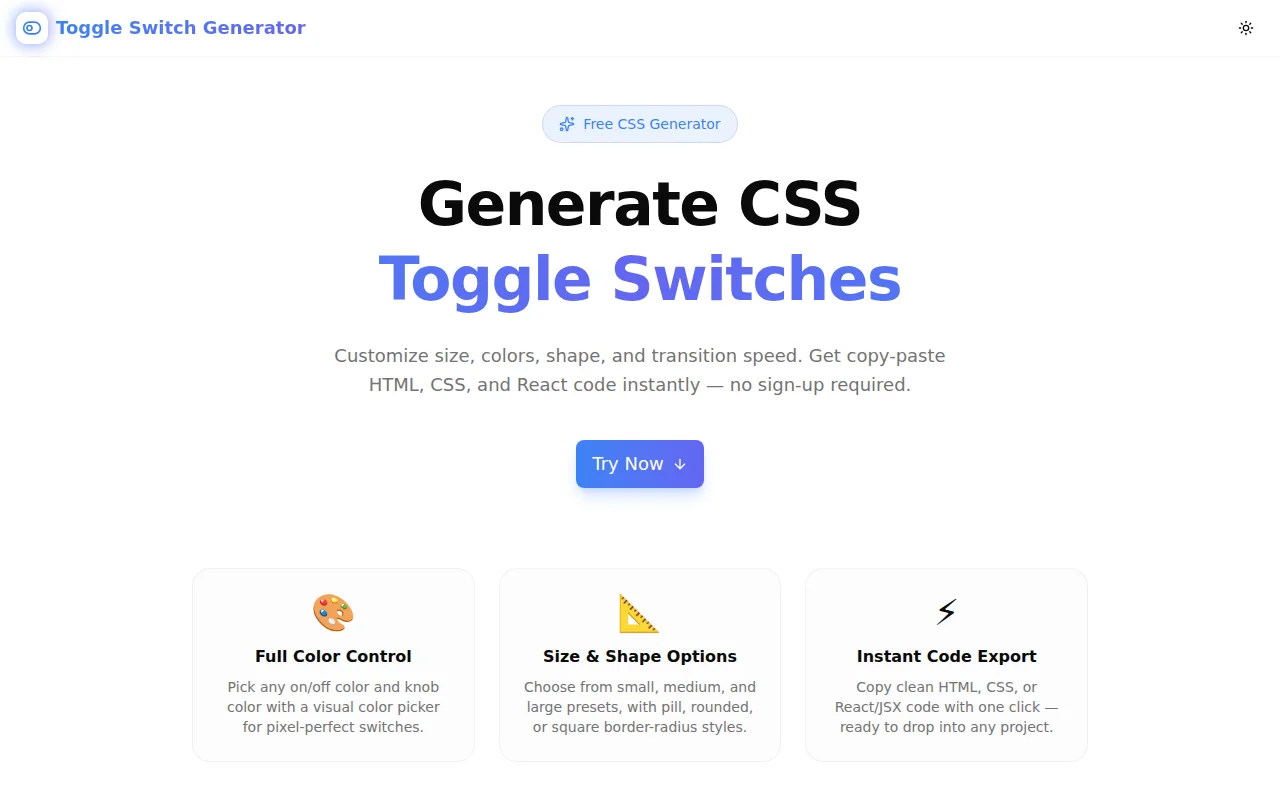
Developer ToolsFeatured
Toggle Switch Generator
A free CSS toggle switch generator with live preview. Customize size, colors, border-radius, and transition speed, then copy the HTML, CSS, or React code instantly — no sign-up required.
CSSToggle SwitchDeveloper ToolsFrontendNext.jsTypeScript
Start Similar ProjectAbout the Project
Toggle Switch Generator — Pure CSS Toggle Switches with Live Preview
Toggle Switch Generator is a free, browser-based tool that lets you build CSS toggle switches visually. Customize size, shape, colors, and transition speed, then copy production-ready HTML, CSS, or React code with one click. No sign-up, no install — just open and build.
The Problem
A CSS toggle switch looks simple until you sit down to build one from scratch. The pattern involves a hidden checkbox, a ::before pseudo-element for the knob, a :checked + span selector for the active state, and transition timing that feels right at 300ms but wrong at 500ms. Getting the knob translate distance right requires arithmetic: width - knob - 2 × padding. Miss it by a pixel and the knob clips the track.
input:checked + .slider::before {
  transform: translateX(28px); /* where does this number come from? */
}
That 28px is 60 - 24 - 4 - 4. Width minus knob minus both paddings. Every size change breaks it. The math is mechanical, repetitive, and error-prone — exactly the kind of work that should be automated.
How It Works
1. Size Control
Three presets cover the common use cases:
- Small — 44×24px, 16px knob,
translateX(20px) - Medium — 60×32px, 24px knob,
translateX(28px) - Large — 80×44px, 36px knob,
translateX(36px)
Select a size and all dimensions update together. The translate distance recalculates automatically.
2. Shape Options
Three border-radius styles:
- Pill —
border-radius: 9999pxwith a circular knob (border-radius: 50%) — the iOS-style default - Rounded —
border-radius: 8pxwith a rounded square knob - Square —
border-radius: 2pxfor flat, Material-style interfaces
Shape changes apply consistently to both the track and the knob.
3. Color Pickers
Three independent color controls:
- On Color — background of the track when checked
- Off Color — background when unchecked (typically a neutral gray)
- Knob Color — the circular handle (usually white, but override-able for dark themes)
Each color picker shows both a visual swatch and a hex input field. Type a hex value directly or use the color picker — both update instantly.
4. Transition Speed
Four options map to specific millisecond values:
- None —
0ms(instant) - Fast —
150ms - Normal —
300ms(recommended) - Slow —
600ms
The live preview reflects the transition speed — click the toggle preview to feel the animation before copying the code.
5. Live Interactive Preview
Click the preview toggle to toggle it on and off. The animation plays in real time at the exact transition speed you configured. What you see is what your users will get.
6. Three Code Output Tabs
CSS tab — the complete stylesheet for both the toggle component and the HTML structure it expects. Includes focus-visible styles for keyboard accessibility:
input:focus-visible + .toggle-slider {
  outline: 2px solid #3b82f6;
  outline-offset: 2px;
}
HTML tab — the full markup plus the CSS embedded in a <style> tag, ready to paste into any plain HTML file.
React tab — a self-contained ToggleSwitch component using useState and inline styles. No external dependencies beyond React itself.
Key Features
- Live preview — click the toggle to see the exact animation before copying
- Three sizes — Small, Medium, Large with pre-calculated dimensions
- Three shapes — Pill, Rounded, Square
- Full color control — on/off/knob colors with hex picker
- Four transition speeds — None, Fast, Normal, Slow
- Three code formats — HTML+CSS, CSS-only, React/JSX
- Accessible output — hidden checkbox base + focus-visible outline in generated CSS
- Zero JavaScript required — the toggle works via
:checkedpseudo-class - One-click copy — copy button for each output tab
- Reset to defaults — one-click reset without refreshing the page
- Fully client-side — nothing leaves your browser
Technical Implementation
Core Technologies
- Next.js with App Router
- TypeScript in strict mode
- Tailwind CSS for tool UI styling
- Framer Motion for page entrance animations
- shadcn/ui for tabs and button components
- Sonner for copy confirmation toasts
Architecture
The tool maintains a single Config state object containing all six settings. Every change triggers re-generation of three code strings — CSS, HTML, and React — using pure functions with no side effects.
interface Config {
  size: "sm" | "md" | "lg";
  shape: "pill" | "rounded" | "square";
  speed: "none" | "fast" | "normal" | "slow";
  onColor: string;
  offColor: string;
  knobColor: string;
  checked: boolean; // controls the preview state
}
The translate distance is calculated programmatically:
function getTranslateX(size: Size): number {
  const s = SIZES[size]; // { width, height, knob, pad }
  return s.width - s.knob - s.pad * 2;
}
This eliminates the hard-coded pixel arithmetic and makes all three size presets work correctly without manual calculation.
Use Cases
Form Fields
Toggle switches are the standard UI for binary settings — email notifications on/off, dark mode enabled/disabled, two-factor auth active/inactive. Generate a switch that matches your form's color scheme and size conventions, then drop in the code.
Settings Panels
SaaS dashboards and admin panels often have 10–20 toggles in a settings view. Having a consistent toggle component reduces visual noise. Generate once, copy the CSS as a shared component style.
Design-to-Code
A designer hands you a Figma mockup with a custom toggle that uses brand blue (#3b82f6) and a slightly rounded square shape instead of the default pill. Instead of hand-coding the dimensions and calculating the knob translate, configure the generator to match, copy the CSS, and move on.
Dark Theme Support
The Knob Color control lets you set a dark knob (e.g., #1f2937) for light-mode interfaces or a light knob for dark-mode ones. The off-state track color works the same way — set it to a dark #374151 for a dark theme.
Learning CSS Toggle Patterns
The :checked + sibling pattern is a foundational CSS technique. The generated code shows exactly how it works — the hidden checkbox, the ::before pseudo-element as the knob, the sibling combinator for the state change. Reading the output is a quick way to understand the pattern without searching Stack Overflow.
Accessibility
The generated toggle switch is fully accessible without any additional changes:
- Keyboard navigable — Tab to focus, Space to toggle
- Screen reader compatible — the underlying
<input type="checkbox">is announced as a checkbox by all major screen readers - Focus indicator —
focus-visiblestyles are included in the generated CSS using the on color - ARIA not required — the semantic checkbox provides all necessary state information
Why Toggle Switch Generator?
vs. Hand-coding
- No arithmetic — translate distance calculated automatically
- Visual feedback — see the result before touching your codebase
- Three output formats — HTML, CSS, React in one tool
vs. Copy-pasting from CodePen
- Configurable — adjust colors and size without editing the CSS manually
- Accessible output — focus styles included by default
- Documented — the generated code is clean and readable
vs. UI Libraries (Radix, shadcn)
- Zero dependency — pure CSS and HTML, no package install
- Full visual control — not constrained by a library's design tokens
- Framework-agnostic — works in any stack, not just React
Results
Toggle Switch Generator removes the friction from building custom toggle switches:
- Under 30 seconds from open to copy-paste code
- Zero math errors — translate distance always correct
- Accessible by default — focus styles included without extra work
- Works in any project — HTML, CSS, or React output
Try it now: toggle-switch-generator.tools.jagodana.com
The Challenge
The client needed a robust developer tools solution that could scale with their growing user base while maintaining a seamless user experience across all devices.
The Solution
We built a modern application using CSS and Toggle Switch, focusing on performance, accessibility, and a delightful user experience.
Project Details
Category
Developer Tools
Technologies
CSS,Toggle Switch,Developer Tools,Frontend,Next.js,TypeScript
Date
May 2026
Related Projects
More work in Developer Tools

