Back to Projects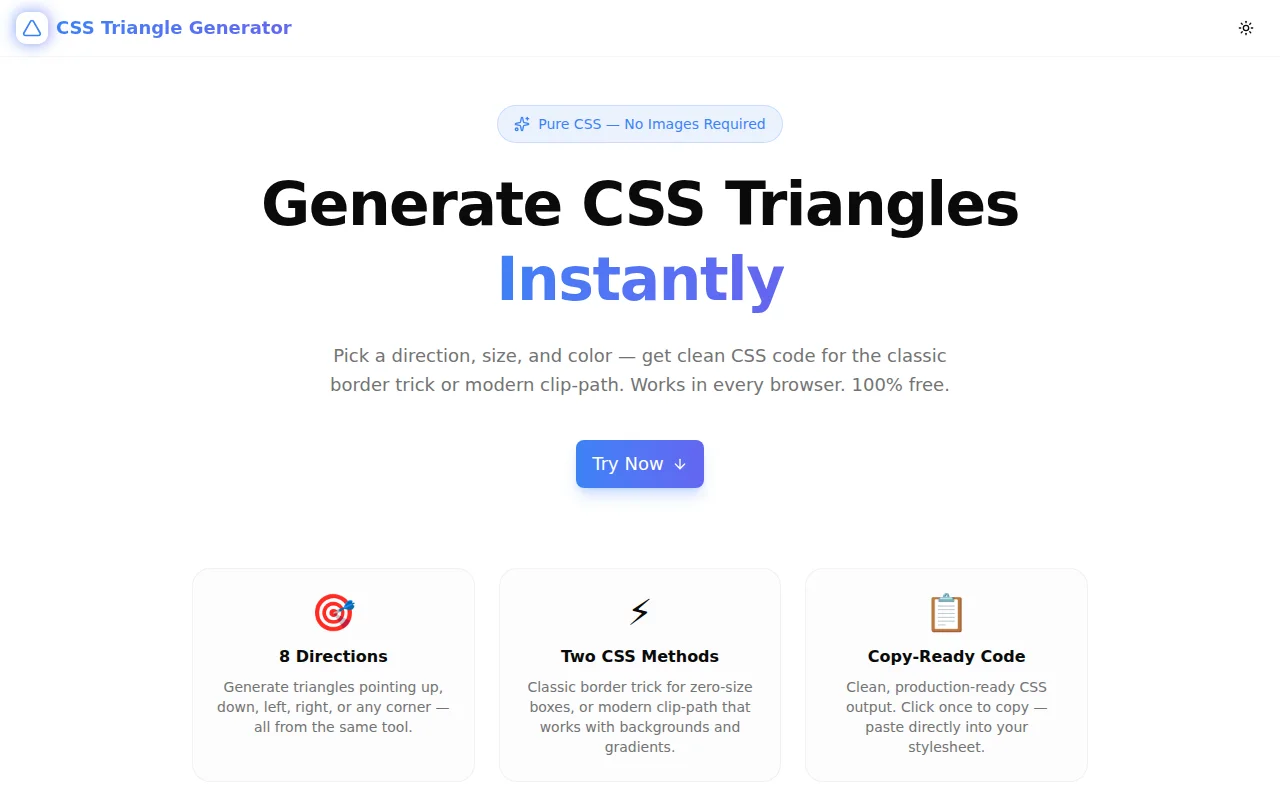
Developer ToolsFeatured
CSS Triangle Generator
A free browser tool for generating pure CSS triangles in any direction — choose between the classic border trick and modern clip-path, set size and color, and copy the code instantly.
CSSCSS ShapesDeveloper ToolsFrontendNext.jsTypeScript
Start Similar ProjectAbout the Project
CSS Triangle Generator — Pure CSS Triangles, Instant Code
CSS Triangle Generator is a free, browser-based tool that generates pure CSS triangle code for any of 8 directions using either the classic border trick or the modern clip-path method. Adjust size and color in real time, watch the live preview update, and copy production-ready CSS with one click. No signup, no install.
The Problem
CSS triangles have been a frontend staple for decades — tooltip arrows, speech-bubble tails, section dividers, decorative accents. The "border trick" that produces them is one of the most frequently Googled CSS snippets:
.triangle {
  width: 0;
  height: 0;
  border-left: 50px solid transparent;
  border-right: 50px solid transparent;
  border-bottom: 100px solid #3b82f6;
}
It works, but the mental model is not obvious. Why does setting border on a zero-size element produce a triangle? Which borders do you make transparent? How does the size change when you want a diagonal instead of a cardinal direction? And how does clip-path fit in — is it better?
Developers and designers search for this code every time they need it, copying from Stack Overflow answers from 2011 that may or may not match the exact direction and dimensions they need.
CSS Triangle Generator makes this instant: pick a direction, set size and color, copy the CSS.
How It Works
1. Direction Picker
A 3×3 grid of direction buttons covers all 8 triangle orientations:
- Cardinal: up (▲), down (▼), left (◀), right (▶)
- Diagonal: top-left (◸), top-right (◹), bottom-left (◺), bottom-right (◿)
The selected direction is highlighted, and the live preview and CSS output update immediately.
2. CSS Method Toggle
Two methods, one tool:
Border Trick — Creates a zero-size element (width: 0; height: 0) where three borders collapse into a triangle. The oldest technique in CSS, supported back to IE8. Cardinal directions produce isoceles triangles; diagonal directions produce right isoceles triangles.
Clip-path — Clips a normal filled element into a triangle using clip-path: polygon(...). Modern browsers only, but more flexible: works with background-image, CSS gradients, and box-shadow. The same visual triangle, but the underlying element still has dimensions you can interact with.
3. Size Slider
A range slider from 20px to 200px controls the triangle's primary dimension. For the border trick, this is the full border value (height of a cardinal triangle, side length of a diagonal). For clip-path, this is the bounding box width and height.
The size label updates in real time — no need to type or submit.
4. Color Picker
A native color input and hex text field stay in sync — change either and both update. Ten preset swatches cover the most common UI colors: blues, indigos, greens, ambers, reds, purples, pinks, teals, near-black, and near-white.
5. Live Preview
The preview panel renders the actual triangle using the generated inline styles — not an approximation or simulation. The result is exactly what the CSS will produce in a browser.
A dot-pattern background makes transparent edges on border triangles visible, so you can see the full bounding box and confirm the shape is what you expect.
6. Copy-Ready CSS
The generated CSS is displayed in a monospace code block. A "Copy CSS" button sends it to the clipboard with one click and shows a confirmation tick.
Output is minimal and clean — no vendor prefixes, no extra comments, no wrapper selectors beyond .triangle.
Key Features
- 8 triangle directions — all cardinal and diagonal orientations
- Two CSS methods — classic border trick and modern clip-path
- Live preview — renders the actual triangle using inline styles
- Size slider — 20px to 200px with real-time feedback
- Color picker + hex input — native color control with preset swatches
- One-click CSS copy — clipboard API with confirmation feedback
- Fully client-side — no data sent to any server
- No signup required — open and use immediately
- Dark mode support — respects system preference
Technical Implementation
Core Technologies
- Next.js 16 with App Router and React 19
- TypeScript in strict mode
- Tailwind CSS v4 with OKLCH brand tokens
- shadcn/ui (new-york style) for button components
- Framer Motion for entrance animations
- sonner for clipboard feedback toasts
CSS Generation Logic
The border-trick generator computes:
- Half the size value for the two transparent perpendicular borders
- Full size value for the one colored border
- Zero for width and height
The clip-path generator maps each of the 8 directions to a polygon() string using percentage coordinates, then combines it with the element dimensions and background color.
Both generators produce the same minimal output structure — .triangle { ... } — making the code easy to adopt and customize.
Preview Rendering
The live preview applies the generated CSS as React inline styles using a CSSProperties object. This ensures the preview is the actual browser rendering, not a canvas approximation.
Use Cases
Tooltip Arrows
The most common use case: a directional arrow that points from a tooltip toward its trigger. Use the border-trick "up" triangle as a ::before or ::after pseudo-element, position it absolutely below the tooltip box, and it will look like the tooltip is pointing down toward the content it describes.
Section Dividers
Diagonal triangles (top-right, bottom-left) work well as section dividers on landing pages — place a right-triangle shape at the boundary between two differently-colored sections to create a diagonal cut effect without image assets.
Speech Bubbles
Combine a rounded-corner card with a border-trick triangle to create a speech bubble or chat message. The triangle becomes the "tail" of the bubble, pointing toward the avatar or the speaker's position.
Decorative Accents
Clip-path triangles work as decorative background accents — fill them with a gradient or an image and they become textured shapes. The clip-path approach lets you layer effects that the border trick cannot support.
Learning CSS Triangles
The tool is also an explainer. The CSS output makes the border trick visible: zero dimensions, three borders, two transparent. Watching the preview change as you switch directions makes the relationship between borders and shapes tangible.
Why CSS Triangle Generator?
vs. Stack Overflow Copy-Paste
Stack Overflow has dozens of CSS triangle answers, all slightly different, most not matching the exact direction and size you need. This tool generates exact values for your specific requirements in seconds.
vs. Using SVG or Images
SVG triangles require extra markup. Image triangles require file assets and HTTP requests. CSS triangles have zero dependencies — they're rendered by the browser using math it's already doing for every element's border.
vs. Design Tool Export
Figma and Sketch export SVG, not CSS border tricks. For a tooltip arrow or a section divider that scales with font size, CSS is the right tool, and this generator produces it directly.
Try it now: css-triangle-generator.tools.jagodana.com
The Challenge
The client needed a robust developer tools solution that could scale with their growing user base while maintaining a seamless user experience across all devices.
The Solution
We built a modern application using CSS and CSS Shapes, focusing on performance, accessibility, and a delightful user experience.
Project Details
Category
Developer Tools
Technologies
CSS,CSS Shapes,Developer Tools,Frontend,Next.js,TypeScript
Date
May 2026
Related Projects
More work in Developer Tools

