Back to Projects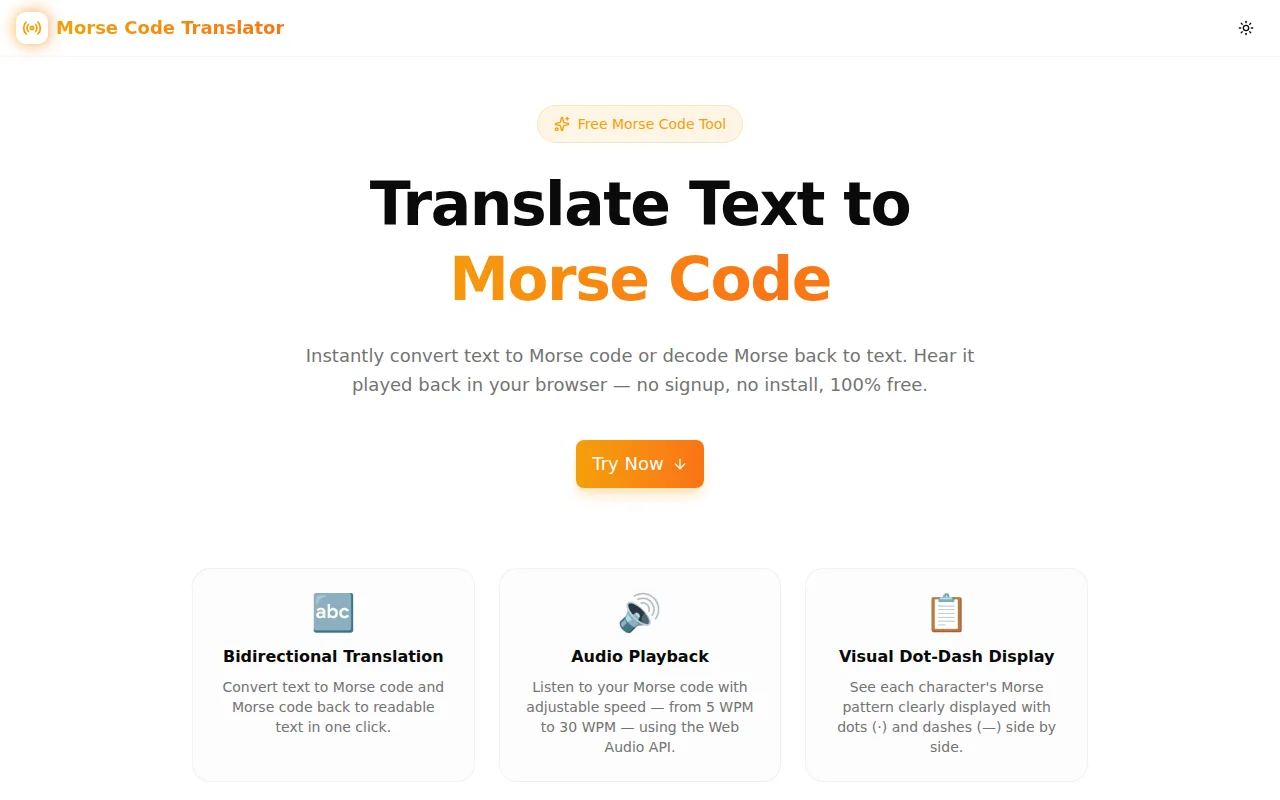
Developer ToolsFeatured
Morse Code Translator
A free, browser-based Morse code translator that converts text to Morse code and back. Features visual dot-and-dash display, Web Audio API playback with adjustable WPM speed, character breakdown, and one-click copy. No server, no login, 100% free.
Morse CodeText ToolsAudioUtilityNext.jsTypeScriptWeb Audio API
Start Similar ProjectAbout the Project
Morse Code Translator — Free Online Text to Morse Code Converter with Audio
Morse Code Translator is a free, browser-based tool that converts any text to International Morse code and decodes Morse code back to readable text. Type, hear, and copy — all in your browser, with no server calls, no signup, and no install required.
The Problem
Morse code is one of those things developers, radio hobbyists, educators, and curious people need to convert occasionally. The online tools that come up in search are either built with Flash-era JavaScript, require email registration, or play audio through a server (meaning the tool breaks when the server goes down or the API changes its pricing).
There was no clean, modern, fully client-side Morse code translator that also let you hear the output.
How It Works
1. Choose Your Mode
Switch between Text → Morse (encode) and Morse → Text (decode) using the tab selector at the top of the tool.
2. Enter Your Content
In encode mode, type or paste any text. In decode mode, paste your Morse code — separate letters with spaces, words with a forward slash (/) or three or more spaces.
3. View and Hear the Output
The translated output appears instantly below the input. The character breakdown panel shows each letter and its Morse equivalent side by side, making it easy to learn the alphabet as you go.
Click Play Audio to hear the Morse code played back through the Web Audio API at your selected speed.
4. Adjust Speed
Use the WPM (Words Per Minute) slider to control playback speed from 5 WPM (beginner) to 30 WPM (experienced amateur radio operator). Speed is calculated using the standard "PARIS" benchmark word.
5. Copy the Output
Click Copy to send the translated result to your clipboard instantly.
Key Features
- Bidirectional translation — encode text to Morse, decode Morse to text
- Audio playback — hear your Morse code using the Web Audio API, no external service required
- Adjustable speed — 5–30 WPM with a real-time slider
- Character breakdown — see each character's Morse pattern displayed visually
- Morse reference chart — full A–Z, 0–9, and punctuation reference built in
- One-click copy — copies the result to clipboard
- Fully client-side — all translation and audio happen in the browser
- Dark/light theme — honours system preference with a toggle
- No signup required — open and use immediately
- Responsive — works on desktop and mobile
Technical Implementation
Core Technologies
- Next.js 16 with App Router
- TypeScript in strict mode
- Tailwind CSS v4 with OKLCH brand tokens
- shadcn/ui component library (new-york style)
- framer-motion for section animations
- Web Audio API for Morse audio playback (no external dependency)
Morse Translation Engine
The translation engine is implemented as a pure TypeScript lookup map — no external library, no server call:
const MORSE_MAP: Record<string, string> = {
  A: ".-",    B: "-...",  C: "-.-.",  D: "-..",   E: ".",
  F: "..-.",  G: "--.",   H: "....",  I: "..",    J: ".---",
  // ... all 26 letters, 10 digits, and punctuation
};
Encoding splits the input string into characters, maps each to its Morse equivalent, and joins with spaces (words separated by /). Decoding splits on / or multi-space word boundaries, maps each code back to the character, and reassembles the text.
Web Audio API Playback
Audio is synthesised entirely in the browser using the Web Audio API — no audio files, no external library:
const osc = ctx.createOscillator();
const gain = ctx.createGain();
osc.frequency.value = 700; // Hz — standard Morse CW tone
osc.type = "sine";
// Fade in/out to avoid clicks
gain.gain.linearRampToValueAtTime(0.4, start + 0.005);
gain.gain.linearRampToValueAtTime(0, start + duration);
Dot and dash durations are derived from the selected WPM: dotDuration = 1.2 / wpm seconds. A dash is three dot-lengths, the inter-element gap is one dot-length, the inter-character gap is three dot-lengths, and the inter-word gap is seven dot-lengths.
Analytics
Google Analytics 4 event tracking is integrated via ToolEvents.toolUsed("play-audio") and ToolEvents.resultCopied() to measure playback usage and copy actions.
Character Support
The translator supports:
- Letters: A–Z (case-insensitive)
- Digits: 0–9
- Punctuation:
.,?'!/()&:;=+-_"$@
Unsupported characters are shown as ? in the output to indicate the input contains a character with no standard Morse equivalent.
Use Cases
Learning Morse Code
The character breakdown panel — showing every character next to its dot-dash pattern — makes the tool ideal for anyone learning Morse code. Students can type familiar words and see the patterns repeatedly until they become recognisable.
Amateur Radio (Ham Radio) Operators
Ham radio operators learning CW (continuous wave) telegraphy use the WPM speed control to practice at increasing speeds. Start at 5 WPM to read code carefully, then progress toward the 15–25 WPM range used in on-air contacts.
Educators and Scouts
Scout groups and educators teaching communication history or emergency signalling can use the tool to demonstrate Morse code in a lesson with no software install required.
Developers and Puzzle Creators
Developers building escape room games, ARGs (alternate reality games), or educational apps can use the translator to generate and verify Morse code puzzles quickly.
Accessibility Research
Morse code is sometimes used as an alternative input method for people with severe motor impairments. The translator can verify that a Morse sequence decodes correctly.
Why This Tool?
vs. Other Online Translators
- No ads, no paywalls — open and use with no friction
- Audio in the browser — no server-side audio generation that can break or throttle
- Modern UI — dark mode, responsive layout, shadcn/ui components
- Character breakdown — shows individual character mappings, not just the translated string
vs. Installing a Library
- No npm install required — works in any browser
- Zero dependencies for the core logic — the Morse map is a 30-line TypeScript object
Results
Morse Code Translator delivers the core workflow — enter text, get Morse, hear it played back — in under 5 seconds:
- Instant translation — output renders as you type
- Browser-native audio — no server dependency, works offline once loaded
- 100% client-side — text never leaves the device
- Zero friction — no account, no install, no API key
Try it now: morse-code-translator.tools.jagodana.com
The Challenge
The client needed a robust developer tools solution that could scale with their growing user base while maintaining a seamless user experience across all devices.
The Solution
We built a modern application using Morse Code and Text Tools, focusing on performance, accessibility, and a delightful user experience.
Project Details
Category
Developer Tools
Technologies
Morse Code,Text Tools,Audio,Utility,Next.js,TypeScript,Web Audio API
Date
May 2026
Related Projects
More work in Developer Tools

