Back to Projects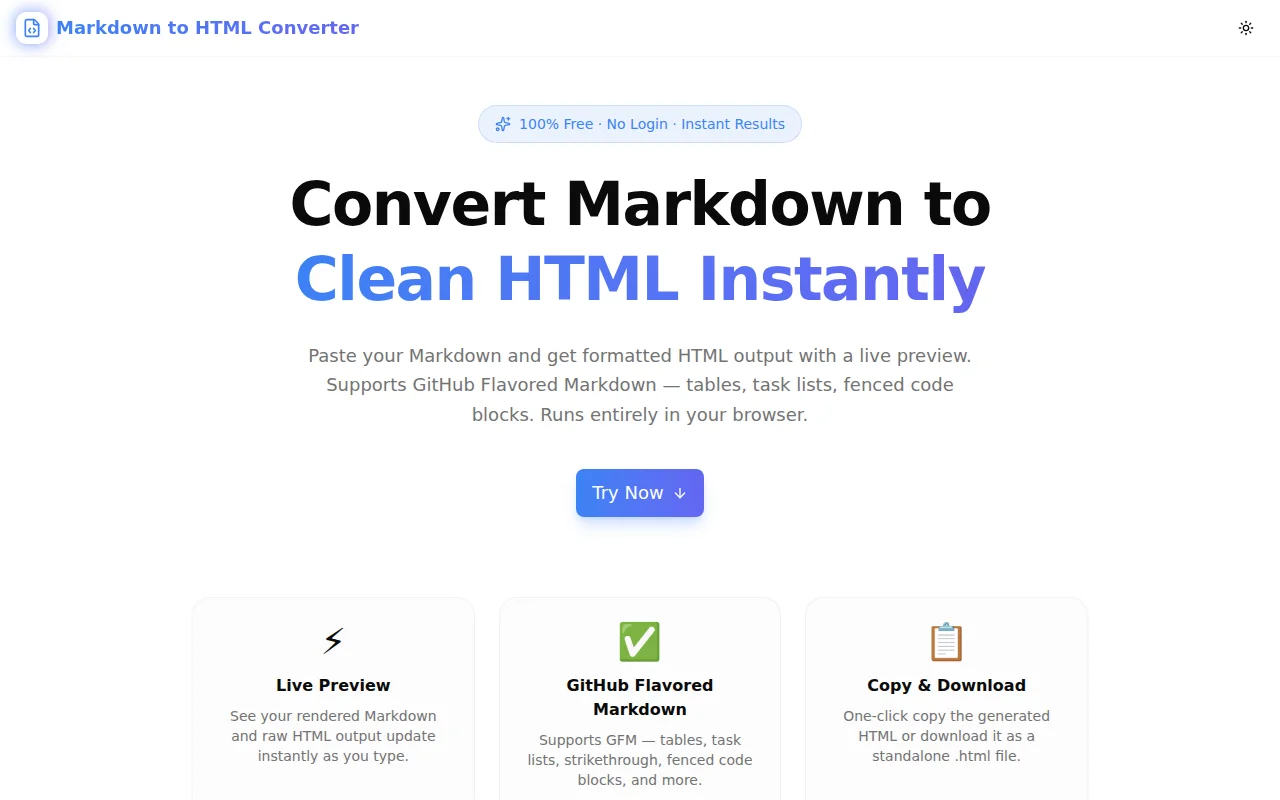
Developer ToolsFeatured
Markdown to HTML Converter
A free, instant Markdown to HTML converter with live preview and GitHub Flavored Markdown support. Paste Markdown, get clean HTML output — copy to clipboard or download as a file. No login, 100% client-side.
MarkdownHTMLDeveloper ToolsDocumentationNext.jsTypeScript
Start Similar ProjectAbout the Project
Markdown to HTML Converter — Live Preview & Clean HTML Output
Markdown to HTML Converter is a free, browser-based tool that parses any Markdown input and renders it as clean HTML in real time. Paste your content, toggle between the rendered preview and the raw HTML source, and copy the output or download a complete .html file. No signup, no upload, no server round-trip — everything runs in your browser.
The Problem
Markdown is the default format for developer documentation, README files, blog drafts, and CMS content. But the real output that browsers understand is HTML. The gap between the two creates friction at predictable moments:
- You wrote a blog post in Markdown and the CMS wants HTML.
- You have a README you want to embed on a web page.
- You're pasting content into a legacy system that doesn't parse Markdown.
- You want to verify exactly what HTML a Markdown file will produce before publishing.
Switching to a full editor app for a 30-second conversion is overkill. Opening a code editor and running a build script to convert one file is slower than it should be. A lightweight, immediate converter in the browser is the right tool.
How It Works
1. Paste and Preview
Paste or type any Markdown content into the left panel. The right panel updates in real time — switch to the Preview tab to see the rendered HTML, or the HTML Source tab to see the raw markup being generated.
The preview panel renders the HTML inside a clean container that mirrors typical browser rendering: headings, lists, blockquotes, code blocks, and tables all appear correctly styled.
2. GitHub Flavored Markdown Support
The converter uses the marked library configured for GitHub Flavored Markdown (GFM), which adds:
- Tables — pipe-delimited tables render with proper borders and alternating row colours
- Task lists —
- [ ]and- [x]render as checkboxes - Strikethrough —
~~text~~renders with a<del>tag - Fenced code blocks — triple-backtick blocks with optional language hints
- Autolinks — bare URLs become clickable links
GFM is the de facto standard for developer documentation (GitHub, GitLab, npm, most static site generators), so this covers the vast majority of real-world Markdown files.
3. Copy HTML to Clipboard
Click "Copy HTML" to copy the raw HTML output to your clipboard. The HTML is minimal — no wrapping <html> or <body> tags, just the converted content. Ready to paste into a CMS, a static site template, or an email builder.
4. Download as HTML File
Click "Download HTML" to save a self-contained .html file. The download wraps the converted output in a full HTML document with a <head> section, viewport meta tag, and a minimal stylesheet that matches GitHub's Markdown rendering. Open it in any browser for a clean, shareable preview.
5. Live Word and Character Count
Both panels show counts — the input panel shows the Markdown word and line count; the output panel shows the resulting HTML word count and character count. Useful for content auditing and CMS character limits.
Key Features
- Live preview — rendered HTML and raw source update as you type
- GitHub Flavored Markdown — tables, task lists, strikethrough, fenced code blocks
- Copy HTML — one-click copy to clipboard
- Download HTML — save a complete, styled HTML file
- Side-by-side layout — input and output visible at the same time
- Fully client-side — Markdown is parsed in the browser with
marked - No login required — start converting immediately
Technical Implementation
Core Technologies
- Next.js with App Router
- TypeScript in strict mode
- Tailwind CSS for styling
- marked — the Markdown parser, bundled into the client build
- shadcn/ui tabs and button components
Architecture
The tool is a single client component. Markdown input is stored in React state; the HTML output is a useMemo computed from the input using marked.parse(). The Preview tab renders the HTML using dangerouslySetInnerHTML inside a scoped container; the HTML Source tab displays the raw markup in a monospace <pre> block.
Download uses the Blob + object URL pattern — no server request needed. The <a download> element is created and clicked programmatically.
All conversion happens in the browser. The input text never leaves the user's device.
Use Cases
CMS Publishing
Many content management systems accept HTML but not Markdown. Write your post in Markdown for readability, convert it here, paste the HTML into the CMS body field. Keeps your writing workflow intact while satisfying the CMS.
README to Web Page
You have a project README in Markdown. You want to display it as a proper web page — in a docs site, a product landing page, or an internal wiki. Convert it here, wrap the HTML in your page template, done.
Email Campaigns
Some email builders (or plain HTML email templates) require inline HTML. Write the email copy in Markdown for ease, convert it, then adapt the HTML for the email template. Saves time formatting headings, bold text, and lists manually.
Technical Documentation
Generate HTML from Markdown documentation files before embedding them in a legacy documentation system that doesn't natively parse Markdown. Handles tables and code blocks correctly — the two features that break the most hand-rolled converters.
Learning HTML Structure
For developers learning HTML: write something in Markdown, see the corresponding HTML tags immediately. The side-by-side view makes the relationship between Markdown syntax and HTML elements tangible.
Why Markdown to HTML Converter?
vs. Manual Conversion
- Immediate output — no command line, no npm install, no build step
- GFM support — handles tables and task lists that basic parsers miss
- Download option — save a complete HTML page, not just a snippet
vs. Online Markdown Editors (Dillinger, StackEdit)
- Tool-first, not editor-first — focused on conversion output, not a writing environment
- Clean HTML output — no app-specific classes or metadata injected
- Lightweight — loads instantly, no authentication, no workspace management
vs. A Local marked Script
- No setup — browser, paste, convert
- Visual preview — see the rendered output in the same view
- Download — skip the "save as HTML" boilerplate
Results
Markdown to HTML Converter removes one recurring friction point from the developer and writer workflow:
- Zero setup — open the URL and start converting
- Accurate GFM output — tables, task lists, and fenced code blocks all render correctly
- Two export options — clipboard copy for embedding, file download for sharing
- No data transmitted — the conversion is private and offline-capable
Try it now: markdown-to-html-converter.tools.jagodana.com
The Challenge
The client needed a robust developer tools solution that could scale with their growing user base while maintaining a seamless user experience across all devices.
The Solution
We built a modern application using Markdown and HTML, focusing on performance, accessibility, and a delightful user experience.
Project Details
Category
Developer Tools
Technologies
Markdown,HTML,Developer Tools,Documentation,Next.js,TypeScript
Date
May 2026
Related Projects
More work in Developer Tools

