Back to Projects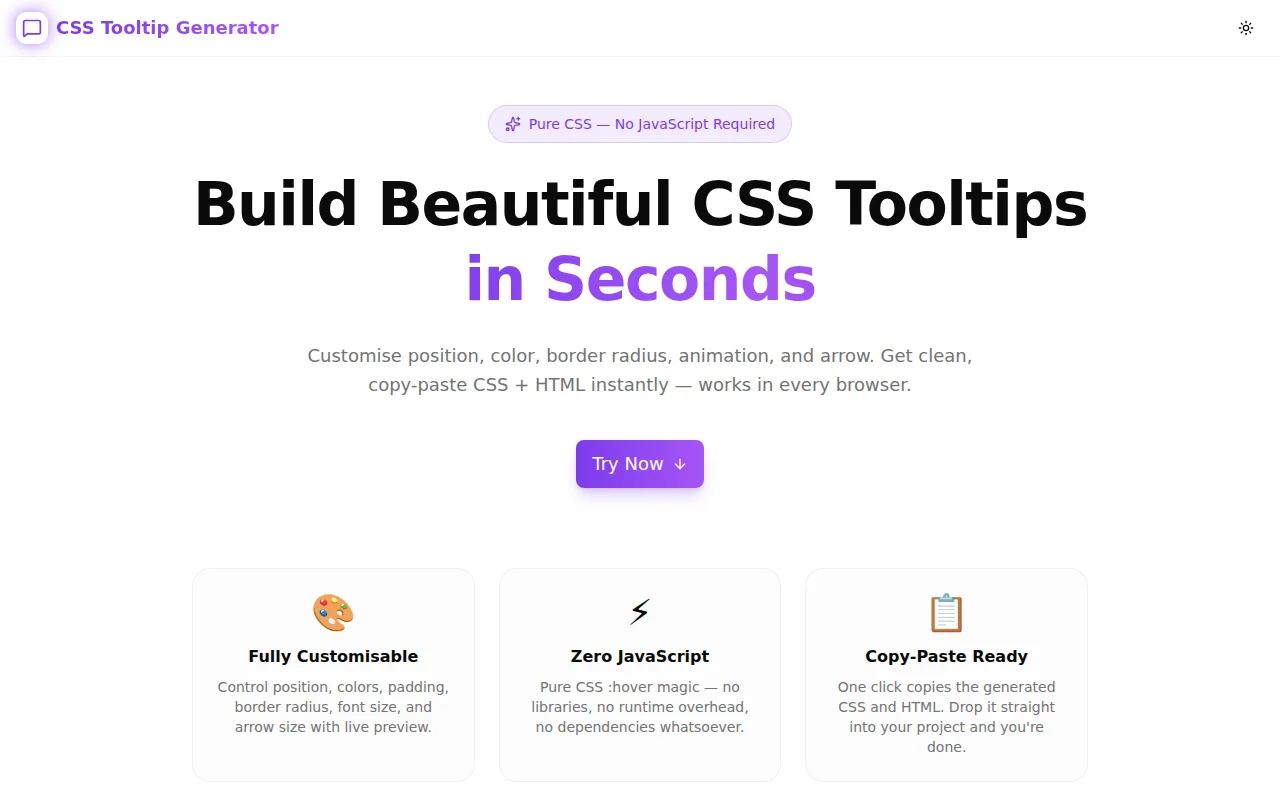
Developer ToolsFeatured
CSS Tooltip Generator
A free browser-based tool that generates pure CSS tooltips with customizable position, color, animation, and arrow — no JavaScript required. Copy clean CSS and HTML with one click.
CSSTooltipDeveloper ToolsFrontendNext.jsTypeScript
Start Similar ProjectAbout the Project
CSS Tooltip Generator — Build Pure CSS Tooltips Instantly
CSS Tooltip Generator is a free, browser-based tool that generates pure CSS tooltips with live preview. Choose position, color, animation style, border radius, and arrow size — then copy the ready-to-use CSS and HTML with one click. No JavaScript, no libraries, no signup required.
The Problem
Tooltips seem simple until you actually implement them. Most developers reach for a library — Tippy.js, Floating UI, Popper — and add 20kB of JavaScript for what is fundamentally a CSS :hover problem.
Writing the CSS by hand isn't hard, but getting all the details right takes time:
- Arrow positioning changes per edge (
border-widthtricks vary by direction) - The offset calculation changes based on whether an arrow is shown
- Animation
transformmust account for the tooltip's translation offset - Getting
z-index,pointer-events: none, andwhite-spaceright every time
Most developers copy a StackOverflow snippet from 2015, tweak the colors, and ship it. The CSS Tooltip Generator does this properly — configurable, clean, and copy-paste ready.
How It Works
1. Choose Your Position
Select top, right, bottom, or left. The generator automatically calculates the correct position: absolute values, transform: translate for centering, and arrow border-width tricks for the chosen direction. Changing position is a single click.
2. Customise the Style
Adjust background color, text color, border radius, padding (vertical and horizontal independently), font size, and max width using color pickers and sliders. The live preview updates instantly as you move any control.
3. Pick an Animation
Three animation styles:
- Fade — simple
opacitytransition, the safest default - Scale — scales up from
transform-originopposite to the tooltip position - Slide — slides in along the axis of the tooltip position
The animation CSS adapts correctly based on the chosen position so the motion always feels natural.
4. Toggle the Arrow
The pointer arrow uses pure CSS border tricks — no SVG, no ::before pseudo-elements. Toggle it on or off. When enabled, adjust the arrow size with a slider. The generator handles the gap offset automatically so the tooltip stays correctly spaced regardless of arrow size.
5. Copy the Code
Two copy buttons — one for the CSS, one for the HTML. The CSS uses semantic class names (.tooltip-wrapper, .tooltip) so multiple tooltip instances on the same page all share the same styles. The HTML includes role="tooltip" for accessibility.
Key Features
- 4 positions — top, right, bottom, left
- 3 animations — fade, scale, slide
- Full color control — background, text, with native color pickers
- Sliders — border radius, font size, padding, max width, offset, arrow size
- Arrow toggle — on/off with size control
- Live interactive preview — hover the trigger button to see the tooltip in action
- Copy CSS / Copy HTML — separate copy buttons for each output
- Zero JavaScript — the generated tooltip uses only CSS
:hover - Accessibility-aware — generated HTML includes
role="tooltip" - Fully client-side — no data sent to any server
Technical Implementation
Core Technologies
- Next.js 16 with App Router
- TypeScript in strict mode
- Tailwind CSS v4 with OKLCH color tokens
- shadcn/ui components
- framer-motion for UI animations
- Fully client-side — zero external API dependencies
Architecture
The tool is a single React component (CssTooltipGeneratorTool) with a TooltipConfig state object. Each configuration change re-generates the CSS string via pure functions. The live preview renders the tooltip using inline styles computed from the same config — so the preview is always in sync with the generated code.
Arrow positioning uses the CSS border trick: a zero-size element with border-style: solid; border-color: transparent where one border is colored. The direction of the colored border changes based on tooltip position, computed automatically.
Animation generation adapts the transform values based on position — for example, the slide animation for a top tooltip translates downward (into its natural origin), while for a left tooltip it translates rightward. This ensures the motion always reads as "the tooltip appearing from behind its trigger."
Use Cases
UI Components Without a Library
When you need tooltips in a small project, a landing page, or a component that will be shared across frameworks, pure CSS is the lightest possible solution. No runtime, no bundle impact, no version conflicts.
Design Tokens — Matching Your Design System
Set the background color to match your --color-neutral-900, set border-radius to your design system's --radius-md, and get CSS that slots directly into your existing token system.
Inline Documentation Hints
Info icons (ⓘ) with tooltips are a common pattern for explaining form fields, settings, or complex UI elements. The generator produces clean HTML that's easy to drop next to any element.
Browser Extension UI
Extensions often need lightweight tooltips without the overhead of a full UI library. Pure CSS tooltips are ideal — they work in any content script context and have no dependency on external resources.
Learning CSS Arrow Tricks
The generated CSS makes the border arrow technique visible and modifiable. Changing the arrow size slider shows exactly how the border-width values produce the arrow shape — a good learning exercise for developers new to the technique.
Why CSS Tooltip Generator?
vs. Writing It From Scratch
- Position switching is non-trivial — the arrow CSS changes completely for each direction
- Animation offsets must match position — easy to get wrong by hand
- The generator handles edge cases — offset calculation, pointer-events, z-index
vs. Tooltip Libraries
- Zero JavaScript — no Tippy, no Popper, no Floating UI
- No bundle impact — pure CSS has no KB cost
- No framework coupling — works in any HTML context
vs. Other CSS Generators
- Live interactive preview — hover the button, see the actual tooltip behaviour
- Position-aware animation — slide/scale animations adapt to position automatically
- Separate CSS + HTML output — copy each independently
Try it now: css-tooltip-generator.tools.jagodana.com
The Challenge
The client needed a robust developer tools solution that could scale with their growing user base while maintaining a seamless user experience across all devices.
The Solution
We built a modern application using CSS and Tooltip, focusing on performance, accessibility, and a delightful user experience.
Project Details
Category
Developer Tools
Technologies
CSS,Tooltip,Developer Tools,Frontend,Next.js,TypeScript
Date
May 2026
Related Projects
More work in Developer Tools

