Back to Projects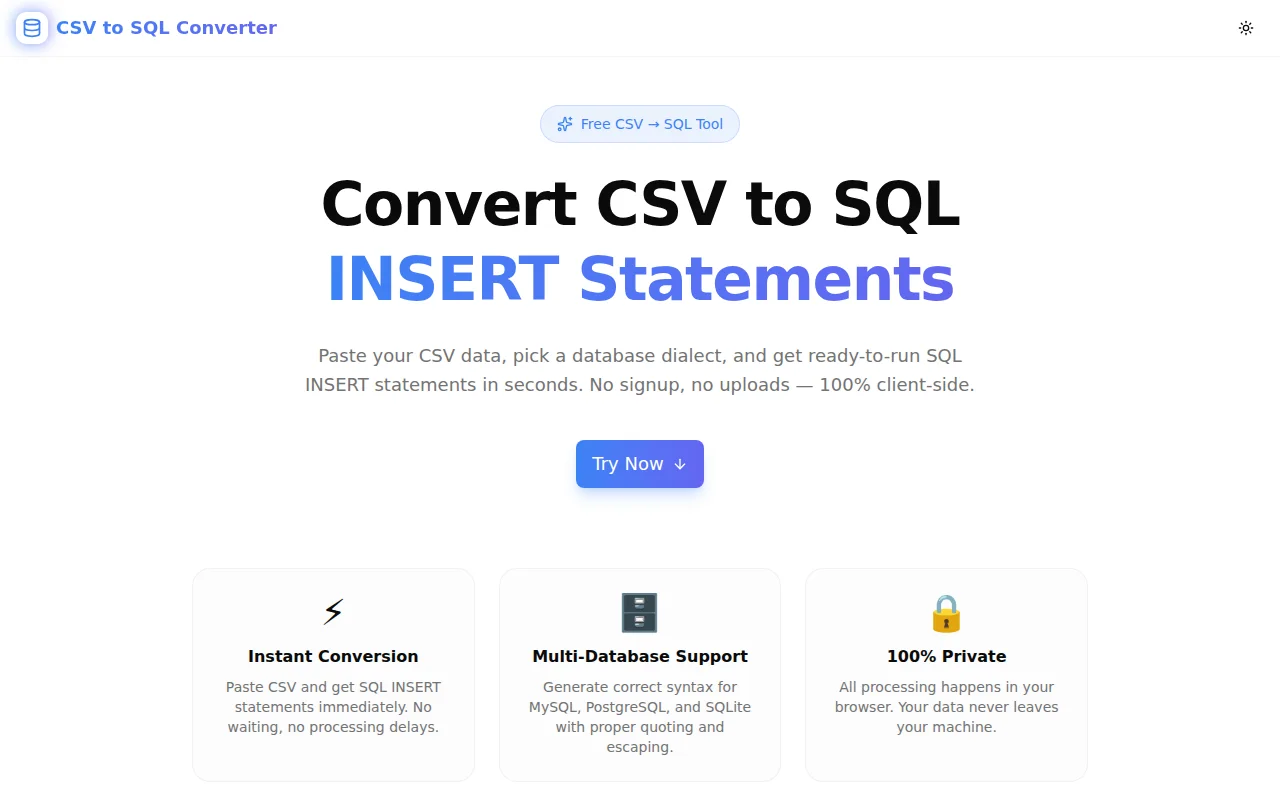
Developer ToolsFeatured
CSV to SQL Converter
A free, instant tool that converts CSV data to SQL INSERT statements for MySQL, PostgreSQL, and SQLite. Paste your CSV, configure options, and copy ready-to-run SQL in seconds — no signup, no uploads, 100% client-side.
SQLCSVDatabaseDeveloper ToolsData ImportNext.jsTypeScript
Start Similar ProjectAbout the Project
CSV to SQL Converter — Generate INSERT Statements Instantly
CSV to SQL Converter is a free, browser-based tool that transforms CSV data into SQL INSERT statements for MySQL, PostgreSQL, and SQLite. Paste your CSV, set the table name, choose your database dialect, and get production-ready SQL in seconds. No signup, no file uploads, no server — everything runs in your browser.
The Problem
Moving data from a CSV file into a database table is a routine task that somehow takes longer than it should. The options are:
- Write it manually — tedious for more than a handful of rows, error-prone with special characters
- Use a database client import wizard — usually buried in menus, dialect-specific, requires an active connection
- Write a migration script — overkill for one-off imports
- Use an online converter — most are slow, ad-heavy, or upload your data to a server
None of these options are fast. None are private.
How It Works
1. Paste Your CSV
Copy CSV data from a spreadsheet, API export, or data dump and paste it into the input panel. The tool parses standard RFC 4180 CSV — quoted fields, commas in values, escaped double-quotes — correctly.
2. Configure Options
Set four options before converting:
- Table name — the target database table
- Database dialect — MySQL (backtick identifiers), PostgreSQL (double-quote identifiers), or SQLite (bare identifiers)
- First row is header — toggles whether the first row becomes column names or data
- Batch INSERT — combines multiple rows into a single
VALUES (...)list for performance
3. Copy or Download
Click Convert to SQL and the output panel fills with ready-to-run SQL. Copy to clipboard with one click, or download as a .sql file.
Key Features
- Multi-dialect support — MySQL, PostgreSQL, and SQLite with correct identifier quoting per dialect
- Header detection — auto-uses the first row as column names
- No-header mode — falls back to
col1, col2, col3when headers aren't present - Batch INSERT — configurable batch size (default 500) for large data sets
- NULL handling — empty cells and
NULLstrings become SQLNULL - Number detection — numeric values are unquoted in the output
- Special character escaping — single quotes in strings are safely escaped
- One-click copy — copies the full SQL output to clipboard
- Download as .sql — saves output as
{tablename}.sql - Load sample data — pre-fills a sample CSV so you can try the tool immediately
- 100% client-side — no data leaves your browser; works offline once loaded
- No signup required — open and use immediately
Technical Implementation
Core Technologies
- Next.js 16 with App Router
- TypeScript in strict mode
- Tailwind CSS v4 with custom brand tokens
- shadcn/ui components (new-york style)
- Framer Motion for staggered animations
- Sonner for toast notifications
CSV Parsing
The CSV parser is implemented from scratch in pure TypeScript — no external library. It handles:
- RFC 4180 quoted fields (fields wrapped in
"...") - Commas inside quoted fields
- Escaped double-quotes (
""inside a quoted field) - Windows (
\r\n) and Unix (\n) line endings - Trailing newlines and empty last rows
SQL Generation
For each dialect, identifier quoting is applied correctly:
-- MySQL
INSERT INTO `users` (`id`, `name`, `email`) VALUES (1, 'Alice', 'alice@example.com');

-- PostgreSQL
INSERT INTO "users" ("id", "name", "email") VALUES (1, 'Alice', 'alice@example.com');

-- SQLite
INSERT INTO users (id, name, email) VALUES (1, 'Alice', 'alice@example.com');
Value formatting:
- Empty strings and the literal string
NULL→NULL - Numeric-looking values (integers and decimals) → unquoted number
- Everything else →
'single-quoted string'with'escaped to''
Batch INSERT groups rows into configurable-size chunks:
INSERT INTO `users` (`id`, `name`, `email`)
VALUES
  (1, 'Alice', 'alice@example.com'),
  (2, 'Bob', 'bob@example.com'),
  (3, 'Carol', 'carol@example.com');
Use Cases
One-Off Data Imports
You have a CSV export from Airtable, Notion, or Google Sheets and need to seed a development database. Paste the CSV, set the table name, click Convert, run the SQL. Done in under a minute.
Database Migrations
Migrating between environments or recreating a reference table? Convert the canonical CSV to SQL and include it in your migration script or seed file.
Prototyping
Bootstrapping a demo database with realistic data? Convert sample CSV exports into INSERT statements and run them against a local database without setting up a full ETL pipeline.
Data Verification
Need to verify that a CSV export matches the rows in your database? Convert the CSV to SQL and compare the generated values against what's in the table.
Teaching SQL
Educators creating database exercises can convert prepared CSVs into SQL INSERT statements for students to run, without requiring students to deal with CSV import wizards.
Why CSV to SQL Converter?
vs. Database Client Import Wizards
- No active connection required — generate SQL anywhere, run it later
- Dialect-specific output — explicit MySQL/PostgreSQL/SQLite syntax instead of generic
- Batch control — choose your batch size instead of accepting defaults
- Instant — no wizard steps, no file picking dialogs, no "map columns" screens
vs. Writing It Manually
- Handles escaping — single quotes, numbers, and NULLs handled automatically
- Any row count — generate 10 rows or 10,000 rows with the same effort
- Consistent formatting — every INSERT follows the same pattern
vs. Other Online Converters
- No uploads — data stays in your browser; safe for sensitive data
- Multi-dialect — not locked to a single database
- No ads — clean interface, immediate output
- Offline-capable — works once the page loads, even without a network connection
Results
CSV to SQL Converter removes the friction between a data file and a running database:
- Under 10 seconds from paste to ready-to-run SQL
- Any database — MySQL, PostgreSQL, SQLite with correct syntax
- Safe for sensitive data — no server, no logs, no uploads
- Production-ready output — escaped, typed, and formatted correctly
Try it now: csv-to-sql-converter.tools.jagodana.com
The Challenge
The client needed a robust developer tools solution that could scale with their growing user base while maintaining a seamless user experience across all devices.
The Solution
We built a modern application using SQL and CSV, focusing on performance, accessibility, and a delightful user experience.
Project Details
Category
Developer Tools
Technologies
SQL,CSV,Database,Developer Tools,Data Import,Next.js,TypeScript
Date
June 2026
Related Projects
More work in Developer Tools

