Back to Projects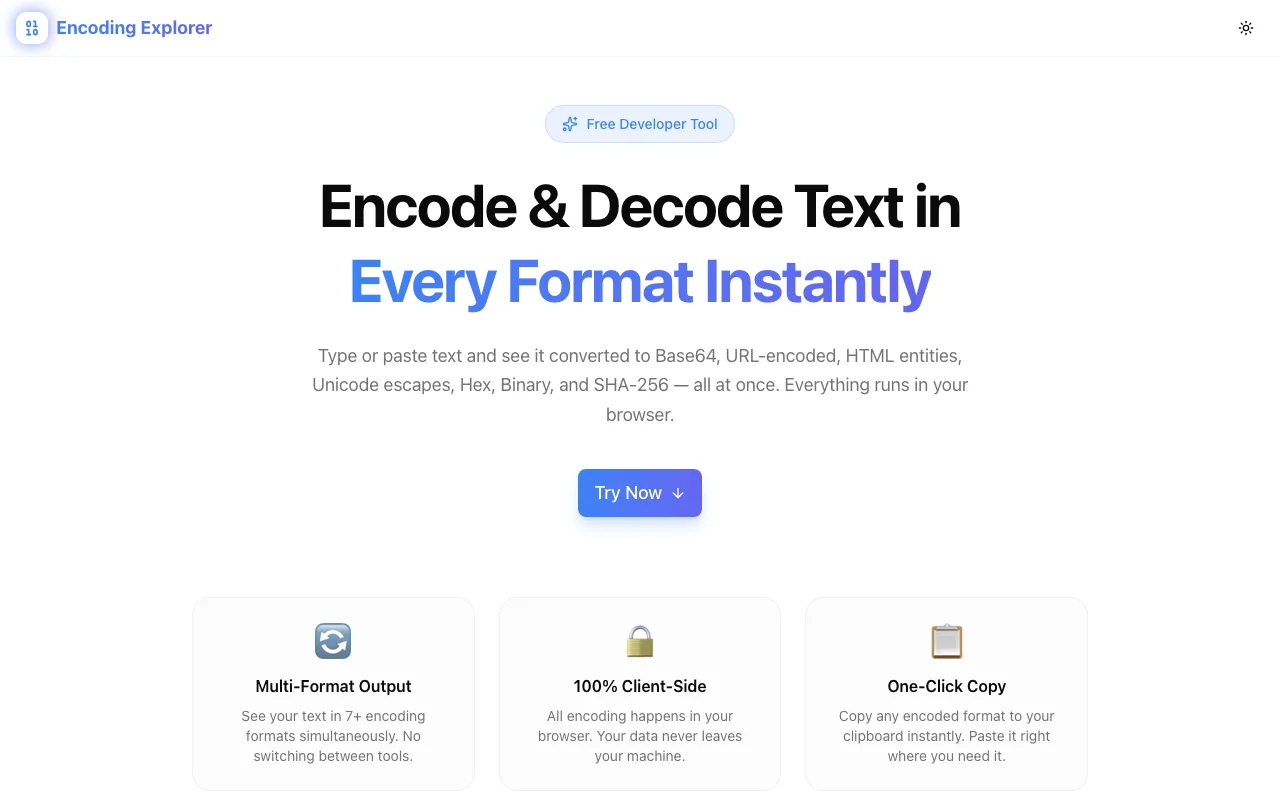
Developer ToolsFeatured
Encoding Explorer
A developer tool that converts text into multiple encoding formats simultaneously—Base64, URL encoding, HTML entities, Unicode escapes, Hex, Binary, and SHA-256—all in one view, no signup required.
EncodingBase64URL EncodingDeveloper ToolsNext.jsTypeScript
Start Similar ProjectAbout the Project
Encoding Explorer — Multi-Format String Encoder & Decoder
Encoding Explorer is a free, browser-based developer tool that converts any text into multiple encoding formats at once. Type or paste a string and instantly see it as Base64, URL-encoded, HTML entities, Unicode escapes, Hex, Binary, and SHA-256—all side by side, all copyable with one click.
The Problem
Encoding is everywhere in software. URLs contain percent-encoded characters. APIs expect Base64 payloads. HTML templates escape special characters as entities. Security researchers decode hex dumps and Unicode escape sequences daily.
The usual workflow looks like this:
- Google "base64 encode online"
- Paste text, copy the result
- Google "url encode online"
- Paste the same text again, copy again
- Repeat for hex, HTML entities, or whatever else you need
Each format lives on a separate tool. Each tool has a separate workflow. You're doing the same thing seven times on seven different pages.
How It Works
1. Enter Your Text
Type or paste any string into the input field. The tool processes it instantly—no "Submit" button, no loading spinners.
2. See Every Encoding at Once
Your text is simultaneously converted into all supported formats:
- Base64 — Standard Base64 encoding (RFC 4648). Used in data URIs, API payloads, email attachments, and JWT tokens.
- URL Encoding — Percent-encoding (RFC 3986). Used in query parameters, form data, and anywhere a string travels through a URL.
- HTML Entities — Named and numeric character references. Used in HTML templates to escape
<,>,&, quotes, and special characters. - Unicode Escapes —
\uXXXXnotation. Used in JavaScript strings, JSON, and internationalization contexts. - Hex — Hexadecimal byte representation. Used in debugging, network analysis, and binary data inspection.
- Binary — Raw binary bit representation. Used in low-level debugging, bitwise operations, and educational contexts.
- SHA-256 — Cryptographic hash digest. Used in integrity verification, password storage, and data fingerprinting.
3. Copy Any Result
Each encoding output has a one-click copy button. Grab exactly what you need and paste it into your code, API client, or terminal.
Key Features
- Seven formats at once — stop visiting seven different tools
- Real-time conversion — results update as you type
- One-click copy — copy any encoding instantly
- Client-side processing — your text never leaves your browser
- No signup required — open the URL and start encoding
- Dark/light theme — comfortable for any environment
- Responsive design — works on desktop, tablet, and mobile
Technical Implementation
Core Technologies
- Next.js with App Router
- TypeScript in strict mode
- TailwindCSS for styling
- shadcn/ui for accessible components
- Framer Motion for animations
Architecture
- All encoding computations run client-side in the browser
- Web Crypto API for SHA-256 hashing (async, native performance)
- Zero external API calls—no data leaves the page
- Responsive layout that scales from mobile to ultrawide displays
Use Cases
API Development
You're building a REST API that accepts Base64-encoded file uploads. You need to test with a sample payload. Instead of hunting for a Base64 encoder, paste your test string into Encoding Explorer and grab the Base64 output alongside the URL-encoded version for query parameters.
Security Research
You're analyzing a suspicious payload that contains a mix of hex, URL-encoded, and Base64 data. Paste the raw string and instantly see all decode/encode representations to identify what the payload actually contains.
Frontend Development
Your HTML template renders & instead of &. You need to check which characters require entity encoding. Paste the problematic string and see the HTML entity output to understand exactly what needs escaping.
Debugging Encoded Data
A webhook payload arrives with URL-encoded form data. A JWT token contains Base64-encoded claims. A log file shows hex-encoded binary. Instead of switching between specialized tools, Encoding Explorer shows you all formats from a single input.
DevOps & Infrastructure
Configuration files, environment variables, and secrets often need to be Base64-encoded for Kubernetes secrets, Docker configs, or CI/CD pipelines. Encode and verify in one step.
Education & Learning
Students and junior developers learning about character encoding can see how the same string looks across all major encoding formats simultaneously. The visual comparison makes encoding concepts tangible.
Why Encoding Explorer?
vs. Individual Online Encoders
- All formats in one view — no tab-switching, no re-pasting
- Real-time — results update as you type, not after clicking a button
- Privacy — client-side only, no server roundtrips
- Consistent UI — one tool to learn, not seven
vs. Command-Line Tools
- Visual — see all outputs simultaneously instead of running separate commands
- No syntax to remember — no
echo -n "text" | base64orpython -c "import urllib.parse; ..." - Copy-ready — one click instead of selecting terminal output
- Accessible — no shell knowledge required
vs. IDE Extensions
- No installation — works in any browser
- All formats — most extensions handle one or two encodings
- Shareable — send a link to a teammate, not an extension recommendation
- Always current — no extension updates to manage
Results
Encoding Explorer removes friction from a task developers perform daily:
- One tool instead of seven — every major encoding format in a single view
- Zero context switching — type once, see everything
- Instant results — real-time conversion with no round-trips
- Privacy by default — all processing happens in your browser
Try it now: encoding-explorer.tools.jagodana.com
The Challenge
The client needed a robust developer tools solution that could scale with their growing user base while maintaining a seamless user experience across all devices.
The Solution
We built a modern application using Encoding and Base64, focusing on performance, accessibility, and a delightful user experience.
Project Details
Category
Developer Tools
Technologies
Encoding,Base64,URL Encoding,Developer Tools,Next.js,TypeScript
Date
March 2026
Related Projects
More work in Developer Tools

