Back to Projects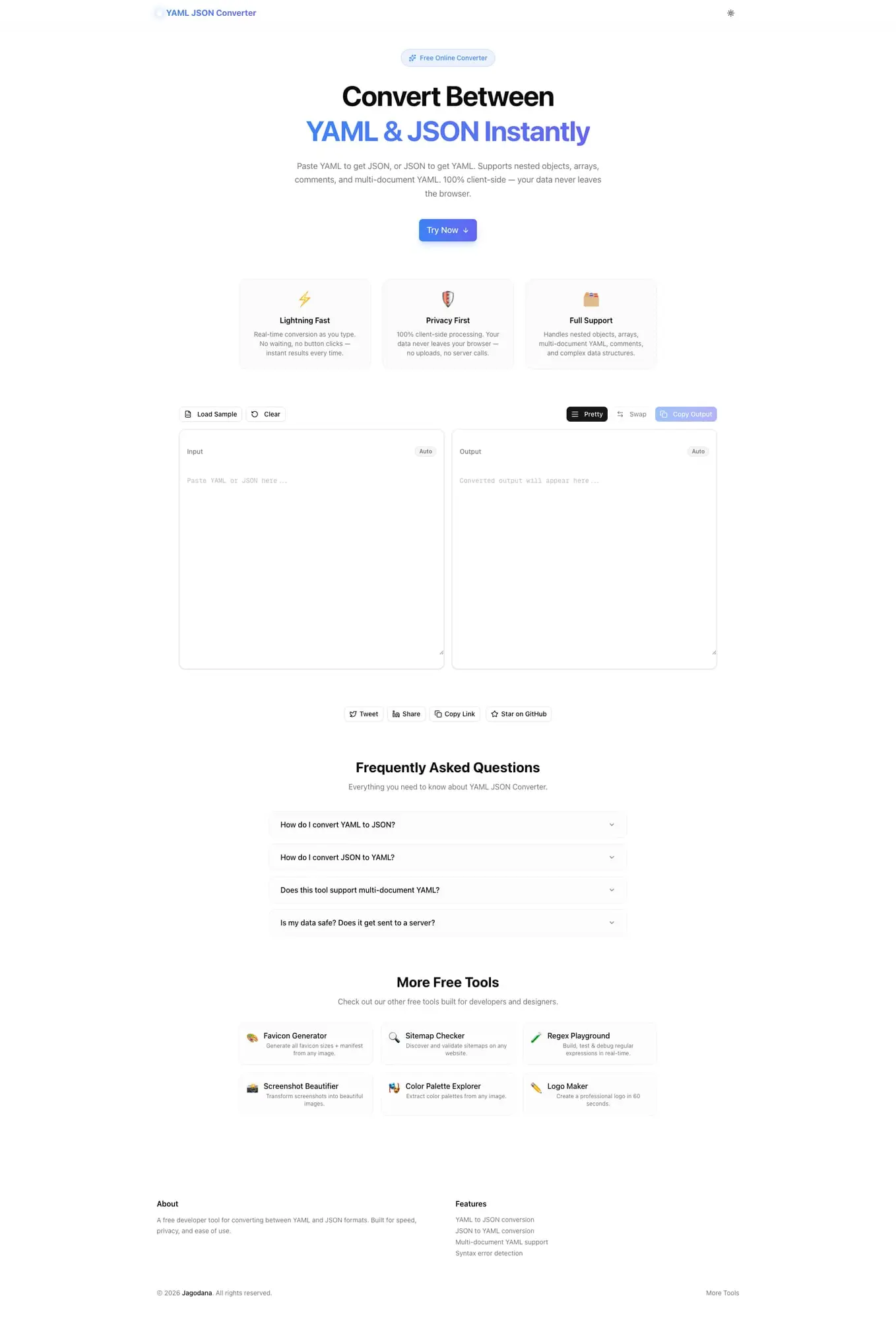
Developer ToolsFeatured
YAML JSON Converter
A free online tool that converts between YAML and JSON formats instantly. Paste YAML to get JSON, or JSON to get YAML. Supports nested objects, arrays, comments, and multi-document YAML—100% client-side, no signup required.
YAMLJSONDevOpsDeveloper ToolsNext.jsTypeScript
Start Similar ProjectAbout the Project
YAML JSON Converter — Convert Between YAML & JSON Instantly
YAML JSON Converter is a free, browser-based tool that converts between YAML and JSON formats in real time. Paste YAML to get JSON, or JSON to get YAML—with full support for nested objects, arrays, multi-document YAML, and YAML comments. No signup, no server uploads, no waiting.
The Problem
YAML and JSON are the two dominant data serialization formats in modern software development. Kubernetes manifests, Docker Compose files, GitHub Actions, and Ansible playbooks all use YAML. REST APIs, SDKs, and databases predominantly use JSON. Moving between the two is a constant, friction-filled task.
Developers resort to:
- Online converters with privacy risks — paste sensitive config into a random website, hope it's not logged
- Manual rewriting — tedious and error-prone for deeply nested structures
- Python/Node one-liners — fast for one-offs but require context switching and a terminal
- VS Code extensions — useful but not always available in restricted environments
None of these are purpose-built for the workflow. YAML JSON Converter is.
How It Works
1. Paste Your Input
Drop YAML or JSON into the input panel. The tool auto-detects the format—no need to select a conversion direction manually.
2. Instant Conversion
The output panel updates as you type. Real-time conversion means you see the result before you're done pasting. No button to click, no waiting for a server round-trip.
3. Copy the Output
Click the copy button to grab the converted output—ready to paste into your config file, API client, or code editor.
4. Pretty-Print or Compact
Toggle between pretty-printed output with proper indentation and compact output for minimal whitespace. Useful for both human readability and machine consumption.
Key Features
- Bidirectional conversion — YAML to JSON and JSON to YAML in the same tool
- Auto-detect format — no manual selection required
- Real-time output — converts as you type
- Multi-document YAML — handles
---delimited YAML documents - Comment stripping — YAML comments are cleanly removed in JSON output
- Nested structures — handles arbitrarily deep objects and arrays
- Pretty-print toggle — switch between formatted and compact output
- Copy to clipboard — one-click output copying
- 100% client-side — your data never leaves your browser
- No signup required — start converting immediately
Technical Implementation
Core Technologies
- Next.js with App Router
- TypeScript in strict mode
- TailwindCSS for styling
- shadcn/ui for accessible components
Architecture
- Browser-native YAML parsing with full spec compliance
- Bidirectional converter with format auto-detection
- Streaming input handler for large documents
- Error boundary with inline parse error messages
- Zero server-side processing—pure client JavaScript
Performance
- Conversion completes in under 10ms for typical config files
- Handles files up to thousands of lines without degradation
- No API calls—zero network latency after page load
- Works offline once the page is cached
Use Cases
DevOps Configuration
Converting Kubernetes manifests to JSON for programmatic processing, or structuring Helm chart values in YAML while your CI/CD pipeline expects JSON. YAML JSON Converter handles the translation without manual editing or custom scripts.
API Testing
Your API client (Postman, Insomnia, curl) takes JSON. Your config file is in YAML. Paste the YAML config, get the JSON body, paste into your API client. Done in seconds.
Kubernetes & Cloud-Native
Kubectl outputs and Kubernetes API responses come back as JSON. Writing and reading manifests is done in YAML. The tool bridges that gap for engineers working with clusters, operators, and custom resources daily.
CI/CD Pipelines
GitHub Actions, GitLab CI, and CircleCI use YAML. Parsing workflow outputs, comparing configs, or generating pipeline definitions programmatically often requires JSON. Convert between the two without writing a throwaway script.
Infrastructure as Code
Ansible playbooks, Terraform variable files, Pulumi configs—the IaC world spans both formats. When a tool expects one format and your source is in the other, paste and convert instead of rewriting.
Backend Development
Reading YAML config files in a language that prefers JSON, or accepting YAML from a user and storing it as JSON in a database. The converter handles the format translation so your code doesn't have to.
Why YAML JSON Converter?
vs. Generic Online Converters
- Privacy-first — no data is sent to any server, ever
- Purpose-built — designed specifically for YAML ↔ JSON workflow
- Real-time — converts as you type, no button clicks
- Full YAML spec — handles multi-document YAML, anchors, aliases, and complex nesting
vs. Python/Node One-Liners
- No terminal required — works in any browser
- Visual — see the output as you edit
- No environment setup — no dependencies, no installs
- Faster for one-offs — open a tab, paste, copy, done
vs. VS Code Extensions
- Always available — works in any browser, on any machine
- No installation — no extension to find, install, or update
- Portable — use it from a client machine, a remote server, or a shared workstation
Results
YAML JSON Converter eliminates format translation friction for developers and DevOps engineers:
- Seconds instead of minutes — convert any config file instantly
- Zero data exposure — client-side only, no server uploads
- No context switching — stay in your browser instead of switching to a terminal
- Handles edge cases — multi-document YAML, comments, deeply nested structures
Try it now: yaml-json-converter.tools.jagodana.com
The Challenge
The client needed a robust developer tools solution that could scale with their growing user base while maintaining a seamless user experience across all devices.
The Solution
We built a modern application using YAML and JSON, focusing on performance, accessibility, and a delightful user experience.
Project Details
Category
Developer Tools
Technologies
YAML,JSON,DevOps,Developer Tools,Next.js,TypeScript
Date
March 2026
Related Projects
More work in Developer Tools

