Back to Projects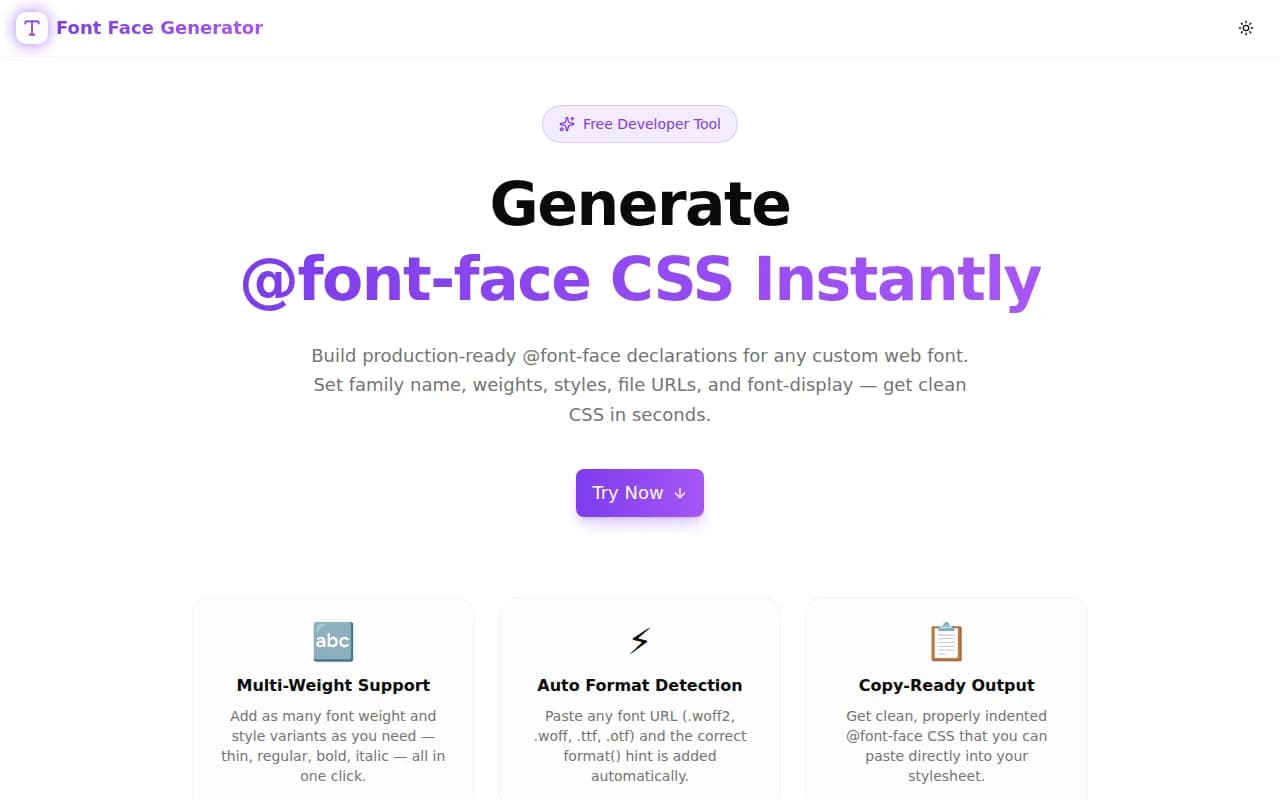
Developer ToolsFeatured
Font Face Generator
A free browser-based tool that generates production-ready @font-face CSS declarations. Set font family, weights, styles, font-display, and file URLs — copy clean CSS in seconds with no signup or uploads.
CSSTypographyWeb FontsDeveloper ToolsFrontendNext.jsTypeScript
Start Similar ProjectAbout the Project
Font Face Generator — @font-face CSS Code Builder
Font Face Generator is a free, browser-based tool that builds @font-face CSS declarations for custom web fonts. Enter your font family name, add as many weight and style variants as you need, paste your font file URLs, and copy production-ready CSS instantly. No signup, no file uploads, no waiting.
The Problem
Every web project that uses a self-hosted or CDN-hosted custom font needs @font-face CSS. The rule itself is not complex, but writing it correctly every time is tedious — especially when a font family spans multiple weights and styles.
A complete type system with four weights and their italic counterparts means eight separate @font-face blocks. Each block needs:
- The correct
font-familyname (consistent across all blocks) - The right
font-weightvalue - The right
font-stylevalue - A
srcline with the URL and the correctformat()hint - A
font-displaystrategy
The format() hint is where developers make mistakes. .woff2 files need format('woff2'), .ttf needs format('truetype'), .otf needs format('opentype') — and these are easy to confuse or forget. A missing or wrong format hint can cause the browser to download a font file it can't use and then silently fall back to the system font.
Doing this correctly for eight variants, twice (for woff2 and woff fallbacks), is sixteen URL/format combinations to get right.
How It Works
1. Font Family Name
Enter your font family name once at the top. This becomes the value used in font-family: 'YourFont' across your entire stylesheet. Every @font-face block the tool generates uses exactly this name — consistent spelling guaranteed.
2. Font Variants
Click Add Variant for each weight and style combination you need. For each variant, set:
- Weight — dropdown from 100 (Thin) to 900 (Black)
- Style — normal, italic, or oblique
- font-display — swap, auto, block, fallback, or optional
This gives you full control over every variable in the @font-face declaration. Add as many variants as your type system requires.
3. Font File URLs
Paste the URL(s) for each variant's font file. You can provide multiple URLs per variant — one per line — to include multiple formats (woff2 and woff, for example). The tool detects the file extension and writes the correct format() hint automatically:
.woff2→format('woff2').woff→format('woff').ttf→format('truetype').otf→format('opentype').eot→format('embedded-opentype')
No manual format string entry needed.
4. Generated CSS
The output panel updates in real time as you edit. Each @font-face block is properly indented and separated. When you're ready, click Copy CSS to copy the full output to your clipboard.
Key Features
- Multi-variant support — add as many weight/style combinations as your type system needs
- Auto format detection — paste any font URL, the correct
format()hint is added automatically - font-display control — choose swap, auto, block, fallback, or optional per variant
- Real-time output — generated CSS updates as you type, no Generate button needed
- One-click copy — production-ready output copied to clipboard instantly
- Fully client-side — zero file uploads, zero server calls, zero data collection
- No signup required — open, configure, copy, done
Technical Implementation
Core Technologies
- Next.js 16 with App Router
- TypeScript in strict mode
- Tailwind CSS v4 with OKLCH colour tokens
- shadcn/ui components (new-york style)
- framer-motion for staggered animations
- Sonner for toast notifications
Architecture
The tool is a pure client-side TypeScript implementation. The core logic is a generateCSS function that takes the font family name and an array of variant objects and produces correctly formatted CSS output.
A detectFormat utility maps file extensions to their W3C format() string. It strips query parameters from URLs before extension matching, so CDN URLs with cache-busting query strings are handled correctly.
Variant state is managed with React useState — each variant is an object with id, weight, style, display, and urls. Variants can be added, removed, and edited independently. The id field uses a short random string (uid()) for stable React keys, avoiding index-based key issues during reordering or deletion.
The generated CSS string is recomputed synchronously on every render — no memoisation is needed because the output is fast to compute and the component tree is shallow.
Use Cases
Self-Hosting Variable Fonts
Variable fonts have a single file that covers all weights. Use the tool with font-weight: 100 900 (type this manually in the weight field) and a single woff2 URL to generate the correct @font-face declaration.
Google Fonts CDN with Custom Loading
Google Fonts provides @font-face CSS automatically, but some teams prefer to control loading behaviour — specifically font-display. Generate the declarations manually with font-display: optional to skip fonts entirely if they are not cached, eliminating the layout shift.
Typekit / Adobe Fonts Fallback
Self-host a fallback web font with matching metrics to reduce FOUT (Flash of Unstyled Text) when the primary font comes from a third-party CDN. Use this tool to generate the @font-face declarations for the fallback font.
Design System Typography
A design system typically defines 5–6 weights for its brand font, each with an italic variant. That is 10–12 @font-face blocks. Use this tool to generate the full set at once, then paste them into the design system's base stylesheet.
Email-Safe Font Embedding
Some email clients support web fonts via @font-face. Generate the declarations here and paste them into the <style> block in the email template's <head>.
font-display Values Explained
- swap — the browser uses a fallback font immediately and swaps to the custom font when it loads. Best for body text where content readability matters more than visual consistency. Recommended default.
- auto — the browser decides based on its own heuristics. Not recommended — unpredictable across browsers.
- block — brief invisible period (typically up to 3 seconds) while the font loads. Acceptable for small, decorative elements where showing the wrong font is worse than showing nothing.
- fallback — very short block period (100ms), then fallback font, then swap if the custom font loads within 3 seconds. After 3 seconds, the fallback is used permanently for the page session.
- optional — the browser uses the custom font only if it is already cached or can be fetched immediately. Otherwise the fallback is used permanently. Best for performance-sensitive pages where any layout shift is unacceptable.
Why @font-face Over @import?
@import url('https://fonts.googleapis.com/...') is convenient but has significant downsides:
- The browser must parse the CSS and make a separate request to Google's CDN before it can start downloading the font files
- You cannot control
font-display(without the&display=swapURL parameter) - You cannot selectively load only the weights you use without specifying them in the URL parameter
- You rely on Google's CDN availability and privacy policies
Self-hosting with @font-face gives you:
- Font files served from your own CDN or origin
- Full control over
font-display,font-weight, and format fallbacks - Better performance via HTTP/2 push or preload hints (
<link rel="preload" as="font" href="...">) - GDPR compliance — no third-party font tracking
Results
Font Face Generator removes the boilerplate from custom web font embedding:
- Correct format hints every time — no more
format('truetype')on a woff2 file - Full type system in one session — add all variants before copying, not one block at a time
- Consistent font-family name — no typo risk from retyping the name across blocks
- Instant output — changes appear immediately, no Generate button
Try it now: font-face-generator.tools.jagodana.com
The Challenge
The client needed a robust developer tools solution that could scale with their growing user base while maintaining a seamless user experience across all devices.
The Solution
We built a modern application using CSS and Typography, focusing on performance, accessibility, and a delightful user experience.
Project Details
Category
Developer Tools
Technologies
CSS,Typography,Web Fonts,Developer Tools,Frontend,Next.js,TypeScript
Date
June 2026
Related Projects
More work in Developer Tools

