Back to Projects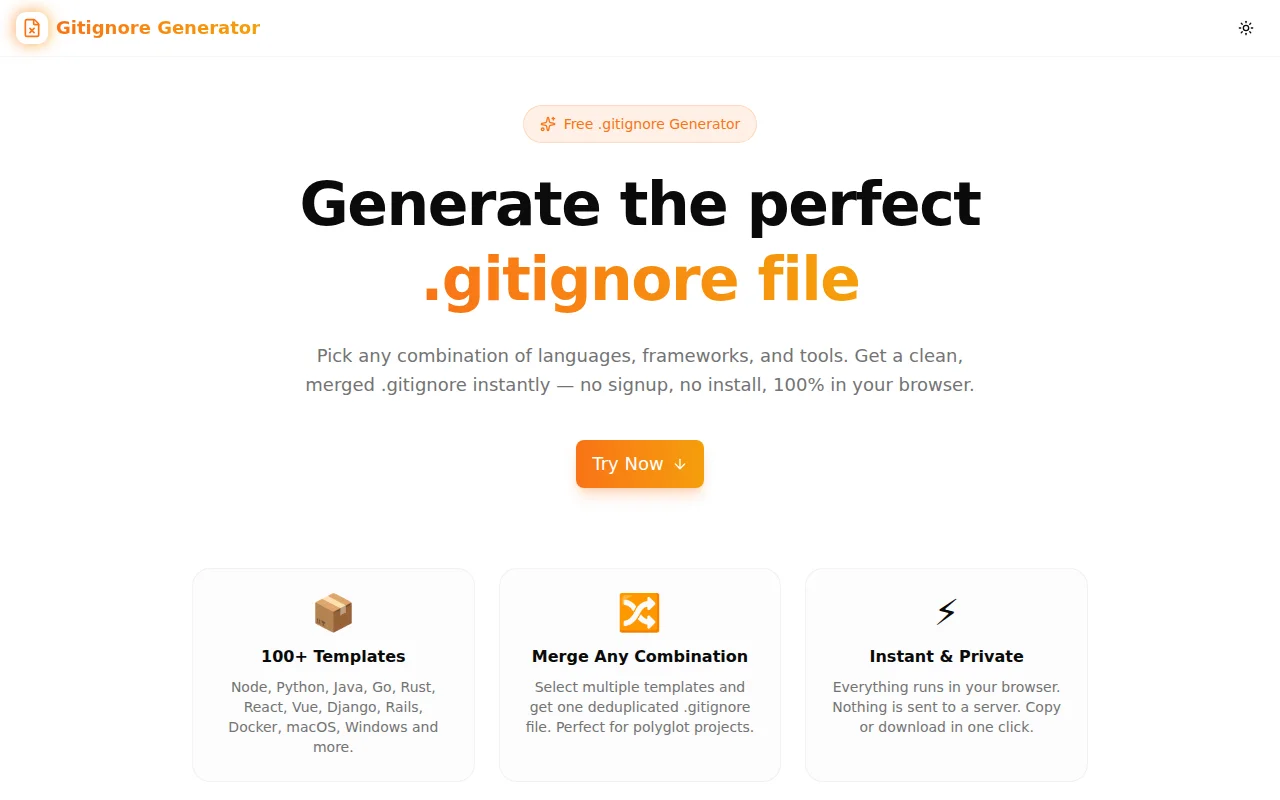
Developer ToolsFeatured
Gitignore Generator
A free browser-based tool for generating .gitignore files from 60+ language, framework, IDE, and OS templates. Select any combination, preview the merged output, and copy or download in one click.
GitDeveloper ToolsOpen SourceNext.jsTypeScript
Start Similar ProjectAbout the Project
Gitignore Generator — Create .gitignore Files for Any Stack
Gitignore Generator is a free browser-based tool that creates clean .gitignore files for any combination of languages, frameworks, tools, and operating systems. Select templates, see the merged output instantly, and copy or download. No signup, no server round-trips.
The Problem
Every project needs a .gitignore. Most developers copy one from Stack Overflow, paste a partial template from GitHub's gitignore collection, or forget it entirely until they accidentally commit node_modules/.
The real challenge appears with polyglot projects. A Next.js app on macOS, deployed with Vercel, tested with Playwright, written in a VS Code workspace needs at least six different template sections merged correctly. Doing that by hand means duplicate entries, missing patterns, and files that slip through into commits.
How It Works
1. Search and Browse Templates
The left panel shows 60+ templates sorted by category: Language, Framework, Build Tool, IDE, OS, DevOps, Database, Security, Testing, and Deployment. Type to filter, or click a category tab to browse. Every template is labeled clearly.
2. Multi-Select and Merge
Click any template to select it. Selected templates are highlighted with a checkmark. Select as many as the project needs. The generator merges all selected templates into a single output, deduplicating identical patterns so the file stays clean and readable.
3. Preview and Export
The right panel shows the full merged .gitignore output in real time. Each template section is labeled with a comment header so the file is self-documenting. Copy to clipboard with one click, or download the file directly as .gitignore.
Key Features
- 60+ templates covering Node.js, Python, Go, Rust, Java, Ruby, PHP, C#, C++, Kotlin, Swift, TypeScript, Elixir, Haskell, and more
- Framework coverage for React, Next.js, Vue, Nuxt, Svelte, Angular, Remix, Astro, Django, Flask, FastAPI, Rails, Laravel, Express, NestJS, Spring Boot
- Tool templates for Docker, Terraform, Ansible, Kubernetes, Gradle, Maven, Vite, Webpack, Vercel, Netlify, AWS, Firebase, Supabase, Prisma, Drizzle, Cypress, Playwright, Storybook
- IDE and OS templates for VS Code, JetBrains, Vim, Emacs, Sublime Text, macOS, Windows, Linux
- Instant merge with deduplication across all selected templates
- Section headers in output for readability
- One-click copy to clipboard
- One-click download as
.gitignore - No API calls — everything runs locally in the browser
- No signup required
Technical Implementation
Core Technologies
- Next.js 16 with App Router
- TypeScript in strict mode
- TailwindCSS v4 with OKLCH color tokens
- Framer Motion for animations
- shadcn/ui component system
Architecture
The tool ships all template data as a static TypeScript array — no network requests during generation. The merge function deduplicates lines across templates while preserving comment headers, producing a single clean output regardless of how many templates are selected.
Template deduplication works per-line: comment lines and empty lines pass through to preserve readability, while actual ignore patterns are tracked in a Set and deduplicated across the merged output.
Category filtering and search both operate on the same in-memory template array, so filtering is instant with no debounce needed.
Use Cases
Starting a New Project
Open the generator before git init. Pick the language, framework, IDE, and OS. Download. Commit. Done in under a minute.
Legacy Repos with Dirty History
Repos that were started without a proper .gitignore often have build artifacts or environment files in their history. Generate the correct .gitignore, add it, and use git rm --cached to clean up tracked files that should have been ignored from the start.
Polyglot Monorepos
Monorepos often mix languages and tools. A single .gitignore at the root needs to cover everything. The multi-select merge feature handles this without manual copy-paste between template sources.
Team Standardisation
Teams often have slightly different .gitignore files across projects. Use the generator to produce a canonical template for the stack, then commit it to every repo.
Onboarding New Developers
New team members often skip or copy random .gitignore files. The generator produces a complete file for the project's exact stack in seconds, reducing onboarding friction.
Why Gitignore Generator?
vs. Manual Copy-Paste
- No hunting across sources — all templates in one place
- Automatic deduplication — no duplicate patterns from multiple sources
- Section headers — self-documenting output
- Correct patterns — templates based on GitHub's official gitignore collection
vs. gitignore.io
- Fully client-side — no server round-trip, instant generation
- Clean UI — search, category filter, multi-select all on one screen
- Self-documenting output — section headers make the file readable without tool knowledge
vs. GitHub's Template Picker
- Multi-template merge — pick more than one template at a time
- More coverage — IDE, OS, DevOps, and deployment tools included
- Instant preview — see the output before downloading
Results
Gitignore Generator removes the friction from starting every project correctly:
- Under 60 seconds from landing on the page to having a complete
.gitignore - Zero guesswork about which patterns to include for a given stack
- Clean output with section headers and no duplicate entries
- Works for any stack — 60+ templates covering the most common combinations
Try it now: gitignore-generator.tools.jagodana.com
The Challenge
The client needed a robust developer tools solution that could scale with their growing user base while maintaining a seamless user experience across all devices.
The Solution
We built a modern application using Git and Developer Tools, focusing on performance, accessibility, and a delightful user experience.
Project Details
Category
Developer Tools
Technologies
Git,Developer Tools,Open Source,Next.js,TypeScript
Date
July 2026
Related Projects
More work in Developer Tools

