Back to Projects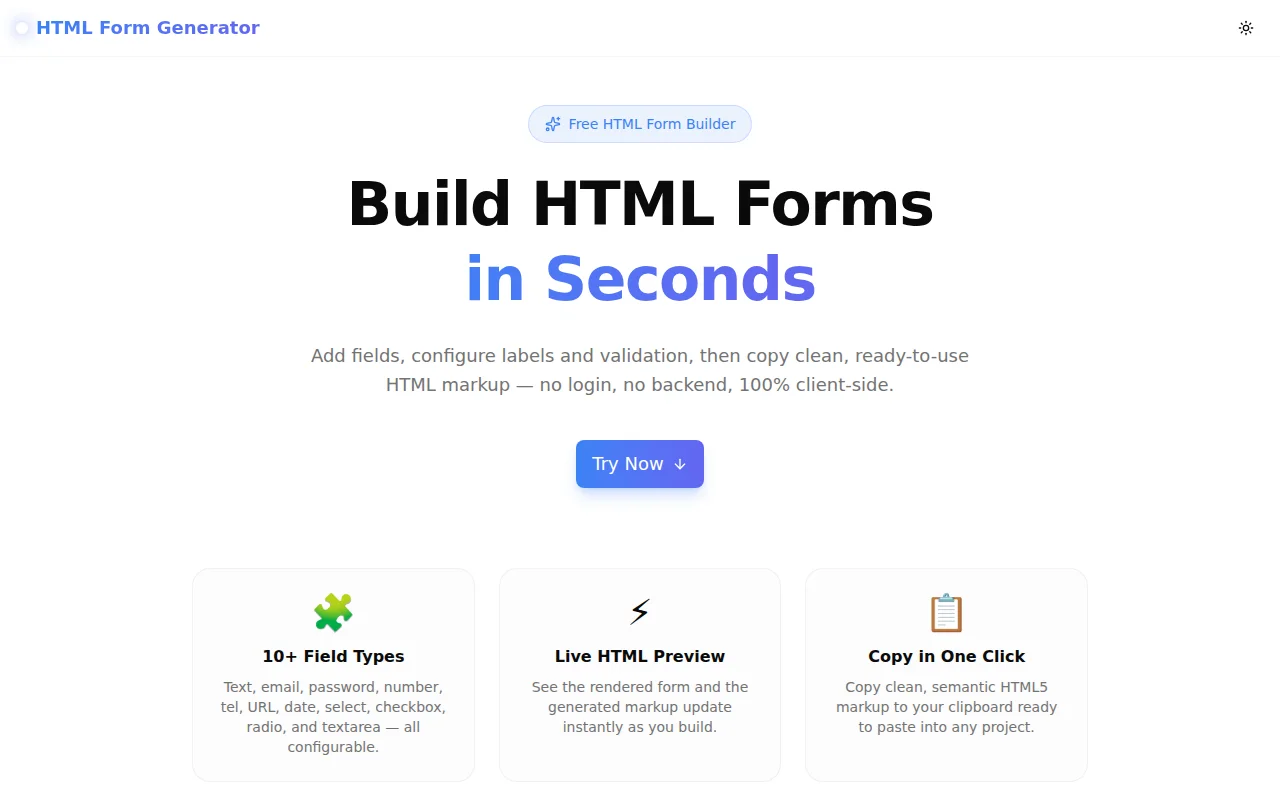
Developer ToolsFeatured
HTML Form Generator
A free browser-based tool that lets you visually build HTML forms — add field types, configure labels and validation attributes, preview the rendered form in real time, and copy clean HTML5 markup with one click. No login, 100% client-side.
HTMLFormsDeveloper ToolsFrontendNext.jsTypeScript
Start Similar ProjectAbout the Project
HTML Form Generator — Build HTML Forms Instantly
HTML Form Generator is a free, browser-based tool that lets you build HTML forms visually — add fields, configure labels, validation attributes, and options, then copy clean, semantic HTML5 markup in one click. No signup, no backend, 100% in your browser.
The Problem
Writing HTML form markup by hand is tedious and error-prone. Every field needs a <label>, a matching for/id pair, the right type, optional validation attributes (required, min, max, pattern), and proper wrapping. Select elements need <option> tags. Radio groups need a <fieldset> and <legend>. Forget one attribute and form accessibility breaks.
The feedback loop is also slow: write HTML, save, open the browser, check the form, go back, fix a typo, repeat. For developers who need a contact form, a quick survey, or a prototype form while the backend isn't ready, this is pure friction.
How It Works
1. Form Settings
Configure the form's action URL, HTTP method (GET or POST), form ID, and submit button label. These map directly to attributes on the <form> element.
2. Field Builder
Click "Add Field" and choose from 11 input types:
- Text —
<input type="text">for general short text - Email —
<input type="email">with browser-native email validation - Password —
<input type="password">with masked input - Number —
<input type="number">with min/max support - Telephone —
<input type="tel">for phone numbers - URL —
<input type="url">for web addresses - Date —
<input type="date">with a native date picker - Textarea —
<textarea>with configurable row count - Select —
<select>dropdown with custom option labels and values - Checkbox —
<input type="checkbox">with accessible label - Radio —
<fieldset>+<legend>group with multiple options
Each field lets you configure the label, name/ID, placeholder, required flag, and type-specific attributes like min/max for numbers, pattern for text-based inputs, and rows for textareas.
3. Live Preview
Switch between the "Preview" tab (rendered form) and the "HTML" tab (generated markup) at any time. The preview updates instantly as you add or edit fields — you see exactly what the form will look like before copying.
4. One-Click Copy
When the form looks right, click "Copy HTML." The clipboard receives clean, semantic HTML5 markup — ready to paste into any framework, CMS, or plain HTML file. No cleanup needed.
Key Features
- 11 input field types — text, email, password, number, tel, URL, date, textarea, select, checkbox, radio
- Validation attributes — required, min, max, pattern per field
- Live rendered preview — see the form before you copy
- HTML code view — inspect the generated markup
- Field reordering — move fields up and down
- Select / radio options — add, edit, and remove options
- One-click copy — clipboard integration
- Fully client-side — zero server calls, zero data collection
- No signup required — open and use immediately
Technical Implementation
Core Technologies
- Next.js 16 with App Router
- TypeScript in strict mode
- Tailwind CSS v4 with OKLCH tokens
- shadcn/ui component library
- framer-motion for field animations
- sonner for toast notifications
Architecture
The tool is a pure client-side React component with no external dependencies:
- Form field state managed with
useState— array of typed field objects generateHTML()function converts field state to formatted HTML string- Field editor is a recursive component that renders appropriate controls per type
- Live preview renders actual disabled HTML elements for accurate visual representation
- Clipboard API for one-click copy with fallback messaging
- AnimatePresence for smooth field add/remove transitions
Use Cases
Contact Forms
The most common use case. Build a name + email + message form, set action and method, copy the HTML, and drop it into any page. The output is clean, accessible, and ready for a backend handler.
Prototyping
When sketching a new feature or page, form markup takes time to write correctly. The generator produces it in seconds so you can focus on the logic, not the boilerplate.
Design-to-Code
A designer hands over a mockup with a multi-step form. Instead of writing each <input> and <label> manually, use the generator to scaffold the markup, then layer in CSS.
Learning HTML Forms
New developers often get label/for/id pairing wrong, or miss <fieldset> for radio groups. The generator outputs correct, accessible HTML — a useful reference for learning the right patterns.
CMS / No-Code Tools
Many CMS and no-code platforms accept custom HTML blocks. The generator lets non-developers build forms visually and paste the result directly — no code knowledge required beyond copying markup.
Framework Migration
Moving a project between frameworks (HTML → React, PHP → Next.js, etc.)? The generator lets you quickly recreate form markup with the right HTML5 attributes and structure, then adapt it to the target framework's component model.
Why HTML Form Generator?
vs. Writing by Hand
- No typos in
for/idpairing — label association is automatic - No syntax memorization — select, radio, and fieldset patterns are generated correctly
- Faster — scaffold a 5-field form in under 30 seconds
vs. Other Form Builders
- No output lock-in — standard HTML5, works everywhere
- No account walls — open the URL and start
- No styling imposed — plain, unstyled markup you can apply any CSS to
vs. Design Tools (Figma, Webflow)
- Direct HTML output — no export, no translation, no cleanup
- Portable — paste into any stack, any file, any platform
Results
HTML Form Generator removes the boilerplate from form markup:
- Zero guesswork — validation attributes are set through a UI, not from memory
- Accessible by default — correct label/for/id pairing and fieldset for radio groups
- Framework-agnostic — plain HTML5 output works in React, Vue, plain HTML, WordPress, and any other environment
- Instant — build a complete form in under a minute
Try it now: html-form-generator.tools.jagodana.com
The Challenge
The client needed a robust developer tools solution that could scale with their growing user base while maintaining a seamless user experience across all devices.
The Solution
We built a modern application using HTML and Forms, focusing on performance, accessibility, and a delightful user experience.
Project Details
Category
Developer Tools
Technologies
HTML,Forms,Developer Tools,Frontend,Next.js,TypeScript
Date
June 2026
Related Projects
More work in Developer Tools

