Back to Projects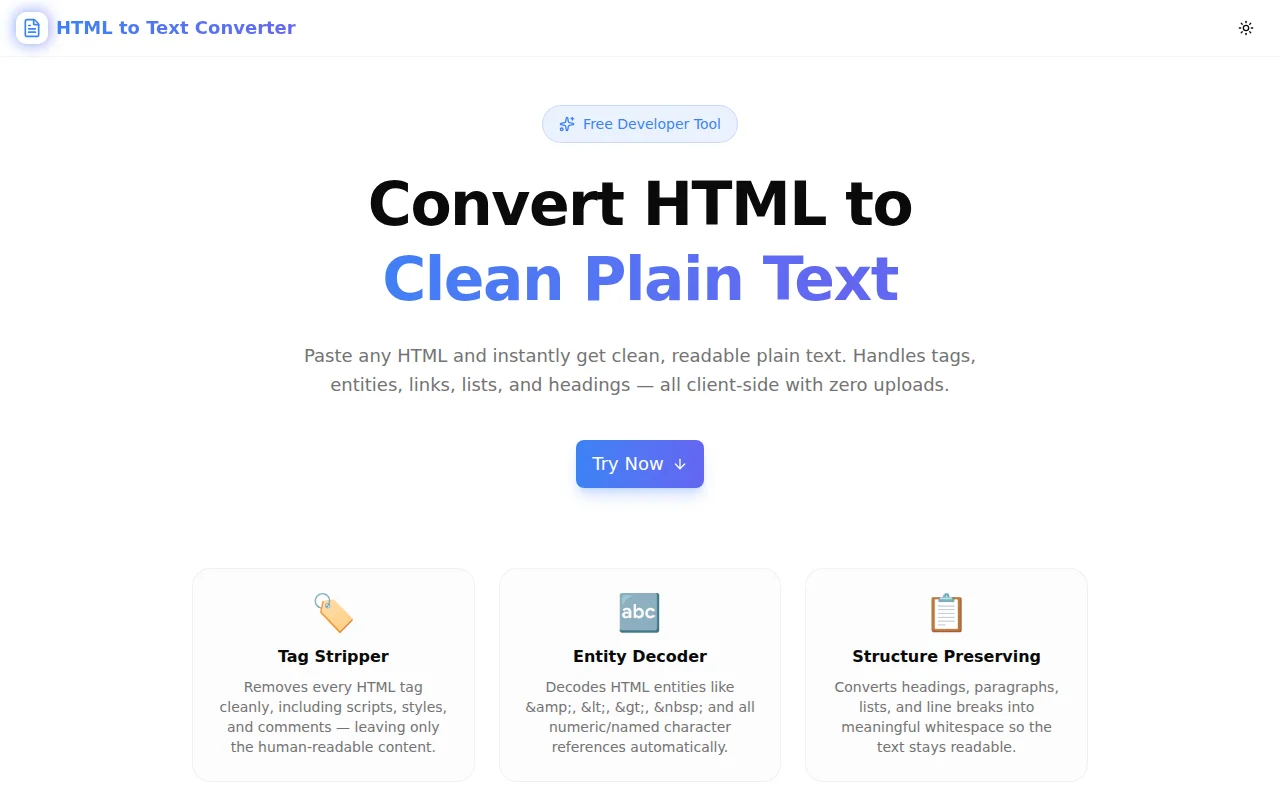
Developer ToolsFeatured
HTML to Text Converter
A free browser-based tool that strips HTML tags, decodes entities, and converts HTML markup into clean, readable plain text — instantly, with no server uploads.
HTMLText ProcessingDeveloper ToolsFrontendNext.jsTypeScript
Start Similar ProjectAbout the Project
HTML to Text Converter — Strip Tags & Extract Clean Plain Text
HTML to Text Converter is a free, browser-based tool that turns raw HTML markup into clean, readable plain text. Paste any HTML — a scraped webpage, an email template, a CMS export, a rich-text editor dump — and get back the human-readable content in seconds. No uploads, no signup, no server.
The Problem
HTML is everywhere, but you rarely want the tags. When you scrape a webpage, pull content from a CMS, export a rich-text field, or receive an email body as a string, you get angle brackets, entity references, inline scripts, and a tangle of <div> soup. Extracting the actual text by hand — or writing a regex — is error-prone and slow.
The naive approach of stripping tags with /<[^>]+>/g breaks on edge cases: nested tags, attributes containing >, malformed HTML, HTML entities that render as literal & or <, and <script> blocks that leave JavaScript fragments in the output.
You need a tool that handles the full parsing problem, not just the easy cases.
How It Works
1. Tag Stripping
The converter removes all HTML tags, with special handling for different element types:
- Block elements (p, div, h1–h6, ul, li, table rows, etc.) are converted to newlines to preserve visual structure
- Inline elements (span, strong, em, a, etc.) are stripped cleanly without adding whitespace
- Void elements (br, hr) are converted to newlines or separator lines
- Script and style blocks are removed entirely — including their content — so no JavaScript or CSS leaks into the output
- HTML comments are stripped without leaving blank lines
2. Entity Decoding
All HTML entity forms are decoded automatically:
- Named entities:
&→&,<→<,>→>, → space,©→©,—→—, and 30+ more - Decimal numeric entities:
 → non-breaking space,’→' - Hexadecimal numeric entities:
’→',©→©
The output contains the actual characters, not escaped representations.
3. Structure Preservation
The converter maintains readable structure from the source HTML:
- Headings (h1–h6) are followed by double newlines to separate sections visually
- Paragraphs produce proper double-line spacing
- List items (
<li>) are prefixed with a bullet (•) and indented - Table rows become newlines; cells are tab-separated
<br>and<hr>produce newlines and separator lines respectively
4. Configurable Options
Four options let you control the output format:
- Show links as text — converts anchor tags to Markdown-style links so URLs are not lost
- Preserve extra newlines — keeps multiple consecutive newlines rather than collapsing to double-spacing
- Collapse whitespace — removes leading/trailing spaces per line and collapses multiple spaces to one
- Uppercase headings — converts h1–h6 content to uppercase for plain-text document style
5. Output Statistics
A stats bar below the output shows the character count, word count, line count, and plain-text byte size so you can plan downstream processing (token limits, database field sizes, character limits).
Key Features
- Complete tag stripping — scripts, styles, comments, all tags removed cleanly
- Full entity decoding — named, decimal, and hex entities all decoded
- Structure-preserving — paragraphs, headings, lists, and line breaks become meaningful whitespace
- Configurable options — links, whitespace, headings, newline handling
- Live statistics — character count, word count, lines, byte size
- One-click copy — copy the result to clipboard instantly
- Sample HTML — load a demo to try the tool immediately
- Fully client-side — no data leaves your browser, no account required
- Dark mode — respects system preference
Technical Implementation
Core Technologies
- Next.js with App Router
- TypeScript in strict mode
- Tailwind CSS v4 with OKLCH color tokens
- shadcn/ui components (new-york style)
- framer-motion for animations
- Client-side rendering — zero external API dependencies
Architecture
The HTML-to-text engine is a pure TypeScript function with no DOM access — it operates on strings only, making it usable in any JS environment, not just browsers. The pipeline:
- Strip
<script>,<style>,<head>,<noscript>, and<template>blocks with their content - Strip HTML comments
- Optionally convert
<a>tags to Markdown links before stripping - Convert block elements to appropriate newlines
- Handle list items with bullet prefix
- Handle table cells with tab separator
- Strip remaining tags with a single global regex
- Decode HTML entities in three passes (named, hex, decimal)
- Normalise line endings
- Apply whitespace collapse and newline truncation based on options
This approach is faster and more predictable than DOM-based extraction because it avoids browser layout overhead and produces consistent results regardless of malformed markup.
Use Cases
Web Scraping & Content Extraction
When scraping web pages, the raw HTML contains navigation, scripts, ads, and markup alongside the content you actually want. The converter strips the noise and gives you the article text, product description, or data you're after.
Email Plain-Text Fallbacks
RFC 5322 recommends including a text/plain part alongside text/html in email messages. The converter turns an HTML email template into a plain-text fallback quickly — paste the HTML, copy the text, paste into your email builder.
AI & LLM Input Preparation
Large language models process plain text, not HTML. When feeding web content into an AI pipeline, clean the HTML first to reduce token count, remove irrelevant markup, and improve the signal-to-noise ratio for the model.
CMS Content Auditing
Exporting a CMS often produces HTML fields. Stripping the markup lets you analyse the actual text: check reading level, word count, duplicate content, or feed it into a search index.
Rich-Text Editor Output Sanitisation
Rich-text editors like Quill, TipTap, or ProseMirror produce HTML. When you need to store or display the content without formatting — in a notification, a search result snippet, a tooltip, or a CSV export — the converter gives you the plain text version instantly.
Debugging HTML Templates
When an HTML template produces unexpected output, seeing the plain-text version strips away the styling and reveals the content structure — useful for debugging email templates, CMS blocks, and component output.
Why HTML to Text Converter?
vs. Regex One-Liners
- Handles edge cases — attributes containing
>, nested tags, script blocks, malformed markup - Entity decoding — not just tag stripping
- Structure preservation — not just a flat string of words
vs. Browser Dev Tools
- Reproducible — same input always produces the same output
- Bulk-friendly — process long HTML without scrolling through DevTools
- Copyable — result is immediately available for paste
vs. Python/Node.js Libraries
- No setup — no
pip install beautifulsoup4ornpm install htmlparser2 - No environment — works on any device with a browser
- Immediate — paste and copy in under 5 seconds
Results
HTML to Text Converter removes the friction from HTML content extraction:
- No regex edge cases — the full parsing pipeline handles malformed HTML cleanly
- Entities decoded — output is human-readable, not escaped
- Structure maintained — paragraphs and lists remain identifiable
- Instant — conversion is synchronous and in-browser, no round-trip
Try it now: html-to-text-converter.tools.jagodana.com
The Challenge
The client needed a robust developer tools solution that could scale with their growing user base while maintaining a seamless user experience across all devices.
The Solution
We built a modern application using HTML and Text Processing, focusing on performance, accessibility, and a delightful user experience.
Project Details
Category
Developer Tools
Technologies
HTML,Text Processing,Developer Tools,Frontend,Next.js,TypeScript
Date
June 2026
Related Projects
More work in Developer Tools

