Back to Projects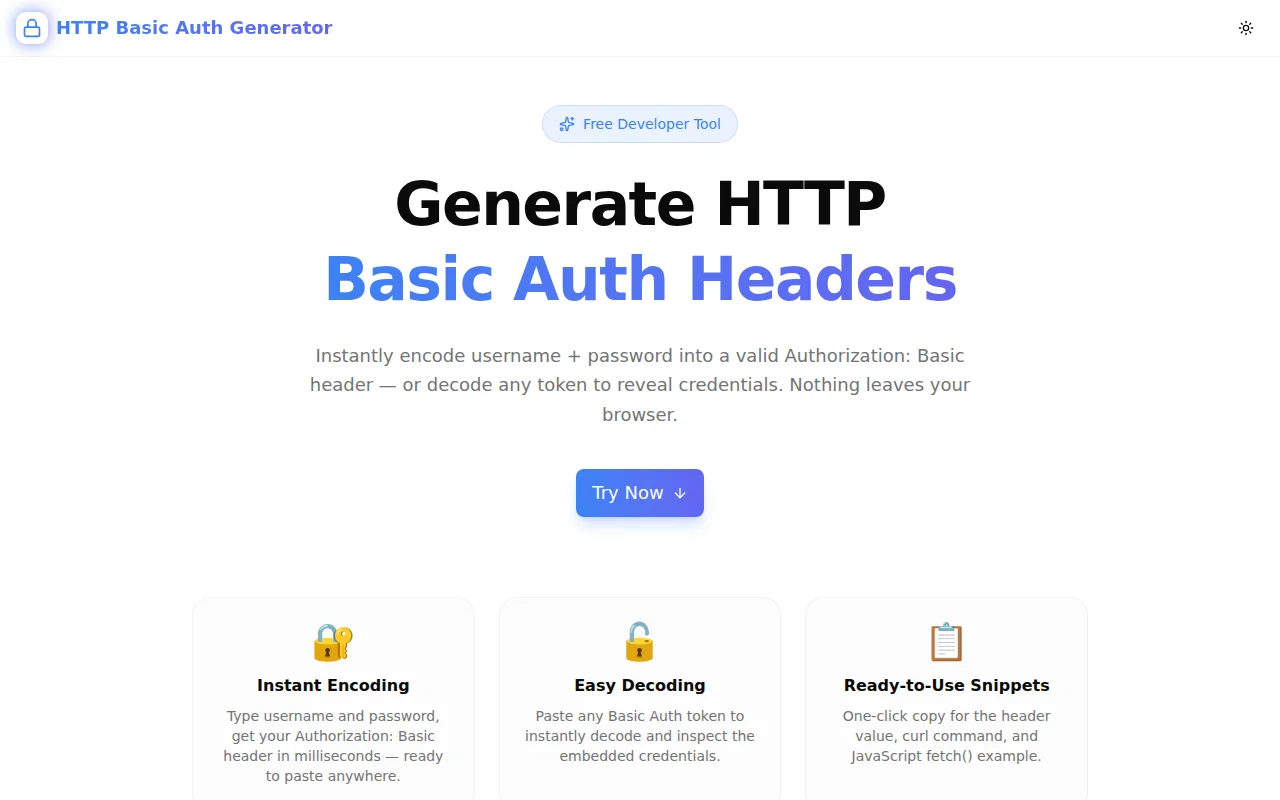
Developer ToolsFeatured
HTTP Basic Auth Generator
A free browser-based tool that encodes username and password into HTTP Basic Auth headers and decodes any token to reveal credentials — instantly, 100% client-side, no signup required.
HTTPAuthenticationSecurityAPIDeveloper ToolsNext.jsTypeScript
Start Similar ProjectAbout the Project
HTTP Basic Auth Generator — Encode & Decode Authorization Headers
HTTP Basic Auth Generator is a free, browser-based developer tool that encodes a username and password into a valid Authorization: Basic header — and decodes any existing token back to plaintext credentials. No server, no signup, nothing to install. Open it, paste your credentials, copy the header.
The Problem
HTTP Basic Authentication shows up constantly in API development: internal services, legacy endpoints, testing environments, and CI pipelines all use it. The header itself is a base64-encoded string — trivial to produce, but just tedious enough that developers end up reaching for echo -n "user:pass" | base64 in the terminal, looking up the format again, or mis-encoding by forgetting the colon separator.
On the decoding side, reviewing request logs or debugging authentication failures means base64-decoding a token to see what credentials are embedded. The steps are always the same — find a tool, paste the token, get the output — but there hasn't been a dedicated, clean tool just for this specific problem.
How It Works
Encode Tab
Type a username and password. The tool immediately outputs:
- Authorization Header — the full
Authorization: Basic <token>string, ready to paste into any HTTP client or API tester - Base64 Token — the raw encoded credential string, for cases where you need the token alone
- curl snippet — a complete
curl -H "Authorization: Basic ..."command to copy and run immediately - JavaScript fetch() snippet — a ready-to-paste
fetch()call with the Authorization header set
Everything updates in real time as you type — no "Generate" button to click.
Decode Tab
Paste any of the following:
- A raw base64 token (
YWRtaW46c2VjcmV0) - A full
Authorization: Basic YWRtaW4...header value - Just the value after
"Basic "— the tool strips any prefix automatically
Click Decode. The tool extracts the username and password and displays them separately, plus the combined username:password string with its own copy button.
Key Features
- Instant encoding — credentials to header with zero latency
- Flexible decoding — handles raw tokens, full headers, or partial values
- curl snippet — copy a working command without remembering the syntax
- fetch() snippet — paste directly into JavaScript/TypeScript without formatting
- Show/hide password toggle — paste without exposing credentials on shared screens
- One-click copy — every output field has its own copy button
- 100% client-side — btoa/atob in the browser, no server, no logs
- Dark mode support — follows system preference
Technical Implementation
Core Technologies
- Next.js 16 with App Router
- TypeScript in strict mode
- Tailwind CSS v4 with OKLCH brand tokens
- shadcn/ui components (Tabs, Input, Button)
- framer-motion for enter animations
- sonner for copy-success toasts
Architecture
All encoding and decoding uses the browser's built-in btoa() and atob() APIs. No external libraries, no async operations, no API routes. The encode output recomputes synchronously on each keystroke via React controlled state. The decode path normalises the input string — stripping Authorization: Basic or Basic prefixes using a regex match — before calling atob(), then splits on the first colon to separate username from password (which correctly handles passwords that contain colons).
Security Note in the UI
The tool includes a copy of the tool's password field with a show/hide toggle. Because Basic Auth tokens are trivially decoded, the tool surfaces a warning in the FAQ: always transmit Basic Auth headers over HTTPS, never over plain HTTP.
Use Cases
Testing APIs with Basic Auth
Many internal APIs, self-hosted services, and legacy endpoints use Basic Auth. Generate the header, paste it into Postman, Insomnia, HTTPie, or directly into a curl command for a test request.
CI/CD Pipeline Configuration
Environment variables and secrets in CI systems often need pre-encoded Basic Auth tokens. Generate the token once, store the value as a secret, and reference it in your pipeline config.
Debugging Authentication Failures
A service is returning 401. The request logs show an Authorization header. Decode it to verify the credentials match what was expected — is the username correct? Is there an extra space? Is the colon in the right place?
Reviewing Third-Party Integrations
An external service sends requests to your webhook with Basic Auth credentials. Decode the incoming token to confirm which credentials they configured and whether they match your expected values.
Developer Onboarding
New team members need to test a protected staging API. Share the tool URL and the credentials — they can generate the header themselves without CLI access or terminal knowledge.
Learning HTTP Authentication
The Basic Auth scheme is simple but worth understanding precisely. The generator makes the encoding step concrete: you can see exactly how username and password combine, where the colon goes, and what base64 looks like.
Why HTTP Basic Auth Generator?
vs. Terminal Commands
echo -n "user:pass" | base64This works on macOS/Linux, but the echo -n flag is not available on all systems, some shells add a trailing newline that corrupts the encoding, and the output needs to be manually wrapped in Authorization: Basic . A tool is faster and more reliable.
vs. General Base64 Encoders
Generic base64 tools encode correctly, but you still have to manually concatenate username:password, run the encode, then wrap the result in the Authorization: Basic format. The HTTP Basic Auth Generator does all three steps in one.
vs. Browser DevTools
DevTools can show decoded Basic Auth tokens in the Network tab (in some browsers), but only for requests the browser is making. For API clients, curl commands, and backend services, you need a standalone tool.
Results
HTTP Basic Auth Generator removes the friction from the most common HTTP authentication scheme:
- Zero commands to remember — no
echo -n, no pipe tobase64, no format lookup - Decode in one paste — stop opening hex editors or base64 tools to check an auth header
- Ready-to-use code — curl and fetch() snippets eliminate manual assembly
- Nothing stored — credentials stay in your browser, gone when you close the tab
Try it now: http-basic-auth-generator.tools.jagodana.com
The Challenge
The client needed a robust developer tools solution that could scale with their growing user base while maintaining a seamless user experience across all devices.
The Solution
We built a modern application using HTTP and Authentication, focusing on performance, accessibility, and a delightful user experience.
Project Details
Category
Developer Tools
Technologies
HTTP,Authentication,Security,API,Developer Tools,Next.js,TypeScript
Date
May 2026
Related Projects
More work in Developer Tools

