Back to Projects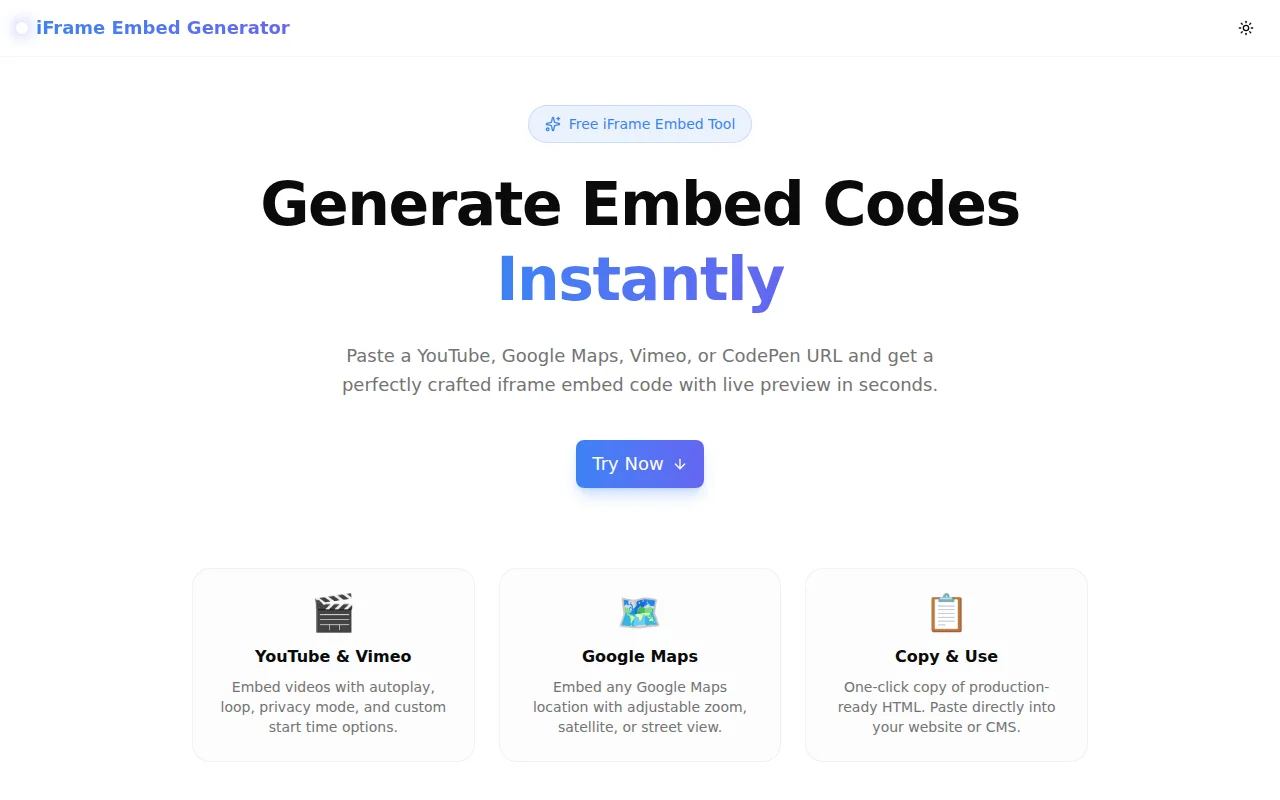
Developer ToolsFeatured
iFrame Embed Generator
A free, instant iframe embed code generator for YouTube, Google Maps, Vimeo, and CodePen — with live preview, responsive mode, and one-click copy. No login required.
EmbedYouTubeGoogle MapsVimeoCodePenHTMLDeveloper ToolsFrontendNext.jsTypeScript
Start Similar ProjectAbout the Project
iFrame Embed Generator — YouTube, Google Maps, Vimeo & CodePen
iFrame Embed Generator is a free, browser-based tool that produces clean, production-ready <iframe> embed codes for the platforms developers and content managers embed most often: YouTube, Google Maps, Vimeo, and CodePen. Paste a URL, adjust a few options, and copy the code. No account, no install, nothing to configure.
The Problem
Embedding content from external platforms should be a 30-second task. In practice it takes longer because:
- YouTube's embed URL format changes subtly depending on privacy mode, autoplay, start time, and loop behavior — combining them correctly from memory is error-prone.
- Google Maps requires navigating to the Share modal, clicking "Embed a map," adjusting size options, and copying HTML that includes a full
<iframe>with a long URL — a multi-step process just to get a basic map on a page. - Vimeo has its own parameter set (
muted,autoplay,loop,byline,portrait) and a different embed base URL structure that most developers look up every time. - Responsive iframes require a CSS wrapper pattern (
padding-bottom: 56.25%; position: relative;) that is widely known but easy to forget and tedious to write by hand each time. - CodePen embeds use data attributes on a
<p>tag plus an async script — a format that is almost never memorized.
The result is constant context-switching: stop what you're doing, search for the embed format, find the official docs or a Stack Overflow answer, copy the pattern, substitute your values, test it. iFrame Embed Generator collapses that into a single URL paste.
How It Works
Select a Platform
Four tabs — YouTube, Google Maps, Vimeo, CodePen — each tuned to the relevant options for that platform. No generic form that tries to handle everything and does it badly.
Paste the URL
Paste any standard share URL. The tool parses the video ID, map location, or pen slug automatically. It handles all common URL formats:
youtube.com/watch?v=...youtu.be/...youtube.com/shorts/...vimeo.com/123456789codepen.io/user/pen/slug- Google Maps share URLs from the Share modal
Customize Options
YouTube:
- Responsive mode (16:9 wrapper) or fixed width/height
- Autoplay (automatically enables mute, which browsers require)
- Loop, muted, hide controls
- Privacy-enhanced mode (
youtube-nocookie.com) - Custom start time in seconds
Google Maps:
- Responsive or fixed dimensions
- Map embed automatically generated from share URL
Vimeo:
- Responsive or fixed dimensions
- Autoplay, mute, loop
CodePen:
- Custom height
- Default tab selection (HTML+result, CSS+result, JS+result, result-only)
- Editable mode toggle
- Theme (default/dark)
Live Preview
For YouTube and Vimeo, the tool renders the actual embedded player directly in the page so you can verify it before copying. For Google Maps, the map loads in an inline preview frame. For CodePen, a direct link to the pen is shown since CodePen's embed script requires the actual <p> tag in the DOM to initialize.
Copy and Use
One click copies the complete, formatted HTML. The responsive wrapper includes inline styles so it works without adding CSS to your stylesheet. The fixed-size embeds include standard attributes (frameborder, allowfullscreen, loading="lazy", referrerpolicy) that are easy to forget and cause browser warnings when missing.
Key Features
- YouTube embed generator — all parameters handled correctly
- Google Maps embed generator — share URL → embed code in one step
- Vimeo embed generator — full option set
- CodePen embed generator — data-attribute format with async script
- Responsive wrapper — CSS 16:9 ratio wrapper included
- Live preview — see the embed before you copy it
- One-click copy — formatted HTML ready to paste
- Privacy-enhanced YouTube mode —
youtube-nocookie.comfor GDPR-conscious sites - Zero friction — no account, no API key, no install
- Fully client-side — no URLs or content sent to any server
Technical Implementation
Core Technologies
- Next.js 16 with App Router
- TypeScript in strict mode
- Tailwind CSS v4 with OKLCH color tokens
- shadcn/ui components
- Framer Motion for UI animations
- Lucide React for icons
- Sonner for toast notifications
URL Parsing Architecture
All URL parsing happens with regular expressions in the browser. No fetch calls, no server-side processing. The parser handles the full range of real-world URL variants from each platform:
function extractYouTubeId(url: string): string | null {
  const patterns = [
    /(?:youtube\.com\/watch\?v=|youtu\.be\/|youtube\.com\/embed\/)([A-Za-z0-9_-]{11})/,
    /youtube\.com\/shorts\/([A-Za-z0-9_-]{11})/,
  ];
  for (const p of patterns) {
    const m = url.match(p);
    if (m) return m[1];
  }
  return null;
}
Embed Code Generation
Each platform has a dedicated builder function that accepts the parsed ID and a typed options object. The builder handles parameter construction, URL encoding, and HTML formatting:
function buildYouTubeEmbed(id: string, opts: YouTubeOptions): string {
  const base = opts.privacy
    ? "https://www.youtube-nocookie.com"
    : "https://www.youtube.com";
  const params = new URLSearchParams();
  if (opts.autoplay) { params.set("autoplay", "1"); params.set("mute", "1"); }
  if (opts.loop) { params.set("loop", "1"); params.set("playlist", id); }
  // ...
}
Responsive Wrapper Pattern
The responsive 16:9 wrapper uses the padding-bottom percentage trick:
<div style="position:relative;padding-bottom:56.25%;height:0;overflow:hidden;">
  <iframe
    src="..."
    style="position:absolute;top:0;left:0;width:100%;height:100%;"
    ...
  ></iframe>
</div>
This approach works without any external CSS, which is important for CMS embeds where you cannot control the stylesheet.
Use Cases
Content Management
Blog platforms, CMS editors (Notion, WordPress, Webflow, Framer), and marketing site builders frequently need embed codes. The generator removes the context-switch to YouTube's share modal or Google's embed documentation.
Developer Prototyping
When scaffolding a landing page, portfolio, or demo environment, embed codes are boilerplate. Having a single tool that handles all major platforms eliminates repeated lookups.
Marketing Teams
Non-developers who manage websites need embed codes regularly but rarely memorize the correct iframe syntax. The generator provides the correct code without requiring technical knowledge of iframe attributes or URL parameters.
GDPR-Conscious Sites
Sites that need to limit third-party cookies before user consent can use YouTube's privacy-enhanced mode (youtube-nocookie.com). The toggle makes switching to the privacy-safe URL a one-click operation instead of a manual URL substitution.
Responsive Web Projects
The built-in responsive wrapper eliminates the step of wrapping every video embed in a CSS ratio box manually. For teams building mobile-first sites, this saves a significant amount of repetitive work.
Why iFrame Embed Generator?
vs. Copy-Pasting from YouTube's Share Modal
YouTube's share modal only gives you a basic <iframe> with no options. Getting autoplay, loop, start time, privacy mode, or a responsive wrapper requires editing the URL and adding CSS manually — things most people Google every time.
vs. Manual Embed Code
Writing embed code by hand means remembering correct attribute names (referrerpolicy, allowfullscreen, loading="lazy"), correct parameter names (playlist for YouTube loop), and correct base URLs (privacy mode uses youtube-nocookie.com). The generator produces verified code with all attributes correct.
vs. CMS Embed Plugins
Platform-specific plugins only work in one CMS. The generator produces plain HTML that works anywhere an iframe is allowed.
Try it now: iframe-embed-generator.tools.jagodana.com
The Challenge
The client needed a robust developer tools solution that could scale with their growing user base while maintaining a seamless user experience across all devices.
The Solution
We built a modern application using Embed and YouTube, focusing on performance, accessibility, and a delightful user experience.
Project Details
Category
Developer Tools
Technologies
Embed,YouTube,Google Maps,Vimeo,CodePen,HTML,Developer Tools,Frontend,Next.js,TypeScript
Date
May 2026
Related Projects
More work in Developer Tools

