Back to Projects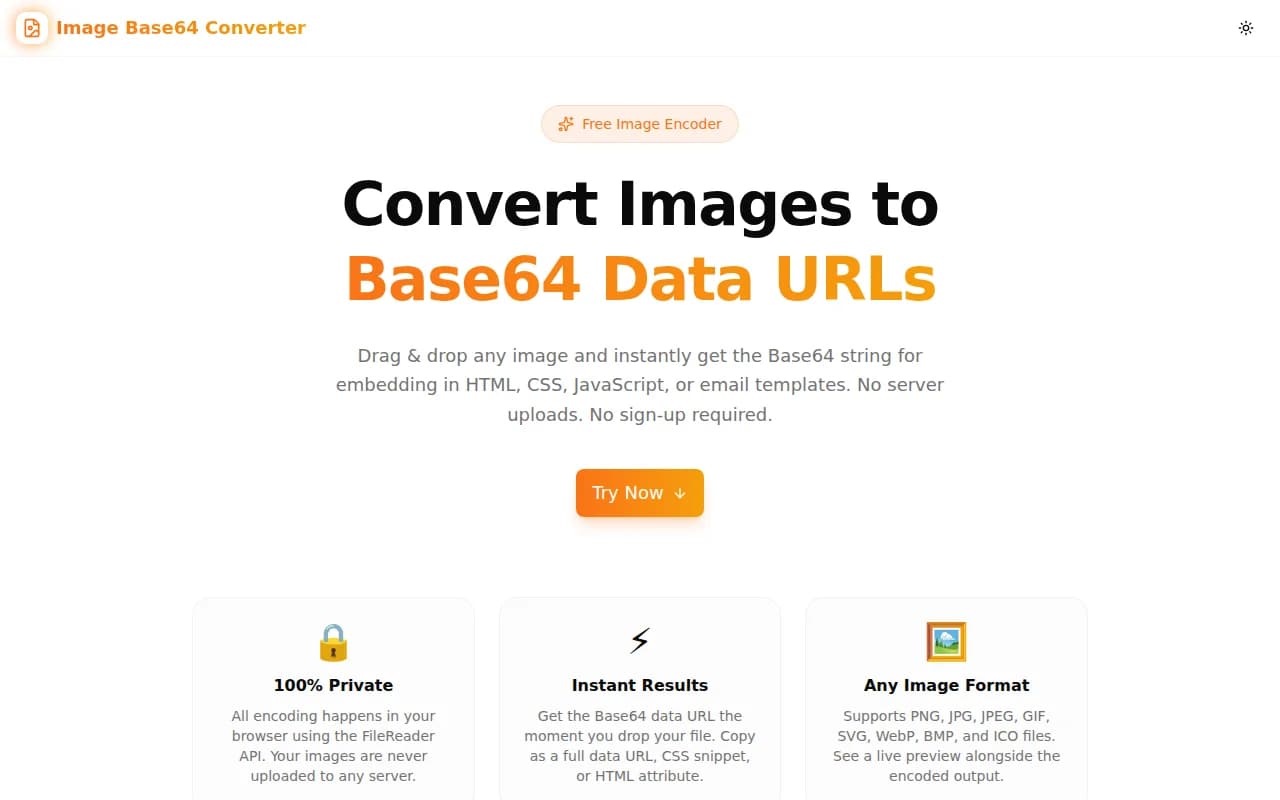
Developer ToolsFeatured
Image Base64 Converter
A free browser-based tool that converts any image (PNG, JPG, GIF, SVG, WebP) to a Base64 data URL instantly. Copy the output as a full data URL, raw Base64 string, CSS background-image snippet, or HTML img tag — no server uploads, no account required.
Base64Image EncodingCSSHTMLDeveloper ToolsFrontendNext.jsTypeScript
Start Similar ProjectAbout the Project
Image Base64 Converter — Encode Any Image to a Data URL Instantly
Image Base64 Converter is a free, browser-based tool that converts any image file into a Base64-encoded data URL in one step. Drag and drop your PNG, JPG, GIF, SVG, or WebP file, then copy the output in the format you actually need — full data URL, raw Base64 string, CSS background-image declaration, or an HTML <img> tag. Nothing leaves your browser.
The Problem
Embedding an image directly in HTML, CSS, or JavaScript eliminates an HTTP request and simplifies deployment. But converting an image to Base64 manually is tedious:
base64 -i logo.png | tr -d '\n'You have to open a terminal, run a command, strip newlines, prepend the MIME type prefix, wrap it in the right syntax for your context (CSS vs. HTML vs. JS), and remember to quote correctly. If you're writing an email template or a single-file HTML document, this small task burns more time than it should.
Online alternatives exist but they upload your file to a remote server — which is a non-starter for anything sensitive.
How It Works
1. Drag & Drop or Click to Upload
Drop any image file onto the upload area or click "Choose Image" to browse. The tool accepts PNG, JPG/JPEG, GIF, SVG, WebP, BMP, and ICO files. No size limit is imposed by the tool itself — browser memory is the only constraint.
2. Instant Client-Side Encoding
As soon as you select a file, the browser's FileReader.readAsDataURL() converts the binary image data to a Base64-encoded string and prepends the correct MIME type (data:image/png;base64,, data:image/svg+xml;base64,, etc.). The encoding happens entirely in memory — no network request is made.
3. Four Output Formats, One Click Each
| Format | What you get |
|--------|-------------|
| Data URL | data:image/png;base64,iVBORw0KGg... |
| Base64 string | iVBORw0KGg... (no prefix) |
| CSS snippet | background-image: url("data:image/png;base64,..."); |
| HTML tag | <img src="data:image/png;base64,..." alt="filename" /> |
Click the Copy button next to any format and it lands on your clipboard immediately.
4. File Size Comparison
The tool shows the original file size alongside the encoded size so you can see the ~33% overhead before committing. A warning appears for images over 10 KB to remind you that large Base64 payloads increase your HTML or CSS file size meaningfully.
5. Image Preview
A live preview of the uploaded image is shown in the result panel, rendered against a checkerboard background that makes transparency visible. This confirms the tool read the file correctly and that the encoding produces the expected image.
Key Features
- 100% client-side — files are encoded locally; nothing is uploaded to any server
- Drag & drop upload — no file browser required
- Four copy targets — data URL, Base64, CSS, HTML
- Supports all major formats — PNG, JPG, GIF, SVG, WebP, BMP, ICO
- Live image preview — verify the output visually before copying
- File size comparison — original vs. encoded with overhead percentage
- Large-file warning — prompts you to consider external URLs for files over 10 KB
- No signup required — open, drop, copy, done
Technical Implementation
Core Technologies
- Next.js with App Router
- TypeScript in strict mode
- Tailwind CSS v4 with OKLCH color tokens
- shadcn/ui component library (new-york style)
- framer-motion for animated state transitions
- sonner for toast notifications
Architecture
The tool is implemented as a single client component (image-base64-converter-tool.tsx) with no external dependencies beyond the framework. Key implementation details:
FileReader.readAsDataURL()— the browser's native Base64 encoder; outputs the correct MIME type prefix automatically- Clipboard API —
navigator.clipboard.writeText()for one-click copying; the Base64 string for the HTML and CSS outputs is assembled from the data URL by splitting on the comma separator - Drag events —
onDragOver,onDragLeave, andonDrophandle the drag-and-drop interaction with visual feedback - AnimatePresence — framer-motion transitions between the upload state and the result state without layout shift
- GA4 event tracking —
ToolEvents.fileUploaded()andToolEvents.resultCopied()fire on the key user actions
Use Cases
CSS Inline Images
Small icons, loading spinners, decorative patterns, and custom radio button graphics can be embedded directly in your stylesheet:
.logo {
  background-image: url("data:image/svg+xml;base64,PHN2ZyB4bWxucz...");
}
This eliminates the HTTP request for the image file, which is useful in design systems where you want components to be self-contained.
Email Templates
Email clients notoriously block externally hosted images by default. Embedding images as Base64 data URLs ensures they display immediately without the user needing to click "Display images" — critical for hero banners, logos, and product images in transactional emails.
<img src="data:image/png;base64,iVBORw0KGg..." alt="Company logo" />Single-File HTML Documents
When building a single-file HTML report, offline documentation, or a shareable dashboard that must work without internet access, Base64-embedded images ensure the file is fully self-contained.
Design Handoffs
Developers sometimes receive individual assets from designers. Converting them to data URLs makes it easy to test them in a code sandbox (CodePen, StackBlitz) without setting up file hosting.
Favicons in HTML
Embedding a favicon as a Base64 data URL in the <head> means it loads in the same request as the HTML — one less render-blocking resource:
<link rel="icon" href="data:image/svg+xml;base64,PHN2ZyB4bWxucz..." />Why Image Base64 Converter?
vs. Command-Line Tools
- No terminal required — works for designers, content authors, and anyone who doesn't live in a shell
- Correct MIME type — the data URL prefix is set automatically; no need to look up MIME types
- Multiple output formats — ready-to-paste CSS, HTML, or raw Base64 with one click
vs. Other Online Converters
- No uploads — your files stay in your browser; no privacy risk
- No ads or account walls — the tool works immediately without friction
- Four copy formats — not just a text area you have to manually format
vs. Build Tool Plugins
- Zero config — no webpack loader or Vite plugin to install and configure
- Works anywhere — useful even in projects where you have the build plugin but want to test a single asset quickly
Results
Image Base64 Converter removes the friction from Base64 encoding:
- Zero terminal — no command to remember, no output to clean up
- Privacy-safe — files never leave your device
- Format-ready output — copy directly into HTML, CSS, or JavaScript without reformatting
- Instant feedback — image preview confirms the encoding is correct before you commit it to your codebase
Try it now: image-base64-converter.tools.jagodana.com
The Challenge
The client needed a robust developer tools solution that could scale with their growing user base while maintaining a seamless user experience across all devices.
The Solution
We built a modern application using Base64 and Image Encoding, focusing on performance, accessibility, and a delightful user experience.
Project Details
Category
Developer Tools
Technologies
Base64,Image Encoding,CSS,HTML,Developer Tools,Frontend,Next.js,TypeScript
Date
July 2026
Related Projects
More work in Developer Tools

