Back to Projects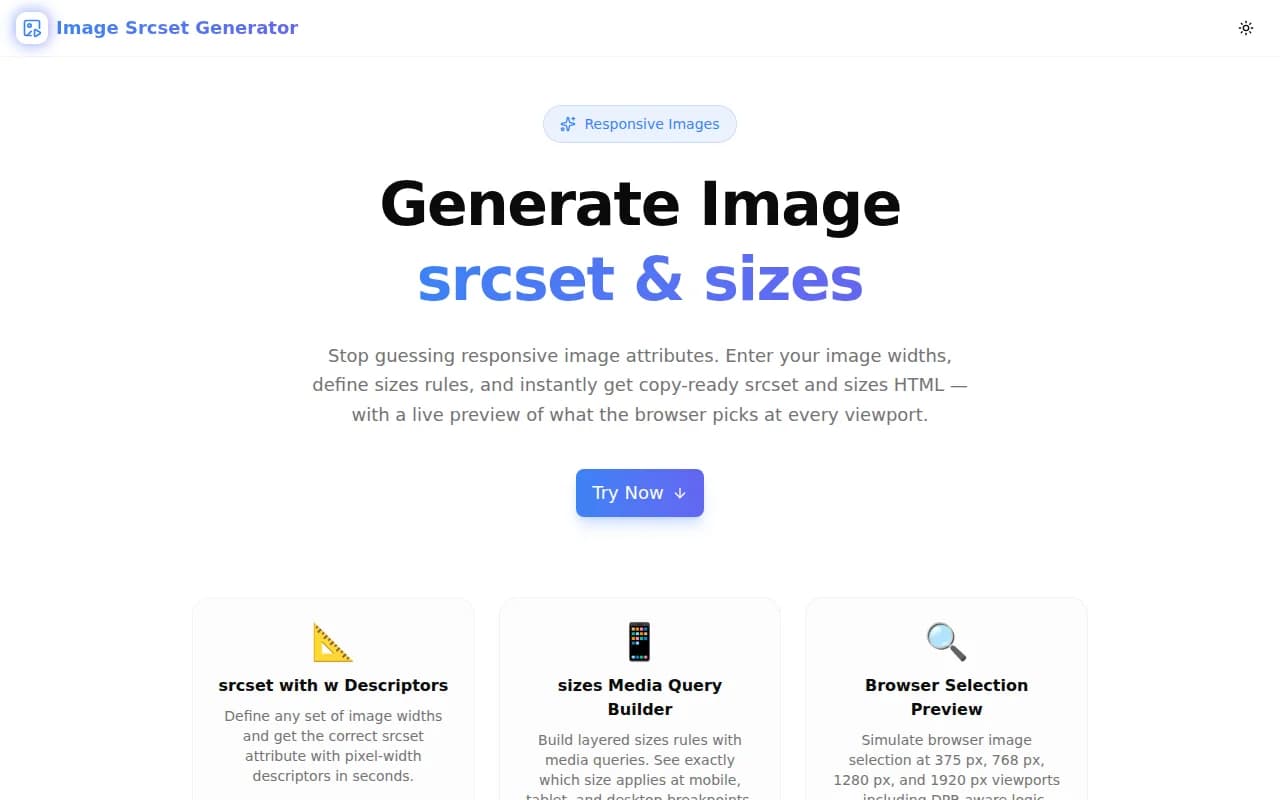
Developer ToolsFeatured
Image Srcset Generator
A free browser-based tool that generates responsive image srcset and sizes attributes instantly. Define image widths, configure sizes rules, preview browser image selection at every viewport, and copy a production-ready img tag — all client-side.
Responsive ImagesHTMLPerformanceCore Web VitalsFrontendNext.jsTypeScript
Start Similar ProjectAbout the Project
Image Srcset Generator — Responsive Images Made Easy
Image Srcset Generator is a free, browser-based tool that produces correct srcset and sizes HTML attributes from the image widths and sizing rules you define. Enter your breakpoints, configure how wide the image renders at each viewport size, and get a production-ready <img> tag in seconds — with a live preview showing exactly which image width the browser will pick at 375 px, 768 px, 1280 px, and 1920 px.
The Problem
Responsive images improve performance and Core Web Vitals (Largest Contentful Paint), but the syntax for srcset and sizes is easy to get wrong — and the browser's selection algorithm is unintuitive until you've debugged it a few times.
<!-- What does the browser actually download here? -->
<img
  src="/images/hero-320w.webp"
  srcset="/images/hero-320w.webp 320w,
          /images/hero-640w.webp 640w,
          /images/hero-1024w.webp 1024w,
          /images/hero-1920w.webp 1920w"
  sizes="(max-width: 640px) 100vw, (max-width: 1024px) 50vw, 33vw"
  alt="Hero image"
/>
Without a tool:
- You write the
srcsetby hand, often missing widths or using the wrong format - You guess at
sizesvalues without knowing what the browser will actually choose - You have no preview of the selection logic at different viewports
- Mistakes ship to production and cause LCP regressions
How It Works
1. Define Image Widths
Add the pixel widths of every image variant you will serve — for example, 320, 640, 768, 1024, 1280, 1920. These become the w descriptors in the srcset attribute. The generator builds the attribute automatically, combining your base URL, widths, and chosen file extension.
2. Set the Base URL and Format
Enter the base path of your image files (e.g., /images/hero) and choose the format: .webp, .avif, .jpg, or .png. The generator appends the width before the extension — /images/hero-1024w.webp — following the most common naming convention.
3. Configure Sizes Rules
Build the sizes attribute as a stack of media-query/width pairs. Each rule consists of:
- A CSS media query (e.g.,
(max-width: 640px)) - The image's rendered width at that breakpoint (e.g.,
100vw,50vw,300px)
Rules are evaluated top to bottom, and the last entry without a media query is the default fallback. The tool enforces this ordering automatically.
4. Preview Browser Selection
A four-panel preview shows which image width the browser would download at common viewport sizes — 375 px (mobile), 768 px (tablet), 1280 px (desktop), 1920 px (large desktop). The simulation applies the same selection logic browsers use: evaluate sizes to get the required width in CSS pixels, then find the smallest srcset entry large enough to fill that space.
5. Copy the Output
Three copy buttons let you grab:
- Just the
srcsetattribute value - Just the
sizesattribute value - The complete
<img>tag with both attributes, a fallbacksrc,loading="lazy", anddecoding="async"
Key Features
- srcset w-descriptor generation — lists all your image widths in the correct format
- Sizes rule builder — add, remove, and reorder media-query/width pairs
- Viewport selection preview — simulate browser image selection at 375 px, 768 px, 1280 px, 1920 px
- Multi-format support — WebP, AVIF, JPG, PNG
- Copy individual outputs — grab srcset, sizes, or the full img tag separately
- Alt text input — included in the generated img tag
- Fully client-side — nothing leaves your browser
- No signup required — open, configure, copy, done
Technical Implementation
Core Technologies
- Next.js 16 with App Router
- TypeScript in strict mode
- Tailwind CSS v4 with OKLCH color tokens
- shadcn/ui components
- framer-motion for animations
- Client-side rendering — zero external API dependencies
Selection Algorithm
The browser selection preview implements the WHATWG sizes/srcset parsing algorithm in TypeScript:
- Parse each sizes rule's media query against the simulated viewport width
- Find the first matching rule; extract its width descriptor
- Convert vw values to absolute pixels (
vwPct / 100 * viewportWidth) - Find the smallest srcset entry whose width descriptor ≥ required CSS pixels
This matches real browser behavior (ignoring DPR for clarity), giving accurate previews without any network requests.
Use Cases
Frontend Developers
You know you need responsive images for performance. You have the image variants. You just need the attributes generated correctly without going back to MDN every time you set up a new img element.
Performance Engineers
You're auditing a site's LCP and find oversized images being downloaded on mobile. Use the tool to calculate correct sizes values for each image component and verify the selection logic is right before shipping fixes.
Designers Doing Code Review
A design system component specifies that a hero image should be 100vw on mobile, 60vw on tablet, and 40vw on desktop. You can verify the developer's srcset/sizes attributes match that spec in seconds.
Next.js / React Developers
Next.js <Image /> handles srcset automatically, but custom <img> elements — in email templates, MDX content, or third-party embeds — still need manual srcset/sizes. This tool fills that gap.
Content Management Systems
When authoring CMS content with custom image components, use the generator to produce the srcset markup for each image block rather than hand-writing it.
Why Image Srcset Generator?
vs. Writing by Hand
- No syntax errors — correct
wdescriptor format every time - No guessing at sizes — preview confirms the browser's selection before you ship
- Faster iteration — change a breakpoint and see the effect immediately
vs. MDN Reference + Manual Construction
- Interactive — you configure, the generator produces output
- Live preview — no mental simulation of the selection algorithm required
- Complete output — copy the full img tag, not just the attribute
vs. CDN Image Optimization APIs
- No CDN dependency — works with any image hosting, including self-hosted
- No account or API key — open the URL, generate, copy
- Understanding first — teaches you how srcset and sizes work while you use it
Results
Image Srcset Generator removes the friction from responsive image implementation:
- Zero syntax errors — generated attributes follow the spec exactly
- Selection confidence — viewport preview confirms browser behavior before deploy
- Faster workflow — from image variants to complete img tag in under a minute
- Better Core Web Vitals — correct srcset/sizes means browsers download the right image size, reducing LCP
Try it now: image-srcset-generator.tools.jagodana.com
The Challenge
The client needed a robust developer tools solution that could scale with their growing user base while maintaining a seamless user experience across all devices.
The Solution
We built a modern application using Responsive Images and HTML, focusing on performance, accessibility, and a delightful user experience.
Project Details
Category
Developer Tools
Technologies
Responsive Images,HTML,Performance,Core Web Vitals,Frontend,Next.js,TypeScript
Date
June 2026
Related Projects
More work in Developer Tools

