Back to Projects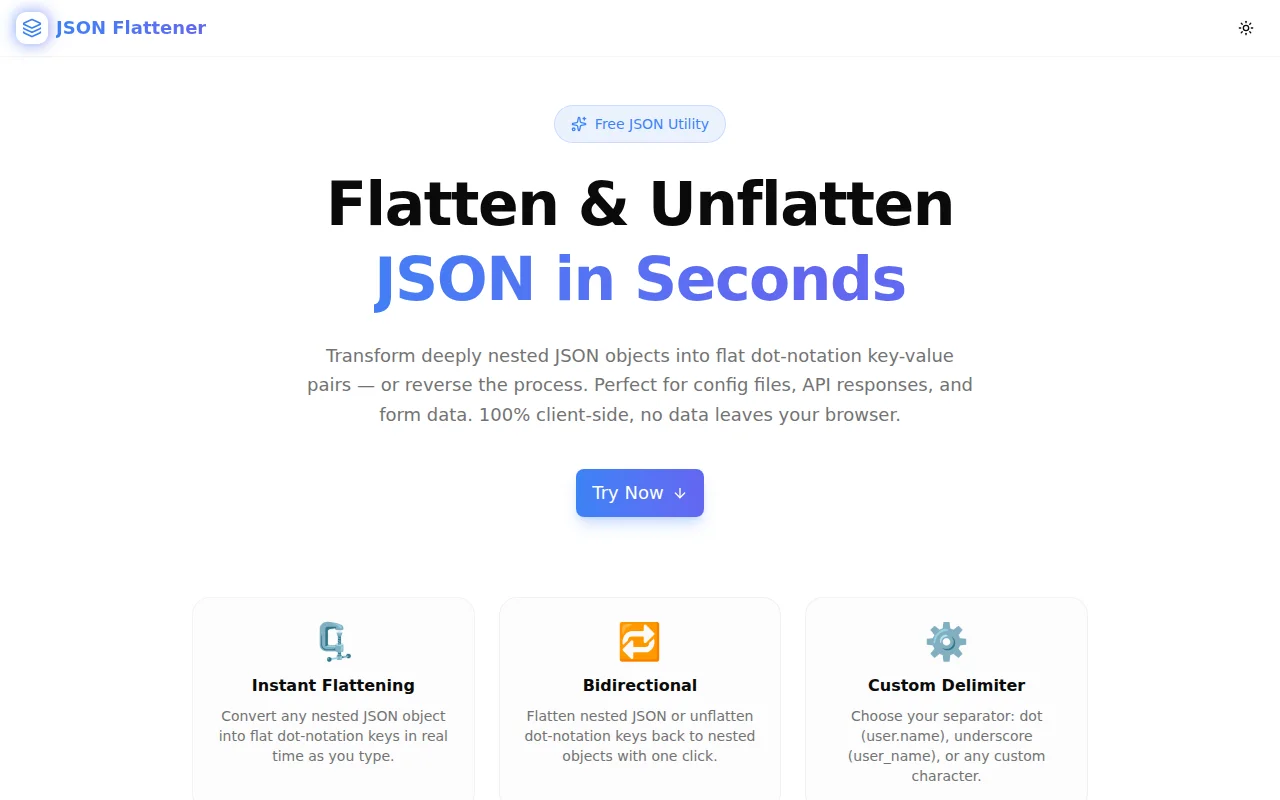
Developer ToolsFeatured
JSON Flattener
A free browser-based tool that instantly flattens deeply nested JSON into dot-notation key-value pairs and unflattens them back — with custom delimiter support and one-click copy.
JSONDeveloper ToolsJavaScriptTypeScriptFrontendNext.js
Start Similar ProjectAbout the Project
JSON Flattener — Flatten & Unflatten Nested JSON Online
JSON Flattener is a free, browser-based tool that converts deeply nested JSON objects into flat dot-notation key-value pairs — and back again. Paste your JSON, choose flatten or unflatten, pick a delimiter, and copy the output. No login, no API calls, no data leaves your browser.
The Problem
Nested JSON is excellent for representing hierarchical data. It is terrible when you need to:
- Store JSON in a flat database column
- Compare two JSON blobs key by key
- Map form input field names to API body fields
- Debug environment variable naming in config systems
- Pass nested config as URL query parameters
In all of these cases, the structure that makes nested JSON readable becomes the structure that makes it unusable. You need the data flat. And flattening it by hand — especially across five or six levels of nesting — is error-prone and slow.
The reverse problem also occurs. A flat configuration file with keys like database.host, database.port, and database.name needs to be reconstructed into a proper nested object before being passed to an SDK or framework. Writing that transformation by hand is tedious boilerplate.
How It Works
Flatten Mode
Paste any nested JSON object into the left panel. The tool recursively walks every key and constructs a flat representation where the full path to each value becomes the key.
{
  "user": {
    "name": "Alice",
    "address": {
      "city": "London",
      "zip": "EC1A 1BB"
    },
    "tags": ["admin", "developer"]
  }
}
Becomes:
{
  "user.name": "Alice",
  "user.address.city": "London",
  "user.address.zip": "EC1A 1BB",
  "user.tags[0]": "admin",
  "user.tags[1]": "developer"
}
Arrays are handled with bracket-index notation ([0], [1]) to keep array indices unambiguous and fully reconstructable.
Unflatten Mode
Switch to Unflatten and paste a flat dot-notation object. The tool splits each key on the delimiter and reconstructs the nested structure.
{
  "config.db.host": "localhost",
  "config.db.port": 5432,
  "config.cache.ttl": 3600
}
Becomes:
{
  "config": {
    "db": {
      "host": "localhost",
      "port": 5432
    },
    "cache": {
      "ttl": 3600
    }
  }
}
Custom Delimiter
The default delimiter is a dot (.), but you can switch to:
- Underscore (
user_address_city) — common in environment variable naming conventions - Slash (
user/address/city) — used in some config and path-based systems - Arrow (
user->address->city) — useful when keys themselves contain dots
Output Stats
Below the output panel, the tool shows the number of keys in the result and the output byte size — useful for quickly checking that all expected keys are present.
Key Features
- Instant flattening — real-time output as you type
- Bidirectional — flatten nested JSON or unflatten dot-notation keys
- Array support — bracket-index notation preserves arrays through the round-trip
- Custom delimiter — dot, underscore, slash, arrow, or any character
- One-click copy — clipboard integration with confirmation toast
- Output stats — key count and byte size at a glance
- 100% client-side — your JSON never leaves your browser
- No signup required — open the URL and start working
Technical Implementation
Core Technologies
- Next.js with App Router
- TypeScript in strict mode
- Tailwind CSS v4 for styling
- shadcn/ui component library
- framer-motion for animations
- sonner for toast notifications
Flattening Algorithm
The flattener is a recursive function that walks any JSON value:
- Primitives (string, number, boolean, null) — stored at the current key path
- Objects — recursively descended, prefixing child keys with the current path and delimiter
- Arrays — recursively descended with bracket-indexed keys (
[0],[1], ...) - Empty objects/arrays — stored as-is to preserve structure information
The unflattener splits each flat key on the delimiter and builds up the nested object level by level.
Architecture Decisions
Stateless processing — each keystroke re-derives the output from the current input. No intermediate state. The transformation is pure and deterministic.
Error isolation — invalid JSON is caught at the parse step and shown as an inline error below the input panel. The output panel stays clean rather than showing a partial or garbled result.
Delimiter-agnostic round-trip — the same delimiter used to flatten is used to unflatten. The tool makes the currently-selected delimiter visually prominent so there's no ambiguity when round-tripping.
Use Cases
Environment Variable Mapping
Many applications load configuration from flat environment variables and map them into nested config objects. A DATABASE__HOST or database.host convention is common. JSON Flattener lets you paste a nested config object and immediately see the flat key names you need to define in .env.
MongoDB and Document DB Queries
MongoDB uses dot-notation for querying nested fields: db.users.find({"address.city": "London"}). JSON Flattener converts a sample document into flat dot-notation, giving you the exact query paths you need without manually tracing the nested structure.
Form Data to API Payload
HTML form inputs often use dot-notation field names (user.name, user.address.city) to represent nested data. JSON Flattener lets you unflatten these into a proper nested object for API submission.
Config File Debugging
When a config file parsed from TOML, YAML, or INI ends up as a flat key-value store, comparing it to an expected nested structure requires seeing both formats. Flatten the expected structure and compare key-by-key.
API Response Inspection
Large API responses with deep nesting are hard to scan. Flatten the response to see all leaf-level values in a flat list — useful for quickly finding a specific value buried inside a complex nested object.
Data Migration and ETL
When moving data between systems with different schema conventions, flattening a nested document before writing it to a flat table — or unflattening flat rows before inserting them into a document store — is a common transformation step.
Why JSON Flattener?
vs. Writing it yourself — implementing a correct recursive flattener that handles arrays, empty objects, null values, and custom delimiters takes 30–60 minutes. The tool is already built and in your browser.
vs. lodash _.flattenDepth — lodash flattens arrays, not objects. JSON object flattening to dot-notation is a different operation with different semantics.
vs. flat npm package — the npm package is correct and widely used. JSON Flattener gives you the same result through a browser UI, with no Node.js environment required, for the cases where you have a JSON blob and need the answer now.
The Challenge
The client needed a robust developer tools solution that could scale with their growing user base while maintaining a seamless user experience across all devices.
The Solution
We built a modern application using JSON and Developer Tools, focusing on performance, accessibility, and a delightful user experience.
Project Details
Category
Developer Tools
Technologies
JSON,Developer Tools,JavaScript,TypeScript,Frontend,Next.js
Date
June 2026
Related Projects
More work in Developer Tools

