Back to Projects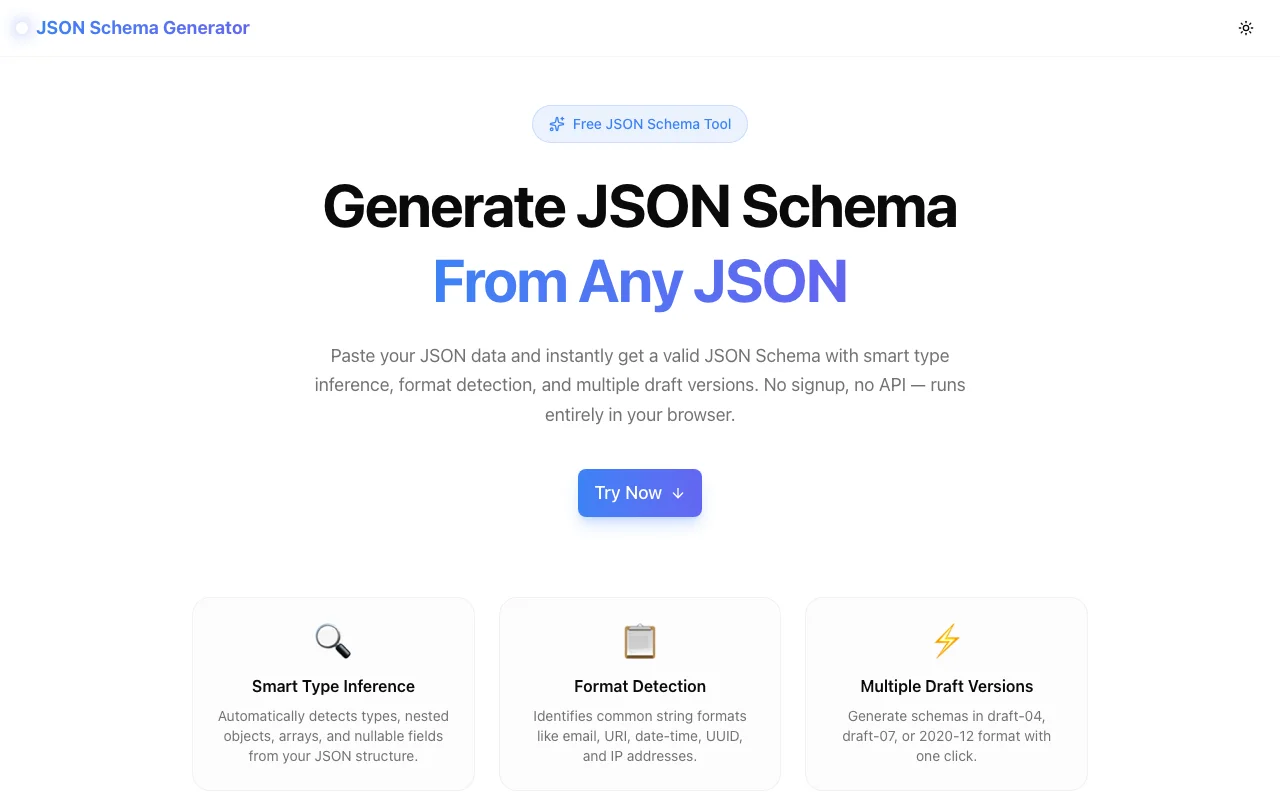
Developer Tools
JSON Schema Generator
Instantly convert any JSON object into a valid JSON Schema. Paste your JSON, get a Draft 4/6/7/2019/2020 schema in one click — no sign-up, 100% client-side.
JSON SchemaJSONOpenAPIValidationAPI DevelopmentDeveloper ToolsTypeScript
Start Similar ProjectAbout the Project
JSON Schema Generator — Instant JSON to Schema Converter
JSON Schema Generator is a free developer tool that converts any JSON object into a valid JSON Schema in seconds. Paste your JSON, choose a draft version, and get a production-ready schema you can use for API validation, documentation, and code generation.
The Problem with Writing JSON Schemas by Hand
JSON Schema is the backbone of modern API validation — OpenAPI specs, form validators, database connectors, and code generators all depend on it. But writing schemas by hand is painful:
- Tedious to write — large payloads have dozens of nested fields
- Easy to get wrong — a single missed
"type"breaks validation silently - Format-guessing — spotting
date-time,email, oruripatterns manually is error-prone - Draft confusion — Draft 4, 7, 2019-09, and 2020-12 all have subtle differences
Developers waste 30–60 minutes on what should be a 30-second task.
How It Works
1. Paste Your JSON
Drop any valid JSON into the input editor — an API response, a database record, a config file, or a sample payload. The tool validates it on the fly and highlights syntax errors.
2. Choose a Draft Version
Select your target JSON Schema draft:
- Draft 4 — maximum compatibility with legacy validators
- Draft 6 — adds
const,contains,propertyNames - Draft 7 — adds
if/then/else,readOnly,writeOnly - Draft 2019-09 — recursive references,
$defssupport - Draft 2020-12 — modern
prefixItems,unevaluatedItems
3. Configure Options
Toggle key generation settings before running:
- Required fields — mark all top-level and nested keys as required, or omit the
requiredarray - Format detection — auto-detect
date-time,email,uri,uuidpatterns from string values - Additional properties — set
additionalProperties: falseto produce strict schemas - Example values — include
examplesarrays from your input values
4. Copy Your Schema
The generated schema appears in the output panel with full syntax highlighting. One click copies the entire schema to your clipboard — ready to paste into your OpenAPI spec, validator config, or codebase.
Key Features
- Instant conversion — schema generates as you type, no button needed
- Five draft versions — Draft 4 through 2020-12
- Smart format detection — recognizes ISO dates, emails, URLs, UUIDs, IPv4/IPv6
- Required toggle — include or exclude
requiredarrays globally - Nested object support — deeply nested objects and arrays are fully handled
- Array schema inference — detects uniform vs. mixed-type arrays
- Copy to clipboard — one click, full schema
- Client-side only — your JSON never touches a server
- No sign-up — open the URL and start working
Technical Implementation
Core Technologies
- Next.js with App Router
- TypeScript in strict mode
- TailwindCSS for styling
- shadcn/ui for accessible components
- Monaco Editor for the code panels (same engine as VS Code)
Schema Inference Engine
The inference algorithm does a single-pass recursive traversal of the input:
- Type detection — maps JS primitives to JSON Schema types (
string,number,integer,boolean,null,object,array) - Format heuristics — applies regex patterns to string values (ISO 8601, RFC 5322 email, RFC 3986 URI, UUID v4)
- Array analysis — if all items share the same type, emits a typed
items; mixed-type arrays emitanyOf - Required extraction — collects all keys at each object level into a
requiredarray - Draft-specific output — swaps
$schemaURI and uses draft-appropriate keywords (definitionsvs.$defs)
Performance
- Sub-millisecond inference for typical API payloads (< 100 fields)
- Handles JSON files with thousands of keys without freezing the UI
- Monaco editor virtualization keeps the DOM lightweight for large schemas
Use Cases
OpenAPI / Swagger Specs
You have a sample API response and need to define its schema in your OpenAPI components/schemas section. Paste the example, copy the schema, done.
Request & Response Validation
Add runtime validation to your Node.js, Python, or Go API. Generate the schema from a sample payload, drop it into Ajv, Zod, Pydantic, or jsonschema, and validate every incoming request.
JSON Form Generation
Tools like react-jsonschema-form and Formio render UI forms from JSON Schema definitions. Use the generator to bootstrap the schema from your data model, then customize labels and UI hints.
Database & ORM Integration
Prisma, Mongoose, and TypeBox all accept JSON Schema-compatible type definitions. Start from a real data sample and generate a base schema to import or adapt.
Documentation
Auto-generate schema documentation for internal or external API consumers. Feed the schema into json-schema-to-markdown or ReDoc for instant docs.
Code Generation
JSON-to-TypeScript tools like quicktype and json-schema-to-typescript use JSON Schema as input. Generate the schema first, then pipe it into the code generator.
Why JSON Schema Generator?
vs. Writing by Hand
- Seconds instead of hours — let the tool handle the boilerplate
- No type mistakes — inference is exact; hand-writing isn't
- Format detection — finds date-time and email patterns you'd miss
- Draft migration — switch draft versions with a single dropdown
vs. quicktype (Code-First)
- Schema-first output — get the JSON Schema itself, not just TypeScript
- No install — browser-native, no npm, no CLI
- All drafts — quicktype targets Draft 4 only
- Format control — toggle format detection, required fields, and strict mode independently
vs. Browser Extensions
- No install — works in any browser, any OS
- Full UI — split-pane editor with syntax highlighting
- Draft selector — extensions typically lock to one draft
- Batch-friendly — paste, copy, paste again; no extension popups
Results
JSON Schema Generator removes the most friction-heavy step in API development:
- 30 seconds instead of 30 minutes — generate complete schemas from real data
- Zero schema bugs — computed types are always accurate
- Draft-agnostic — work with any validator, any platform
- Privacy guaranteed — sensitive payloads never leave your browser
Try it now: json-schema-generator.tools.jagodana.com
The Challenge
The client needed a robust developer tools solution that could scale with their growing user base while maintaining a seamless user experience across all devices.
The Solution
We built a modern application using JSON Schema and JSON, focusing on performance, accessibility, and a delightful user experience.
Project Details
Category
Developer Tools
Technologies
JSON Schema,JSON,OpenAPI,Validation,API Development,Developer Tools,TypeScript
Date
April 2026
Related Projects
More work in Developer Tools

