Back to Projects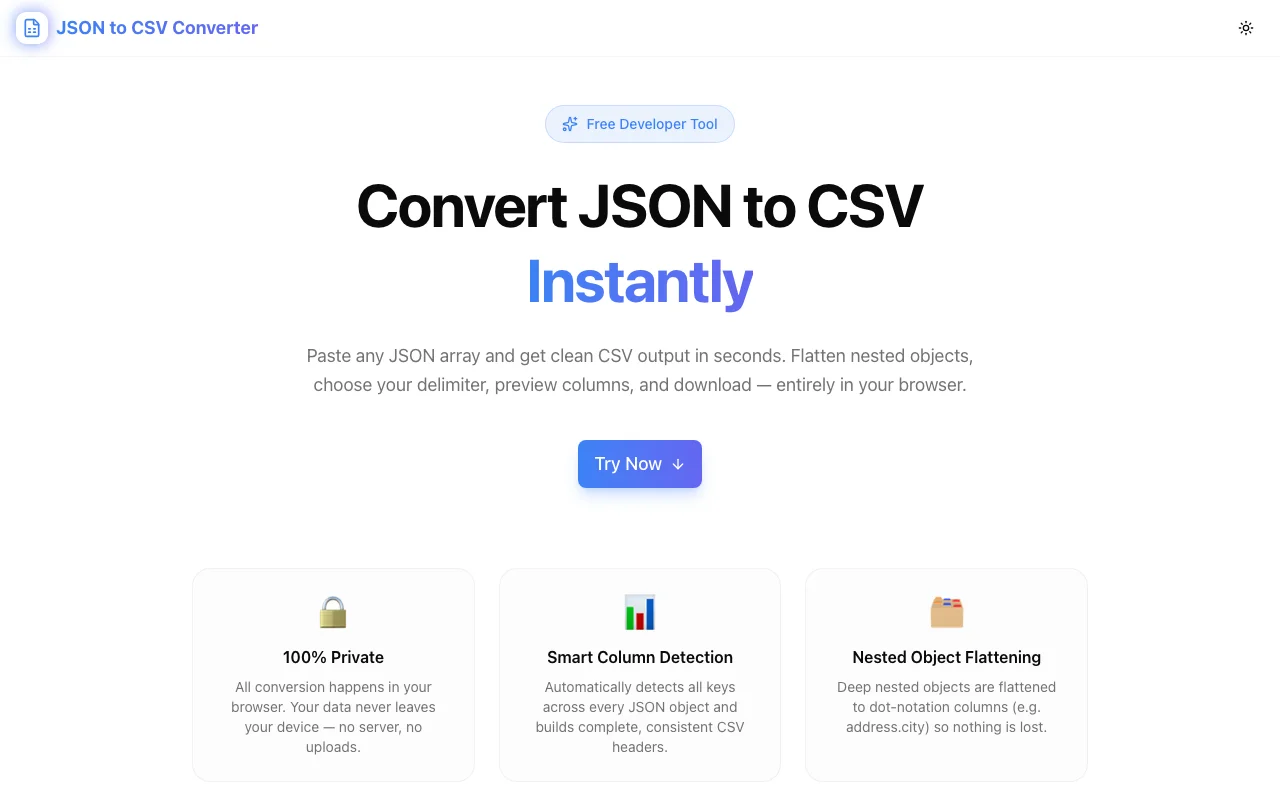
Developer ToolsFeatured
JSON to CSV Converter
A free, instant JSON-to-CSV converter that runs entirely in your browser. Paste any JSON array, auto-detect columns, flatten nested objects to dot-notation, choose your delimiter, preview output, and download — no upload, no account.
JSONCSVDeveloper ToolsDataNext.jsTypeScript
Start Similar ProjectAbout the Project
JSON to CSV Converter — Instant Browser-Side Conversion
JSON to CSV Converter is a free, privacy-first tool that converts any JSON array of objects to a clean CSV file in your browser. Paste JSON, see the CSV appear instantly, and download or copy — no signup, no upload, no data sent anywhere.
The Problem
Developers and data people hit this wall constantly: you have a JSON API response, a database export, or a downloaded JSON file, and you need it in a spreadsheet. Excel won't open JSON. Google Sheets won't either — not without a workaround. Even when a workaround exists, it destroys nested data.
The usual path is brittle:
- Open a generic converter site with ads and file upload limits
- Your nested objects come out as
[object Object] - You hand-write a script in Python or jq
- You run it once, lose it, and hand-write it again next month
The problem isn't parsing JSON — that's one line of JavaScript. The problem is the gap between "valid JSON" and "useful CSV": handling missing keys across objects, flattening nested data, picking a delimiter, and getting the output into a file you can hand to anyone.
How It Works
1. Paste JSON, See CSV Instantly
Paste any valid JSON array into the left panel. The right panel updates in real time — no button press, no wait. You see the CSV as you type, which means you can diagnose problems (nested objects not flattened, missing keys, wrong delimiter) while still in the input.
2. Smart Column Detection
The converter scans every object in the array and takes the union of all unique keys. If object 1 has id, name, email and object 2 has id, name, role, the output has four columns: id, name, email, role. Objects missing a key get an empty cell — the output is always a consistent rectangle, ready for any spreadsheet tool.
3. Nested Object Flattening
Deep nested objects are flattened to dot-notation column headers. A JSON object like:
{
  "user": {
    "name": "Alice",
    "address": {
      "city": "SF",
      "country": "USA"
    }
  }
}
becomes three columns: user.name, user.address.city, user.address.country. Arrays inside objects are joined as semicolon-separated strings. Alternatively, toggle to "Stringify" mode to keep nested objects as JSON strings in a single column — useful when the nested data is opaque and doesn't need to be inspected in the spreadsheet.
4. Delimiter Options
Switch between four delimiters:
- Comma — standard CSV, works with most tools
- Tab — TSV format, paste directly into Excel or Google Sheets without an import dialog
- Semicolon — standard in European locales where comma is the decimal separator
- Pipe — useful for data that contains commas in values
5. Download or Copy
- Download CSV saves
output.csvto disk, ready to open in any spreadsheet application - Copy CSV puts the full text on your clipboard, paste it anywhere
Key Features
- 100% client-side — JSON never leaves your browser; no upload, no server call
- Real-time preview — output updates as you type, no convert button
- Auto column union — handles objects with different keys gracefully
- Nested object flattening — dot-notation headers preserve full data structure
- Four delimiter options — comma, tab, semicolon, pipe
- Download & clipboard — export in one click
- Row & column count — see the output shape before downloading
- RFC 4180 compliant — values with delimiters, quotes, and newlines are properly escaped
Technical Implementation
Core Technologies
- Next.js 16 with App Router
- TypeScript in strict mode — full type safety, no
any - Tailwind CSS v4 with OKLCH color tokens
- Framer Motion for UI animations
- Browser-native APIs —
navigator.clipboard,URL.createObjectURL,Blob
Architecture
The converter is a pure client-side component with no external dependencies beyond the UI library:
function flattenObject(obj: Record<string, unknown>, prefix = ""): Record<string, string> {
  const result: Record<string, string> = {};
  for (const key in obj) {
    const fullKey = prefix ? `${prefix}.${key}` : key;
    const val = obj[key];
    if (val !== null && typeof val === "object" && !Array.isArray(val)) {
      Object.assign(result, flattenObject(val as Record<string, unknown>, fullKey));
    } else if (Array.isArray(val)) {
      result[fullKey] = val.join("; ");
    } else {
      result[fullKey] = val == null ? "" : String(val);
    }
  }
  return result;
}
Column union is built by scanning all flattened rows and collecting unique keys in insertion order. RFC 4180 escaping wraps values in double-quotes when they contain the delimiter, a quote character, or a newline — and doubles any internal quotes.
Use Cases
API Response Exploration
You're integrating a third-party API. The docs are sparse. Paste 20 rows of the actual response into the converter, get a CSV, open it in a spreadsheet, and explore the data shape in minutes — much faster than reading JSON in a text editor.
Database Export Processing
Export a MongoDB collection or a Supabase table as JSON. Convert it to CSV and hand it to a non-technical team member who lives in Excel. The flattening mode means embedded documents survive the translation as readable column headers.
Data Cleaning Preparation
Before loading data into a pipeline, drop it into the converter to verify the shape — column count, null handling, nested structure. The real-time preview makes it obvious when a field you expected to be a string is actually an array.
Analytics & Reporting
Webhook payloads, log exports, analytics API responses — all come out as JSON. Convert to CSV for pivot tables, BI tool import, or a quick stakeholder report without writing a single line of code.
One-off Data Tasks
You need this once, for five minutes, and you don't want to set up a Python environment. Open the tool, paste, download, done. No environment, no dependencies, no cleanup.
Why JSON to CSV Converter?
vs. Manual Python / jq
- Zero setup — no Python, pip, or virtual environments required
- Handles edge cases — missing keys, nested objects, nulls, and unicode handled automatically
- Faster for one-off tasks — 10 seconds vs. 5 minutes
vs. Generic Online Converters
- Private — your data never leaves your browser
- No ads or file size limits — paste gigabytes of JSON if you want
- Real-time preview — see problems before downloading
vs. Spreadsheet Import Dialogs
- No multi-step wizard — paste, preview, download in one screen
- Handles nesting — spreadsheet tools can't parse nested JSON
- Works with any tool — the output CSV is compatible with Excel, Google Sheets, Numbers, and every data tool that accepts CSV
Results
JSON to CSV Converter eliminates the gap between JSON data and spreadsheet-ready output:
- Zero guesswork — real-time preview shows the exact output before downloading
- Nested data preserved — dot-notation flattening keeps every value accessible
- Total privacy — your data is processed locally, never transmitted
- One tool, every workflow — API responses, database exports, analytics data, log files
Try it now: json-to-csv.tools.jagodana.com
The Challenge
The client needed a robust developer tools solution that could scale with their growing user base while maintaining a seamless user experience across all devices.
The Solution
We built a modern application using JSON and CSV, focusing on performance, accessibility, and a delightful user experience.
Project Details
Category
Developer Tools
Technologies
JSON,CSV,Developer Tools,Data,Next.js,TypeScript
Date
July 2026
Related Projects
More work in Developer Tools

