Back to Projects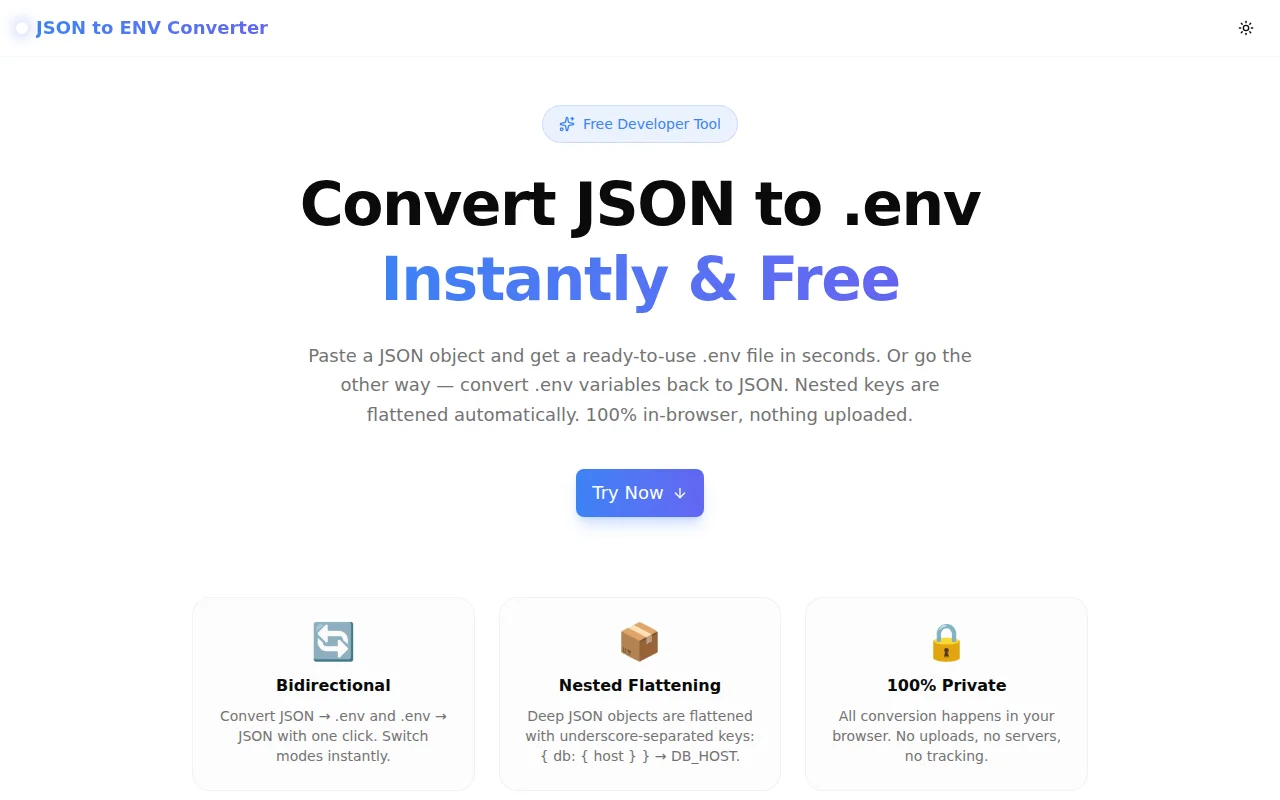
Developer ToolsFeatured
JSON to ENV Converter
A free, instant browser tool that converts JSON objects to .env file format and .env variables back to JSON. Supports nested key flattening with underscore-separated keys, smart quoting, copy to clipboard, and file download — no signup, no server.
JSONENVEnvironment VariablesDeveloper ToolsTypeScriptNext.js
Start Similar ProjectAbout the Project
JSON to ENV Converter — Convert JSON to .env and .env to JSON Free
JSON to ENV Converter is a free, browser-based tool that converts a JSON object into a ready-to-use .env file and back again. Paste JSON, click Convert, and copy or download your .env — all in under five seconds. No signup, no server, no data leaves your browser.
The Problem
Developers constantly move between config formats. A deployment tool expects .env. Your config is in a JSON file. Your CI pipeline outputs JSON secrets. Your local setup uses dotenv. The conversions are simple in principle — but tedious in practice.
Common scenarios where you need this:
- AWS Secrets Manager / Azure Key Vault outputs secrets as JSON — but your app reads
.env - Docker Compose
env_filerequires flatKEY=VALUElines — your config is nested JSON - GitHub Actions secrets are stored individually — you want to see them as a JSON object
- Sharing configs between microservices where some services use dotenv and others use JSON config files
- Debugging environment issues — comparing what your
.envsays vs. what your config object looks like at runtime
Writing a one-off conversion script every time is overhead. Pasting into a generic editor and manually reformatting is error-prone. This tool is the missing step between two formats every developer works with daily.
How It Works
JSON → .env Mode
Paste a JSON object — flat or nested — and the tool produces a .env file with one KEY=VALUE pair per environment variable.
Nested flattening: Deep JSON objects are flattened using underscore-separated uppercase keys:
{
  "database": {
    "host": "localhost",
    "port": 5432,
    "credentials": {
      "user": "admin",
      "password": "secret"
    }
  },
  "app": {
    "name": "My App",
    "debug": true
  }
}
Becomes:
DATABASE_HOST=localhost
DATABASE_PORT=5432
DATABASE_CREDENTIALS_USER=admin
DATABASE_CREDENTIALS_PASSWORD=secret
APP_NAME="My App"
APP_DEBUG=true
Smart quoting: Values containing spaces, hash symbols, or special characters are automatically wrapped in double quotes. Values that don't need quoting are left unquoted — matching what most dotenv parsers expect.
Array handling: JSON arrays are serialised as JSON strings so no data is lost and the value can be parsed back later.
.env → JSON Mode
Switch to .env → JSON mode, paste your environment file, and get a clean JSON object. Comment lines (starting with #) are ignored. Quoted values are unquoted automatically. The result is a flat JSON object with the original keys preserved.
Copy and Download
One click copies the output to clipboard. Another click downloads it as a .env or .json file, ready to drop into your project or CI pipeline.
Key Features
- Bidirectional — JSON → .env and .env → JSON with a single mode toggle
- Nested flattening — deep objects flatten to underscore-separated uppercase keys
- Smart quoting — values with spaces or special characters quoted automatically
- Array support — arrays serialised as JSON strings to preserve data
- Copy to clipboard — one click, confirmed with a check mark
- Download output — save as
.envor.jsondirectly from the browser - Load example — try the tool immediately with sample data
- 100% client-side — no uploads, no server, no tracking beyond GA page view
- Dark mode — respects system preference
Technical Implementation
Core Technologies
- Next.js 16 with App Router
- TypeScript in strict mode — all logic is fully typed
- Tailwind CSS v4 with brand color tokens
- shadcn/ui component system
- Sonner for toast notifications
- No external dependencies for the core conversion logic
Conversion Architecture
The JSON → .env converter is a pure recursive function that traverses the input object:
function flattenJson(
  obj: Record<string, unknown>,
  prefix = "",
  result: Record<string, string> = {}
): Record<string, string> {
  for (const key of Object.keys(obj)) {
    const envKey = prefix
      ? `${prefix}_${key.toUpperCase()}`
      : key.toUpperCase();
    const value = obj[key];
    if (value !== null && typeof value === "object" && !Array.isArray(value)) {
      flattenJson(value as Record<string, unknown>, envKey, result);
    } else if (Array.isArray(value)) {
      result[envKey] = JSON.stringify(value);
    } else {
      result[envKey] = String(value ?? "");
    }
  }
  return result;
}
The quoting logic matches dotenv parsing conventions:
function quoteIfNeeded(value: string): string {
  if (value === "") return '""';
  if (/[\s#"'\\$`]/.test(value)) {
    return `"${value.replace(/\\/g, "\\\\").replace(/"/g, '\\"')}"`;
  }
  return value;
}
The .env → JSON parser handles comment stripping, key/value splitting on the first =, and automatic unquoting of both single and double-quoted values.
Privacy
All conversion runs synchronously in the main browser thread. There are no async operations, no fetch calls, and no WebWorkers. Your JSON secrets and environment variables never leave your device.
Use Cases
DevOps and CI/CD
Copy secrets from your secrets manager (which outputs JSON) into your CI pipeline's .env format. Convert GitHub Actions secret exports back to JSON for review. Stop writing throwaway shell scripts for these conversions.
Local Development Setup
When onboarding a new team member, your README might include example environment variables as JSON. This tool converts them to a .env.local file in one step.
Docker and Container Configuration
Docker Compose env_file requires flat KEY=VALUE format. If your config lives in a JSON file (e.g., a shared config repo), convert it before mounting.
Debugging
When something is wrong with environment variables, being able to quickly convert between JSON and .env formats helps compare what different tools see. Paste your running config as JSON, convert to .env, and diff against your file on disk.
API and SDK Configuration
Many SDKs accept config via environment variables. If your config is managed as JSON objects (e.g., in Terraform outputs or CDK), this tool bridges the gap to .env-style SDK configuration.
Why JSON to ENV Converter?
vs. Writing a One-Off Script
Every developer has written some version of this:
import json, sys
for k, v in json.load(sys.stdin).items():
    print(f"{k.upper()}={v}")
That script doesn't handle nesting, doesn't quote values with spaces, and doesn't support arrays. This tool handles all of those cases and runs in the browser — no Python, no Node, no script to find next time you need it.
vs. Generic Text Editors
You could use find-and-replace in VS Code to convert formats. But regex for nested JSON flattening and proper dotenv quoting is non-trivial to write correctly under time pressure. Using a dedicated tool is faster and less error-prone.
vs. Online Converters That Upload Your Data
Many online converters send your input to a server. Environment files often contain API keys, database passwords, and other secrets. This tool never sends your data anywhere.
Results
JSON to ENV Converter removes a small but persistent friction point from developer workflows:
- Under 5 seconds from paste to usable
.envfile - No secrets transmitted — conversion stays in the browser
- Handles real-world configs — nested objects, arrays, quoted values
- Always available — bookmarkable, works offline after load
Try it now: json-to-env.tools.jagodana.com
The Challenge
The client needed a robust developer tools solution that could scale with their growing user base while maintaining a seamless user experience across all devices.
The Solution
We built a modern application using JSON and ENV, focusing on performance, accessibility, and a delightful user experience.
Project Details
Category
Developer Tools
Technologies
JSON,ENV,Environment Variables,Developer Tools,TypeScript,Next.js
Date
June 2026
Related Projects
More work in Developer Tools

