Back to Projects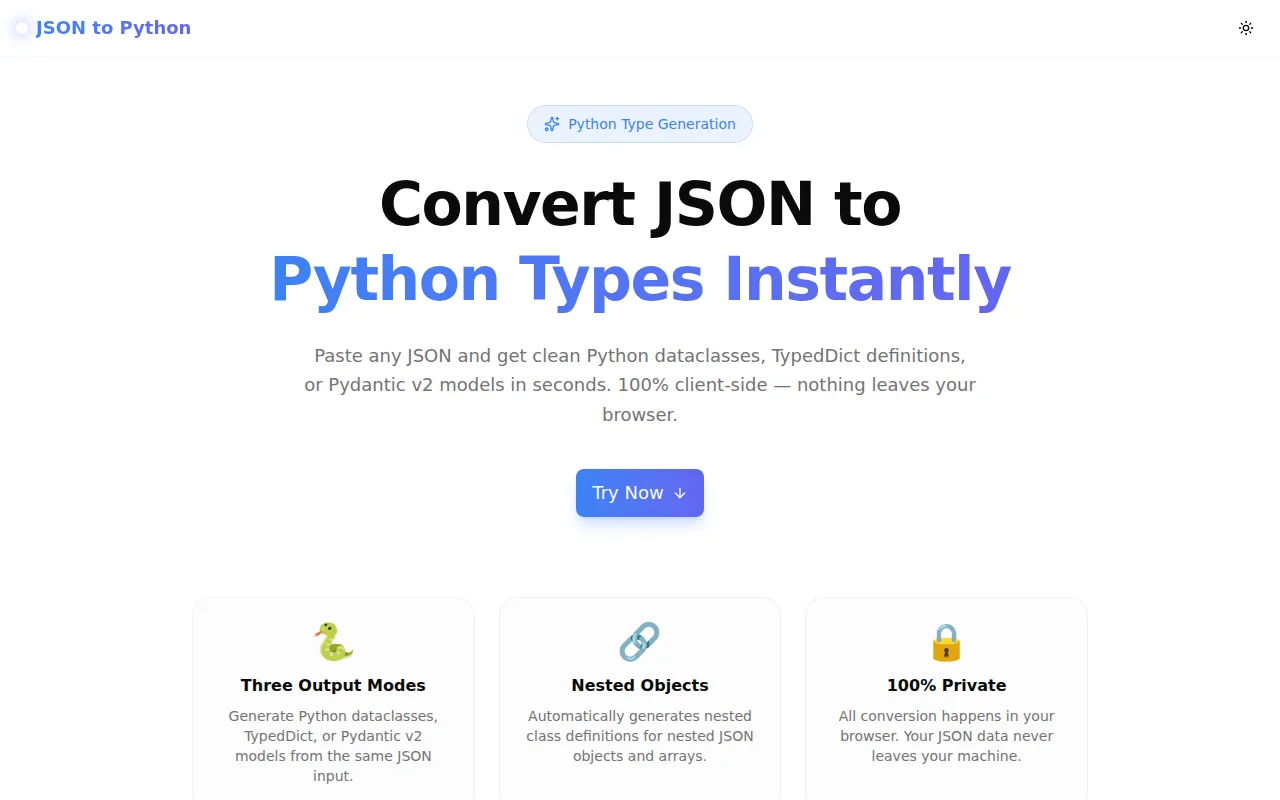
Developer ToolsFeatured
JSON to Python
A free browser-based tool that converts any JSON object to Python dataclasses, TypedDict definitions, or Pydantic v2 models instantly — no login, no install, 100% client-side.
PythonJSONDataclassTypedDictPydanticDeveloper ToolsTypeScriptNext.js
Start Similar ProjectAbout the Project
JSON to Python — Convert JSON to Dataclasses, TypedDict & Pydantic v2
JSON to Python is a free, browser-based converter that turns any JSON object into clean, typed Python code in one click. Paste your JSON, pick your output format — @dataclass, TypedDict, or Pydantic v2 BaseModel — and copy the generated code straight into your project. Nothing leaves your browser.
The Problem
Working with JSON APIs in Python almost always starts the same way: you get a response, you print(response.json()), and you manually write a class to represent it. For a flat object with five fields, this is fine. For a nested response with fifteen fields across three levels of nesting, it becomes tedious and error-prone.
The typical workflow:
1. Copy JSON from Postman / browser DevTools
2. Open your editor
3. Manually type @dataclass or class fields
4. Fix the types — was that field an int or a float?
5. Handle the nested objects — write another class
6. Forget to make the optional fields Optional
7. Repeat for every new endpoint
Every Python developer who works with APIs has done this more than once. The tool removes the repetition.
How It Works
1. Paste Your JSON
Drop any valid JSON object into the input editor. The tool accepts nested objects, arrays, primitive values, and null. A live example is pre-loaded so you can see the output immediately.
2. Choose Your Output Format
Three output modes cover the most common Python patterns:
@dataclass — Python's built-in data class decorator. Available from Python 3.7+. Zero dependencies. Generates @dataclass classes with type-annotated fields and Optional[T] = None defaults for null values.
TypedDict — A dictionary subtype for static type checkers. Available from Python 3.8+. Zero dependencies. Useful when you want to pass the raw dict to typed functions without converting it to a class instance.
Pydantic v2 BaseModel — Full runtime validation, serialisation, and settings management. Requires Pydantic 2.0+. Generates BaseModel subclasses with the correct field types and Optional defaults.
3. Nested Object Handling
Nested JSON objects are converted to separate named classes, not anonymous dicts. The parent class references the child by name. Arrays of objects generate List[ChildClass] annotations. This produces reusable, composable classes rather than a flat blob of Optional fields.
4. Type Inference
The converter infers types from JSON values:
| JSON value | Python type |
|:---|:---|
| true / false | bool |
| Integer number | int |
| Float number | float |
| String | str |
| Array of objects | List[ChildClass] |
| Array of strings | List[str] |
| Nested object | Named child class |
| null | Optional[Any] = None |
5. Copy and Use
Click Copy and paste the output directly into your Python project. The generated code includes all necessary imports — from dataclasses import dataclass, from typing import Optional, List, or from pydantic import BaseModel — so it works immediately.
Key Features
- Three output formats —
@dataclass,TypedDict, and Pydantic v2BaseModel - Nested object support — generates separate named classes for nested objects
- Array type inference —
List[str],List[int],List[ChildClass] - Optional type handling — JSON
null→Optional[T] = None - Import generation — includes all required
from typing import ...statements - 100% client-side — all conversion logic runs in the browser; no data leaves your machine
- Live example — pre-loaded JSON demonstrates all supported types on first open
- One-click copy — clipboard copy with success feedback
Technical Implementation
Core Technologies
- Next.js 16 with App Router
- TypeScript (strict mode) — the converter is fully typed
- Tailwind CSS v4 with OKLCH color tokens
- shadcn/ui components (new-york style)
- Framer Motion for animations
Conversion Architecture
The converter is a pure TypeScript function with no external dependencies. The core pipeline:
- Parse —
JSON.parse()validates and parses the input - Traverse — a recursive type inference function walks the JSON tree
- Class generation — nested objects are detected and queued as separate named classes
- Deduplication — a
Map<className, fields>prevents duplicate class definitions - Render — the selected mode (dataclass / typeddict / pydantic) renders the final string
- Import collection — a post-pass collects all required typing imports
Output Ordering
Child classes appear before parent classes in the output — so the file is importable top-to-bottom without forward references. The root class (Model) is always last.
Use Cases
REST API Client Code
You're integrating with a third-party API. The documentation shows a JSON response example. Paste it into the converter, pick Pydantic v2, and get a validated model ready for your httpx or requests client in seconds.
FastAPI Request/Response Models
You're building a FastAPI endpoint. You have a sample request payload. Paste it, generate a Pydantic v2 BaseModel, and use it directly as the request body type. FastAPI handles the validation and OpenAPI schema generation automatically.
Data Pipeline Type Safety
You're reading JSON from S3, a message queue, or a database. Paste a representative record, generate a @dataclass, and add type safety to your pipeline without introducing Pydantic as a dependency.
Learning Python Type Annotations
New to Python type hints? The converter shows you exactly how to annotate a known data structure. See how Optional, List, and nested classes compose in a real example, then adapt it to your own data.
Legacy Code Migration
You have existing code that uses plain dicts. Paste the dict structure, generate a TypedDict, and add gradual type annotations without rewriting any runtime logic.
Why JSON to Python?
vs. Writing by Hand
- Accurate types — no more confusing int for float or missing Optional
- Nested classes — every nested object gets its own named class automatically
- All imports included — no missing
from dataclasses import dataclass - Zero errors — the output type-checks immediately
vs. Other Online Converters
- Three output modes — not just dataclasses; TypedDict and Pydantic too
- Correct import generation — imports match the fields actually used
- Optional inference — null values become Optional, not bare Any
- No ads, no account — open, paste, copy, done
vs. Pydantic's JSON Schema mode
- Simpler — no need to generate a JSON Schema first
- Instant — paste JSON directly without an intermediate schema step
- Browser-native — no Python environment, no pip install
Results
JSON to Python removes the most mechanical part of working with typed Python APIs:
- Seconds, not minutes — a 10-field nested object converts instantly
- Correct types — no mismatched int/float, no missing Optional
- Ready to import — generated code works immediately with no edits
- No environment required — no Python, no pip, just a browser
Try it now: json-to-python.tools.jagodana.com
The Challenge
The client needed a robust developer tools solution that could scale with their growing user base while maintaining a seamless user experience across all devices.
The Solution
We built a modern application using Python and JSON, focusing on performance, accessibility, and a delightful user experience.
Project Details
Category
Developer Tools
Technologies
Python,JSON,Dataclass,TypedDict,Pydantic,Developer Tools,TypeScript,Next.js
Date
June 2026
Related Projects
More work in Developer Tools

