Back to Projects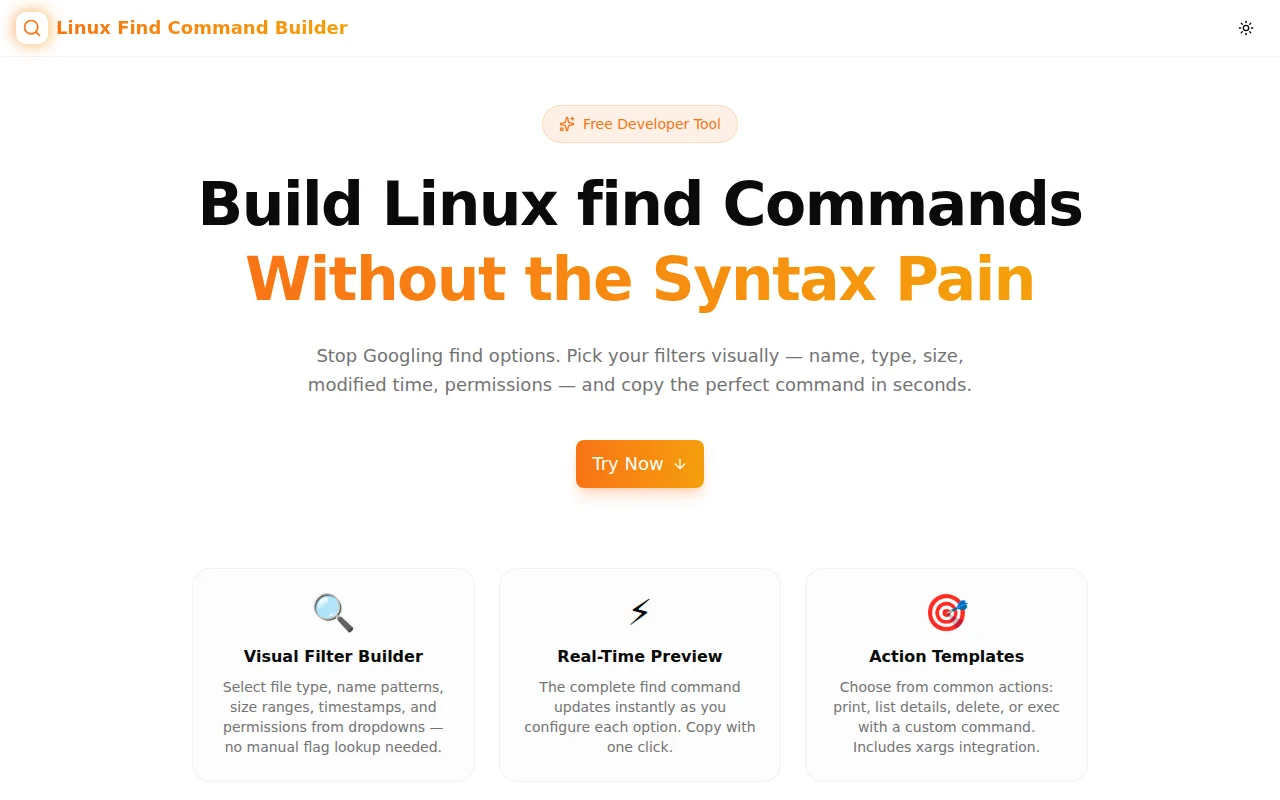
Developer ToolsFeatured
Linux Find Command Builder
A free visual builder for Linux find commands. Configure file type, name patterns, size, modified time, permissions, and actions with dropdowns — get a copy-ready find command instantly.
LinuxCLITerminalShellDeveloper ToolsSysadminNext.jsTypeScript
Start Similar ProjectAbout the Project
Linux Find Command Builder — Visual find Command Generator
Linux Find Command Builder is a free, browser-based tool that lets you construct find commands by filling in a form — no flag memorisation required. Choose file type, name pattern, size range, modified time, depth, permissions, and action from dropdowns, see the command update in real time, and copy it in one click. No install, no login, 100% client-side.
The Problem
The find command is one of the most powerful utilities in the Linux toolkit — and one of the most annoying to use from memory. Its flags are cryptic, its size units are inconsistent, and the exec syntax requires escaping that trips up even experienced engineers:
find /var/log -type f -name "*.log" -mtime +30 -size +10M -exec rm {} \;Every non-trivial find invocation sends developers back to the man page or Stack Overflow. The mental overhead of combining flags correctly — especially -mtime sign conventions, -size units, -perm modes — is a constant friction point.
How It Works
1. Quick Presets
Six one-click presets cover the most common use cases: large files over 100 MB, files modified in the last 7 days, empty directories, .log files, world-writable files, and executable files. Click a preset to populate all filters, then customise from there.
2. Visual Filter Builder
A structured form maps directly to find flags:
- Search path — the starting directory (defaults to
.) - File type — file (
-f), directory (-d), symlink (-l), or any - Name pattern — glob matching with an optional case-insensitive toggle (
-iname) - Exclude name — negated name pattern for filtering out unwanted files
- Size — larger than / smaller than / exactly, with unit selector (bytes, KB, MB, GB)
- Modified time — less than / more than N days ago (
-mtime) - Accessed time — less than / more than N days ago (
-atime) - Max/min depth — limit recursion depth with
-maxdepthand-mindepth - Permissions — octal or symbolic mode string for
-perm - Empty — match empty files or directories with
-empty
3. Action Selector
Choose what find should do with each match:
- Default — print filenames (implicit
-print) - -print — explicit print flag
- -ls — print detailed file listing (like
ls -l) - -delete — permanently remove matched files (with a warning label)
- -exec (custom) — enter any command;
{}is replaced with the matched path;\;is appended automatically
4. Real-Time Command Preview
The generated find command updates as each option changes. The output is displayed in a dark terminal-style block with syntax highlighting — click it or the Copy button to copy to clipboard.
5. Quick Reference
Six pre-built example commands are displayed at the bottom, each clickable to copy. These cover the most Googled find patterns and serve as a learning reference.
Key Features
- Visual form builder — no flag syntax to memorise
- Real-time command preview — see the command update as you configure
- Quick presets — one-click for the 6 most common patterns
- All major find flags — type, name, size, mtime, atime, depth, perm, empty, exec
- Action templates — print, list, delete, or custom exec
- Copy to clipboard — one-click copy with toast confirmation
- Clickable example gallery — copy common patterns instantly
- 100% client-side — no data leaves your browser
- No login required — open and use immediately
Technical Implementation
Core Technologies
- Next.js 16 with App Router
- TypeScript in strict mode
- Tailwind CSS v4 with OKLCH color tokens
- shadcn/ui components (new-york style)
- framer-motion for section animations
- sonner for toast notifications
Architecture
The tool is a single React component (LinuxFindCommandBuilderTool) that maintains a FindOptions state object with one key per find flag. A pure buildCommand(opts) function maps the state to a command string — no side effects, no external calls. The output is memoised with useMemo so it only recomputes when options change.
The preset system merges a partial FindOptions object over the default state, making it trivial to add new presets without touching the form logic.
Use Cases
Cleaning Up Old Log Files
Find and delete logs older than 30 days in a single command. Configure type=file, name=*.log, mtime=+30, action=-delete. The builder generates:
find . -type f -name '*.log' -mtime +30 -deleteAuditing File Permissions
Find world-writable files before a security review. Set type=file, perm=-o+w:
find . -type f -perm -o+wFinding Large Files to Free Disk Space
Set type=file, size=larger than 100 MB:
find . -type f -size +100MBatch Processing with exec
Run a command on every file matching a pattern — for example, compressing all PNGs:
find . -type f -name '*.png' -exec pngquant {} \;Checking Recently Modified Files
Audit which files changed in the last 24 hours across a project:
find . -type f -mtime -1Why Linux Find Command Builder?
vs. Man Page / Stack Overflow
- Instant results — no reading through flag documentation
- No syntax errors — the builder handles quoting, escaping, and flag ordering
- Visual feedback — see the command build as you choose options
vs. Other Online Generators
- More filters — covers mtime, atime, depth, perm, empty, exec, and exclude patterns
- Action selector — includes delete and exec, not just file listing
- Presets — start from real-world patterns, not a blank form
- No ads or registration — open and use immediately
Results
Linux Find Command Builder eliminates the friction of constructing find commands:
- Zero flag memorisation — form-based interface handles syntax
- Correct syntax every time — quoting, escaping, and ordering handled automatically
- From idea to command in seconds — faster than man page or Stack Overflow
Try it now: linux-find-command-builder.tools.jagodana.com
The Challenge
The client needed a robust developer tools solution that could scale with their growing user base while maintaining a seamless user experience across all devices.
The Solution
We built a modern application using Linux and CLI, focusing on performance, accessibility, and a delightful user experience.
Project Details
Category
Developer Tools
Technologies
Linux,CLI,Terminal,Shell,Developer Tools,Sysadmin,Next.js,TypeScript
Date
June 2026
Related Projects
More work in Developer Tools

