Back to Projects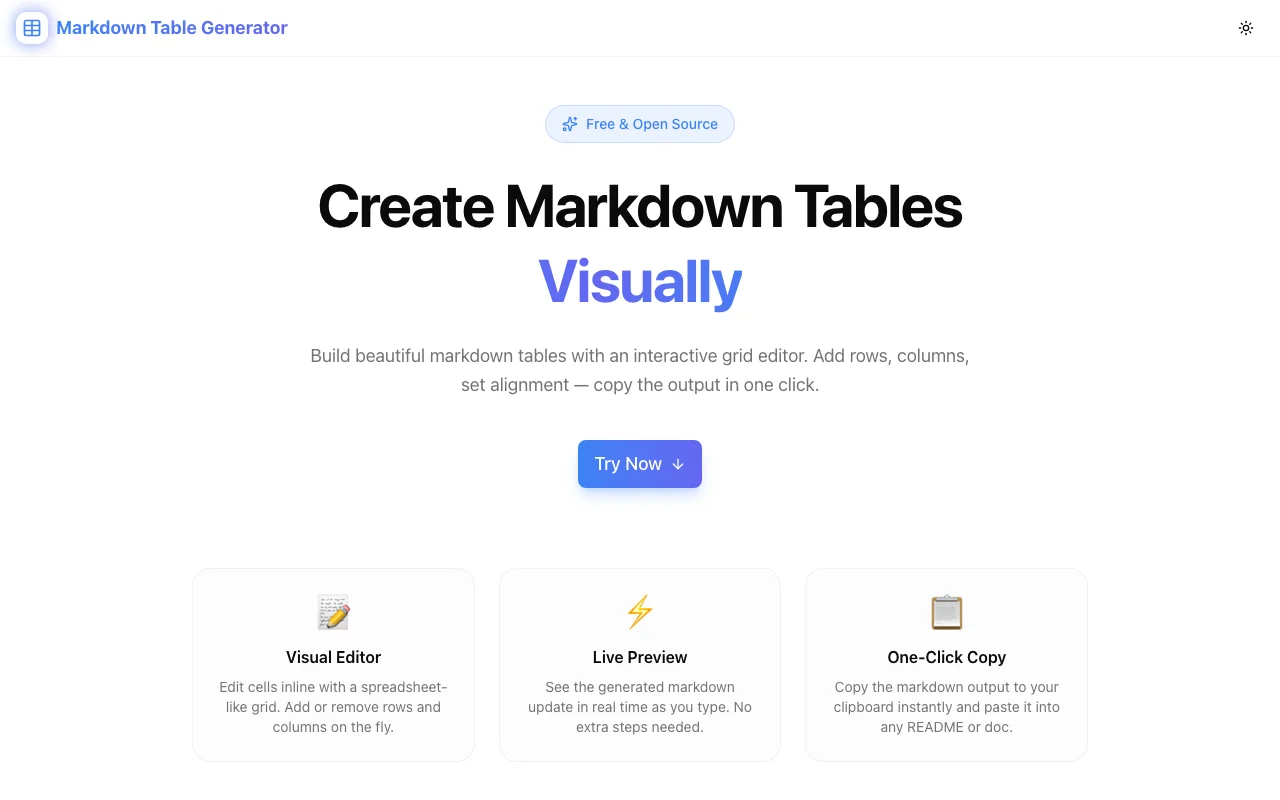
Developer ToolsFeatured
Markdown Table Generator
A free browser-based visual markdown table builder with an interactive grid editor, column alignment controls, live preview, import/export, and one-click copy—no signup required.
MarkdownTablesDeveloper ToolsDocumentationNext.jsTypeScript
Start Similar ProjectAbout the Project
Markdown Table Generator — Build Markdown Tables Visually
Markdown Table Generator is a free, browser-based tool that lets you create and edit markdown tables using an interactive grid editor. Add rows and columns, set alignment, see the markdown output update in real time, and copy the result in one click. No signup, no install—just open the page and start building tables.
The Problem
Markdown tables are powerful but painful to write by hand. The pipe-and-dash syntax is fiddly—aligning columns manually, counting dashes, remembering the colon syntax for alignment. One misplaced pipe breaks the entire table. And editing an existing table? You're re-counting separators and squinting at raw text.
Developers spend unnecessary time formatting tables in READMEs, documentation, and wiki pages. The syntax is simple enough to learn but tedious enough to avoid. Many people skip tables entirely or use screenshots instead—losing the searchability, accessibility, and editability that text tables provide.
How It Works
1. Visual Grid Editor
Click any cell to type your content, just like a spreadsheet. The grid is fully interactive—add or remove rows and columns from the toolbar without touching any markdown syntax. Each cell supports inline editing with immediate feedback.
2. Column Alignment Controls
Click the alignment button on any column header to cycle between left, center, and right alignment. The generator handles the colon syntax (:---, :---:, ---:) automatically so you never have to remember it.
3. Live Markdown Preview
As you type and edit, the generated markdown updates in real time below the grid. You see exactly what will be copied—no surprises, no "generate" button to press. The preview matches what GitHub, GitLab, and any standard markdown renderer will display.
4. Import Existing Tables
Already have a markdown table? Click Import, paste it in, and the editor populates the grid so you can continue editing visually. No need to start from scratch when you're updating an existing table.
5. Export Options
Copy the generated markdown to your clipboard with one click, or export the table data as CSV for use in Excel, Google Sheets, or other spreadsheet applications.
Key Features
- Visual grid editor — edit cells inline like a spreadsheet
- Add/remove rows and columns — resize tables from the toolbar
- Column alignment controls — left, center, right with one click
- Live markdown preview — output updates as you type
- Import markdown tables — paste existing tables to continue editing
- CSV export — download table data for spreadsheet use
- One-click copy — copy markdown output to clipboard instantly
- Fully client-side — no data sent to any server
- No signup required — start building tables immediately
- Open source — full source code available on GitHub
Technical Implementation
Core Technologies
- Next.js with App Router
- TypeScript in strict mode
- TailwindCSS for styling
- Client-side rendering — zero external API dependencies
Architecture
- Interactive grid component with inline cell editing
- Real-time markdown generation from grid state
- Markdown parser for import functionality
- CSV serialization for export
- Responsive layout for desktop and mobile use
- Google Analytics integration for usage tracking
Use Cases
Writing READMEs
Your project needs a feature comparison table, an API reference, or a configuration options list. Instead of fighting pipe syntax, build the table visually and paste the markdown into your README. Done in seconds instead of minutes.
Documentation
Technical documentation is full of structured data—parameter tables, status codes, environment variables, command references. The visual editor lets you focus on content rather than formatting.
GitHub Issues and PRs
Need to include a comparison table in an issue or pull request? Build it in the generator, copy the markdown, and paste it directly. The output renders perfectly in GitHub's markdown.
Updating Existing Tables
A table in your docs needs a new column or updated values. Instead of carefully editing raw markdown and hoping the alignment holds, import the table, make your changes visually, and copy the updated output.
Team Collaboration
Non-technical teammates who aren't fluent in markdown syntax can build tables visually and hand off clean markdown for inclusion in technical documents.
Why Markdown Table Generator?
vs. Writing Markdown by Hand
- No syntax memorization — alignment colons, pipe counts, and separator dashes are handled automatically
- Visual feedback — see the table as you build it, not as raw text
- Faster iteration — add columns and rearrange content without re-counting pipes
vs. Spreadsheet-to-Markdown Converters
- Purpose-built — designed specifically for markdown table output
- Real-time preview — see the markdown as you edit, not after a conversion step
- Import support — round-trip editing of existing markdown tables
vs. Online Table Generators
- No signup or account — start immediately
- Fully client-side — your data never leaves your browser
- Live preview — no "generate" button between editing and output
Results
Markdown Table Generator removes the friction between structured data and markdown syntax:
- Zero formatting time — build tables visually, copy clean markdown
- Accurate output — alignment, separators, and pipes are always correct
- Round-trip editing — import existing tables, modify visually, export updated markdown
- No data risk — everything stays in your browser
Try it now: markdown-table-generator.tools.jagodana.com
The Challenge
The client needed a robust developer tools solution that could scale with their growing user base while maintaining a seamless user experience across all devices.
The Solution
We built a modern application using Markdown and Tables, focusing on performance, accessibility, and a delightful user experience.
Project Details
Category
Developer Tools
Technologies
Markdown,Tables,Developer Tools,Documentation,Next.js,TypeScript
Date
March 2026
Related Projects
More work in Developer Tools

