Back to Projects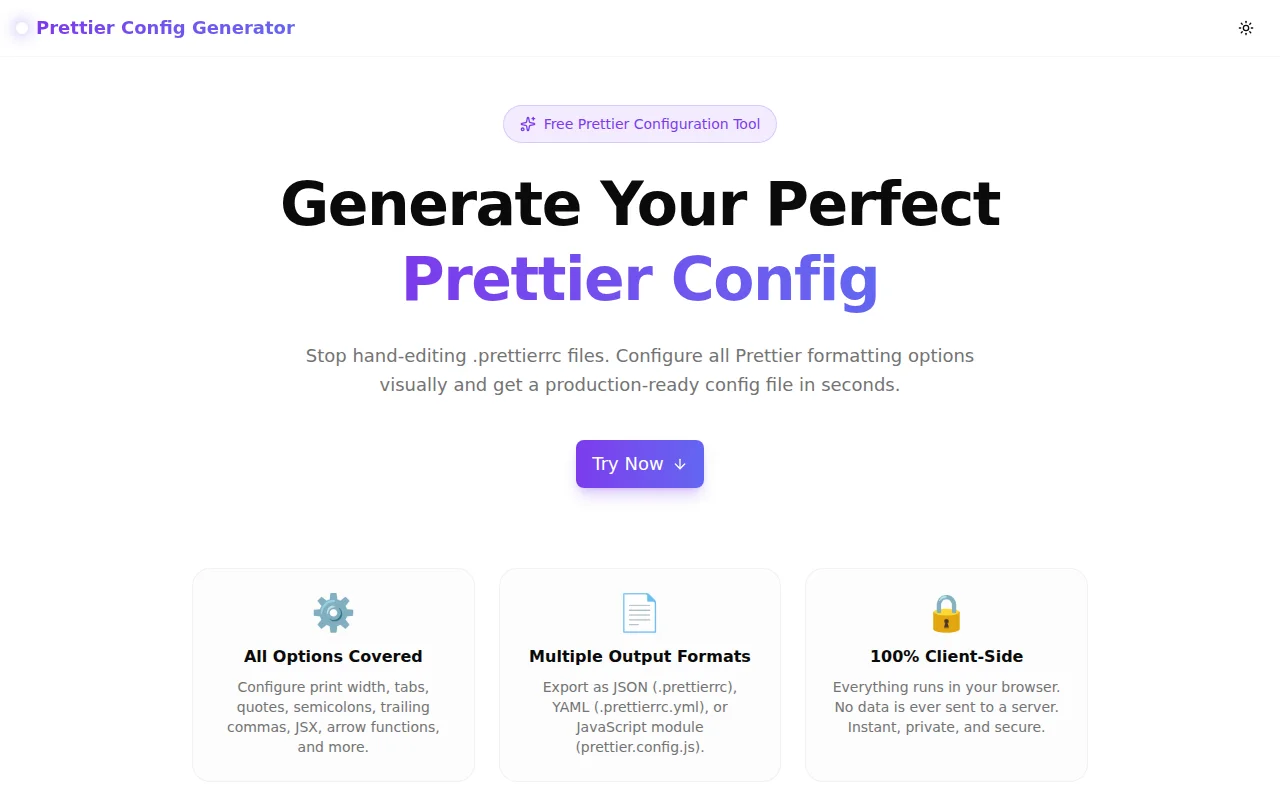
Developer ToolsFeatured
Prettier Config Generator
A free online Prettier configuration generator. Choose your formatting preferences visually and download a ready-to-use .prettierrc, .prettierrc.yml, or prettier.config.js in seconds — no signup required.
PrettierCode FormatterDeveloper ToolsJavaScriptTypeScriptNext.jsFrontend
Start Similar ProjectAbout the Project
Prettier Config Generator — Create .prettierrc Online Free
Prettier Config Generator is a free, browser-based tool that lets you configure every Prettier formatting option visually and download a production-ready .prettierrc file in seconds. No guessing option names, no reading documentation for the fifth time — adjust the controls, pick your output format, and copy or download. No account, no install.
The Problem
Prettier is the most widely adopted JavaScript formatter, but getting its configuration right still involves a familiar ritual: open the docs, find the option you need, set it, rebuild, check the output, realise you forgot another option, repeat. For teams setting up a new project, this takes longer than it should.
The .prettierrc format supports JSON, YAML, and JavaScript modules. The option names are consistent but not intuitive (bracketSameLine, arrowParens, proseWrap). New team members copy configs from Stack Overflow and rarely know what half the options do. Senior developers know the options but still have to look up the exact keys.
The result: inconsistent configs, teams that accept defaults without understanding them, and time spent on configuration instead of shipping.
How It Works
1. Visual Configuration Panel
Every Prettier option is presented as a labelled control with a plain-English description. Toggle switches for boolean options (semicolons, single quotes, bracket spacing), range sliders with numeric inputs for print width and tab width, and dropdown selects for enum options (trailing commas, arrow function parens, end of line).
Change a control and the output panel updates instantly — you see the exact config file content as you build it.
2. Multiple Output Formats
Three output formats, switchable with a tab:
- JSON (
.prettierrc) — the most common format; readable and git-friendly - YAML (
.prettierrc.yml) — concise, great for teams that use YAML across their stack - JavaScript (
prettier.config.js) — best when you need comments, dynamic values, or want to export from a shared config
All three formats are functionally equivalent. Prettier reads them all.
3. Copy or Download
One click copies the config to the clipboard. The download button saves the file with the correct filename for the selected format — .prettierrc, .prettierrc.yml, or prettier.config.js. Drop it at the project root alongside package.json.
4. Reset to Defaults
A reset button restores every option to Prettier's factory defaults. Useful when exploring the impact of specific options or onboarding a new team member to what defaults actually look like.
Key Features
- All Prettier options supported — print width, tab width, tabs, semicolons, quotes, JSX quotes, trailing commas, bracket spacing, bracket same line, arrow parens, end of line, prose wrap
- Three output formats — JSON, YAML, JavaScript module
- Live preview — config updates as you change options
- One-click copy and download — get the file with the right filename
- Reset to defaults — restore Prettier's defaults with one click
- Fully client-side — no API calls, no data leaves your browser
- No signup required — open and start configuring immediately
- Light and dark mode — works in either theme
Technical Implementation
Core Technologies
- Next.js 16 with App Router
- TypeScript in strict mode
- Tailwind CSS v4 with OKLCH color tokens
- Framer Motion for animations
- Client-side only — zero external API dependencies
Architecture
- Config state managed with
useState— a singlePrettierConfigtyped object generateJSON,generateYAML,generateJSpure functions produce output from config state- Live preview re-renders on every config change with no debouncing needed — generation is synchronous and cheap
- YAML output is generated without an external library — Prettier config values are simple key-value pairs with no nesting
- Download uses
Blob+URL.createObjectURLentirely in the browser - Clipboard API for instant copy
Options Covered
Indentation
| Option | Default | Description |
|---|---|---|
| printWidth | 80 | Line length wrap target |
| tabWidth | 2 | Spaces per indentation level |
| useTabs | false | Tabs instead of spaces |
Quotes & Semicolons
| Option | Default | Description |
|---|---|---|
| semi | true | Semicolons at end of statements |
| singleQuote | false | Single quotes instead of double |
| jsxSingleQuote | false | Single quotes in JSX attributes |
Trailing Commas & Brackets
| Option | Default | Description |
|---|---|---|
| trailingComma | "all" | Where to add trailing commas |
| bracketSpacing | true | Spaces in object literals |
| bracketSameLine | false | JSX > on last vs. new line |
Functions & Formatting
| Option | Default | Description |
|---|---|---|
| arrowParens | "always" | Parens around arrow function params |
| endOfLine | "lf" | Line ending character |
| proseWrap | "preserve" | Markdown prose wrapping |
Use Cases
New Project Setup
Starting a new TypeScript or JavaScript project. The team agrees on a style guide but nobody wants to look up every option name. Open the generator, configure the team's preferences, download .prettierrc, commit it. Done in under two minutes.
Onboarding New Developers
A new hire asks why the project uses single quotes and no semicolons. The generator shows every option with a plain-English description — it's a documentation tool as much as a config tool.
Migrating from Prettier v2 to v3
Prettier v3 changed the trailingComma default from "es5" to "all". Use the generator to review all options and understand what changed without reading the full migration guide.
Open Source Project Config
Open source projects need a Prettier config that works across contributors on Windows (CRLF) and Unix (LF). Set endOfLine: "auto", configure the rest, download, and commit.
Teaching Code Style
Introduce Prettier to a junior developer or bootcamp cohort. Use the generator to show how each option affects the output — toggle semicolons on and off, switch between single and double quotes — and have them see the config file update in real time.
Why Prettier Config Generator?
vs. Manually Writing .prettierrc
- No option name lookup — controls are labelled in plain English
- No syntax errors — valid config generated every time
- Multiple formats — JSON, YAML, and JS in one place without re-typing
vs. Copying from Stack Overflow
- Current defaults — reflects Prettier v3 defaults (trailingComma: "all")
- Understood options — you configure what you understand, not copy what you don't
- Your preferences — not someone else's
vs. Prettier Playground
- Downloadable output — the playground shows formatted code, not the config file
- All options — not just formatting demo
- For setup, not testing — purpose-built for project initialisation
Results
Prettier Config Generator removes the friction from project setup and team onboarding:
- Under 2 minutes from opening the tool to a committed
.prettierrc - Zero documentation lookups needed for standard config options
- Three formats supported so teams can use whatever fits their stack
Try it now: prettier-config-generator.tools.jagodana.com
The Challenge
The client needed a robust developer tools solution that could scale with their growing user base while maintaining a seamless user experience across all devices.
The Solution
We built a modern application using Prettier and Code Formatter, focusing on performance, accessibility, and a delightful user experience.
Project Details
Category
Developer Tools
Technologies
Prettier,Code Formatter,Developer Tools,JavaScript,TypeScript,Next.js,Frontend
Date
June 2026
Related Projects
More work in Developer Tools

