Back to Projects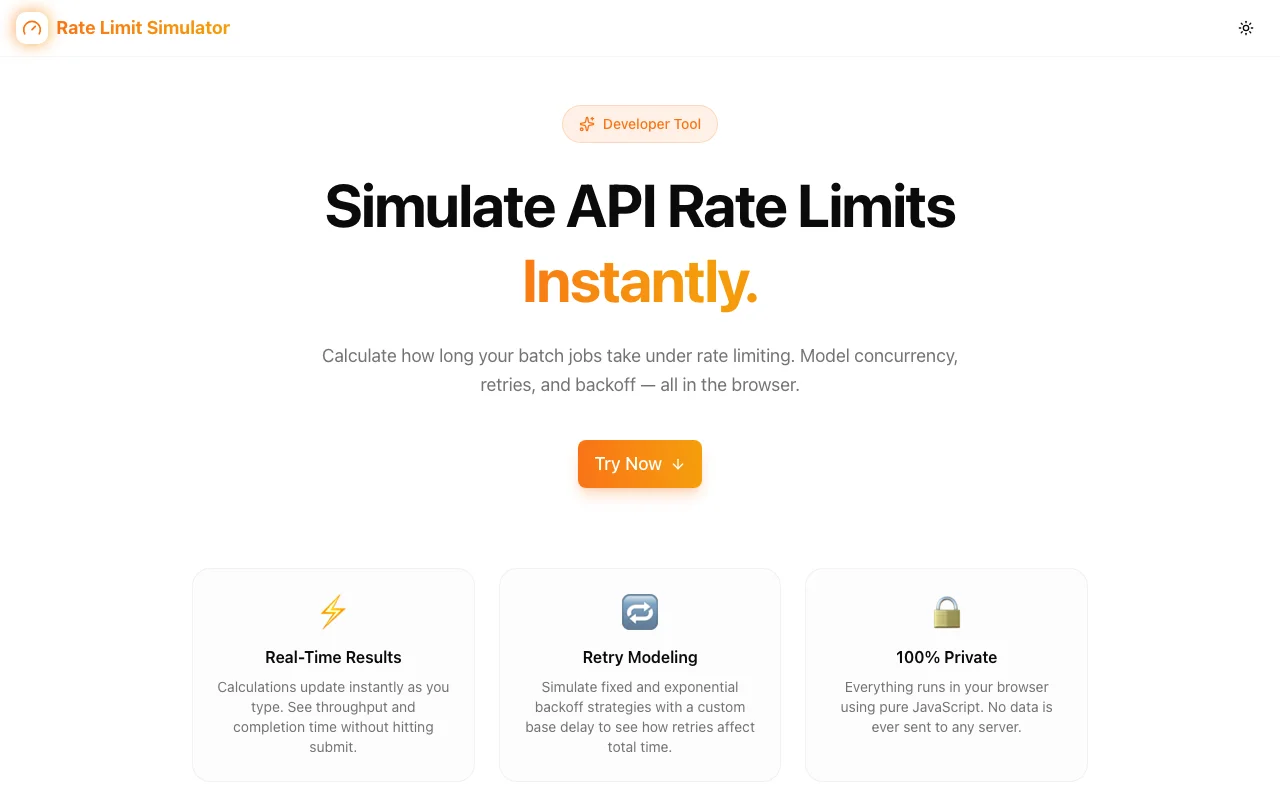
Developer ToolsFeatured
Rate Limit Simulator
A developer tool that simulates API throughput, queue delays, and retry overhead under real-world rate limits—so you can plan integrations before they break in production.
APIRate LimitingLoad TestingDeveloper ToolsNext.jsTypeScript
Start Similar ProjectAbout the Project
Rate Limit Simulator — Plan API Integrations Before They Break
Rate Limit Simulator is a free developer tool that lets you model API rate limits, queue delays, and retry overhead for any API—before you write a single line of integration code. Stop guessing at throughput. Start planning it.
The Problem
Rate limiting surprises are one of the most common—and most preventable—production incidents in API integrations. The pattern is familiar:
- Build an integration against a third-party API
- It works perfectly in testing (low volume)
- Ship to production →
429 Too Many Requests - Retry logic hammers the API harder
- Queue backs up, users see errors
Every serious API rate limits: Stripe, Twilio, OpenAI, GitHub, Shopify, Salesforce. The limits vary wildly—requests per second, per minute, per day, concurrent connections, token buckets. Understanding how your workload interacts with these limits before you build is the difference between a smooth launch and a 2 AM incident.
How It Works
1. Configure the Rate Limit
Set up the API's rate limit parameters:
- Requests per window — how many requests are allowed (e.g., 100)
- Window duration — the time window (e.g., per minute, per second)
- Algorithm type — fixed window, sliding window, or token bucket
- Burst allowance — how many requests can burst above the steady rate
2. Define Your Workload
Describe the traffic your application will generate:
- Request volume — how many requests you need to send
- Request pattern — steady stream, periodic bursts, or batch processing
- Concurrency — how many parallel connections you'll use
3. Configure Retry Strategy
Set how your application handles rate-limited responses:
- Retry policy — exponential backoff, fixed delay, or no retry
- Max retries — how many times to retry before giving up
- Backoff multiplier — how aggressively to back off
- Jitter — randomization to prevent thundering herd
4. Run the Simulation
The simulator models your workload against the rate limit in real time, showing:
- Throughput timeline — requests accepted vs. rejected over time
- Queue depth — how many requests are waiting at any point
- Retry overhead — additional requests caused by retries
- Total completion time — how long until all requests are processed
- Effective throughput — actual requests per second after rate limiting
Key Features
- Multiple algorithms — simulate fixed window, sliding window, and token bucket rate limiters
- Retry modeling — see how backoff strategies affect total throughput
- Visual timeline — watch the simulation play out in real time
- Workload patterns — model steady, bursty, and batch traffic
- Queue analytics — understand backpressure and queue depth
- No signup — start simulating immediately
- Client-side — your API plans stay private
Technical Implementation
Core Technologies
- Next.js with App Router
- TypeScript in strict mode
- TailwindCSS for styling
- shadcn/ui for accessible components
Simulation Engine
- Discrete event simulation with configurable tick resolution
- Multiple rate limiting algorithm implementations (fixed window, sliding window, token bucket)
- Retry logic with exponential backoff, jitter, and configurable ceiling
- Real-time visualization using requestAnimationFrame for smooth rendering
Architecture
- All simulation logic runs client-side—no server round-trips during simulation
- Configurable parameters update the simulation in real time
- Results exportable for sharing with team members
- Responsive design for use on any screen size
Use Cases
Pre-Integration Planning
You're about to integrate Stripe's API for a high-volume billing system. Before writing code, simulate your expected request volume against Stripe's rate limits to determine if you need request queuing, batch processing, or a higher tier plan.
Retry Strategy Optimization
Your current retry logic uses fixed 1-second delays. Simulate the same workload with exponential backoff and jitter to see how much faster your total throughput improves and how much retry overhead you eliminate.
Capacity Planning
Your app is growing. You'll hit 10x your current API call volume in 6 months. Simulate future workloads against current rate limits to determine when you'll need to upgrade API plans or optimize request batching.
Architecture Reviews
During design reviews, use the simulator to validate assumptions about API throughput. Show the team exactly what happens when 1,000 concurrent users trigger API calls simultaneously.
Incident Analysis
After a rate limiting incident, replay the actual traffic pattern in the simulator to understand exactly where the bottleneck occurred and test different retry strategies that would have prevented the outage.
Why Rate Limit Simulator?
vs. Guessing
- Data-driven — see exactly how your workload interacts with rate limits
- Visual — timeline shows accepted, rejected, and retried requests
- Preventive — find issues before production, not during
vs. Load Testing in Production
- Zero risk — no actual API calls, no rate limit violations
- Free — doesn't consume API quota
- Faster — simulate hours of traffic in seconds
- Configurable — test any rate limit and any workload pattern
vs. Spreadsheet Math
- Accurate — models bursts, retries, and queue dynamics that spreadsheets can't
- Visual — see the timeline, not just final numbers
- Interactive — adjust parameters and see results instantly
Results
Rate Limit Simulator gives you confidence in API integrations:
- Plan before you build — know your throughput constraints upfront
- Optimize retry logic — find the best backoff strategy without trial and error
- Prevent production incidents — catch rate limit issues before they hit users
- Communicate clearly — share simulation results with your team during planning
Try it now: rate-limit-simulator.jagodana.com
The Challenge
The client needed a robust developer tools solution that could scale with their growing user base while maintaining a seamless user experience across all devices.
The Solution
We built a modern application using API and Rate Limiting, focusing on performance, accessibility, and a delightful user experience.
Project Details
Category
Developer Tools
Technologies
API,Rate Limiting,Load Testing,Developer Tools,Next.js,TypeScript
Date
March 2026
Related Projects
More work in Developer Tools

